
Introduction
The Desiontal Q30 is a versatile single-axis gimbal stabilizer designed to enhance your mobile photography and videography. It combines the functionality of a selfie stick, a stable tripod, and a gimbal for smooth, professional-looking footage. This manual provides detailed instructions for setup, operation, and maintenance to ensure optimal performance of your device.
Key Features
- Single-Axis Gimbal Stabilization: High-speed brushless motor and intelligent anti-shake technology for smooth video recording.
- Versatile Selfie Stick: Extendable alloy rod up to 27.36 inches for wider shots.
- Stable Tripod: Unique three-legged design with thick feet for superior balance, ideal for hands-free use.
- Wireless Remote Control: Detachable remote with up to 32 ft range for effortless photo and video capture.
- Horizontal and Vertical Switching: Flexible phone holder with 270° rotation for easy orientation changes.
- Compact & Portable: Folds down to 6.1 inches with a keychain design for easy transport.
- Wide Compatibility: Supports most smartphones (4.0"-6.2") and features a USB-C charging port.
What's in the Box
- Desiontal Q30 Selfie Stick Gimbal Stabilizer
- Wireless Remote Control
- USB-C Charging Cable
- User Manual (this document)
Setup
1. Unfolding the Gimbal
The Q30 gimbal is designed to be compact when folded. To prepare for use, gently unfold the device until it is fully extended and the phone holder is in position.

The device folds compactly for portability. When ready to use, extend the arm and position the phone holder.
2. Mounting Your Smartphone
Carefully place your smartphone into the adjustable phone holder. Ensure the phone is centered and securely gripped. The holder is designed to avoid pressing side buttons on most smartphones (4.0"-6.2").

The phone holder allows for easy switching between horizontal and vertical modes by rotating the phone clip. This flexibility ensures you can capture content in your preferred orientation without re-mounting.
3. Powering On the Gimbal
Long press the power button located on the gimbal handle to turn it on. A green light indicates power-on status. If the light is red, the battery is low and requires charging.

The gimbal utilizes a high-speed brushless motor for precision and stable operation, minimizing noise during recording.
4. Connecting the Remote Control
The wireless remote control is integrated into the gimbal handle. To use it, simply slide it out. The remote connects automatically via Bluetooth. No complex pairing is required for basic functions.

The remote control allows you to trigger the shutter from a distance, ideal for group photos or hands-free recording. It recharges via a USB-C port.
Operating Instructions
1. Gimbal Stabilization
The Q30 features single-axis gimbal stabilization. Once powered on, the gimbal automatically balances your phone, reducing shakes and vibrations for smooth footage. It supports automatic straightening at the push of a button.
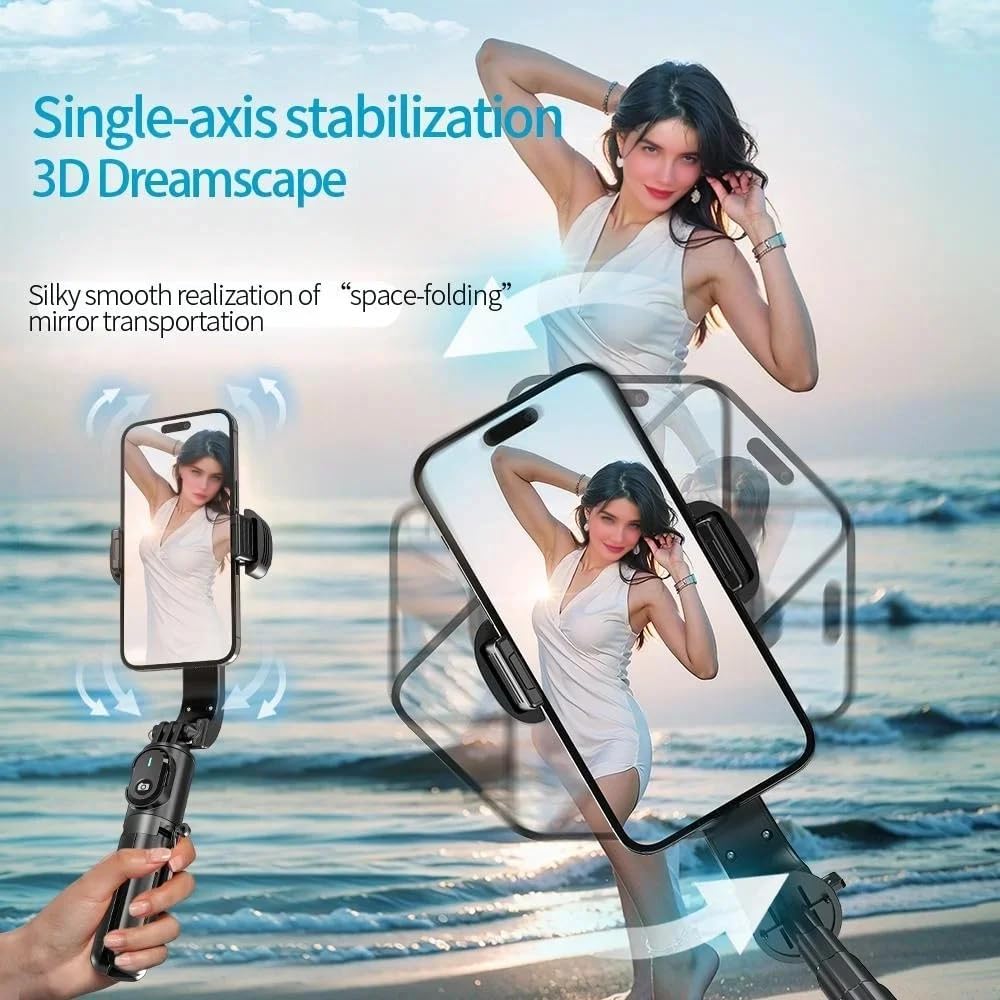
The intelligent anti-shake technology ensures stable and clear footage, even when moving. Use the one-touch reset feature for auto-correction.
2. Selfie Stick Functionality
Extend the alloy rod to transform the device into a selfie stick. The rod extends up to 27.36 inches, providing ample length for wider selfies or group shots. The phone holder can rotate 270° for optimal angles.

The extendable rod allows for diverse shooting perspectives, from close-up selfies to wider landscape shots.
3. Tripod Functionality
The gimbal handle features a unique three-legged design that unfolds to create a stable tripod. This allows for hands-free recording, live streaming, or stable group photos. The thick feet provide superior balance compared to many four-legged stands.

For stable, stationary shots, deploy the tripod legs. The robust design ensures your phone remains steady on various surfaces.
4. Gimbal Modes and Controls
The gimbal offers various modes for different shooting scenarios. Use the joystick on the remote control to manually adjust the phone's orientation. Some gimbals allow manual positioning by moving the phone directly, which the Q30 supports to hold the desired angle.
This video provides a comprehensive guide to operating the gimbal, including different modes and controls. It illustrates how to switch between horizontal and vertical views, use the remote for photos/videos, and engage POV mode for dynamic shots.
- Locked Mode: The phone remains fixed in its current orientation, regardless of gimbal movement.
- Follow Mode: The phone follows your left-right and up-down movements, but does not tilt side-to-side.
- POV Mode: The phone follows all your movements, including tilting, for immersive point-of-view shots.
5. App Integration (Optional)
While the Q30 can be used right out of the box without an app, a companion app (if available) may offer extended functionalities such as face tracking and object tracking. Refer to the product packaging or manufacturer's website for app download instructions.

The app's intelligent tracking feature allows you to select a subject, and the gimbal will automatically follow their movement, keeping them centered in the frame.
Maintenance
- Charging: Charge the gimbal and remote control using the provided USB-C cable. The gimbal has a 450mAh battery.
- Cleaning: Wipe the device with a soft, dry cloth. Avoid using harsh chemicals or abrasive materials.
- Storage: Fold the gimbal into its compact form for storage to protect its components.
Troubleshooting
- Gimbal not stabilizing: Ensure the phone is properly balanced in the holder and the gimbal is powered on.
- Remote control not connecting: Ensure the remote is charged and properly inserted/removed from its slot.
- Phone buttons being pressed: Adjust the phone's position slightly within the holder to avoid contact with buttons. The holder is designed to minimize this issue.
- App glitches/tracking issues: Ensure the app is updated to the latest version. Check lighting conditions for optimal tracking performance.
Specifications
| Feature | Detail |
|---|---|
| Model Number | Q30 |
| Brand | Desiontal |
| Item Weight | 11.7 ounces |
| Package Dimensions | 6.65 x 3.43 x 2.01 inches |
| Folded Size | 6.1 inches (length) |
| Extended Length | Up to 27.36 inches |
| Compatible Devices | Most smartphones (4.0"-6.2"), e.g., iPhone 11-16, Samsung Galaxy S21-S23 Ultra, Huawei P10-P30 Pro |
| Battery | 1 Lithium Ion battery (included) |
| Charging Port | USB-C |
Warranty and Support
For warranty information or technical support, please refer to the contact details provided on the product packaging or visit the official Desiontal website. Keep your purchase receipt for warranty claims.