
1. Introduction
Thank you for choosing the Generic Cordless Ankle Massager, Model XBL-8688. This device is designed to provide relaxation and comfort to your ankles and feet through a combination of vibration massage and heat therapy. Its portable and rechargeable design allows for convenient use at home, in the office, or while traveling. Please read this manual thoroughly before use to ensure safe and effective operation.
2. Safety Information
- Do not use the massager while it is charging.
- Keep the massager away from water and liquids to prevent damage and electrical hazards.
- Ensure the device is fully charged before initial use if it does not power on.
- The massager features an intelligent 30-minute timer to prevent excessive usage. Do not attempt to bypass this safety feature.
- Consult a healthcare professional before use if you have any pre-existing medical conditions, especially those affecting circulation, sensation, or skin integrity.
- Discontinue use immediately if you experience pain, discomfort, or any adverse reactions.
- This device is not intended for medical diagnosis, treatment, or prevention of any disease or health condition.
3. Product Overview
3.1 Package Contents
- 1 x Cordless Ankle Massager Brace
- 1 x User Manual (this document)
- 1 x Type-C Charging Cable

3.2 Key Features
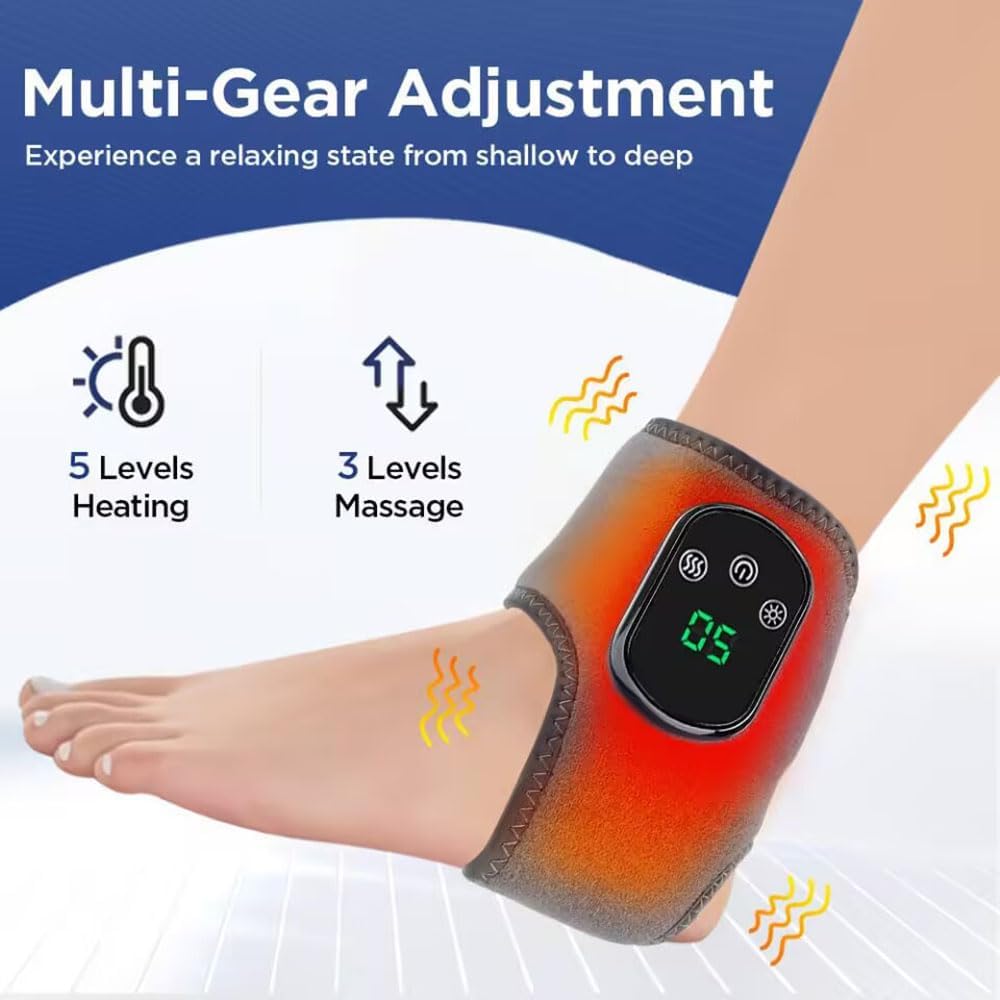
- Temperature Control: 5 adjustable heat settings from 40°C to 60°C (104°F to 140°F).
- Massage Modes: 3-level vibration massage intensity settings.
- Digital Display: LED screen for temperature and settings, with an easy-to-use control interface.
- Rechargeable & Portable: Built-in 1800mAh battery with USB Type-C charging.
- Ergonomic Design: Adjustable ankle brace for a secure and targeted fit.
- Auto Shut-Off: Intelligent 30-minute timing for safety.


3.3 Specifications
| Feature | Detail |
|---|---|
| Product Name | Electric Heating Ankle Brace |
| Model Number | XBL-8688 |
| Material | ABS + Advanced Diving Fabric, Cotton |
| Color | Grey |
| Rated Voltage | 3.7V |
| Rated Power | 7W |
| Input Voltage | 5V |
| Input Current | 1A |
| Input Power | 5W |
| Battery Capacity | 1800mAh Lithium Ion |
| Charging Time | Approximately 3 hours |
| Usage Time per Charge | Approximately 3 sessions (30 minutes per session) |
| Power Supply Mode | Type-C charging |
| Ankle Size Suitability | Smaller than 14.76 inches circumference |
| Product Dimensions (L x W x H) | 14.76 x 3.54 x 1.18 inches |
| Item Weight | 180 Grams (6.35 ounces) |
| Water Resistance Level | Not Water Resistant |
4. Setup and Charging
4.1 Initial Charge
Before first use, or if the device does not power on, fully charge the ankle massager. Connect the provided Type-C charging cable to the massager's charging port and plug the other end into a compatible USB power source (e.g., wall adapter, computer USB port). The charging indicator will display "LL" while charging and "HH" when fully charged. A full charge takes approximately 3 hours.
Important: The massager cannot be turned on or used while it is charging.
4.2 Wearing the Massager
Place the ankle massager brace around your ankle. Adjust the strap to ensure a snug yet comfortable fit. The device is designed to fit ankle sizes smaller than 14.76 inches in circumference.

5. Operation
The ankle massager combines heat therapy and vibration massage. It is equipped with an intelligent 30-minute timer for each session.

5.1 Powering On/Off
- To Power On: Press and hold the power button (Ⓘ) for 2 seconds. The controller will beep twice, and the default starting temperature is 50°C.
- To Power Off: In the startup state, press and hold the power button (Ⓘ) for 2 seconds. The product will shut down, and all indicator lights will turn off.
5.2 Adjusting Heat Levels
Once the product is powered on, press the heat button (☼) to cycle through the 5 adjustable heat settings. The temperature range is 40°C, 45°C, 50°C, 55°C, and 60°C. The current temperature will be displayed on the LED screen.

5.3 Adjusting Vibration Modes
While the product is powered on, press the vibration button (☽) to cycle through the 3 vibration intensity levels. The vibration mode is cyclic. Pressing it once will activate the first gear, pressing it again will increase it to the third gear, and pressing it once more will turn off the vibration function.
5.4 Usage Recommendations
For optimal results, use the massager on the affected area for 15-30 minutes, 2-3 times a day. The intelligent timer will automatically shut off the device after 30 minutes to prevent overuse.
6. Maintenance
- Cleaning: Wipe the surface of the massager with a soft, damp cloth. Do not use abrasive cleaners or immerse the device in water.
- Storage: Store the massager in a cool, dry place away from direct sunlight and extreme temperatures.
- Battery Care: To prolong battery life, avoid fully discharging the battery frequently. Charge the device regularly, even if not in use for extended periods.
7. Troubleshooting
| Problem | Possible Cause | Solution |
|---|---|---|
| Device does not turn on. | Battery is depleted. | Charge the device fully (approx. 3 hours) using the provided Type-C cable. |
| Device stops working during operation. | Connected to power supply during use. | Ensure the device is disconnected from the charging cable before use. The device cannot operate while charging. |
| Device automatically shuts off. | Intelligent 30-minute timer activated. | This is a normal safety feature. You can restart the device for another session if desired, ensuring not to overuse. |
| Heat or vibration not felt. | Incorrect settings or device not properly positioned. | Ensure heat and vibration modes are activated and set to desired levels. Adjust the massager's position on the ankle for optimal contact. |
8. Warranty and Support
This product is manufactured by YUSHAO. For any questions, concerns, or support needs regarding your Generic Cordless Ankle Massager (Model XBL-8688), please refer to the contact information provided with your purchase or reach out to the retailer. Please retain your proof of purchase for warranty claims.


