
STAPON S13
STAPON S13 13.3-inch Android Car Head Unit Instruction Manual
Model: S13
Brand: STAPON
1. Introduction
This manual provides detailed instructions for the installation, operation, and maintenance of your STAPON S13 13.3-inch Android Car Head Unit. This unit is designed to enhance your in-car experience with advanced navigation, entertainment, and connectivity features. Please read this manual thoroughly before using the product to ensure proper function and safety.
The STAPON S13 features a 13.3-inch QLED display with 1920x1200 resolution, an 8-core processor, 6GB RAM, and 128GB ROM. It operates on Android 15 and supports CarPlay and Android Auto. Connectivity options include Bluetooth 5.0, WiFi, and 4G. The unit also includes an advanced DSP for audio processing and supports a 360-degree camera system.
2. What's in the Box
Please verify that all components are present upon unpacking:
- Display Unit (STAPON S13 13.3-inch Android Car Head Unit)
Note: Additional accessories such as wiring harnesses, GPS antenna, USB cables, and external microphones may be included depending on the specific package. Please refer to your packaging for a complete list.
3. Setup and Installation
3.1 Physical Installation
The STAPON S13 head unit is designed for in-dash mounting. It can be installed with a 9 or 10-inch frame and features adjustable height. Ensure proper fitment within your vehicle's dashboard.

This image illustrates the installation process, showing how the head unit fits into a car frame. It highlights the four fixing holes on the machine and the three groups of holes on the frame for secure mounting. Side profiles with dimensions (6cm, 4.8cm, 3.5cm height, 1cm, 2.6cm depth) are provided to guide installation.
3.2 Wiring and Connectivity
Connect the power harness, speaker wires, and other necessary cables (e.g., GPS antenna, USB, auxiliary input, reverse camera input) according to your vehicle's wiring diagram and the unit's connection ports. Professional installation is recommended for optimal performance and safety.
3.3 Initial Power-On and Configuration
After installation, turn on your vehicle's ignition. The head unit should power on automatically. Follow the on-screen prompts for initial setup, including language selection, time zone, and network configuration.
4. Operating Instructions
4.1 User Interface Overview
The STAPON S13 runs on Android 15, providing a familiar and intuitive interface. Navigate through applications and settings using the touch screen. The home screen displays frequently used apps and widgets.

This image displays the main user interface of the STAPON S13 head unit, featuring a grid of application icons. Icons for Google, Google Zhuyin Input, HideButton, Maps, Music, Navi, Netflix, Operation guide, Play Store, and Radio are visible, demonstrating the unit's app accessibility.
4.2 Display Features
The 13.3-inch QLED screen offers a 1920x1200 resolution for clear visuals. The display provides excellent color performance and clarity, enhancing the viewing experience for navigation and multimedia.

This image highlights the 2K Ultra HD resolution (1920x1200) of the screen, overlaid on a vibrant underwater scene with various fish, emphasizing the visual quality.

This image shows the STAPON S13 head unit installed in a car dashboard, displaying a high-resolution image of an underwater scene with colorful fish. The text below emphasizes the excellent color performance and clarity for comfortable visual enjoyment.
4.3 Connectivity
- 4G Network: The unit supports 4G connectivity, allowing for online navigation, streaming, and app downloads.
- WiFi: Connect to available WiFi networks for internet access.
- Bluetooth 5.0: Pair your smartphone for hands-free calling, audio streaming, and phonebook synchronization.

This image illustrates the 4G full network pass feature of the head unit, with a large '4G' graphic superimposed over the display showing various app icons. The text indicates 'More network options for faster use'.
4.4 Smartphone Integration (CarPlay & Android Auto)
The unit supports both Apple CarPlay and Android Auto, allowing seamless integration of your smartphone for navigation, music, messages, and more. Connect your device via USB or wirelessly (if supported by your phone and the unit).

This image demonstrates the built-in CarPlay and Android Auto functionality. It shows the head unit displaying both iPhone CarPlay and Android Auto interfaces, along with a comparison of phone navigation display versus the car DVD screen display.
4.5 Audio Features (DSP)
The integrated Digital Sound Processor (DSP) with AK7604 and TDA7850 sound system allows for 36 bands of sound adjustment. Customize your audio experience with various equalizer presets and sound field settings.

This image shows the DSP sound processing interface on the STAPON S13 head unit, featuring a 36-band equalizer. The display is integrated into a car dashboard, highlighting the unit's audio customization capabilities.
4.6 360-Degree Camera Support
When a compatible 360-degree camera system (with four cameras: front, rear, left, and right side) is connected, the unit can display a panoramic view of your surroundings. This feature enhances safety during parking and maneuvering. The system can also function as a dashcam, recording from all four cameras simultaneously.
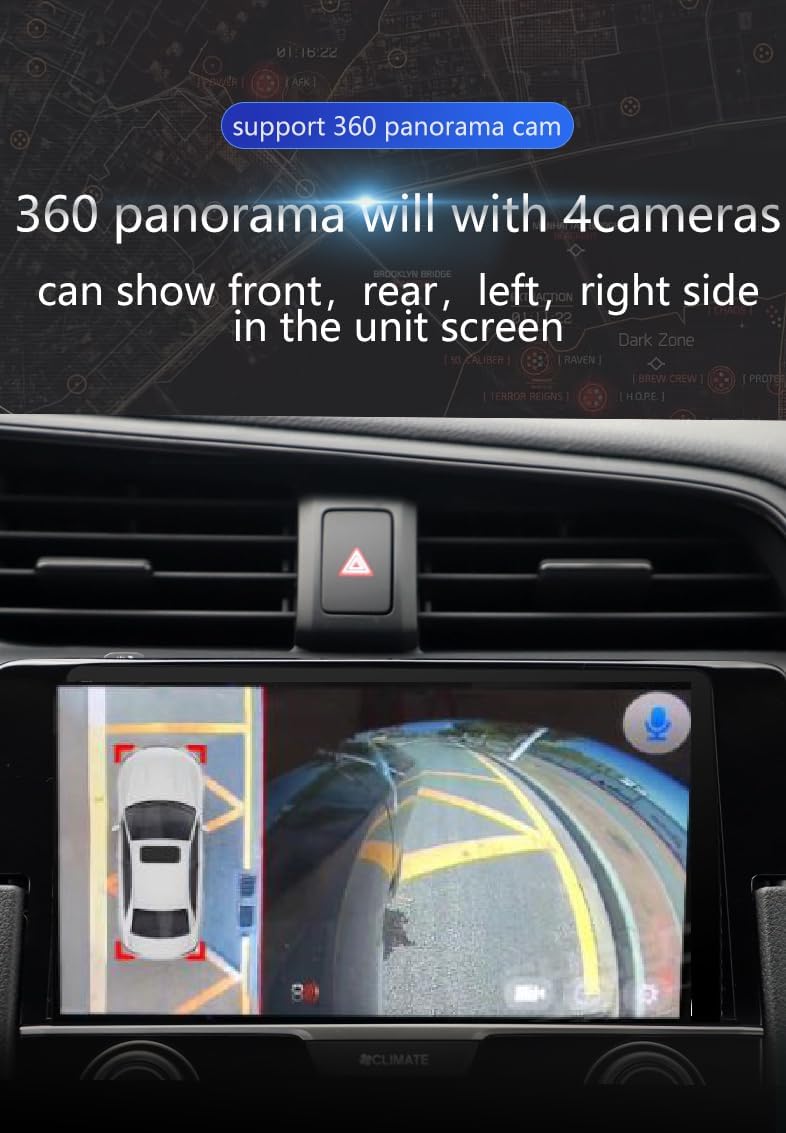
This image demonstrates the 360-degree panorama camera support, showing a split screen view with a top-down representation of the car and surrounding camera feeds (front, left, right). This feature aids in parking and situational awareness.
4.7 Picture-in-Picture and Split Screen
The unit supports a picture-in-picture (PIP) and split-screen function, allowing you to run two applications simultaneously. For example, you can view navigation on one side and a video or music player on the other.
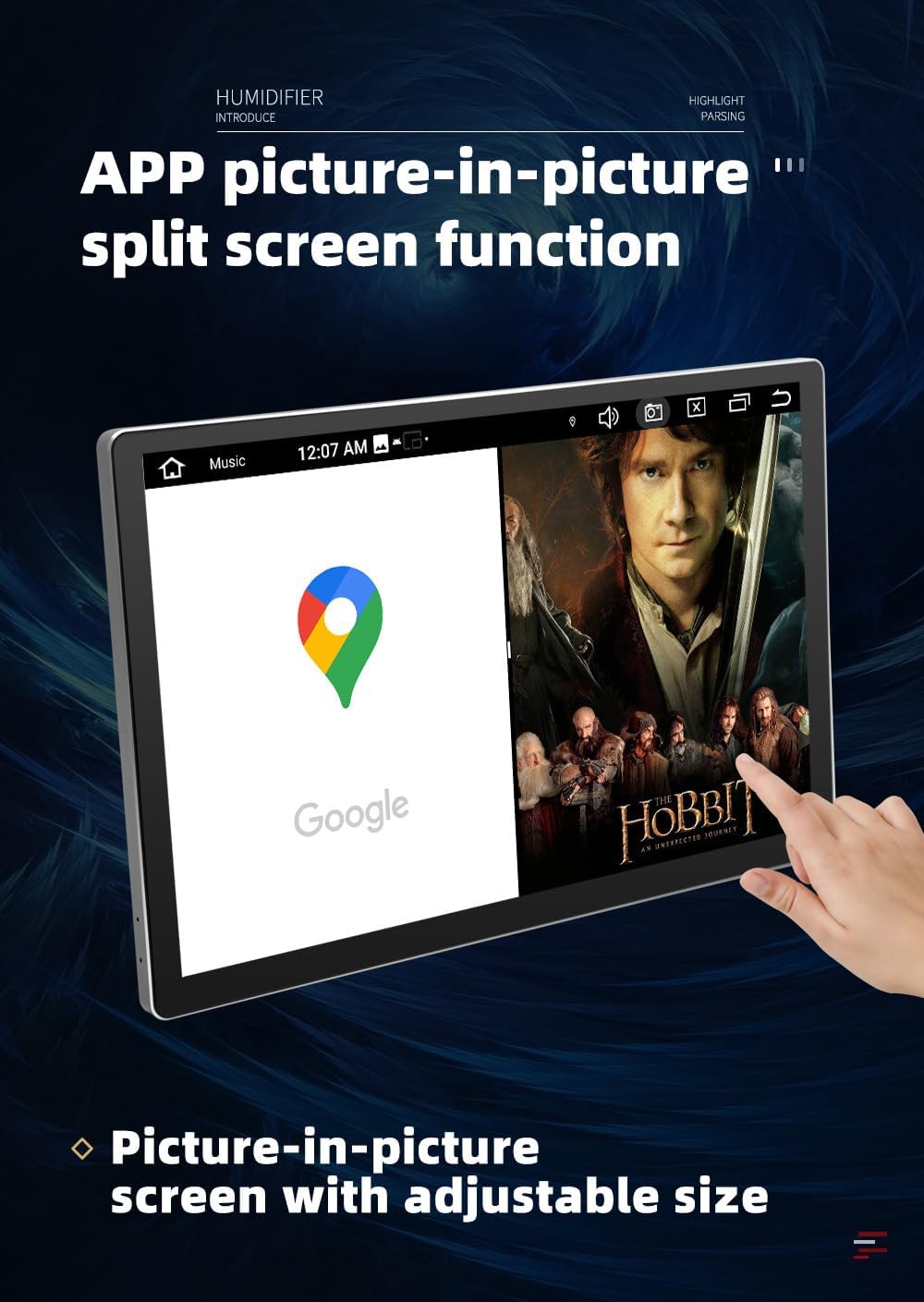
This image illustrates the APP picture-in-picture split screen function, showing the head unit displaying Google Maps on the left side and a movie on the right. The text highlights the adjustable size of the picture-in-picture screen.
4.8 Multimedia Playback
The unit supports various audio formats (MP3, WAV, FLAC) and video formats (MP4, AVI, MKV). Enjoy your media through USB, Bluetooth, or streaming services.
4.9 Radio and GPS
Access FM/AM radio with RDS (Radio Data System) for station information. The built-in GPS provides reliable navigation with online map support.
4.10 Voice Command
The unit supports touchscreen-based voice commands for convenient operation.
4.11 Video Demonstration
This video demonstrates the various functionalities of the STAPON 13-inch head unit, including navigation through the user interface, 360-degree camera views, CarPlay integration, and sound equalizer settings. It provides a visual overview of the unit's operational capabilities.
5. Maintenance
To ensure the longevity and optimal performance of your STAPON S13 head unit, follow these maintenance guidelines:
- Cleaning: Use a soft, dry cloth to clean the screen and exterior. Avoid abrasive cleaners or solvents that may damage the display or finish.
- Temperature: Operate the unit within the specified temperature range of -4°F to 140°F (-20°C to 60°C). Extreme temperatures can affect performance and lifespan.
- Software Updates: Periodically check for and install software updates to ensure the unit has the latest features and bug fixes.
- Avoid Liquids: Prevent liquids from entering the unit, as this can cause electrical damage.
6. Troubleshooting
If you encounter issues with your STAPON S13 head unit, refer to the following common troubleshooting steps:
- No Power: Check all power connections and fuses. Ensure the vehicle's ignition is on.
- No Sound: Verify speaker connections. Check volume settings and ensure the mute function is not activated. Confirm audio source selection.
- Touchscreen Unresponsive: Try restarting the unit. If the issue persists, a factory reset might be necessary (note: this will erase user data).
- GPS Not Working: Ensure the GPS antenna is properly connected and has a clear view of the sky. Check GPS settings in the unit.
- Bluetooth/WiFi Connectivity Issues: Ensure Bluetooth/WiFi is enabled on both the head unit and your device. Try re-pairing devices or restarting the unit.
- CarPlay/Android Auto Not Connecting: Ensure your phone is compatible and the connection method (USB/wireless) is correct. Try using a different USB cable if connecting via wire.
For persistent issues, please contact customer support.
7. Specifications
| Feature | Detail |
|---|---|
| Model Name | S13 (13.3-inch Android Car Stereo) |
| Operating System | Android 15 |
| Display Size | 13.3 Inches |
| Screen Resolution | 1920x1200 (2K QLED) |
| Processor | Octa-Core (UIS7862 12nm CPU) |
| RAM | 6GB |
| Internal Storage (ROM) | 128GB |
| Connectivity | 4G, WiFi, Bluetooth 5.0 |
| Smartphone Integration | CarPlay, Android Auto |
| Audio Output Mode | Stereo (AK7604 DSP, TDA7850) |
| Navigation | Built-in GPS, Online Map Type |
| Radio | AM/FM with RDS |
| Special Features | 360 Camera Support, Picture-in-Picture, Split Screen, Voice Command (Touchscreen) |
| Mounting Type | In-dash |
| Product Dimensions | 7.84 x 2 x 7.5 inches |
| Item Weight | 4.4 pounds |
| Operating Temperature | -4°F to 140°F (-20°C to 60°C) |
8. Warranty and Support
The STAPON S13 head unit comes with a 1-year warranty from the date of purchase. This warranty covers manufacturing defects under normal use. It does not cover damage caused by misuse, accidents, unauthorized modifications, or improper installation.
For technical support, warranty claims, or further assistance, please contact your retailer or the STAPON customer service department. Please have your purchase receipt and product model number available when contacting support.
Related Documents - S13
 |
JOYING Double Din Car Stereo Installation Guide Comprehensive installation instructions for JOYING Double Din Car Stereos with floating screens. This guide covers package contents and step-by-step assembly for universal head units. |
 |
BMW 3 Series E46 Installation Manual - Eonon Head Unit Step-by-step installation guide for an Eonon head unit in a BMW 3 Series 1999-2004 (E46). Covers removal of factory components and installation of the new unit. |
 |
QSZN 9/10 Inch Car Multimedia System User Manual Comprehensive user manual for the QSZN 9/10 Inch Car Multimedia System, detailing technical specifications, safety information, installation guides, features, additional functionalities, and troubleshooting tips. |
 |
Guide de l'utilisateur Samsung Ce guide complet de l'utilisateur Samsung fournit des instructions détaillées pour configurer, utiliser et dépanner votre téléviseur Samsung. Découvrez toutes les fonctionnalités pour une expérience optimale. |
 |
Nokia Smart TV ja QLED Smart TV Kasutusjuhend – Täielik juhend Avastage oma Nokia Smart TV või Nokia QLED Smart TV täielik potentsiaal selle põhjaliku kasutusjuhendiga. Õppige ohutust, paigaldust, kaugjuhtimispuldi kasutamist, võrguühendusi, multimeediat ja tõrkeotsingut. |
 |
Nokia Smart TV & QLED Smart TV User Manual (24"-75" Models) This comprehensive user manual provides detailed instructions for setting up, operating, and troubleshooting Nokia Smart TVs and QLED Smart TVs, covering models from 24 inches to 75 inches. Learn about safety, installation, remote control functions, connectivity, smart features, and technical specifications. |
Ask a question about this manual
Ask about setup, troubleshooting, compatibility, parts, safety, or missing instructions. Manuals+ will review the question and use this page’s manual context to help answer it.