
Introduction
This manual provides comprehensive instructions for the proper setup, operation, and maintenance of your Nintens Air Conditioner Remote Control. Please read this manual thoroughly before using the remote control to ensure optimal performance and longevity. This remote is designed to be compatible with various air conditioner models, including A75C3751, A75C3863, A75C4162, A75C3680, A75C4165, A75C2550, and A75C2560.
Setup
Battery Installation
The remote control requires two AAA batteries (not included) for operation. Follow these steps to install the batteries:
- Locate the battery compartment cover on the back of the remote control.
- Press down on the tab and slide the cover downwards to open the compartment.
- Insert two new AAA batteries, ensuring the positive (+) and negative (-) terminals align correctly with the markings inside the compartment.
- Slide the battery compartment cover back into place until it clicks securely.
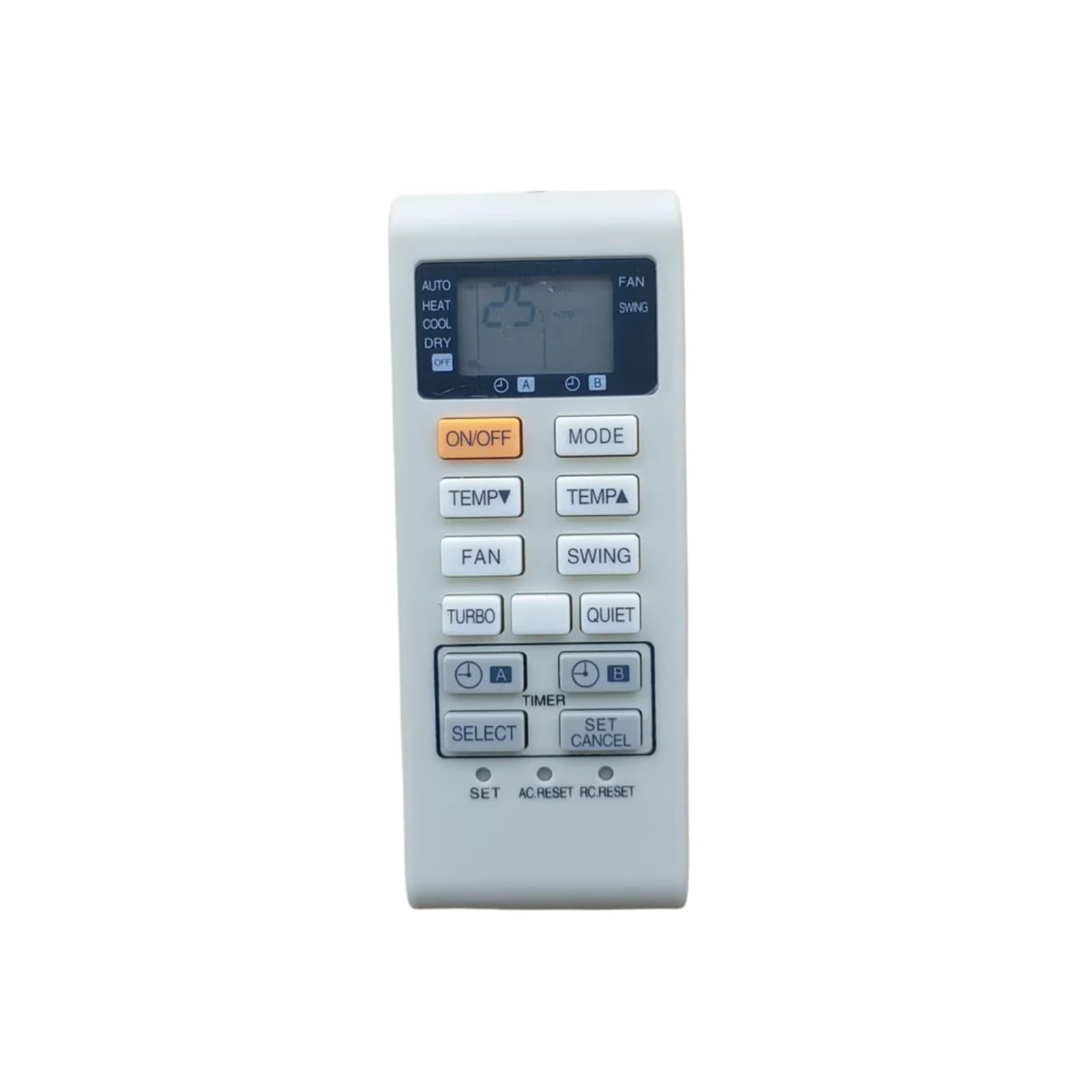
Image: Back of the Nintens Air Conditioner Remote Control, showing the battery compartment cover. To install batteries, slide the cover down to reveal the battery slots.
Note: Remove batteries if the remote control will not be used for an extended period to prevent leakage and damage.
Operating Instructions
This remote control is pre-programmed for the specified air conditioner models. Point the remote control directly at the air conditioner's receiver when operating.
Basic Functions
- Power Button: Press to turn the air conditioner ON or OFF.
- Temperature Control: Use the Up and Down arrow buttons to adjust the desired temperature.
- Mode Button: Cycle through operating modes such as Cool, Heat, Fan, Dry, and Auto.
- Fan Speed Button: Adjust the fan speed (e.g., Low, Medium, High, Auto).
- Swing Button: Activate or deactivate the louver swing function.
- Timer Button: Set a timer for the air conditioner to turn ON or OFF automatically.
Refer to your air conditioner's specific user manual for detailed explanations of each mode and function.
Maintenance
Proper maintenance ensures the longevity and reliable operation of your remote control.
Cleaning
- Wipe the remote control with a soft, dry cloth.
- For stubborn dirt, lightly dampen the cloth with water or a mild, non-abrasive cleaner.
- Do not use harsh chemicals, solvents, or abrasive cleaning pads, as these can damage the remote's surface or internal components.
Battery Replacement
Replace batteries when the remote control's range decreases or if the air conditioner does not respond consistently. Always replace both batteries at the same time with new ones of the same type.
Storage
Store the remote control in a cool, dry place away from direct sunlight and extreme temperatures. If storing for an extended period, remove the batteries.
Troubleshooting
If you encounter issues with your remote control, refer to the following common troubleshooting steps:
- Remote Not Responding:
- Check if the batteries are correctly installed with the correct polarity.
- Replace old batteries with new ones.
- Ensure there are no obstructions between the remote control and the air conditioner's receiver.
- Confirm you are within the effective operating range of the air conditioner.
- Short Operating Range:
- This often indicates low battery power; replace the batteries.
- Ensure the remote's infrared emitter and the air conditioner's receiver are clean and unobstructed.
- Air Conditioner Not Responding to Specific Functions:
- Verify that the air conditioner model is listed as compatible with this remote control.
- Some advanced functions may require specific settings on the air conditioner unit itself. Consult your air conditioner's manual.
If problems persist after trying these steps, contact customer support.
Specifications
| Brand | Nintens |
| Compatible Models | A75C3751, A75C3863, A75C4162, A75C3680, A75C4165, A75C2550, A75C2560 |
| Frequency | 433 MHz |
| Item Weight | 50 Grams |
| Unit Count | 1.0 Count |
Warranty Information
Specific warranty details for this Nintens remote control are not provided in the product information. Please refer to the seller's return policy or contact the seller directly for warranty inquiries.
Customer Support
For further assistance or technical support, please contact the seller through the platform where the product was purchased. Provide your order number and a detailed description of the issue for prompt service.