Introduction
This manual provides instructions for the safe and effective use of your Generic Bluetooth 5.3 TWS Premium Wireless Earbuds, Model 0001. Please read this manual thoroughly before using the product and retain it for future reference.
Package Contents
Verify that all items are present in the package:
- Wireless Earbuds (Left and Right)
- Charging Case
- Micro USB Charging Cable
- Ear Tips (various sizes)
- User Manual (this document)

Figure 1: Package Contents. Includes the charging case with earbuds, two additional pairs of ear tips, and a micro USB charging cable.
Product Overview
Familiarize yourself with the main components of your earbuds.

Figure 2: Earbud Features. This image points out the multifunctional button, LED indicator, and microphone on each earbud.
- Multifunctional Button: Used for power, playback control, call management, and voice assistant activation.
- LED Indicator: Displays pairing status, charging status, and power on/off.
- Microphone: For hands-free calls and voice commands.
- Charging Contacts: Located on the earbuds and inside the charging case.
Setup
1. Initial Charging
Before first use, fully charge the earbuds and the charging case.
- Place both earbuds into the charging case. Ensure they are correctly seated, and the LED indicators on the earbuds light up.
- Connect the Micro USB charging cable to the charging port on the case and the other end to a USB power source (e.g., computer, wall adapter).
- The digital LED display on the charging case will show the battery percentage. Allow the case and earbuds to charge until the display shows 100%.
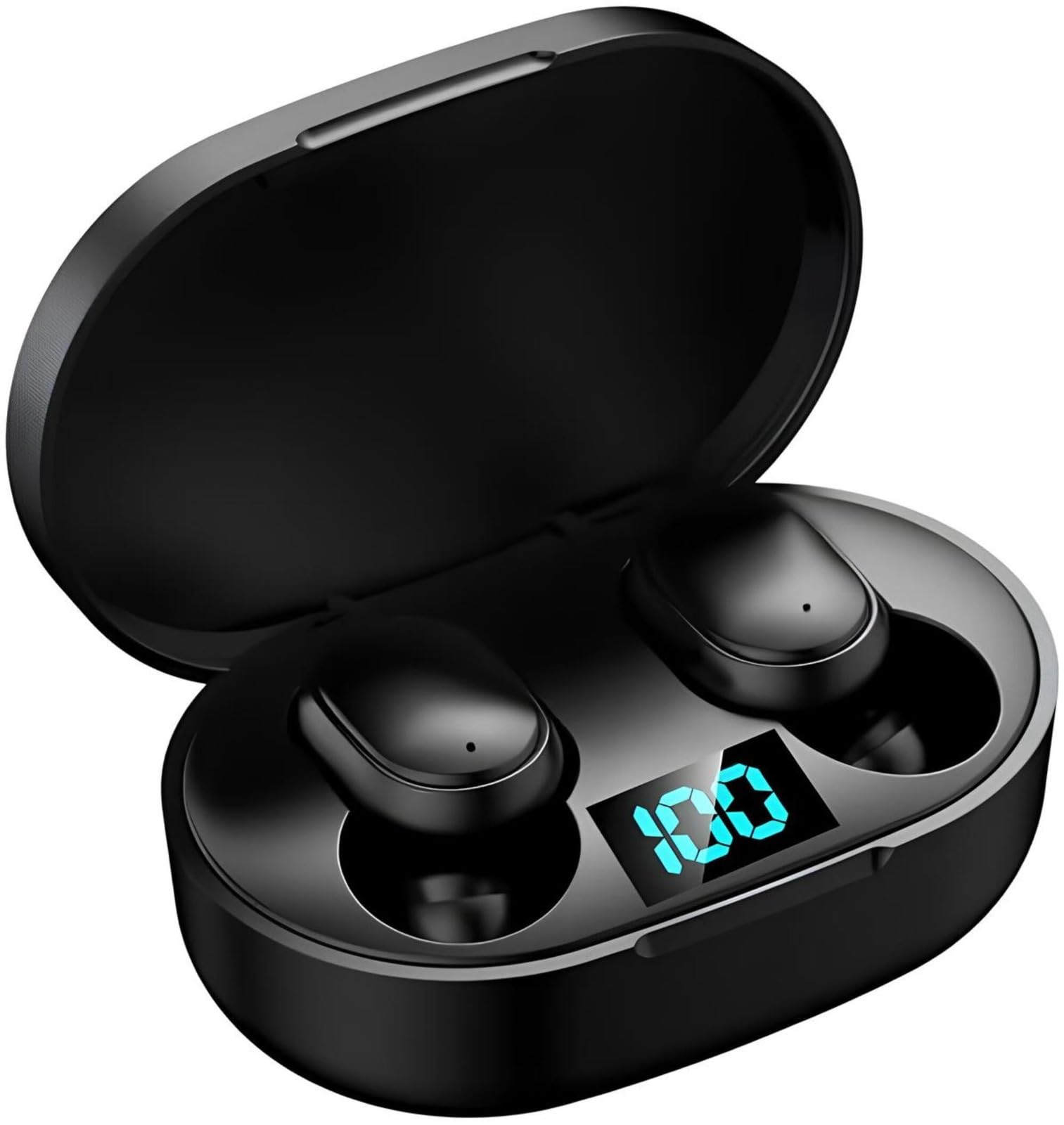
Figure 3: Charging Case Display. The digital LED display shows the current battery level of the charging case and individual earbuds.
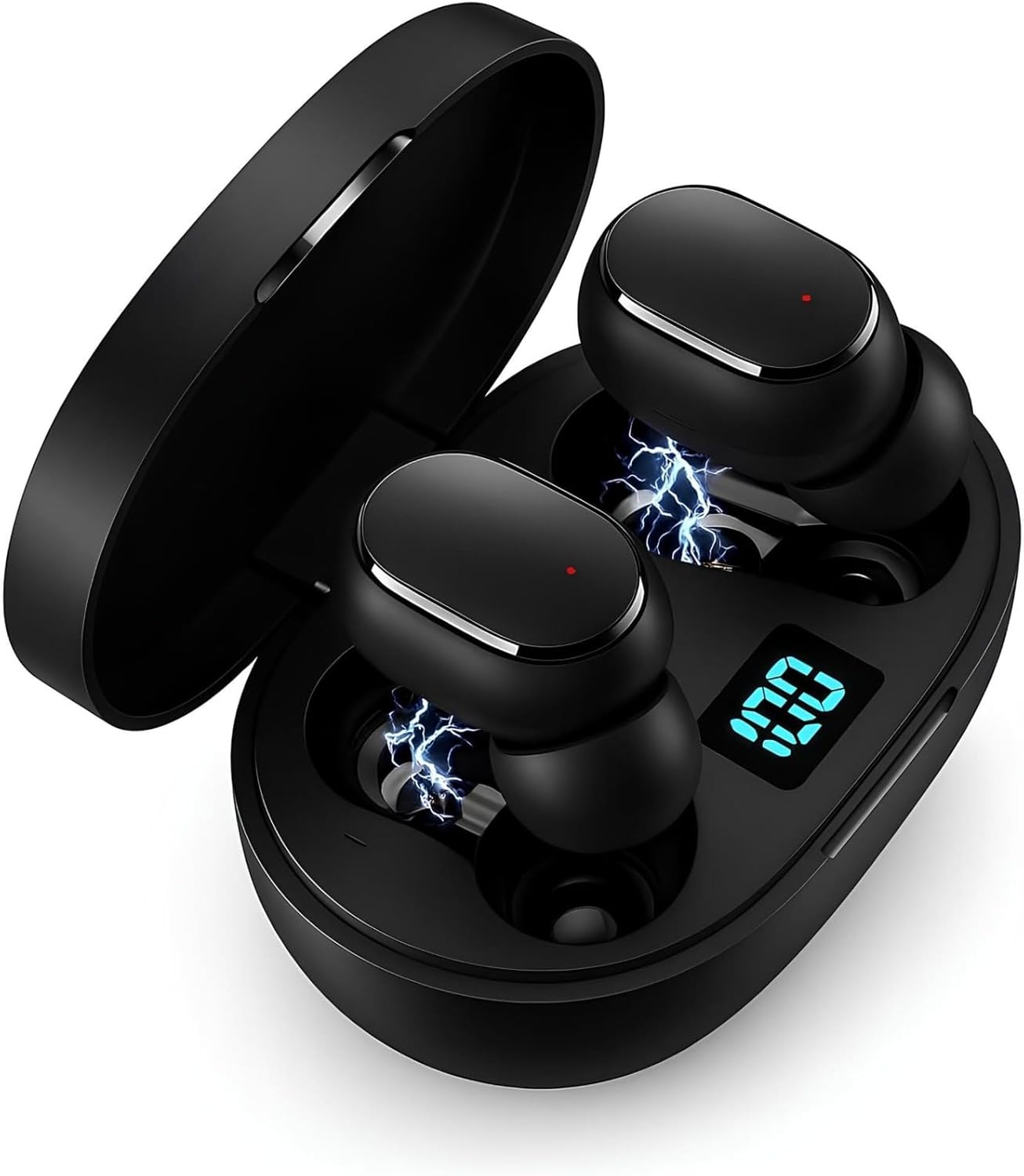
Figure 4: Earbuds Charging. Earbuds are placed in the charging case, indicating they are receiving power.
2. Pairing with a Device
Follow these steps to pair your earbuds with your smartphone or other Bluetooth-enabled device.
- Open the charging case. The earbuds will automatically power on and enter pairing mode (LED indicators will flash).
- On your device, enable Bluetooth and search for available devices.
- Select "TWS-i" or a similar name from the list of found devices.
- Once connected, the earbud LED indicators will stop flashing or flash slowly. You will hear a confirmation tone.
Video 1: Earbud Pairing and Functionality. This video demonstrates the pairing process with a smartphone, showing how to connect the earbuds via Bluetooth. It also illustrates basic controls like pausing/playing media and highlights the included charging cable and ear tips.
Operating Instructions
Power On/Off
- Power On: Open the charging case, and the earbuds will automatically power on. Alternatively, press and hold the multifunctional button on both earbuds for 3 seconds.
- Power Off: Place the earbuds back into the charging case and close the lid. Alternatively, press and hold the multifunctional button on both earbuds for 5 seconds.
Music Playback
- Play/Pause: Single tap the multifunctional button on either earbud.
- Next Track: Double tap the right earbud's multifunctional button.
- Previous Track: Double tap the left earbud's multifunctional button.
Call Management
- Answer/End Call: Single tap the multifunctional button on either earbud.
- Reject Call: Press and hold the multifunctional button on either earbud for 2 seconds.
Voice Assistant
- Activate Voice Assistant: Triple tap the multifunctional button on either earbud.
Features
Noise Cancellation
The earbuds feature active noise cancellation technology to reduce ambient sounds, allowing for a more immersive audio experience and clearer calls.

Figure 5: Noise Cancellation Technology. This diagram shows the internal structure of the earbud, highlighting the components responsible for active noise cancellation.
Ergonomic Design and Durability
Designed for comfort and durability, these earbuds are suitable for various activities.
- Comfortable Fit: The ergonomic design ensures a secure and comfortable fit for extended wear.
- Sweat and Splash Resistant: Ideal for workouts and outdoor activities, offering protection against sweat and light splashes.

Figure 6: Compact and Sweat-Resistant Design. This image shows individuals using the earbuds during physical activity, demonstrating their discreet fit and resistance to sweat.
Maintenance
- Cleaning: Use a soft, dry cloth to clean the earbuds and charging case. Do not use abrasive cleaners or immerse in water.
- Storage: When not in use, store the earbuds in their charging case to protect them and keep them charged.
- Battery Care: To prolong battery life, avoid fully discharging the earbuds and charging case frequently. Charge them regularly.
Troubleshooting
| Problem | Solution |
|---|---|
| Earbuds not pairing | Ensure earbuds are charged. Turn off and on Bluetooth on your device. Place earbuds back in case, close, then reopen to re-enter pairing mode. |
| Only one earbud working | Ensure both earbuds are charged. Try resetting the earbuds by placing them in the case, forgetting the device on your phone, and re-pairing. |
| No sound | Check device volume. Ensure earbuds are connected. Try playing different audio sources. |
| Charging case not charging | Verify the charging cable and power adapter are working. Ensure the cable is securely connected to the case. |
Specifications
| Feature | Detail |
|---|---|
| Model Number | 0001 |
| Bluetooth Version | 5.3 |
| Connectivity Technology | Wireless |
| Noise Control | Active Noise Cancellation |
| Material | Plastic |
| Ear Placement | In-Ear |
| Impedance | 140 Ohms |
| Battery Life (Earbuds) | Up to 4 hours continuous playback |
| Charging Case | Provides multiple extra charges |
| Product Weight | 50 Grams |
| Water Resistance Level | Not water resistant (Sweat and splash resistant) |
| Compatibility | Android, iOS, Tablets, Notebooks, Smart TVs (Bluetooth enabled) |
| Color | Black |
| Product Dimensions | 6 x 4 x 5 cm |
Note on Water Resistance: While the product description mentions "Resistance to Sweat and Splash," the specifications state "Not water resistant." It is recommended to avoid direct exposure to water and heavy rain.
Warranty and Support
- Manufacturer's Warranty: This product comes with a 30-day manufacturer's warranty.
- Return Policy: The product is eligible for a refund/replacement within 30 days of purchase.
- For further assistance or warranty claims, please contact your retailer.


