1. Introduction
This manual provides detailed instructions for the installation, operation, and maintenance of your Ossuret Android 14 Car Stereo, specifically designed for Renault Laguna 2 vehicles manufactured between 2001 and 2007 (Model B). Please read this manual thoroughly before using the product to ensure proper functionality and safety.

Figure 1: Compatibility overview for Renault Laguna 2 (2001-2007), specifically Model B.
2. Setup and Installation
2.1 Package Contents
Verify that all items listed below are present in your package:
- Main Car Stereo Unit
- Installation Frame
- GPS Antenna
- RCA Harness
- RCA Harness with 4G SIM Card Slot (for 4G version only)
- 4G LTE Antenna (for 4G version only)
- 4 Pin USB Cable
- 6 Pin Dual USB Cables
- External Microphone
- Rear Camera Input RCA Cable
- Power Cable & Canbus Decoder
- Radio Antenna Adapter Cable

Figure 2: Complete package contents of the Ossuret car stereo.
2.2 General Installation Guidelines
Installation of the car stereo should ideally be performed by a qualified professional. Ensure the vehicle's power is disconnected before beginning installation. Connect all cables according to the provided wiring diagrams (not included in this manual, typically found with the product's specific wiring harness). Secure the main unit within the dashboard using the supplied frame.
3. Operating Instructions
3.1 System Overview and User Interface
The Ossuret car stereo operates on Android 14, powered by an 8-core processor for smooth performance. It features a 9-inch QLED touchscreen with a resolution of 1280x720, offering clear and vibrant visuals. The system supports various user interface themes and wallpaper customization.
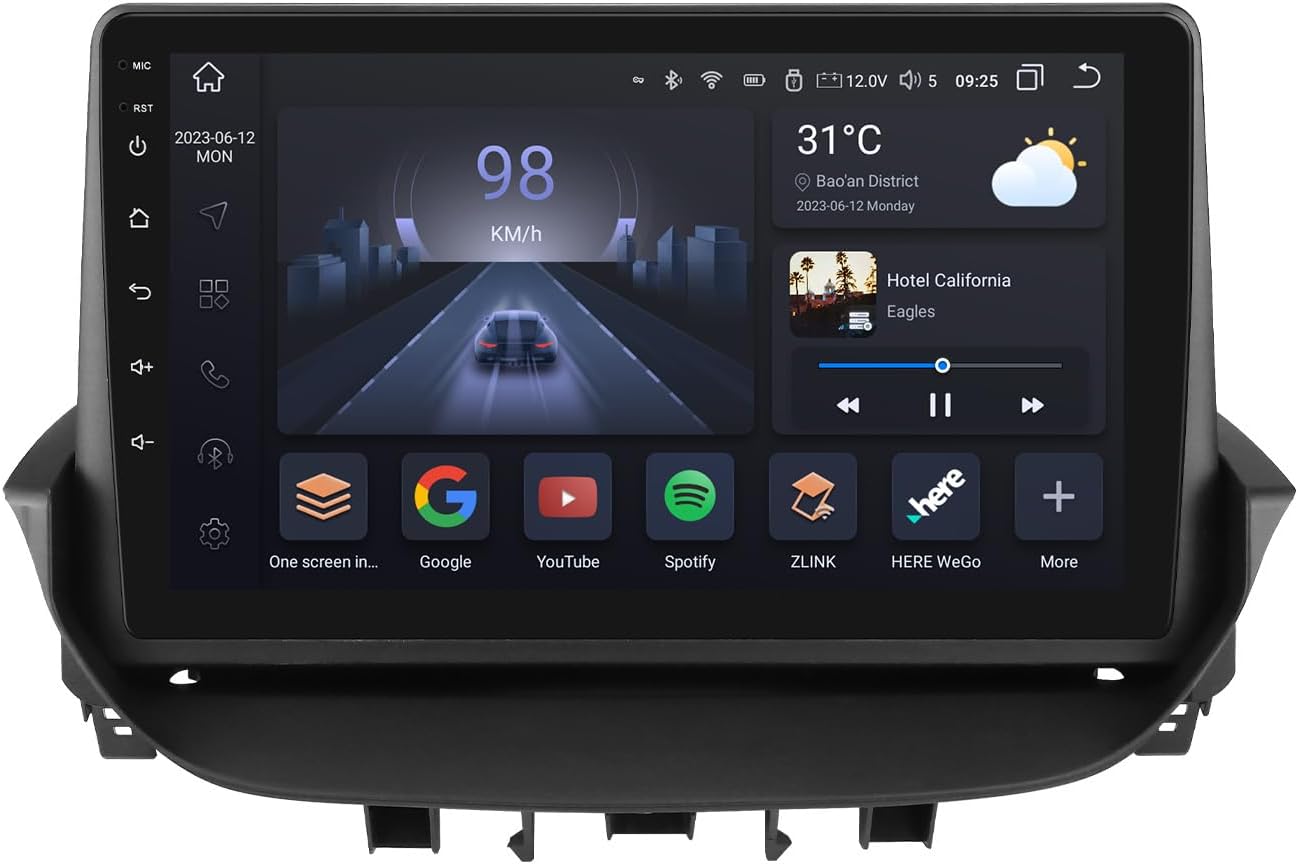
Figure 3: Main display of the Ossuret Android 14 Car Stereo showing the home screen with various applications.

Figure 4: Performance specifications highlighting the 8-core Unisoc 7862 CPU.
3.2 Connectivity: CarPlay, Android Auto, Bluetooth, WiFi, 4G LTE
The unit supports wireless Apple CarPlay and Android Auto, allowing seamless integration with your smartphone for navigation, music, calls, and messages. Connect via WiFi, Bluetooth, or USB. A 4G SIM card slot and antenna are included for direct 4G LTE network access, enabling online navigation, music streaming, and more. Bluetooth 5.0 ensures stable and long-distance connections for hands-free calling and audio streaming.

Figure 5: Wireless Apple CarPlay and Android Auto functionality.

Figure 6: 4G LTE connectivity feature.

Figure 7: Bluetooth 5.0 dual-channel and WiFi support.
3.3 Audio Features: DSP and Radio
The integrated DSP (Digital Sound Processor) IC BU32107EFV allows for precise adjustment of sound effects, including equalization, bass enhancement, and sound field settings, to optimize your audio experience and reduce road noise. The unit supports AM/FM radio with RDS (Radio Data System) for station information.
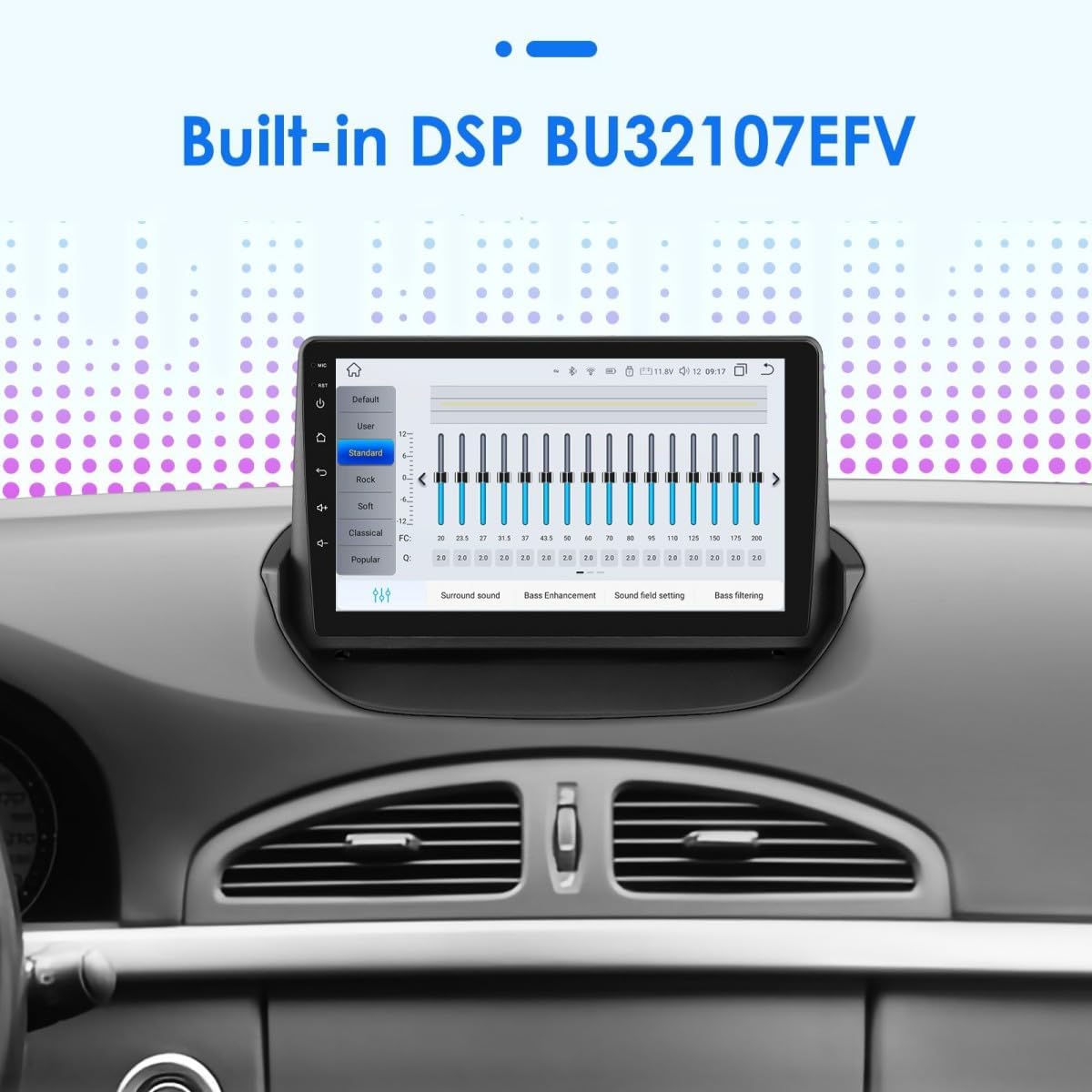
Figure 8: Digital Sound Processor (DSP) interface for audio customization.
3.4 Navigation (GPS)
The car stereo includes GPS navigation capabilities. Users can utilize online navigation services via WiFi/4G LTE or install offline navigation applications from the Play Store.
3.5 Steering Wheel Control
Control the car stereo's functions, such as changing music tracks and adjusting volume, directly from your vehicle's steering wheel buttons. This feature enhances driving safety by minimizing distractions.

Figure 9: Steering Wheel Control learning interface.
3.6 Display Features: PIP, Split Screen, Day/Night Mode
- Picture-in-Picture (PIP): Watch videos in a small, resizable window while using other applications.
- Split Screen: Run two applications simultaneously side-by-side on the screen, for example, navigation and music player.
- Day/Night Mode: The screen brightness automatically adjusts or can be manually switched between day and night modes for optimal visibility and reduced eye strain.

Figure 10: Picture-in-Picture (PIP) mode in action.

Figure 11: Split-screen functionality.

Figure 12: Day and Night display modes.
3.7 Rear View Camera Support
The unit supports both CVBS and AHD rear view cameras, which can be configured in the factory settings. This feature aids in safer parking and reversing maneuvers.
3.8 Original Car Information Display
The car stereo integrates with your vehicle's original systems to display relevant car information directly on the screen.

Figure 13: Display of original car information.
3.9 TPMS Functionality
The system supports Tire Pressure Monitoring System (TPMS) functionality, allowing you to monitor your tire pressure directly from the car stereo display (requires compatible TPMS sensors, sold separately).

Figure 14: TPMS display interface.
3.10 USB Connectivity
The unit supports up to three USB connections simultaneously, allowing for multiple devices to be connected, such as USB drives for media playback or charging devices. It supports up to 2TB USB storage.

Figure 15: Multiple USB connection support.
3.11 Voice Control
Enhance your driving experience with voice control features, allowing you to operate various functions using voice commands, improving safety and convenience.

Figure 16: Voice control interface.
3.12 Feature Demonstration Video
Video 1: Demonstration of various features including UI, themes, CarPlay/Android Auto, voice control, dual screen, radio, DSP, GPS navigation, and rear view camera functionality.
4. Maintenance
To ensure the longevity and optimal performance of your Ossuret car stereo, follow these maintenance guidelines:
- Regularly clean the touchscreen with a soft, lint-free cloth. Avoid abrasive cleaners.
- Keep the unit free from dust and debris.
- Ensure proper ventilation around the unit to prevent overheating.
- Periodically check for software updates to enhance features and stability.
- Avoid exposing the unit to extreme temperatures or direct sunlight for extended periods.
5. Troubleshooting
If you encounter issues with your Ossuret car stereo, refer to the following common troubleshooting steps:
- No Power: Check all power connections and ensure the vehicle's ignition is on. Verify the fuse.
- No Sound: Check speaker connections, volume settings, and ensure the mute function is not activated. Verify DSP settings.
- Touchscreen Unresponsive: Try restarting the unit. If the issue persists, a factory reset might be necessary (note: this will erase all user data).
- GPS Signal Lost: Ensure the GPS antenna is properly installed and has a clear view of the sky. Check navigation app settings.
- Bluetooth Connectivity Issues: Ensure Bluetooth is enabled on both the stereo and your device. Try unpairing and re-pairing the devices.
- CarPlay/Android Auto Not Connecting: Verify USB cable connection (if wired) or WiFi/Bluetooth connection (if wireless). Ensure your phone's operating system is up to date.
For persistent issues, please contact customer support.
6. Specifications
| Feature | Specification |
|---|---|
| Brand | Ossuret |
| Model Name | Ossuret Renault Laguna 2 |
| Operating System | Android 14 |
| Processor | 8-core (Octa Core 1.8 GHz x 8) |
| RAM + Storage | 6GB + 64GB |
| Screen Size | 9 Inches |
| Display Type | QLED Touchscreen |
| Resolution | 1280*720 |
| Connectivity Technology | Bluetooth, USB, Wi-Fi, 4G LTE |
| Special Features | Apple CarPlay/Android Auto, Day/Night Mode, DSP (BU32107EFV), GPS Navigation, Steering Wheel Control, Mirror Link |
| Audio Output Mode | Stereo |
| Vehicle Service Type | Car |
| Mounting Type | Dashboard Mount |
| Package Dimensions | 31.4 x 30.3 x 13.9 cm |
| Item Weight | 2.05 kilograms |
7. Warranty and Support
This Ossuret car stereo comes with a 1-year manufacturer's warranty. For technical assistance, troubleshooting, or warranty claims, please contact your retailer or the Ossuret customer support team. Please have your product model and purchase information ready when contacting support.


