
1. Introduction
Welcome to the world of Tamagotchi! The Tamagotchi Original Fresh Strawberry is a digital pet that requires your care and attention. This manual provides essential information on how to set up, operate, and maintain your virtual companion.
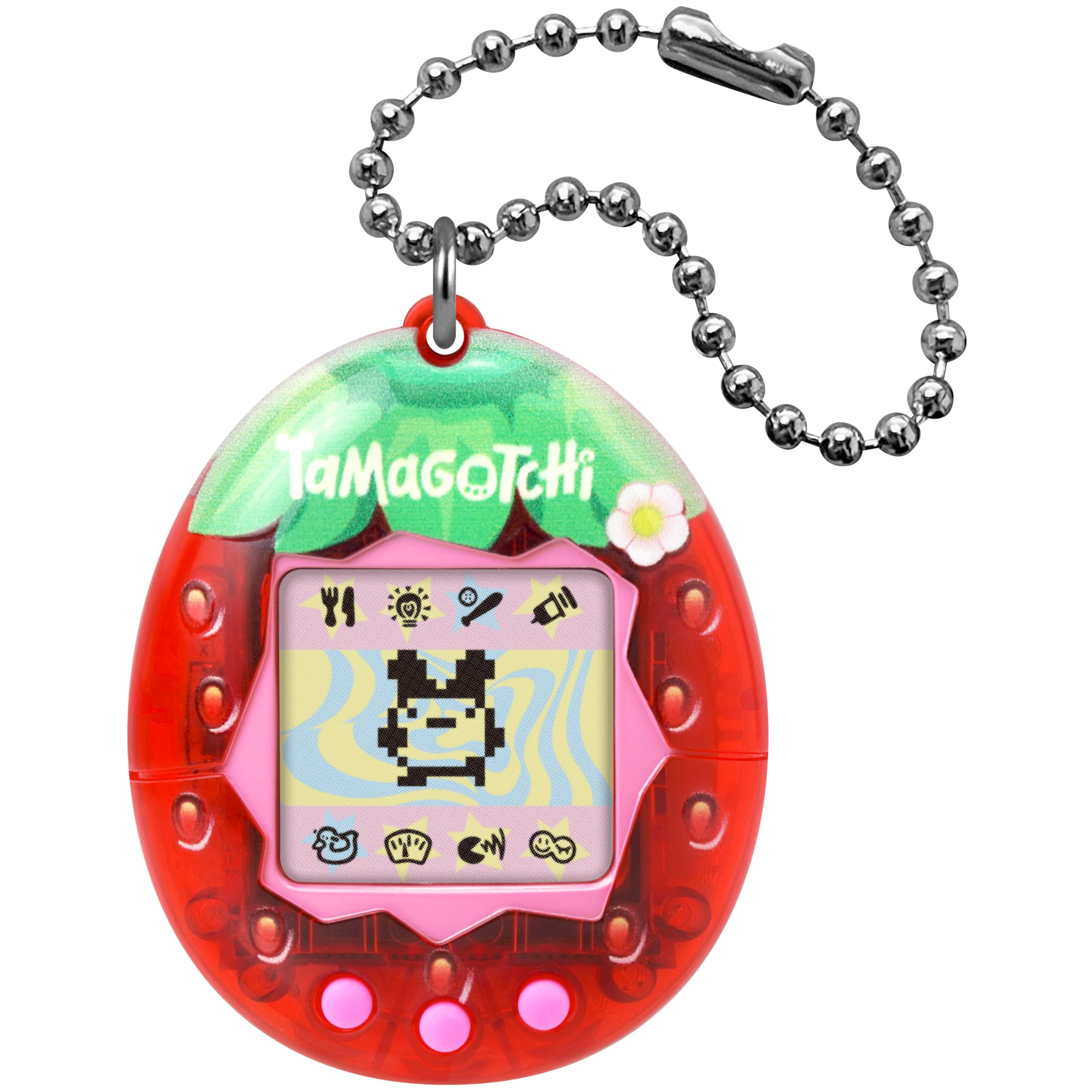
Image: The Tamagotchi Original Fresh Strawberry device.
2. What's in the Box
- 1 x Tamagotchi Original - Fresh Strawberry device
- 1 x CR2032 Battery (pre-installed)

Image: Front of the Tamagotchi Original Fresh Strawberry packaging.
3. Setup
3.1 Initial Activation
- Pull the tab from the back of the device to activate the battery.
- The Tamagotchi egg will appear on the screen.
- Press the middle button to set the time. Use the left and right buttons to adjust hours and minutes, then press the middle button to confirm.
- Your Tamagotchi will hatch shortly after the time is set.
3.2 Attaching the Keychain
The Tamagotchi device comes with a small chain. Attach this chain to your bag, keys, or other personal items to carry your virtual pet with you wherever you go.
4. Operating Instructions
Your Tamagotchi requires daily care to grow and thrive. Use the three buttons (A, B, C from left to right) to navigate the menu and interact with your pet.

Image: Icons on the back of the packaging illustrate various care functions.
4.1 Feeding
Select the fork and knife icon to feed your Tamagotchi. You can choose between a meal or a snack. Meals increase fullness and weight, while snacks increase happiness but also weight.
4.2 Lights
Select the lightbulb icon to turn the lights on or off. Always turn off the lights when your Tamagotchi goes to sleep to ensure proper rest.
4.3 Play
Select the game controller icon to play with your Tamagotchi. The Tamagotchi Original features the 'Numbers' game. In this game, you guess if the next number will be higher or lower than the current one. Playing games increases your pet's happiness.
4.4 Medicine
If your Tamagotchi becomes sick (indicated by a skull icon), select the syringe icon to administer medicine. Prompt treatment is crucial for its health.
4.5 Toilet
When your Tamagotchi makes a mess (indicated by a poop icon), select the toilet icon to clean up after it. Keeping its environment clean is important for its health and happiness.
4.6 Health Check
Select the heart/meter icon to check your Tamagotchi's health status, including its age, weight, happiness, and hunger levels.
4.7 Discipline
If your Tamagotchi misbehaves (e.g., calls for attention when it doesn't need anything), select the angry face icon to discipline it. This helps in its development.
4.8 Evolution
Your Tamagotchi will evolve from an egg to a child, then to an adult. The type of adult Tamagotchi it becomes depends on how well you care for it and your performance in the Numbers game. There are 7 different adult forms.
5. Maintenance
5.1 Battery Replacement
The device uses one CR2032 battery. When the screen fades or the device stops responding, it's time to replace the battery. Use a small screwdriver to open the battery compartment on the back of the device.
5.2 Cleaning
Wipe the device with a soft, dry cloth. Do not use liquid cleaners or immerse the device in water.
6. Troubleshooting
6.1 Device Not Responding
If the device is unresponsive, try replacing the battery. If the issue persists, you may need to reset the device by pressing the reset button on the back with a pointed object (like a pen tip). Note that resetting will erase your current pet's progress.
6.2 Muting the Device
To mute the device, press and hold the left button, then press the right button. This will toggle the sound on/off.
6.3 Pausing the Game
To pause your Tamagotchi's growth and needs, press the middle button to go to the time screen. Then, press the left and right buttons simultaneously. The screen will display "SET". Leave it in this state to pause the game. To resume, press the right button, then the middle button to return to the main screen.
7. Specifications
| Model Number | 42998 |
| Product Dimensions | 2.13"L x 1.75"W x 0.75"H |
| Item Weight | 2.82 ounces |
| Power Source | Battery Powered |
| Battery Type | 1 x CR2032 (included) |
| Age Range | 8 years and up |
| Material | ABS, Metal, PVC, Silicone |
| Display Type | LCD |
8. Warranty and Support
For warranty information or technical support, please refer to the manufacturer's official website or contact their customer service directly. Keep your purchase receipt as proof of purchase.
Manufacturer: Bandai Namco Toys & Collectibles America