
1. Introduction
Thank you for choosing the ZapRun Electric Scooter Model W6. This manual provides essential information for the safe operation, assembly, maintenance, and troubleshooting of your new electric scooter. Please read this manual thoroughly before your first ride to ensure proper usage and to maximize your riding experience.
The ZapRun W6 is designed for adults and teens, featuring a powerful 500W motor, a 42V 10.5Ah long-range battery, and 10-inch pneumatic tires for a smooth ride. It offers a top speed of 22 MPH and a range of up to 23 miles, making it ideal for commuting and campus use. Its foldable design ensures easy portability and storage.

Figure 1.1: ZapRun Electric Scooter Model W6
2. Safety Information
Your safety is paramount. Always wear a helmet and appropriate protective gear (knee pads, elbow pads) when riding. Adhere to local traffic laws and regulations. Avoid riding in adverse weather conditions or on slippery surfaces.
- Pre-Ride Check: Before each ride, ensure tires are properly inflated, brakes are functional, and all quick-release mechanisms are securely fastened.
- Rider Weight Limit: Do not exceed the maximum weight limit of 264 pounds (120 kg).
- Age Recommendation: Suitable for adults and teens.
- Braking: The scooter is equipped with a rear disc brake and an electronic brake. Familiarize yourself with both for effective stopping.
- Visibility: Utilize the integrated front and rear LED lights for improved visibility, especially in low-light conditions.
3. Package Contents
Upon unboxing, please verify that all items listed below are included in your package:
- ZapRun Electric Scooter (Model W6)
- Electric Scooter Charger
- Escooter User Manual (this document)
- Scooter Toolkit (for assembly)
Video 3.1: Unboxing and initial assembly of the ZapRun Electric Scooter.
4. Setup
4.1. Assembly
- Carefully remove the scooter and all components from the packaging.
- Unfold the handlebar stem until it locks into place.
- Attach the handlebars to the stem, ensuring they are securely tightened using the provided toolkit.
- Perform a quick check of all connections and moving parts to ensure they are secure.
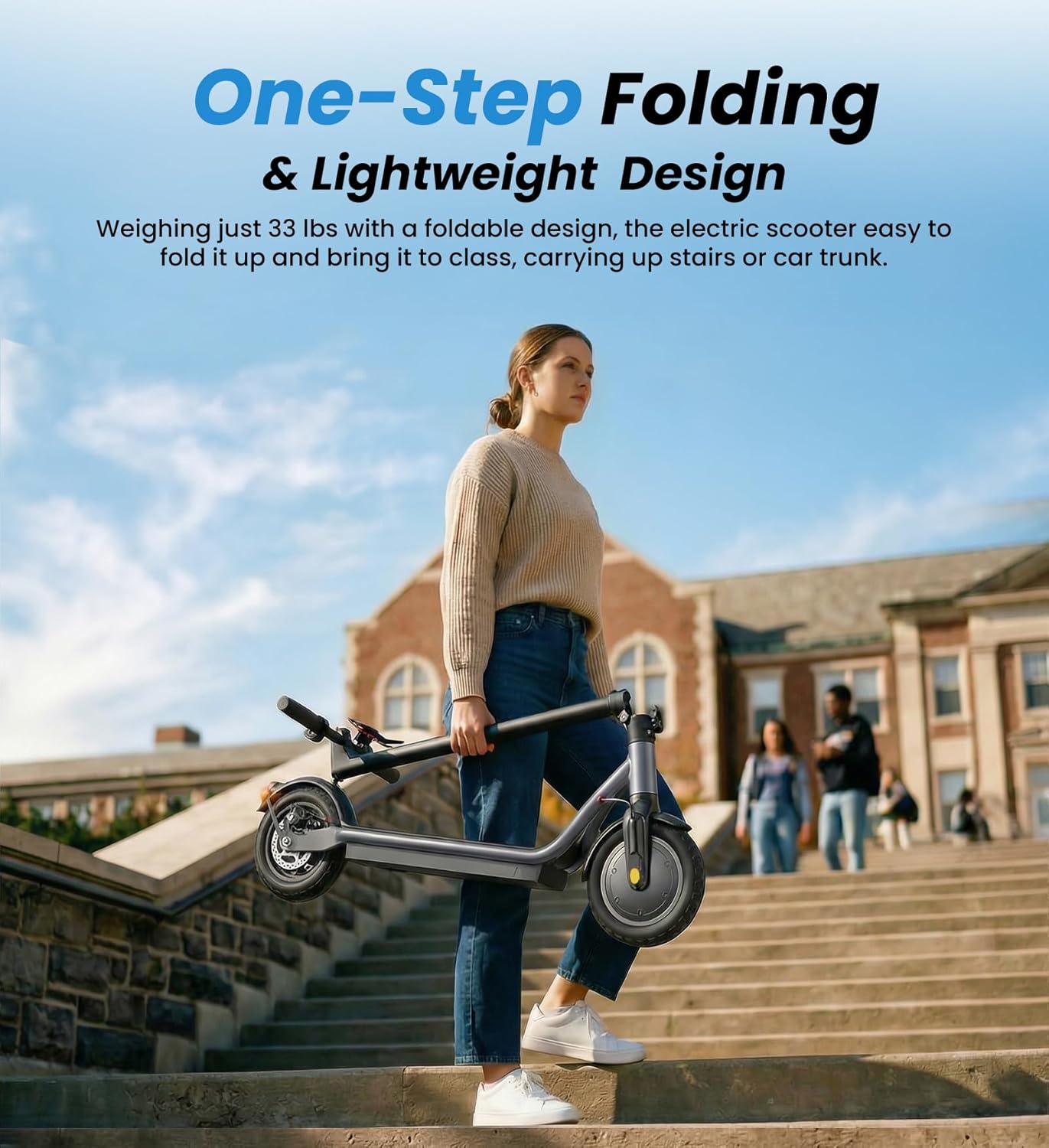
Figure 4.1: The scooter features a one-step folding mechanism for easy setup and storage.
4.2. Initial Charging
Before your first ride, fully charge the scooter's battery. Connect the charger to the charging port located on the scooter's deck, then plug it into a power outlet. The indicator light on the charger will change (typically from red to green) when charging is complete. A full charge takes approximately 5-7 hours.

Figure 4.2: The 42V 10.5Ah battery provides up to 23 miles of range and charges in 5-7 hours.
5. Operating Instructions
5.1. Power On/Off
Press and hold the power button on the display for a few seconds to turn the scooter on or off. The display will illuminate, showing current speed, battery level, and riding mode.
5.2. Riding Modes
The ZapRun W6 offers three speed modes to suit different riding preferences:
- ECO Mode: Approximately 9 MPH for energy efficiency and relaxed riding.
- D (Standard) Mode: Approximately 15 MPH for balanced city speed.
- S (Sport) Mode: Up to 22 MPH for maximum speed and performance.
Toggle between modes by pressing the power button once while the scooter is on.
Video 5.1: Demonstration of the scooter's display and speed mode selection.
5.3. Smart APP Control
Download the companion app (Voltix APP) to connect your smartphone to the scooter via Bluetooth. The app allows you to:
- Track real-time speed and battery life.
- Adjust cruise control settings.
- Change speed settings and gear levels.
- Control lights.
- Lock/Unlock the scooter.

Figure 5.1: The Smart APP Control allows for comprehensive management of your scooter's features.
5.4. Braking System
The ZapRun W6 features a dual braking system for enhanced safety:
- Rear Disc Brake: Provides strong mechanical stopping power.
- Electronic Brake: Offers additional stopping force and can be activated via the handlebar lever.
Always apply brakes smoothly to avoid sudden stops or loss of control.

Figure 5.2: The dual braking system ensures reliable and responsive stopping.
5.5. Lighting
The scooter is equipped with integrated front and rear LED lights. The front headlight illuminates your path, while the rear brake light enhances your visibility to others. Activate lights via the power button or the companion app.
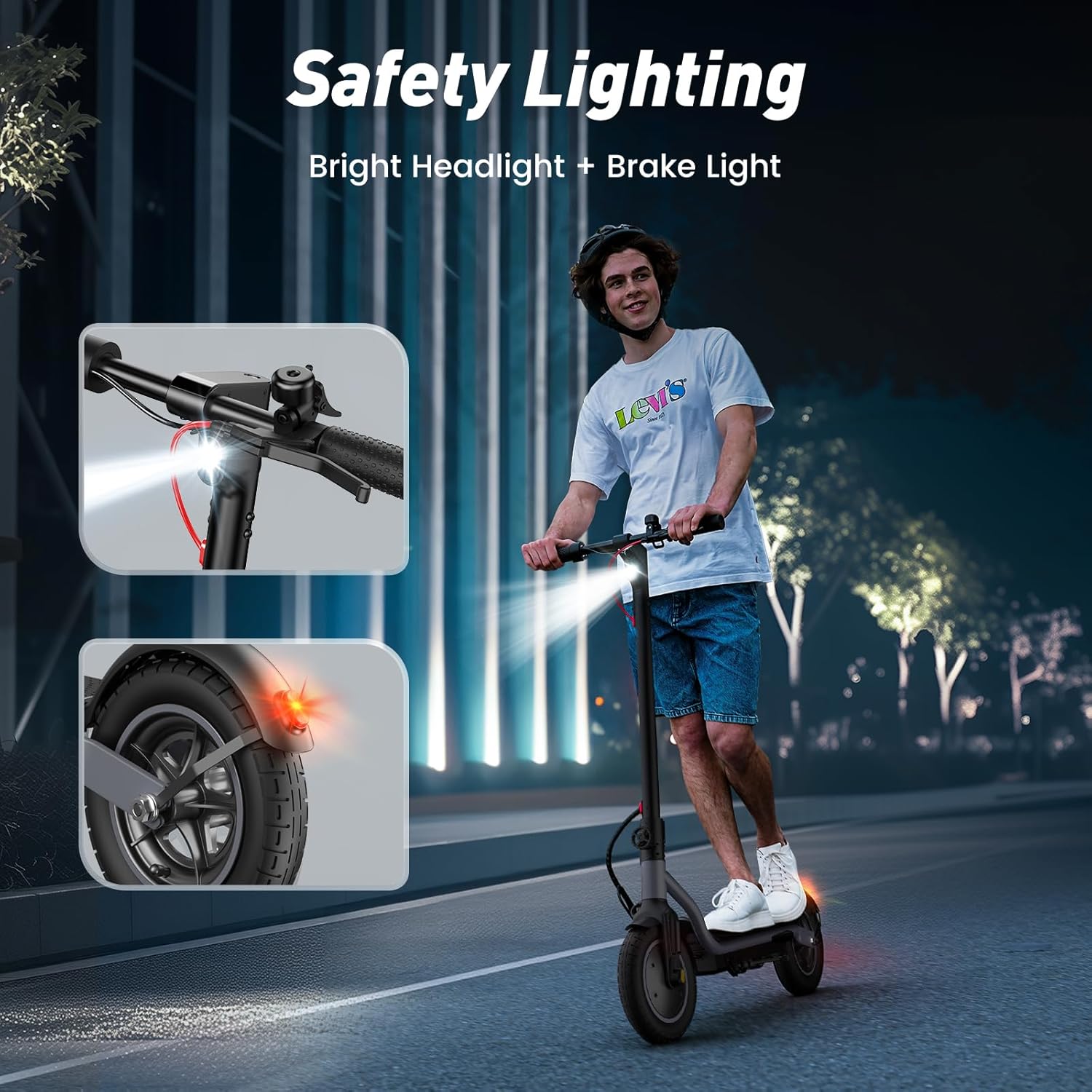
Figure 5.3: Safety lighting for improved visibility during day and night rides.
6. Maintenance
Regular maintenance ensures the longevity and optimal performance of your ZapRun Electric Scooter.
6.1. Battery Care
- Charge the battery fully before the first use.
- Avoid completely draining the battery. Recharge after each use, or at least once a month if not in use.
- Store the scooter in a cool, dry place away from direct sunlight and extreme temperatures.
6.2. Tire Maintenance
The 10-inch pneumatic tires require regular pressure checks. Maintain the recommended tire pressure (refer to the tire sidewall for specific PSI) to ensure a smooth ride and prevent punctures.

Figure 6.1: The 10-inch pneumatic tires provide superior shock absorption for various terrains.
6.3. General Cleaning
Wipe down the scooter with a damp cloth after use. Avoid using high-pressure water jets or harsh chemicals, as these can damage electronic components.
7. Troubleshooting
If you encounter any issues with your ZapRun Electric Scooter, please refer to the following basic troubleshooting tips:
- Scooter not turning on: Ensure the battery is charged. Check all connections.
- Reduced range/speed: Check tire pressure. Ensure battery is fully charged. Riding conditions (hills, rider weight, temperature) can affect performance.
- Brakes not responsive: Inspect brake cables and pads for wear. Adjust cable tension if necessary.
For more complex issues or if troubleshooting steps do not resolve the problem, please contact ZapRun customer support for assistance. Do not attempt to repair internal components yourself.
8. Specifications
| Feature | Specification |
|---|---|
| Brand | ZapRun |
| Model Name | W6 |
| Motor Power | 500W |
| Top Speed | 22 MPH |
| Maximum Distance Range | 23 Miles |
| Battery | 42V 10.5Ah |
| Battery Charge Time | 5-7 Hours |
| Tire Size | 10 Inches |
| Tire Type | Pneumatic |
| Brake Style | Rear Disc Brake + Electronic Brake |
| Weight Limit | 264 Pounds (120 kg) |
| Product Dimensions (L x W x H) | 44.09" x 19.29" x 43.3" |
| Item Weight | 25 Kilograms |
| Frame Material | Iron |
| Special Features | Cruise Control, APP Control, Lights, Foldable, Lightweight |
9. Warranty and Support
ZapRun offers a warranty for different components of the electric scooter. Please refer to the specific warranty period for each component:
- Main Components: 365 days warranty.
- Other Components: 180 days warranty.
For warranty claims, technical support, or any questions regarding your ZapRun Electric Scooter, please contact our customer service team. Contact information can be found on our official website or through your purchase platform.