
1. Introduction
Thank you for choosing the RORIOS AA-AFD003 Men's Tonneau Electronic Wristwatch. This manual provides detailed instructions for the proper setup, operation, and maintenance of your watch. Please read it carefully to ensure optimal performance and longevity of your timepiece.
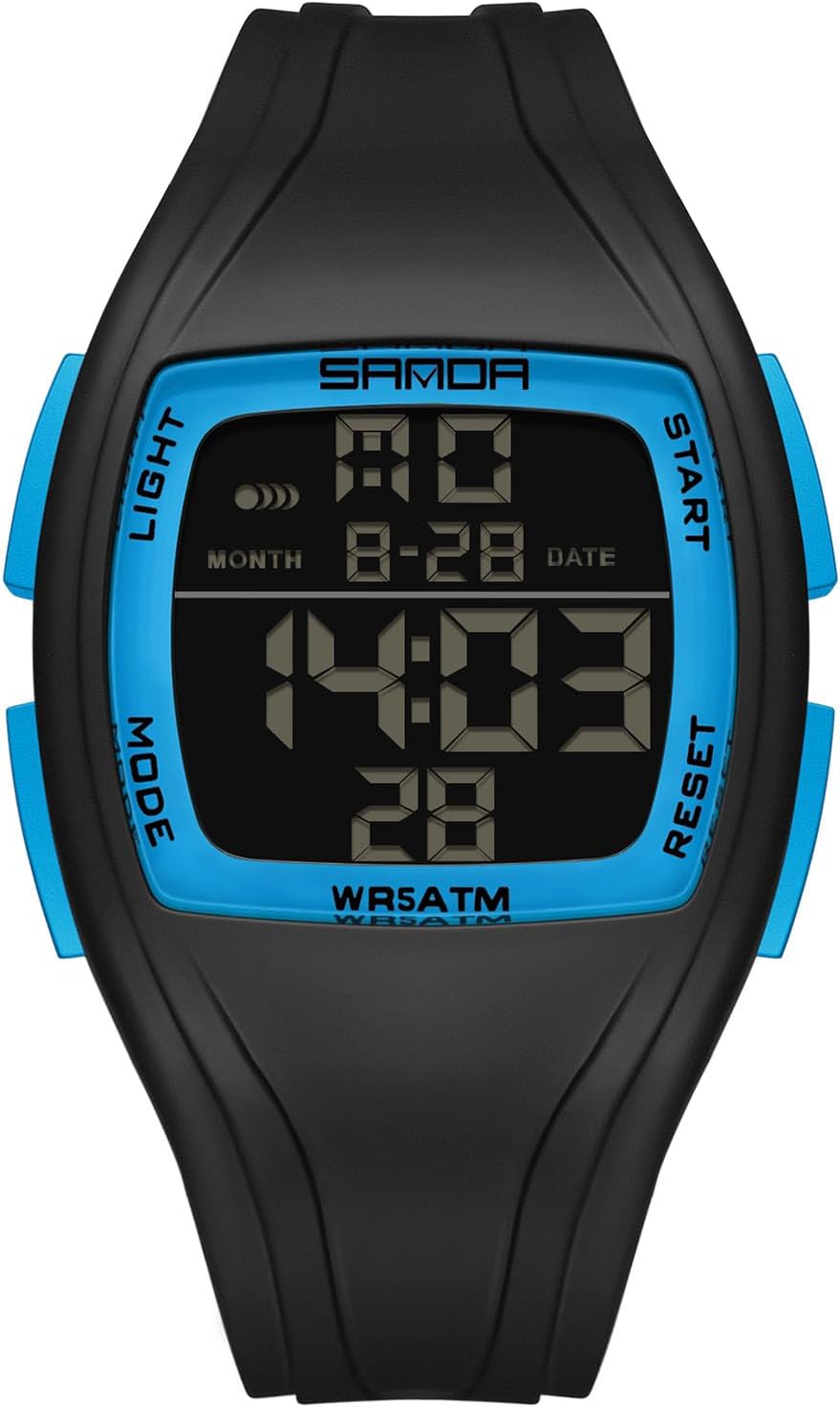
Front view of the RORIOS Tonneau Electronic Wristwatch, displaying the digital time and date.
2. Product Overview
The RORIOS AA-AFD003 watch features a tonneau-shaped design with a clear digital display and multiple functions. Familiarize yourself with the watch's buttons and their primary functions:
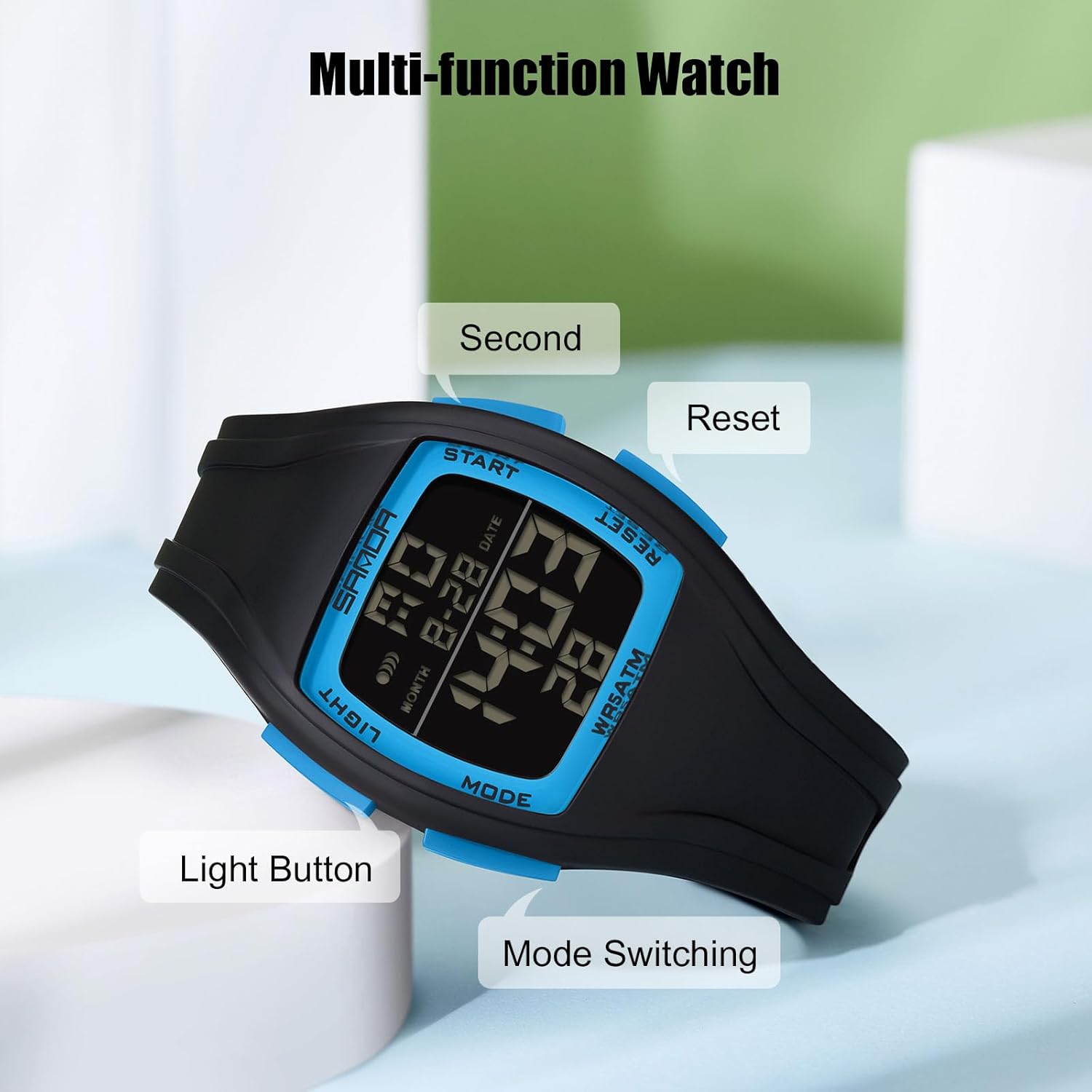
Diagram illustrating the watch's buttons: Light, Mode, Start, and Reset, with their respective functions.
- LIGHT Button: Activates the backlight for visibility in low-light conditions.
- MODE Button: Cycles through different operational modes (Time, Stopwatch, Alarm, Date).
- START Button: Used to start/stop functions in stopwatch mode, or adjust settings in setting mode.
- RESET Button: Used to reset values in stopwatch mode, or confirm settings in setting mode.
3. Setup and Basic Operation
3.1 Initial Activation
Your watch may arrive in a power-saving state. Press any button to activate the display.
3.2 Setting Time and Date
- From the normal time display, press the MODE button three times to enter the time setting mode. The seconds digits will begin to flash.
- Press the RESET button to cycle through the setting options: Seconds → Hour → Minute → Month → Date → Day of the Week.
- While the desired digit is flashing, press the START button to adjust the value. Hold START to advance rapidly.
- After setting all desired values, press the MODE button once to exit the setting mode and return to the normal time display.
3.3 12/24-Hour Format
In the normal time display, press the START button to toggle between 12-hour (indicated by 'PM' for afternoon hours) and 24-hour formats.
4. Operating Modes
4.1 Stopwatch Function
- From the normal time display, press the MODE button once to enter stopwatch mode. The display will show '00:00:00'.
- Press the START button to begin timing.
- Press the START button again to pause timing.
- Press the RESET button to clear the stopwatch to '00:00:00'.
- Press the MODE button to return to the normal time display.
4.2 Alarm Function
- From the normal time display, press the MODE button twice to enter alarm setting mode. The hour digits will flash.
- Press the START button to adjust the hour.
- Press the RESET button to switch to minute setting. The minute digits will flash.
- Press the START button to adjust the minutes.
- Press the MODE button to exit alarm setting mode.
To activate/deactivate the alarm: In normal time display, hold RESET and press START. An alarm icon will appear/disappear to indicate its status.
4.3 Hourly Chime
To activate/deactivate the hourly chime: In normal time display, hold MODE and press START. All day-of-the-week indicators will light up/turn off to indicate the chime status.
4.4 Luminous Function (Backlight)
Press the LIGHT button to illuminate the display for a few seconds, enhancing visibility in dark environments.

The watch features a luminous display for night visibility and is designed for daily life water resistance.
5. Water Resistance Guidelines
This watch is rated for 50 meters (5ATM) water resistance. This means it is suitable for daily use, such as hand washing, rain exposure, and short periods of immersion in water. It is not suitable for showering with hot water, swimming, diving, or any water sports involving high-velocity water or significant depth.
- Do not operate buttons while the watch is submerged in water.
- Avoid exposing the watch to extreme temperature changes, which can compromise water seals.
- If the watch is exposed to saltwater, rinse it with fresh water and dry it thoroughly.
6. Maintenance
- Cleaning: Wipe the watch case and strap regularly with a soft, dry cloth. For stubborn dirt, a slightly damp cloth can be used, followed by immediate drying.
- Storage: When not in use, store the watch in a cool, dry place away from direct sunlight and extreme temperatures.
- Battery: The watch uses a Japanese original battery designed for long life. When the display becomes dim or functions become erratic, it may be time for a battery replacement. This should ideally be performed by a qualified watch technician to maintain water resistance.
- Strap: The rubber strap is durable. Avoid contact with harsh chemicals or solvents that could degrade the material.
7. Troubleshooting
| Problem | Possible Cause | Solution |
|---|---|---|
| Display is blank or dim | Low battery; Watch in power-saving mode | Press any button to activate. If still dim, replace battery. |
| Time is incorrect | Time not set correctly; Accidental button press | Refer to Section 3.2 to reset the time. |
| Buttons are unresponsive | Watch is wet; Internal malfunction | Ensure watch is dry. If problem persists, contact support. |
| Condensation inside display | Water resistance compromised | Stop using the watch immediately and seek professional repair. |
8. Specifications

Dimensions of the RORIOS Tonneau Electronic Wristwatch.
- Model Number: AA-AFD003
- Movement: Electronic Digital
- Case Material: Not specified (typically resin/plastic for digital sport watches)
- Strap Material: Rubber (TPU)
- Clasp Type: Buckle
- Dial Diameter: Approximately 40mm
- Case Thickness: Approximately 14mm
- Band Length: Approximately 240mm
- Band Width: Approximately 25mm
- Weight: Approximately 40g
- Water Resistance: 50M (5ATM)
- Functions: Time (12/24H), Date, Day, Stopwatch, Alarm, Hourly Chime, Luminous Backlight
9. Warranty and Support
Your RORIOS watch comes with a warranty. Please refer to the warranty card included in your package for specific terms and conditions. For any issues, questions, or support needs, please contact RORIOS customer service through the retailer where the product was purchased or visit the official RORIOS store on Amazon: RORIOS Store.
The RORIOS watch is presented in a gift box, which includes the user manual and warranty information.