
1. Safety Instructions
Please read and understand all instructions before assembly and use. Keep this manual for future reference.
- Weight Limit: Do not exceed the maximum weight capacity of 166 pounds (75 kg) on the tabletop.
- Stability: Ensure the coffee table is placed on a flat, stable surface to prevent tipping.
- Assembly: Assembly should be performed by adults. Keep small parts and packaging materials away from children.
- Moving the Table: When moving the table, lift it rather than dragging to prevent damage to the legs or floor.
- Lift Mechanism: Exercise caution when operating the lift-top mechanism to avoid pinching fingers or objects.
2. Package Contents
Verify that all components are present before beginning assembly. If any parts are missing or damaged, please contact customer service.
- Tabletop panels
- Base frame components
- Lift mechanism hardware (gas support mechanism)
- Fabric drawers (2)
- LED light strip and controller
- Assembly hardware (screws, dowels, etc.)
- Assembly Guide
3. Assembly Instructions
The Itaar Lift Top Coffee Table is designed for straightforward assembly. Follow the included detailed Assembly Guide and use the numbered parts for easy identification.
Recommended Tools:
- Screwdriver
- Wrench (often included)
General Steps:
- Unpack all components and lay them out on a clean, soft surface to prevent scratches.
- Identify each part using the labels and the Assembly Guide.
- Follow the step-by-step diagrams and instructions in the Assembly Guide to construct the table frame.
- Install the lift mechanism according to the guide, ensuring all connections are secure.
- Attach the tabletop panels.
- Insert the fabric drawers into their designated slots.
- Install the LED light strip and connect the controller as instructed.
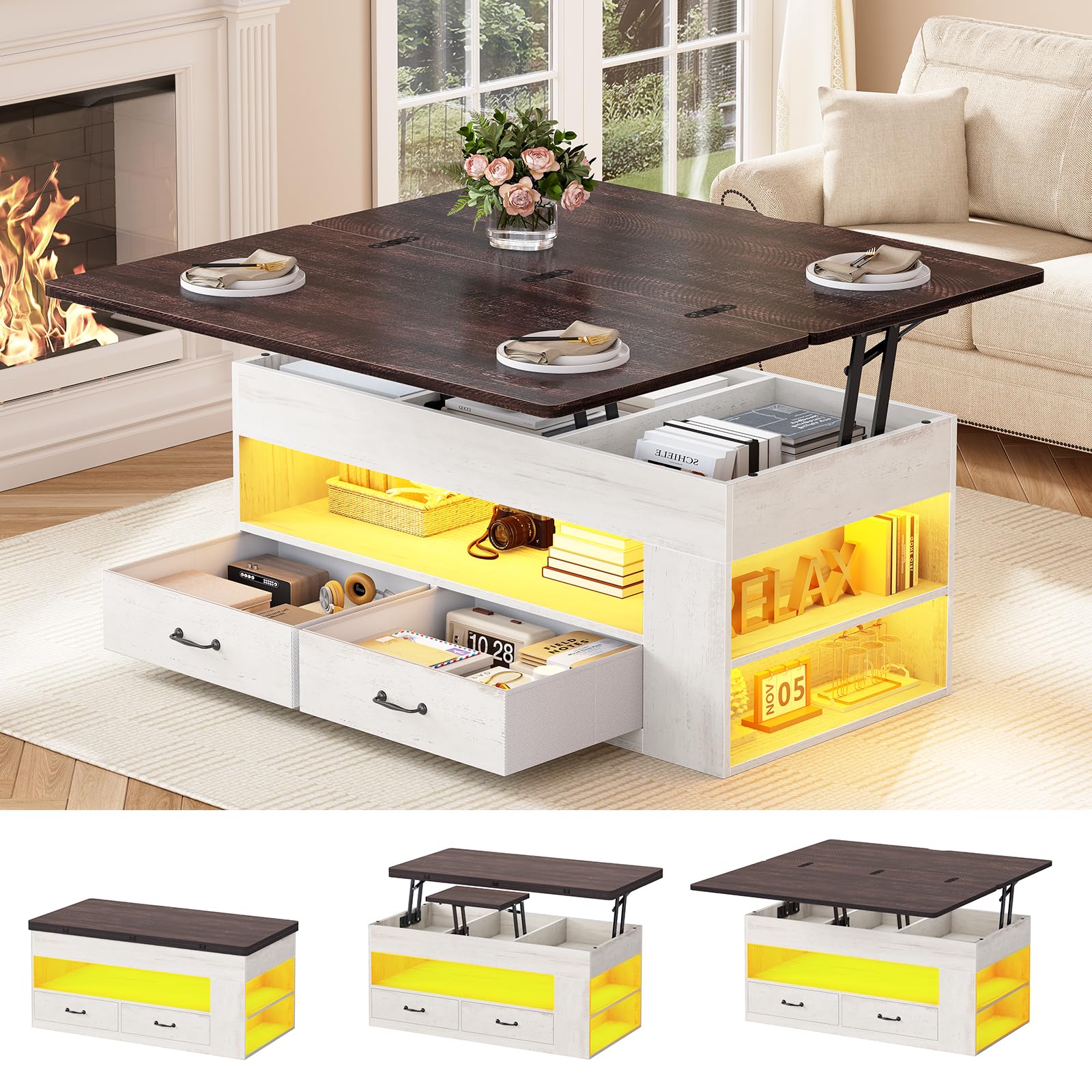
Figure 3.1: Assembled Itaar Lift Top Coffee Table.
4. Operating Instructions
4.1. Lift-Top Mechanism
The table features a smooth gas support mechanism for easy adjustment.
- To Raise: Gently lift the edge of the tabletop. The gas springs will assist in raising it to the desired height.
- To Lower: Apply gentle downward pressure on the tabletop. The mechanism will smoothly lower it back into the closed position.
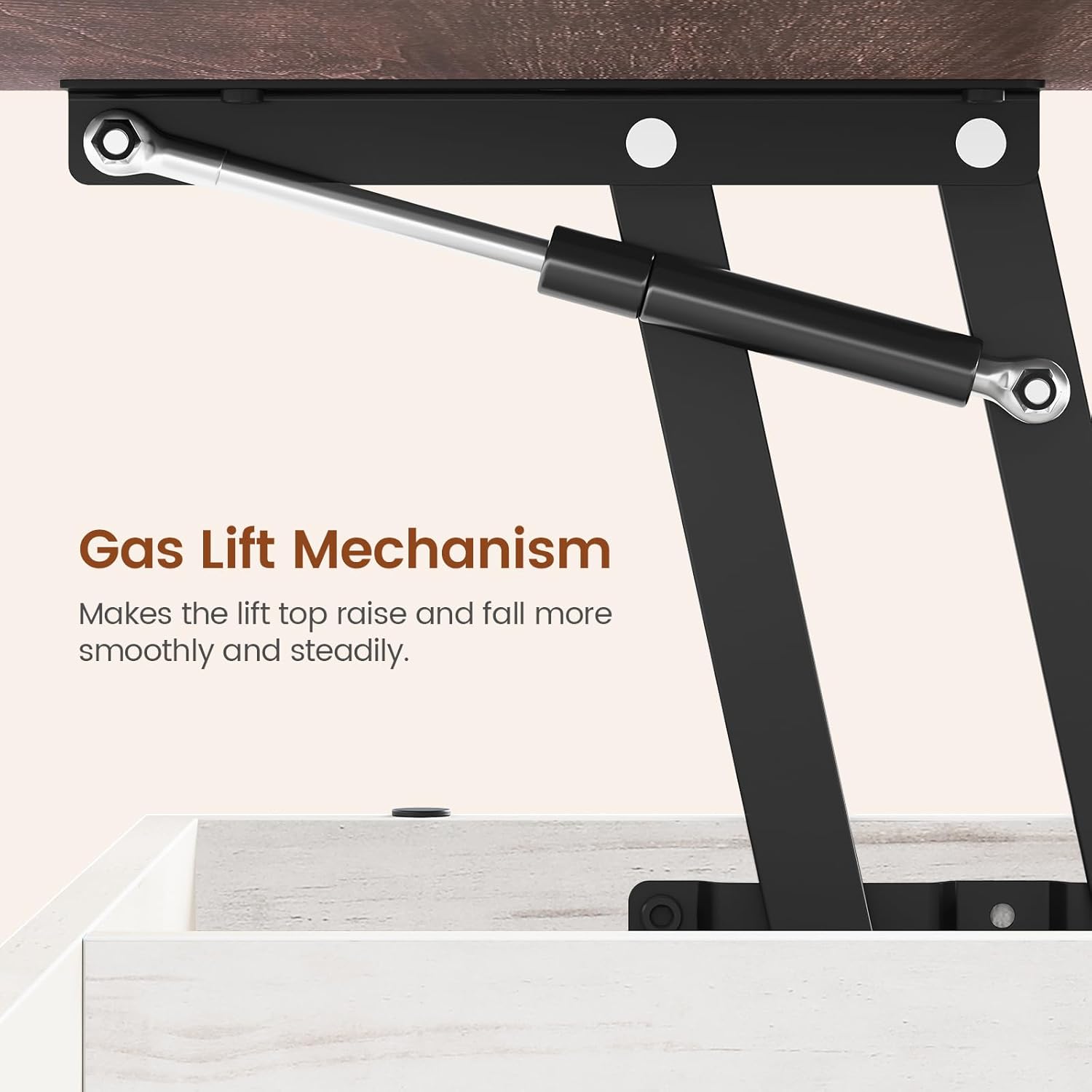
Figure 4.1: The gas lift mechanism ensures smooth and steady operation.
4.2. Storage Features
The table offers multiple storage solutions:
- Hidden Compartments: Lift the tabletop to access three dedicated sections for blankets, snacks, or electronics.
- Fabric Drawers: Two fabric drawers provide additional storage for items like laptops, books, or small accessories.
- Open Shelves: Side tiered shelves are suitable for displaying decorative items, holding cups, or game consoles.

Figure 4.2: Overview of the table's large storage capacity, including hidden compartments, drawers, and open shelves.
4.3. LED Light Strips
The integrated RGB LED strips offer customizable lighting options.
- Control: Use the included key control or download the dedicated app for full control.
- Color Options: Choose from over 60,000 colors.
- Dynamic Modes: Select from 29 dynamic lighting modes.
- Music Sync: The built-in adjustable microphone enables light effects that pulse to the rhythm of your audio.
- Timing Function: Program timers to automate lighting schedules.

Figure 4.3: The LED light features, including key control, app control, music sync, and timing functions.
4.4. Usage Methods
This 4-in-1 design adapts to various needs:
- Regular Coffee Table: Use in its closed position for a compact farmhouse-style coffee table.
- Dual Workspace: Lift one side of the tabletop to create a raised surface suitable for working or dining for one person.
- Extended Workspace/Dining: Fully extend both sides of the tabletop to create a larger surface, accommodating up to 8 people for dining or gaming.

Figure 4.4: The four usage methods of the Itaar Lift Top Coffee Table.
Video 4.1: Official product video demonstrating the lift-top functionality, hidden storage, and overall design of the Itaar Lift Top Coffee Table.
5. Maintenance
Proper care will ensure the longevity of your coffee table.
- Cleaning: Wipe surfaces with a soft, damp cloth. Avoid harsh chemicals or abrasive cleaners.
- Spills: Wipe up spills immediately to prevent staining. The engineered wood material is designed to be stain-resistant.
- Hardware: Periodically check all screws and fasteners to ensure they are tight. Retighten if necessary.
- LED Lights: If the LED lights accumulate dust, gently wipe them with a dry, soft cloth.
6. Troubleshooting
- Lift-Top Mechanism is Stiff: Ensure no objects are obstructing the mechanism. If the issue persists, check the gas springs for proper installation as per the assembly guide.
- LED Lights Not Working: Verify that the power adapter is securely connected and plugged into a working outlet. Check the controller for proper connection. If the issue persists, contact customer service for a replacement controller.
- Table Feels Unstable: Recheck all assembly hardware to ensure screws are fully tightened. Ensure the table is on a level surface.
7. Specifications
| Feature | Detail |
|---|---|
| Brand | Itaar |
| Model Number | 1 |
| Product Dimensions (D x W x H) | 39.4" x 39.4" x 24.4" |
| Item Weight | 70.6 Pounds |
| Maximum Weight Recommendation | 166 Pounds |
| Frame Material | Engineered Wood |
| Color | White |
| Number of Drawers | 2 |
| LED Lights | RGB, App-controlled, Music Sync, Timing Function |
| Required Assembly | Yes |

Figure 7.1: Detailed dimensions of the Itaar Lift Top Coffee Table.
8. Warranty and Support
Itaar is committed to providing quality products and customer satisfaction.
If your item arrives damaged, scratched, or with missing parts, please contact our customer service team immediately. We will arrange for a free replacement or offer a partial refund as appropriate.
For any questions, concerns, or support needs, please refer to the contact information provided with your purchase or visit the Itaar official website.