
TKMARS 24A09017
TKMARS Mini Action Cam User Manual
Model: 24A09017
Introduction
The TKMARS Mini Action Cam is a versatile and compact camera designed for capturing high-quality video and photos in various dynamic environments. With its 1080P Full HD recording capability, 120° wide-angle lens, and robust waterproof design, it's ideal for extreme sports, outdoor adventures, and everyday recording. The integrated magnetic base and Wi-Fi connectivity enhance its usability, allowing for easy mounting and instant sharing.

Figure 1: Overview of the TKMARS Mini Action Cam, showcasing its key features and compact design, suitable for various activities including pet recording.
What's in the Box
Please check the package contents upon unboxing to ensure all items are present:
- 1 x TKMARS Sports Camera Host
- 1 x Data Cable (USB-C)
- 1 x Instruction Manual
- 1 x Waterproof Case (IP68 rated)
- 1 x Camera Frame
- 1 x Back Clip
- 1 x Lanyard
- Additional accessories may include: 360° adjustable mount, bike/motorcycle helmet attachment, chest clip.
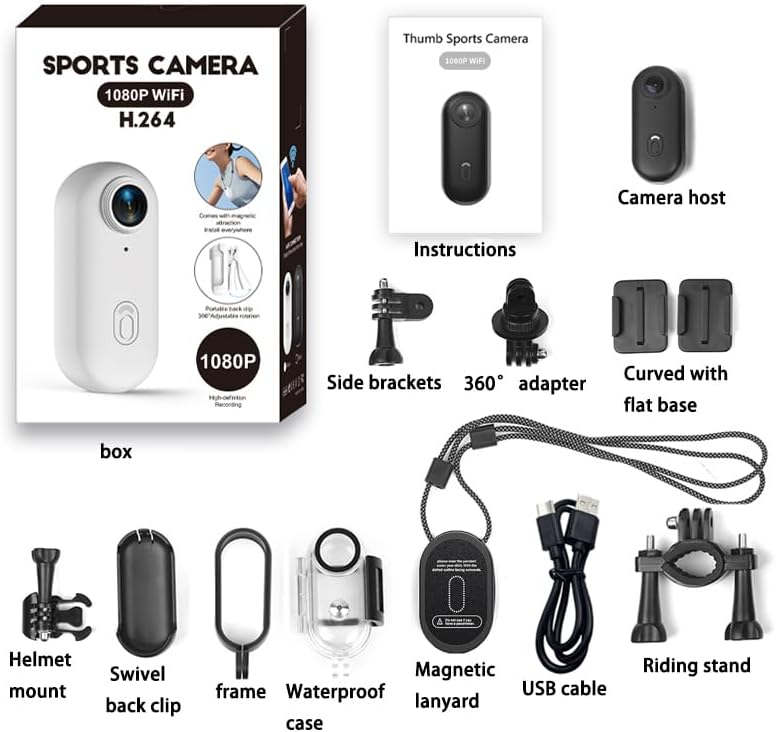
Figure 2: All components included in the TKMARS Mini Action Cam package, laid out for easy identification.
Setup
1. Charging the Battery
Before first use, fully charge the camera's built-in 800mAh battery. Connect the provided USB-C data cable to the camera's charging port and the other end to a USB power adapter (not included) or a computer's USB port. The charging indicator light will show the charging status.

Figure 3: The camera supports charging while recording, extending operational time for long sessions.
2. Inserting a MicroSD Card
The camera supports MicroSD (TF) cards up to 256GB (not included). Insert the card into the designated slot until it clicks into place. Ensure the card is formatted to FAT32 for optimal performance. A high-speed card (Class 10 or U3 recommended) is necessary for 1080P recording.
3. App Installation and Wi-Fi Connection
Download the dedicated TKMARS app from your smartphone's app store (iOS/Android). Turn on the camera's Wi-Fi function (refer to the operating section). On your smartphone, connect to the camera's Wi-Fi network. Once connected, open the app to access live preview, download media, and adjust settings.

Figure 4: Seamless Wi-Fi connection allows for real-time viewing and instant sharing of content directly from your smartphone.
Operating the Camera
1. Power On/Off
Press and hold the Power button for 3 seconds to turn the camera On or Off. A vibration notification will confirm the action.
2. Recording Video
In video mode, press the Record button once to start recording. Press it again to stop. The camera supports 1080P Full HD video recording. Loop recording is enabled by default, overwriting the oldest files when the memory card is full.
3. Taking Photos
Switch to photo mode (if applicable, or use the app). Press the Shutter button once to take a 12MP photo.
4. Using the Magnetic Base and Accessories
The camera features a built-in magnetic base for quick attachment to metallic surfaces like helmets or vehicle bodies. Utilize the included back clip for attaching to clothing, bags, or other non-metallic surfaces. Various mounts are provided for diverse applications, including helmet and handlebar mounting.

Figure 5: The camera supports various mounting options, including helmet and handlebar attachments, for diverse recording needs.

Figure 6: The portable back clip allows for easy attachment to clothing, bags, or other surfaces, offering hands-free recording.
5. Waterproof Usage
When using the camera underwater or in wet conditions, always enclose it in the provided IP68-certified waterproof case. This case allows the camera to be submerged up to 30 meters for 60 minutes, making it suitable for diving, swimming, and other water sports.
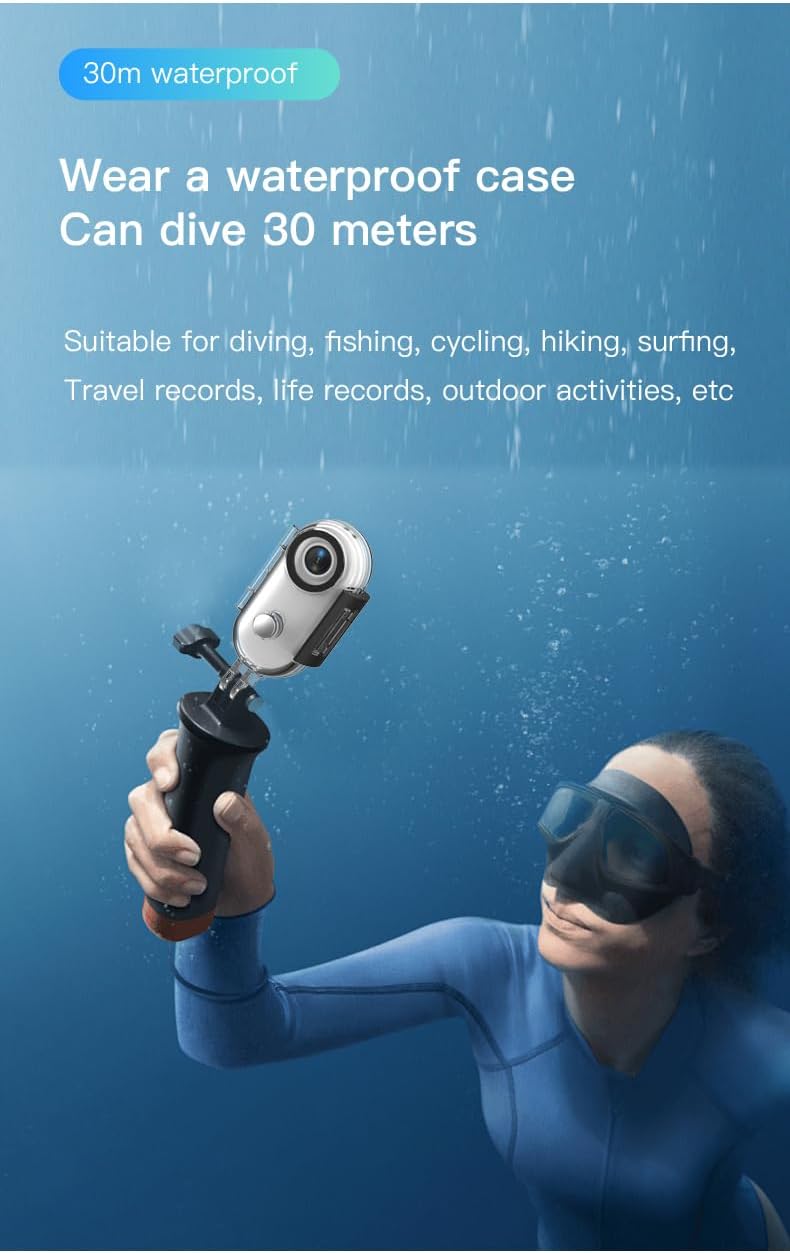
Figure 7: The waterproof case ensures the camera's safety during underwater activities, allowing capture of aquatic adventures.
Maintenance
- Cleaning: Use a soft, dry cloth to clean the camera body. For the lens, use a specialized lens cleaning cloth and solution. Do not use harsh chemicals.
- Waterproof Case Care: After each use in water, rinse the waterproof case with fresh water and allow it to air dry. Inspect the O-ring seal for any debris or damage before each use to ensure water tightness.
- Storage: Store the camera in a cool, dry place away from direct sunlight and extreme temperatures. Remove the MicroSD card if storing for extended periods.
- Battery Life: To prolong battery life, avoid fully discharging the battery frequently. Charge it regularly, even if not in use.
Troubleshooting
| Problem | Possible Cause | Solution |
|---|---|---|
| Camera does not turn on. | Low battery; system crash. | Charge the battery. If unresponsive, perform a hard reset (refer to manual for specific button combination, usually holding power for 10+ seconds). |
| Cannot connect to Wi-Fi. | Incorrect Wi-Fi password; camera Wi-Fi not enabled; app issue. | Ensure camera Wi-Fi is on. Re-enter password. Restart camera and phone. Reinstall app if necessary. |
| Video quality is poor. | Dirty lens; insufficient lighting; low-speed MicroSD card. | Clean the lens. Ensure adequate lighting. Use a Class 10 or U3 MicroSD card. |
| Camera freezes during operation. | MicroSD card error; software glitch. | Format the MicroSD card. Update camera firmware if available. Perform a hard reset. |
Specifications
- Model: 24A09017
- Video Resolution: 1080P Full HD (1920p)
- Photo Resolution: 12MP (4032x3024)
- Lens: 120° Wide-Angle, f/2.8 aperture, 30.0mm focal length
- Waterproof Rating: IP68 (up to 30 meters for 60 minutes with waterproof case)
- Battery: 800mAh, approximately 3.5 hours recording time
- Storage: Supports MicroSD (TF) cards up to 256GB (not included)
- Connectivity: Wi-Fi 2.4GHz
- Video Format: MP4
- Special Features: Built-in magnetic base, Loop Recording, Vibration Notification, Charging while recording
- Dimensions: Approximately 7 x 6 x 5 cm
- Weight: Approximately 0.1 grams
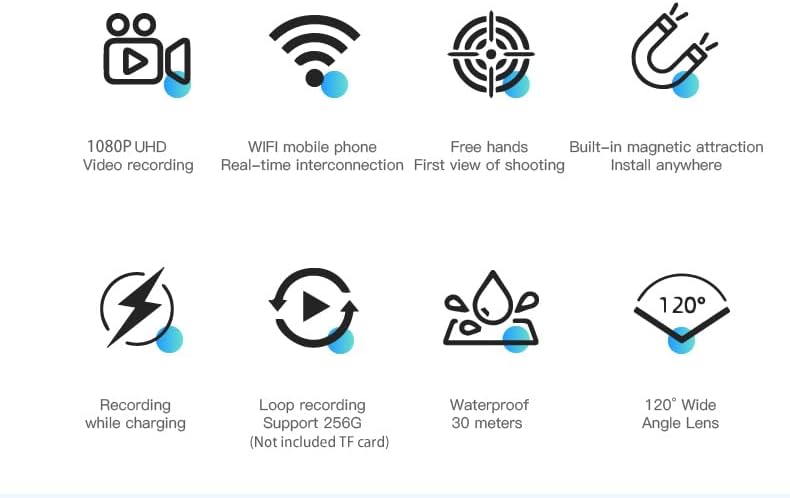
Figure 8: Visual summary of the camera's main features and capabilities.
Warranty and Support
This product is subject to the standard return and warranty policies of the retailer from which it was purchased. For specific details regarding returns, refunds, or defective products, please refer to the retailer's help pages or contact their customer service directly.
For technical support or further inquiries about your TKMARS Mini Action Cam, please visit the official TKMARS website or contact their customer support channels as listed on their product packaging or website.
Ask a question about this manual
Ask about setup, troubleshooting, compatibility, parts, safety, or missing instructions. Manuals+ will review the question and use this page’s manual context to help answer it.