
VEEKTOMX WF103C
VEEKTOMX WF103C Portable Charger with Built-in Cables
Instruction Manual
Introduction
Thank you for choosing the VEEKTOMX WF103C Portable Charger. This compact and versatile power bank is designed to keep your devices charged on the go, eliminating the need for multiple cables. With its built-in charging cables and fast-charging capabilities, it's an ideal companion for travel and daily use.
Key Features
- Built-In Charging Cables: Equipped with integrated Lightning, USB-C, and Micro-USB cables for universal compatibility with 99% of devices, including iPhone 17/16/15/14, Samsung Galaxy S25/S24/Z Fold, Google Pixel 9/8/7, iPad, and AirPods.
- Slim & Compact Design: Weighing only 0.363lb (165g) and ultra-thin at 0.62 inches, it easily fits into pockets, purses, or backpacks for unparalleled portability.
- Fast Charging & Efficient Recharging: Supports Dual PD 3.0 and QC 3.0 for rapid device charging with a maximum output power of 22.5W. The power bank itself recharges quickly in approximately 3 hours.
- Universal Compatibility: A single solution for various smart devices, including smartphones, tablets, headphones, smartwatches, and small drones.
- Multi-Layer Safety Protection: Features exclusive technology with built-in safeguards against excessive current, overheating, and overcharging, ensuring complete protection for both the device and the user.
Product Overview
The VEEKTOMX WF103C Portable Charger is designed for convenience and efficiency. Familiarize yourself with its components:
- Built-in Cables: Includes one Lightning cable and one USB-C cable, neatly integrated into the power bank's design.
- USB-A Output Port: For charging devices using your own USB-A compatible cables.
- USB-C Input/Output Port: For recharging the power bank or charging devices with a USB-C cable.
- LED Digital Display: Shows the remaining battery percentage of the power bank.
- Power Button: Activates the LED display and initiates charging.
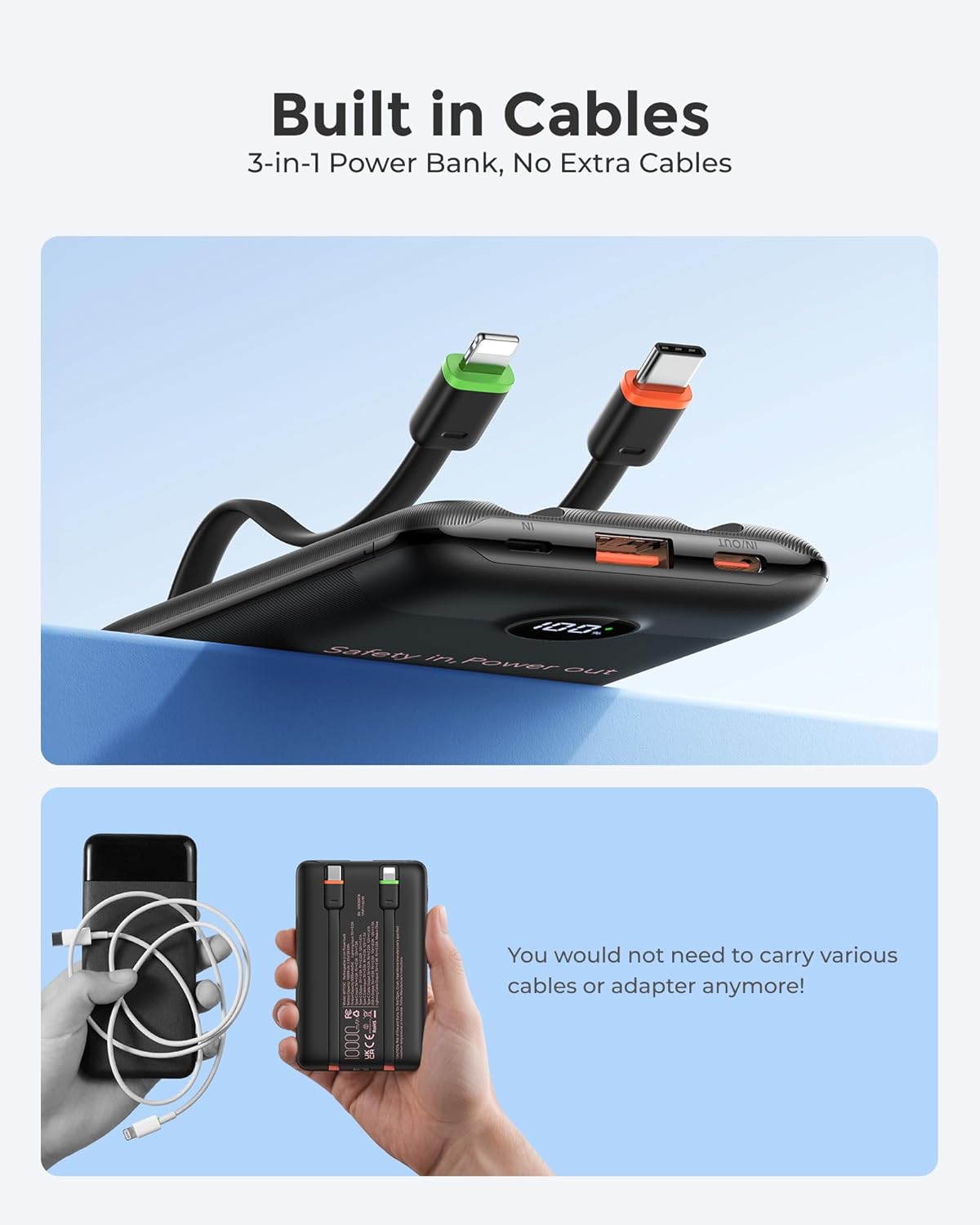
Image: Overview of the VEEKTOMX Portable Charger, highlighting its built-in cables and various charging ports.

Image: The power bank's LED display indicating the current charge level.
Setup
Charging the Power Bank
Before first use, fully charge your VEEKTOMX Portable Charger. The LED digital display will show the charging progress.
- Connect the power bank to a power source using its built-in USB-C cable or a separate Lightning cable.
- The LED display will show the battery percentage increasing as it charges.
- Once the display shows 100%, the power bank is fully charged and ready for use.

Image: Multiple methods for recharging the power bank, including its integrated cables and external ports.
Operating Instructions
Charging Your Devices
The VEEKTOMX Portable Charger offers multiple ways to charge your electronic devices.
- Using Built-in Cables: Gently pull out the appropriate built-in Lightning or USB-C cable from its slot. Connect it directly to your compatible device.
- Using External Cables: For devices requiring other cable types or if you prefer to use your own, connect your device's charging cable to the USB-A output port or the USB-C input/output port on the power bank.
- Press the power button once to activate charging. The LED display will show the power bank's remaining charge.
- Your device should begin charging automatically.
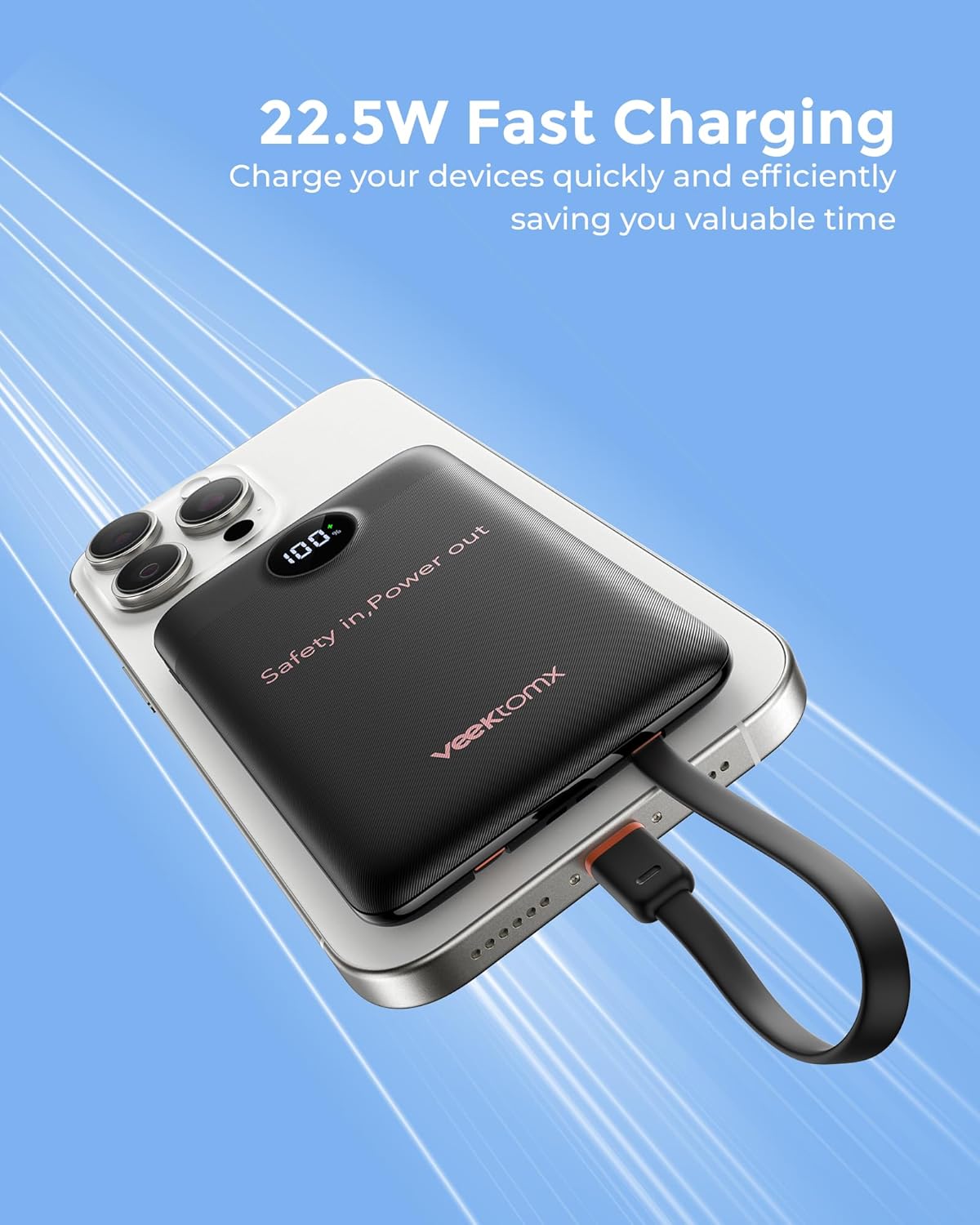
Image: An iPhone being charged by the VEEKTOMX power bank using the integrated Lightning cable.

Image: The power bank charging multiple devices concurrently, including a smartphone, tablet, and a portable fan.
Pass-Through Charging
The power bank supports pass-through charging, allowing you to recharge the power bank while simultaneously charging your devices.
Maintenance
- Keep the power bank dry and away from moisture.
- Avoid exposing the device to extreme temperatures (hot or cold).
- Clean the device with a soft, dry cloth. Do not use harsh chemicals or abrasive materials.
- Store in a cool, dry place when not in use.
Troubleshooting
- Device not charging: Ensure the power bank is sufficiently charged. Check that the cables are securely connected to both the power bank and your device. Try a different cable or port.
- Slow charging: Verify that your device and cable support fast charging. Some devices may charge slower if multiple devices are connected simultaneously.
- Power bank not recharging: Ensure the charging cable is properly connected to a working power source. Check the power adapter for functionality.
Specifications
| Feature | Detail |
|---|---|
| Model Name | WF103C |
| Battery Capacity | 10000 Milliamp Hours |
| Connector Type | Lightning, USB Type C |
| Color | Black |
| Special Feature | Built In Cable |
| Reusability | Rechargeable |
| Voltage | 12 Volts |
| Amperage | 1.67 Amps |
| Number of Ports | 4 (2 built-in cables, 1 USB-A, 1 USB-C) |
| Output Current | 1.67 Amps |
| Battery Charge Time | 3 Hours |
| Item Weight | 5.76 ounces (165g) |
| Item Dimensions (L x W x Thickness) | 4.32"L x 2.7"W x 0.62"Th |
| Compatible Devices | iPhone 17/16/15/14/13/12/11/X/8/7/6S/6 Plus, Samsung Galaxy S23/S22/S21/S10/S9/S8/Note 10, LG G8/G7/X4/Q60/K40/Q7, Google Pixel, iPad, AirPods, Tablets, Camera, Headphones, Smartwatch, Small Drone, Handheld Fan, Switch, GoPro, Speaker. |
Safety Information
- Do not disassemble, open, crush, bend, deform, puncture, shred, microwave, incinerate, or paint the device.
- Avoid exposing the device to fire, water, or temperatures above 140°F (60°C).
- Do not use the device if it has been damaged in any way.
- Keep out of reach of children.
- Dispose of the device according to local regulations.

Image: Visual representation of the comprehensive safety features integrated into the power bank.
Warranty and Support
The VEEKTOMX WF103C Portable Charger comes with a 1-Year Warranty from the date of purchase.
For product support, troubleshooting, or warranty claims, please contact VEEKTOMX customer service through the retailer where you purchased the product or visit the official VEEKTOMX website.
Video: Official VEEKTOMX product overview showcasing the portable charger's features and ease of use.
Related Documents - WF103C
 |
PB-08 Portable Charger User Manual - Super Fast Charging User manual for the PB-08 portable charger with built-in cables, featuring super fast charging capabilities. Includes product introduction, packing list, specifications, charging instructions, safety guidelines, and after-sales service information. |
 |
PB-08 Portable Charger User Manual - Super Fast Charge User manual for the PB-08 Portable Charger with built-in cables, featuring super fast charge capabilities. Includes product introduction, charging instructions, specifications, tips, safety instructions, and after-sales service information. |
 |
HX200C7 Portable Power Bank User Manual - Specifications & Instructions Comprehensive user manual for the HX200C7 portable power bank, detailing specifications, how to use the power indicator, wireless charging protocols (EPP, MPP, BPP), and charge/discharge functions. Includes built-in Type-C and Lightning cables. |
 |
Limitless 10,000mAh Power Bank with Built-In Cables: Quick Start Guide & User Information Comprehensive guide to the Limitless 10,000mAh Fast-Charging Power Bank with Built-In Cables, covering features, specifications, usage, compatibility, and safety warnings. |
 |
NITECORE LR60 Campbank Plus: Camping Lantern & Power Bank User Manual Comprehensive user manual for the NITECORE LR60 Campbank Plus, detailing features, specifications, operation as a camping lantern and power bank, battery options, technical data, and warranty information. |
 |
PB-08 Portable Charger User Manual - 15000mAh Fast Charging Power Bank User manual for the PB-08 portable charger with 15000mAh capacity and built-in cables. Learn about product features, charging instructions, specifications, safety guidelines, and after-sales service. |
Ask a question about this manual
Ask about setup, troubleshooting, compatibility, parts, safety, or missing instructions. Manuals+ will review the question and use this page’s manual context to help answer it.