Introduction
Thank you for choosing the SAMVIX Kosher Rechargeable Waker Shaker Alarm. This device is designed to provide a powerful vibrating alert, ideal for heavy sleepers, dorm rooms, or anyone requiring a discreet yet effective wake-up solution. This manual provides essential information for the proper setup, operation, and maintenance of your Waker Shaker Alarm. Please read it thoroughly before use.
Product Overview
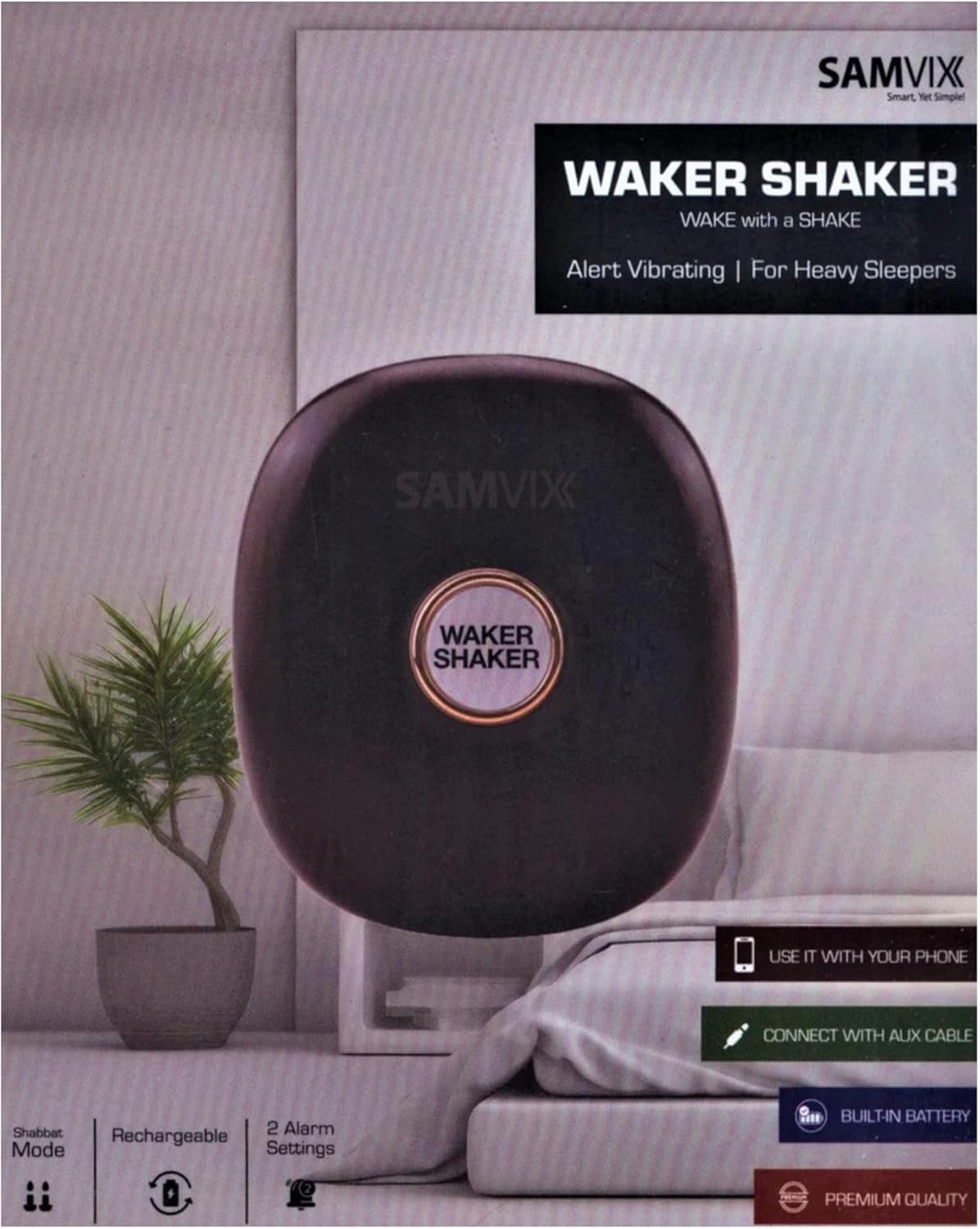
Image Description: A black, oval-shaped SAMVIX Waker Shaker Alarm device is prominently displayed against a light background, suggesting a bedroom setting. The device has a central circular button labeled "WAKER SHAKER". Surrounding the image are visual cues highlighting key features: "USE IT WITH YOUR PHONE", "CONNECT WITH AUX CABLE", "BUILT-IN BATTERY", "PREMIUM QUALITY", "Shabbos Mode", "Rechargeable", and "2 Alarm Settings". This image illustrates the product's design and primary functionalities.
The SAMVIX Waker Shaker Alarm is a compact, portable device featuring a powerful vibration mechanism. It is designed for ease of use and reliability.
Key Features:
- Powerful Vibrating Alarm: Delivers strong vibrations to ensure you wake up.
- Phone-Compatible: Connects to your smartphone or device via an AUX cable for alarm synchronization.
- Rechargeable Built-in Battery: Offers convenience and eco-friendliness, eliminating the need for disposable batteries.
- Dual Alarm Settings: Allows for setting two distinct alarms to accommodate different schedules.
- Shabbos Mode: A special mode designed for Sabbath observance.
- Durable, Premium Quality: Constructed with high-quality materials for long-lasting use.
Setup Guide
1. Initial Charging:
- Before first use, fully charge the Waker Shaker Alarm.
- Connect the provided charging cable to the device's charging port.
- Plug the other end of the cable into a compatible USB power adapter (not included) or a computer's USB port.
- The charging indicator light will illuminate during charging and typically turn off or change color when fully charged. Refer to the device's specific indicator behavior.
2. Connecting to Your Phone:
- Locate the AUX input port on the Waker Shaker Alarm.
- Connect one end of the AUX cable (not included, typically comes with your phone or can be purchased separately) to the Waker Shaker Alarm.
- Connect the other end of the AUX cable to your smartphone's headphone jack. If your phone does not have a headphone jack, you may need a compatible adapter (e.g., USB-C to 3.5mm or Lightning to 3.5mm).
- Ensure your phone's volume is set appropriately for the alarm to trigger the Waker Shaker.
Note: The Waker Shaker Alarm relies on your phone's alarm sound to activate its vibration. Ensure your phone's alarm is set and active.
Operating Instructions
1. Setting Alarms:
- The Waker Shaker Alarm utilizes your smartphone's alarm functionality. Set your desired alarm times directly on your phone's clock or alarm application.
- To use the Dual Alarm Settings feature, simply configure two separate alarms within your phone's alarm application. The Waker Shaker will activate for each alarm that sounds through the AUX connection.
- Ensure your phone is connected via AUX cable and placed near the Waker Shaker for optimal performance.
2. Using the Waker Shaker:
- Once your phone's alarm is set and the device is connected, place the Waker Shaker Alarm under your pillow or mattress.
- When your phone's alarm sounds, the Waker Shaker will begin to vibrate powerfully.
- To stop the vibration, dismiss the alarm on your smartphone.
3. Shabbos Mode:
The Waker Shaker Alarm includes a dedicated Shabbos Mode. Specific instructions for activating and deactivating this mode are typically found on the device itself or in supplementary materials. Generally, this mode disables certain electronic functions to comply with Sabbath observance. Please refer to any physical buttons or indicators on your device for Shabbos Mode activation.
Care and Maintenance
- Cleaning: Wipe the device with a soft, dry, or slightly damp cloth. Do not use harsh chemicals, abrasive cleaners, or immerse the device in water.
- Storage: Store the Waker Shaker Alarm in a cool, dry place when not in use.
- Battery Care: To prolong battery life, avoid fully discharging the battery frequently. Recharge the device regularly, even if not in constant use.
- Avoid Extreme Conditions: Do not expose the device to extreme temperatures, direct sunlight, or excessive moisture.
Troubleshooting
| Problem | Possible Cause / Solution |
|---|---|
| Device is not vibrating. |
|
| Battery drains quickly. |
|
| Shabbos Mode not working as expected. |
|
Specifications
| Feature | Detail |
|---|---|
| Brand | SAMVIX |
| Model Number | B0FC5VMJ2V |
| Color | Black |
| Display Type | Analog (referring to the clock functionality on the connected phone) |
| Style | Compact |
| Special Feature | Shabbos Mode |
| Power Source | Battery Powered (Rechargeable Built-in Battery) |
| Indoor/Outdoor Usage | Indoor |
| Frame Material | Stainless Steel |
| Are Batteries Included | No (refers to disposable batteries, device has built-in rechargeable) |
| Mounting Type | Tabletop (or under pillow/mattress) |
| Item Weight | 9.1 Pounds |
| Alarm Clock | Yes (via connected phone) |
| Number of Items | 1 |
| Clock Form | Travel |
| Connectivity Technology | AUX |
| Product Dimensions | 9.1 x 9.1 x 9.1 inches |
| UPC | 766162174781 |
Note: The listed item weight of 9.1 pounds and dimensions of 9.1 x 9.1 x 9.1 inches may be typographical errors in the source data. Please refer to the product packaging for the most accurate specifications.
Warranty and Support
Warranty Information:
SAMVIX products are manufactured to high-quality standards. For specific warranty details, including coverage period and terms, please refer to the warranty card included with your product packaging or visit the official SAMVIX website. Keep your purchase receipt as proof of purchase for any warranty claims.
Customer Support:
Should you encounter any issues or have questions regarding your SAMVIX Waker Shaker Alarm, please contact SAMVIX customer support. Contact information can typically be found on the product packaging, the official SAMVIX website, or through your retailer.
For more information, visit the SAMVIX Store on Amazon.

