
1. Introduction
Thank you for choosing the lukg BK07 Wireless Earbuds. This manual provides detailed instructions on how to set up, operate, and maintain your earbuds to ensure optimal performance and longevity. Please read this manual carefully before use and retain it for future reference.
2. Product Overview
The lukg BK07 Wireless Earbuds are designed for a superior audio experience, featuring Bluetooth 5.3 connectivity, Environmental Noise Cancelling (ENC) microphones for clear calls, and an IP7 waterproof rating. The charging case includes an LED display to show battery levels.
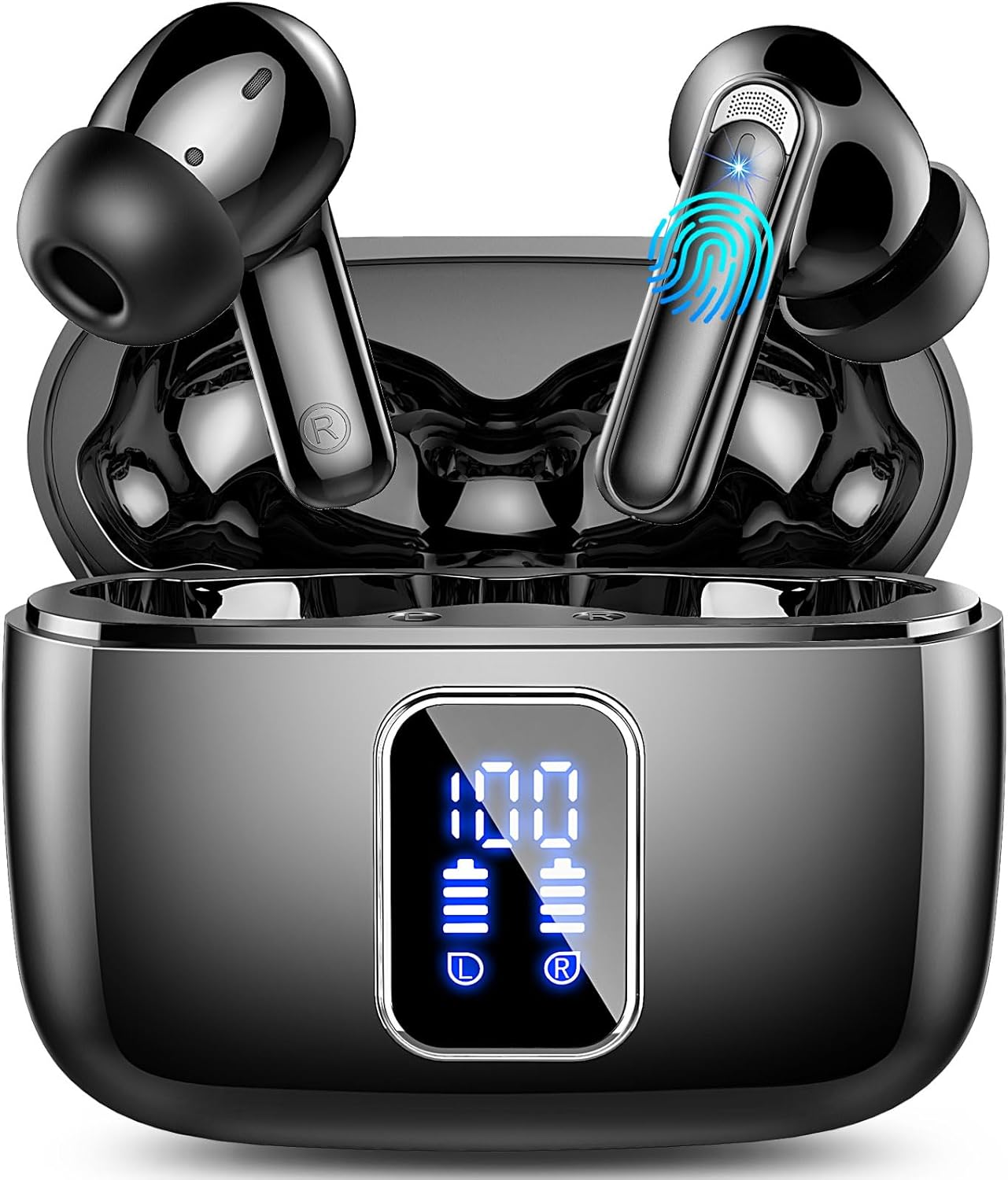
Image: The lukg BK07 Wireless Earbuds are shown inside their charging case, which features a digital LED display indicating battery percentages for both the case and individual earbuds.
3. What's in the Box
Please check the package contents upon unboxing:
- lukg BK07 Wireless Earbuds x 2 (Left and Right)
- Charging Case x 1
- USB-C Charging Cable x 1
- Silicone Ear Caps x 3 Pairs (S, M, L)
- User Manual x 1
Image: An illustration of all items included in the lukg BK07 package: two earbuds, the charging case, a USB-C charging cable, three sizes of silicone ear caps, and the user manual.
4. Setup
4.1 Charging the Earbuds and Case
- Initial Charge: Before first use, fully charge the charging case and earbuds.
- Charging the Case: Connect the provided USB-C cable to the charging port on the case and a USB power adapter (not included). The LED display on the case will show the battery percentage.
- Charging the Earbuds: Place the earbuds into the charging case. Ensure they are correctly seated. The LED indicators on the earbuds will light up, and the case display will show charging status.
A full charge provides approximately 7 hours of playtime for the earbuds, with the charging case extending total playtime to up to 40 hours.
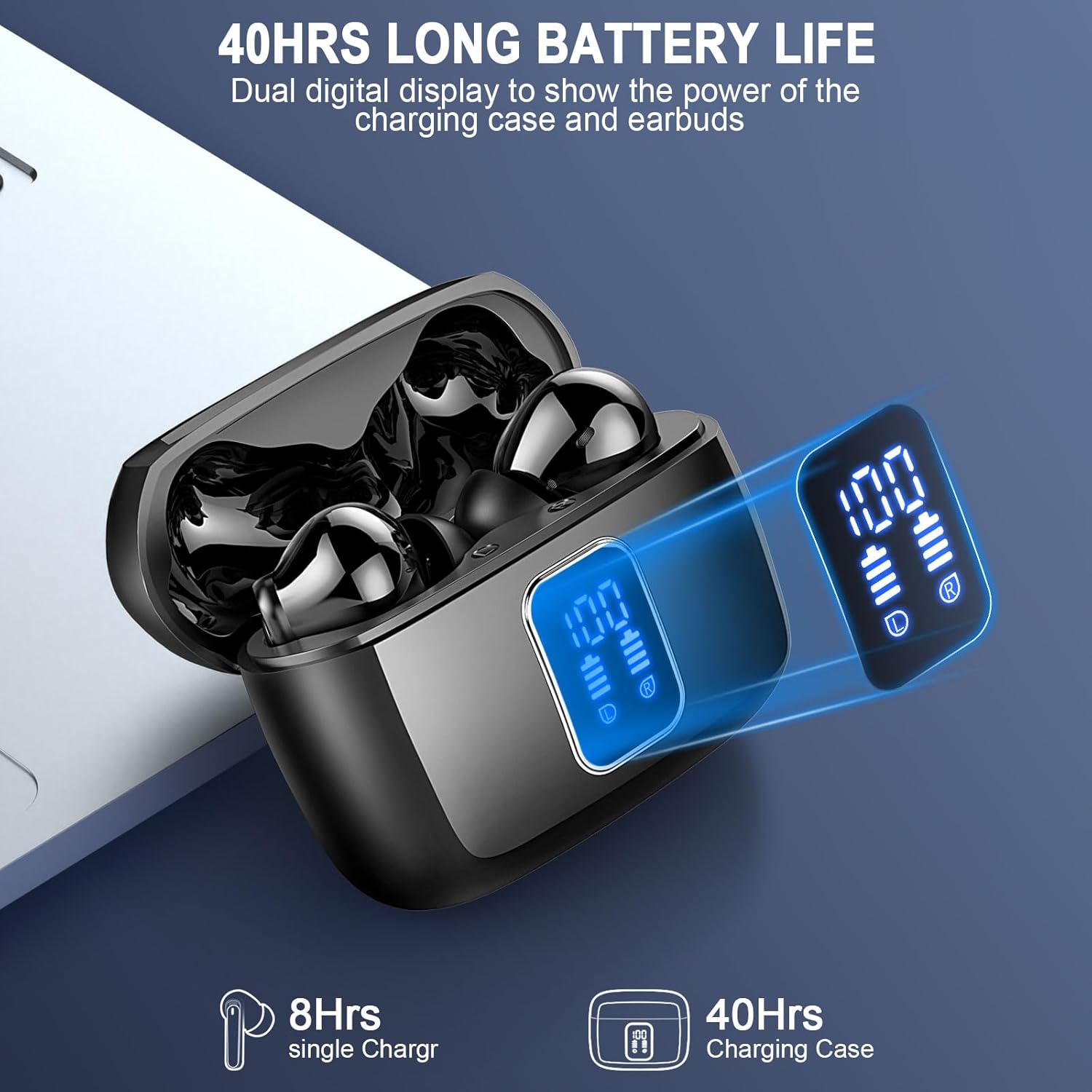
Image: The lukg BK07 charging case and earbuds are shown with their LED displays indicating battery levels, highlighting the 8 hours of single charge playtime and 40 hours total with the charging case.
4.2 Bluetooth Pairing
- Power On: Open the charging case. The earbuds will automatically power on and enter pairing mode.
- Activate Bluetooth: On your device (smartphone, tablet, laptop), enable Bluetooth.
- Select Device: Search for "BK07" in the list of available Bluetooth devices and select it to connect.
- Confirmation: Once connected, a voice prompt will confirm successful pairing. The earbuds will automatically reconnect to the last paired device when taken out of the case.

Image: The lukg BK07 earbuds and charging case are displayed next to a smartphone screen showing the Bluetooth pairing menu, with "BK07" listed as an available device, illustrating the one-step pairing process with Bluetooth 5.3.
5. Operating Instructions
5.1 Touch Controls
The earbuds feature intuitive touch controls for various functions:
- Play/Pause: Single tap on either earbud.
- Next Track: Double tap on the right earbud.
- Previous Track: Double tap on the left earbud.
- Volume Up: Triple tap on the right earbud.
- Volume Down: Triple tap on the left earbud.
- Answer/End Call: Single tap on either earbud during an incoming call.
- Reject Call: Press and hold either earbud for 2 seconds during an incoming call.
- Activate Voice Assistant (Siri/Google Assistant): Press and hold either earbud for 3 seconds.

Image: A close-up of an earbud highlighting the touch control area, with icons and descriptions for various functions such as play/pause, volume control, track navigation, call management, and voice assistant activation.
5.2 Calling Functions with ENC
The BK07 earbuds are equipped with 4 Environmental Noise Cancelling (ENC) microphones to enhance call clarity by reducing background noise.
- During a call, the ENC technology actively filters out ambient noise, ensuring your voice is heard clearly by the other party.
- Ensure the microphones on the earbuds are not obstructed for optimal performance.
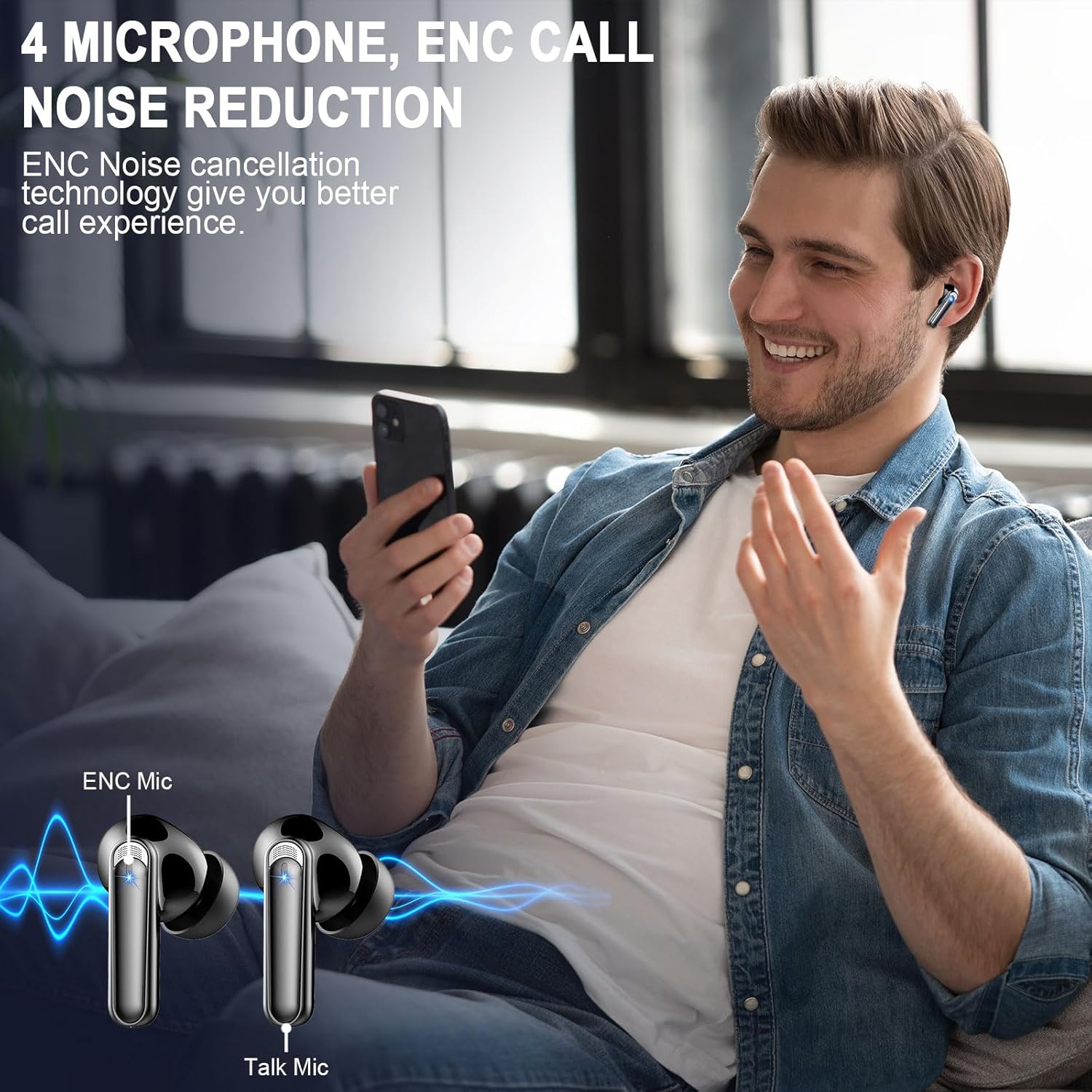
Image: A person is shown using the lukg BK07 earbuds during a phone call, with an overlay illustrating the 4 microphone ENC (Environmental Noise Cancelling) technology for clear communication.
5.3 Audio Quality
Experience superior Hi-Fi stereo sound with 14.2mm speakers and nano-scale material, designed to reproduce audio closer to the original sound source.
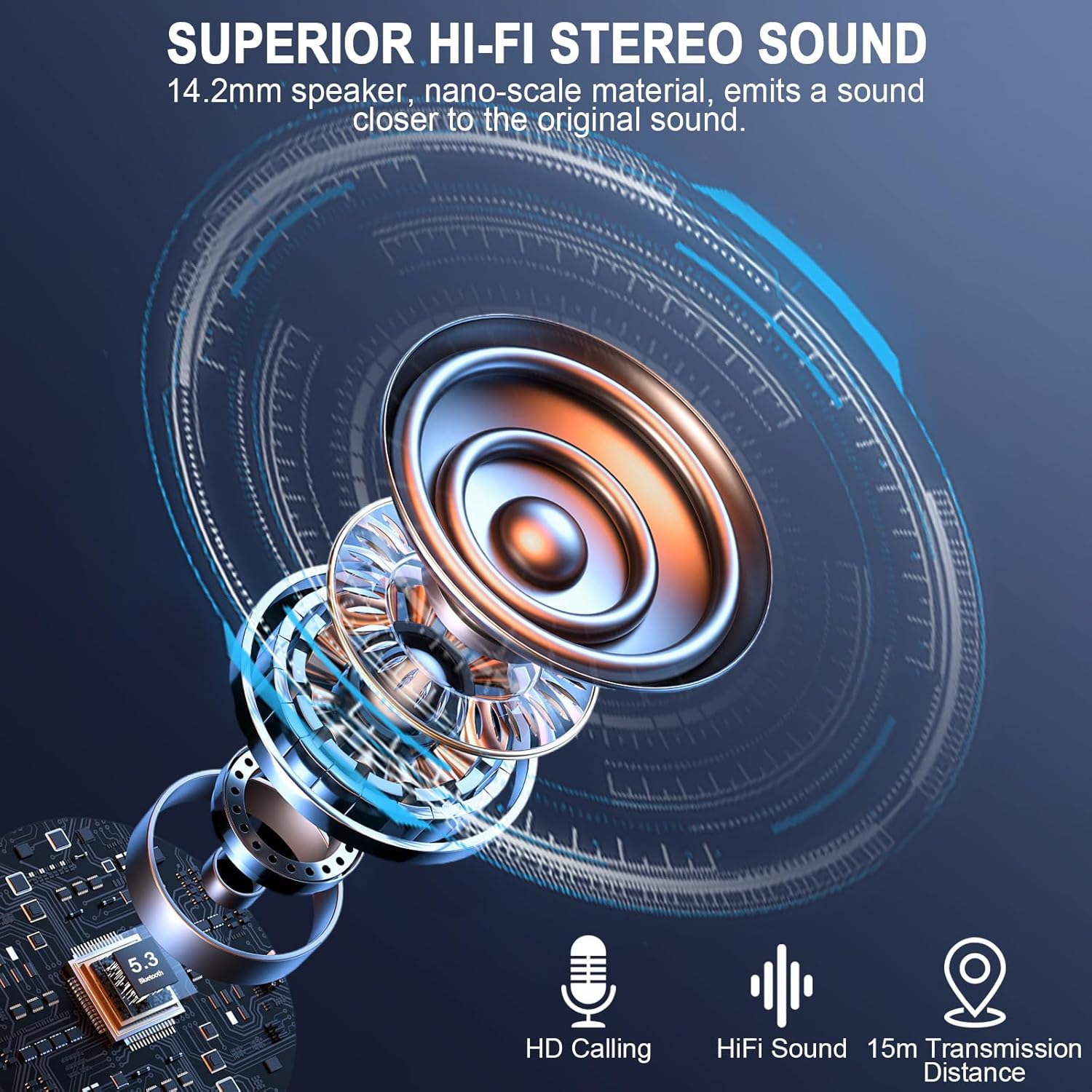
Image: A detailed diagram illustrating the internal components of the lukg BK07 earbud speaker, emphasizing the 14.2mm driver and nano-scale material for superior Hi-Fi stereo sound.
5.4 Monaural / Binaural Mode
The earbuds support both monaural (single earbud) and binaural (both earbuds) modes. You can use either earbud independently for calls or music, or use both for a stereo experience.

Image: A couple is shown enjoying music together, illustrating the flexibility of using the earbuds in either monaural (one earbud) or binaural (both earbuds) mode.
6. Maintenance
6.1 Cleaning
- Regularly clean the earbuds and charging case with a soft, dry, lint-free cloth.
- Remove ear caps and clean them with mild soap and water, then dry thoroughly before reattaching.
- Avoid using abrasive materials, alcohol, or chemical cleaners.
6.2 Storage
- When not in use, store the earbuds in their charging case to protect them and keep them charged.
- Store in a cool, dry place, away from extreme temperatures and direct sunlight.
6.3 Water Resistance (IP7)
The lukg BK07 earbuds are rated IP7 waterproof, meaning they can withstand immersion in water up to 1 meter for 30 minutes. This makes them suitable for sports and protection against sweat and rain.
- Do not intentionally submerge the charging case, as it is not waterproof.
- Ensure earbuds are dry before placing them back into the charging case to prevent damage.

Image: The lukg BK07 earbuds are depicted partially submerged in water, illustrating their IP7 waterproof capability, which protects them from sweat and rain.
7. Troubleshooting
If you encounter issues with your earbuds, please refer to the following common solutions:
| Problem | Possible Cause | Solution |
|---|---|---|
| Earbuds not pairing | Bluetooth off on device, earbuds not in pairing mode, out of range. | Ensure Bluetooth is on. Place earbuds in case, close, then open to re-enter pairing mode. Move closer to device. |
| Only one earbud working | Low battery, improper pairing, earbud not connected. | Charge both earbuds. Reset pairing by forgetting "BK07" on your device and re-pairing. |
| No sound | Volume too low, not connected, media paused. | Increase device volume. Check Bluetooth connection. Ensure media is playing. |
| Charging issue | Cable not connected, dirty charging contacts, faulty adapter. | Ensure cable is secure. Clean charging contacts on earbuds and case. Try a different USB-C cable or adapter. |
8. Specifications
| Feature | Detail |
|---|---|
| Model | BK07 |
| Bluetooth Version | 5.3 |
| Connectivity Technology | Wireless (Bluetooth) |
| Ear Placement | In Ear |
| Noise Control | Environmental Noise Cancellation (ENC) |
| Microphones | 4 (for ENC) |
| Water Resistance Level | IP7 Waterproof |
| Battery Life (Earbuds) | Up to 7 hours (single charge) |
| Total Playtime (with Case) | Up to 40 hours |
| Charging Time (Case) | Approximately 1.5 - 2 hours |
| Control Method | Touch |
| Audio Driver Type | Dynamic Driver |
| Compatible Devices | Smartphones, Laptops, Tablets, Smart Speakers, Televisions |
| Item Weight | 3.52 ounces |
9. Warranty and Support
lukg products are designed for reliability and performance. For warranty information or technical support, please refer to the contact details provided with your purchase or visit the official lukg website. Please retain your proof of purchase for warranty claims.