
IYOFINE ST-6653-FP5
IYOFINE ST-6653 Plus Handheld Vacuum Cleaner HEPA Filter Set User Manual
Model: ST-6653-FP5
Introduction
This user manual provides essential information for the installation, maintenance, and optimal use of your IYOFINE ST-6653 Plus Handheld Vacuum Cleaner HEPA Filter Set. This set includes 5 premium HEPA filters designed to ensure your vacuum cleaner maintains peak performance and efficient air filtration. Regular replacement and proper maintenance of these filters are crucial for extending the lifespan of your vacuum and ensuring a clean and healthy environment.
Product Overview
The IYOFINE HEPA Filter Set consists of 5 high-efficiency particulate air (HEPA) filters. These filters are designed to capture microscopic particles, including dust, pet dander, and allergens, ensuring cleaner air output from your vacuum cleaner.
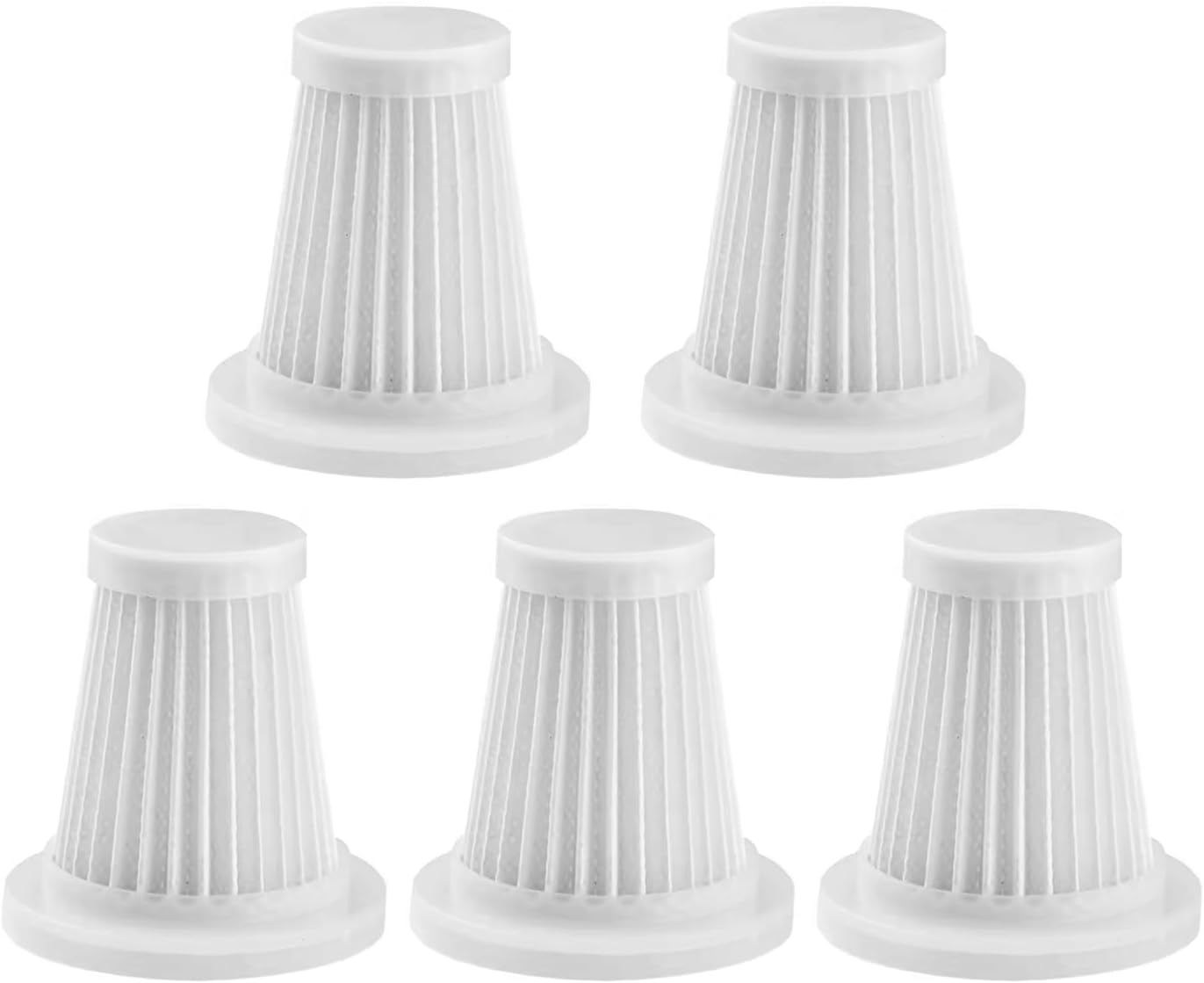
Image: A set of five IYOFINE HEPA replacement filters, showcasing their individual pleated structure and white plastic frames. These are the primary components of the filter set.
Compatibility
These HEPA filters are specifically designed for and compatible only with the IYOFINE ST-6653 Plus Handheld Vacuum Cleaner. Please verify your vacuum cleaner model before installing these filters to ensure proper fit and function.

Image: A close-up of one HEPA filter positioned next to the IYOFINE ST-6653 Plus handheld vacuum cleaner, clearly indicating that the filter is suitable for this specific vacuum model.
Installation and Removal
Follow these steps to correctly install or replace the HEPA filter in your IYOFINE ST-6653 Plus vacuum cleaner:
- Unscrew the Dust Collection Bin: Gently twist the dust collection bin counter-clockwise to detach it from the main body of the vacuum cleaner.
- Remove the Old Filter: Carefully pull out the used HEPA filter from the dust bin. Dispose of the old filter properly.
- Insert the New Filter: Place a new IYOFINE HEPA filter into the dust collection bin, ensuring it sits securely and flush.
- Reattach the Dust Bin: Align the dust collection bin with the vacuum body and twist clockwise until it locks firmly into place.

Image: A visual guide demonstrating the process of replacing the filter. It shows the dust bin being unscrewed, the filter being removed, and the empty bin, indicating the steps for maintenance.
Maintenance
To ensure optimal performance and extend the life of your HEPA filters, regular cleaning is recommended. These filters are washable.
Cleaning Instructions:
- Remove Filter: Detach the dust collection bin and remove the HEPA filter as described in the "Installation and Removal" section.
- Tap or Brush Off Debris: Gently tap the filter over a waste bin to dislodge loose dust and debris. For stubborn dirt, use a soft brush (like the one provided with your IYOFINE vacuum cleaner, if applicable) to clean the pleats.
- Rinse with Water: Rinse the filter under cool, running water until the water runs clear. Ensure all trapped dirt is washed away. Do not use hot water or detergents.
- Air Dry Completely: Allow the filter to air dry completely for at least 24 hours before reinserting it into the vacuum cleaner. Important: Do not use the vacuum with a damp filter, as this can damage the motor and reduce suction power.
It is recommended to clean the filter after every few uses, depending on the amount of debris collected. With 5 filters included, you can rotate them to ensure you always have a clean, dry filter ready for use.

Image: A HEPA filter submerged in water, with bubbles indicating the washing process, highlighting its washable and reusable design.
Troubleshooting
- Reduced Suction Power:
If your vacuum cleaner experiences reduced suction, the filter is likely clogged. Remove the filter and clean it thoroughly as per the maintenance instructions. Ensure it is completely dry before reinstallation. If suction does not improve, replace the filter with a new one from the set.
- Unusual Odor from Vacuum:
An unusual odor can indicate a dirty filter or trapped debris. Clean the filter and the dust bin thoroughly. If the odor persists, replace the filter.
- Filter Does Not Fit:
Ensure you are using the correct filter for your vacuum model. These filters are exclusively for the IYOFINE ST-6653 Plus. Do not force the filter into place; it should fit snugly without excessive pressure.
Specifications
| Attribute | Detail |
|---|---|
| Brand | IYOFINE |
| Model Number | ST-6653-FP5 |
| Compatible Device | IYOFINE ST-6653 Plus Handheld Vacuum Cleaner |
| Material Type | HEPA Filter Material |
| Included Components | 5 HEPA Filters |
| Product Dimensions (each filter) | 1.96"L x 1.1"W x 5.3"H (approx. 5cm L x 2.8cm W x 13.5cm H) |
| Item Weight (total) | 3.52 ounces (approx. 100 grams) |
| Reusability | Washable |

Image: A technical drawing of the HEPA filter with its key dimensions labeled in both centimeters and inches, providing precise measurements for compatibility.
Warranty and Support
Specific warranty information for this filter set is not provided in the product details. For any product-related inquiries, technical support, or warranty claims, please contact IYOFINE customer service through the retailer where the product was purchased or refer to the contact information provided with your IYOFINE ST-6653 Plus Handheld Vacuum Cleaner.
Related Documents - ST-6653-FP5
 |
SUITU ST-6653 Wireless Vacuum Cleaner User Manual User manual for SUITU ST-6653Pro and ST-6653Plus wireless vacuum cleaners, covering safety, operation, and maintenance. |
 |
Nissan/Infiniti Steering System Service Manual Comprehensive service manual detailing the inspection, removal, installation, disassembly, assembly, and adjustment procedures for the steering system, including power steering gear, linkage, and oil pump, for Nissan and Infiniti vehicles. Includes troubleshooting charts and service data. |
 |
LCN Special Template Chart for Door Closers A comprehensive chart detailing LCN special templates for various door closer series, including 4040XP, 2210, 4000, 1460, 5030, 2030, 3130, 4116, 4000T, 1460T, 2310ME, 4310ME, 4050T, 1260, and 4020 series. The chart specifies application types, mounting details, and necessary components or modifications for each special template. |
 |
Infiniti QX56 Steering System & Heated Wheel Service Manual Explore comprehensive service procedures, diagnostic guides, and technical specifications for the Infiniti QX56 steering system. This manual details the heated steering wheel functionality, including component descriptions, troubleshooting steps, and maintenance protocols. |
 |
DOTFLOOR Technical Guide: Mastering Stair Renovation & Installation Comprehensive guide for DOTFLOOR stair system installation. Covers planning, material calculation, adhesives, and solutions for diverse staircase challenges. Ideal for homeowners, contractors, and designers. |
 |
Sinoartizan Wine Cooler Instruction Manual Comprehensive instruction manual for Sinoartizan wine coolers, covering safety, installation, operation, maintenance, troubleshooting, and technical specifications for various models including ST-33BC, ST-33S, ST-33D, ST-36B, ST-36D, ST-54BC, ST-54D, ST-54S, ST-66B, ST-66D, and ST-168D. |
Ask a question about this manual
Ask about setup, troubleshooting, compatibility, parts, safety, or missing instructions. Manuals+ will review the question and use this page’s manual context to help answer it.