
1. Introduction
About Your LG gram Pro Laptop
The LG gram Pro 17-inch laptop is engineered for users demanding both high performance and exceptional portability. This ultra-light device integrates advanced AI capabilities, a powerful Intel Core Ultra 9 processor, and NVIDIA RTX 5050 graphics to deliver a seamless computing experience for productivity, creativity, and entertainment.
Key features include:
- Ultra-Light Design: Weighing approximately 3.3 lbs and measuring 0.6 inches thin, designed for effortless mobility.
- Powerful AI Performance: Equipped with an Intel Core Ultra 9 (Series 2) processor and hybrid LG gram AI solutions for versatile on-device and cloud-powered AI tasks.
- Vivid Display: A 17-inch display offering ultra-vivid colors, deep blacks, and exceptional contrast.
- Advanced Graphics: NVIDIA RTX 5050 Laptop GPU for smooth gaming, fast rendering, and smart AI performance.
- Long-Lasting Battery: A 90Wh high-capacity battery providing extended usage, optimized by an AI Smart Assistant.
- Durable Construction: Passed seven military-grade standards (MIL-STD 810H) for resilience.

Figure 1.1: LG gram Pro 17-inch Laptop. This image shows the laptop open, displaying its sleek design and large screen.

Figure 1.2: Portability of the LG gram Pro. The laptop's lightweight design makes it easy to carry.
2. What's in the Box
Upon unboxing your LG gram Pro laptop, please ensure all the following items are present:
- LG gram Pro Laptop
- Power Cable
3. Setup Guide
3.1 Initial Power-On
- Connect the power cable to the laptop's charging port and then to a power outlet.
- Open the laptop lid. The laptop may power on automatically, or you may need to press the power button, typically located on the top-right of the keyboard.
- Follow the on-screen instructions to complete the initial Windows 11 setup.
3.2 Connecting Peripherals
Your LG gram Pro laptop offers a variety of ports for connecting external devices. Refer to the diagrams below for port locations.

Figure 3.1: Flexible Connectivity Ports. This diagram illustrates the various ports available on the laptop for connecting peripherals.

Figure 3.2: Left Side Ports. Includes USB 3.2 ports and a headphone/microphone combo jack.

Figure 3.3: Right Side Ports. Features HDMI and USB 4 Type-C (Thunderbolt 4) ports.
3.3 Operating System Setup (Windows 11)
Your LG gram Pro comes with Windows 11 Home pre-installed. During the initial setup, you will be guided through personalizing your settings, connecting to Wi-Fi, and setting up your Microsoft account. Windows 11 includes Copilot, an AI assistant designed to enhance productivity and creativity.

Figure 3.4: Windows 11 with Copilot. The laptop screen shows the Windows 11 interface with the Copilot AI feature.
3.4 LG gram Link Setup
The LG gram Link feature allows seamless integration with up to 10 devices across Android and iOS. To utilize this feature, download the LG gram Link app from the official LG website or your device's app store. Once installed, follow the in-app instructions to pair your devices for file sharing, screen expansion, and unified control.

Figure 3.5: LG gram Link Integration. This image depicts the laptop's ability to connect with other mobile devices.
4. Operating Your LG gram Pro
4.1 Basic Operation
The laptop features a full-sized keyboard with a numeric keypad and a responsive touchpad. Familiarize yourself with the function keys (Fn) for quick access to settings like screen brightness, volume, and keyboard backlight.
4.2 Display Features
The 17-inch display offers a high resolution of 2560 x 1600 pixels. It supports Variable Refresh Rate (VRR) from 31Hz to 144Hz, providing smooth visuals for various tasks, from casual browsing to demanding applications and gaming.

Figure 4.1: Smooth Visuals with VRR. The display's variable refresh rate ensures fluid motion and responsiveness.
4.3 Battery Management
The LG gram Pro is equipped with a 90Wh battery, offering up to 25 hours of video playback. An integrated AI Smart Assistant analyzes your usage patterns to optimize battery efficiency, extending your unplugged time. To maximize battery life, adjust screen brightness, close unused applications, and utilize power-saving modes.

Figure 4.2: Extended Battery Life. The laptop's high-capacity battery provides long hours of use.
4.4 Cooling System
The laptop features an internal dual cooling system designed to maintain optimal operating temperatures during demanding workloads. This system helps prevent overheating and ensures consistent performance.

Figure 4.3: Internal Dual Cooling System. This image highlights the efficient cooling design of the laptop.
4.5 AI Features (Copilot & gram AI)
Leverage the power of AI with Windows 11 Copilot for smart assistance in tasks like summarizing documents, generating ideas, and improving writing. Additionally, LG gram AI offers a hybrid solution with on-device intelligence for local tasks (e.g., smart hard drive searches) and cloud-powered generative AI for complex tasks like document creation and data analysis.

Figure 4.4: gram Hybrid AI. Demonstrates the blend of on-device and cloud AI functionalities.
4.6 Audio Experience
Experience immersive audio with Dolby Atmos 3D Surround Sound. This technology enhances your listening experience, providing rich, clear, and deep sound for movies, music, and games.

Figure 4.5: Dolby Atmos Audio. Enjoy a cinematic sound experience with your laptop.
5. Maintenance and Care
5.1 Cleaning
To maintain your laptop's appearance and functionality:
- Use a soft, lint-free cloth slightly dampened with water or a screen cleaner to wipe the display.
- For the keyboard and chassis, use a soft, dry cloth. Avoid harsh chemicals or abrasive materials.
- Periodically use compressed air to clear dust from vents and ports.
5.2 Software Updates
Regularly update your Windows operating system and LG drivers to ensure optimal performance, security, and access to the latest features. You can check for updates through Windows Settings and the LG Update Center application.
5.3 Battery Care
To prolong battery lifespan:
- Avoid fully discharging the battery frequently.
- Store the laptop in a cool, dry place if not used for extended periods.
- If storing for a long time, charge the battery to about 50-60% before storage.
5.4 Durability
The LG gram Pro is built to withstand various conditions, having passed seven MIL-STD 810H tests for durability. This includes resistance to low pressure (altitude), high and low temperatures, and vibration. While robust, avoid exposing the laptop to extreme conditions or impacts.
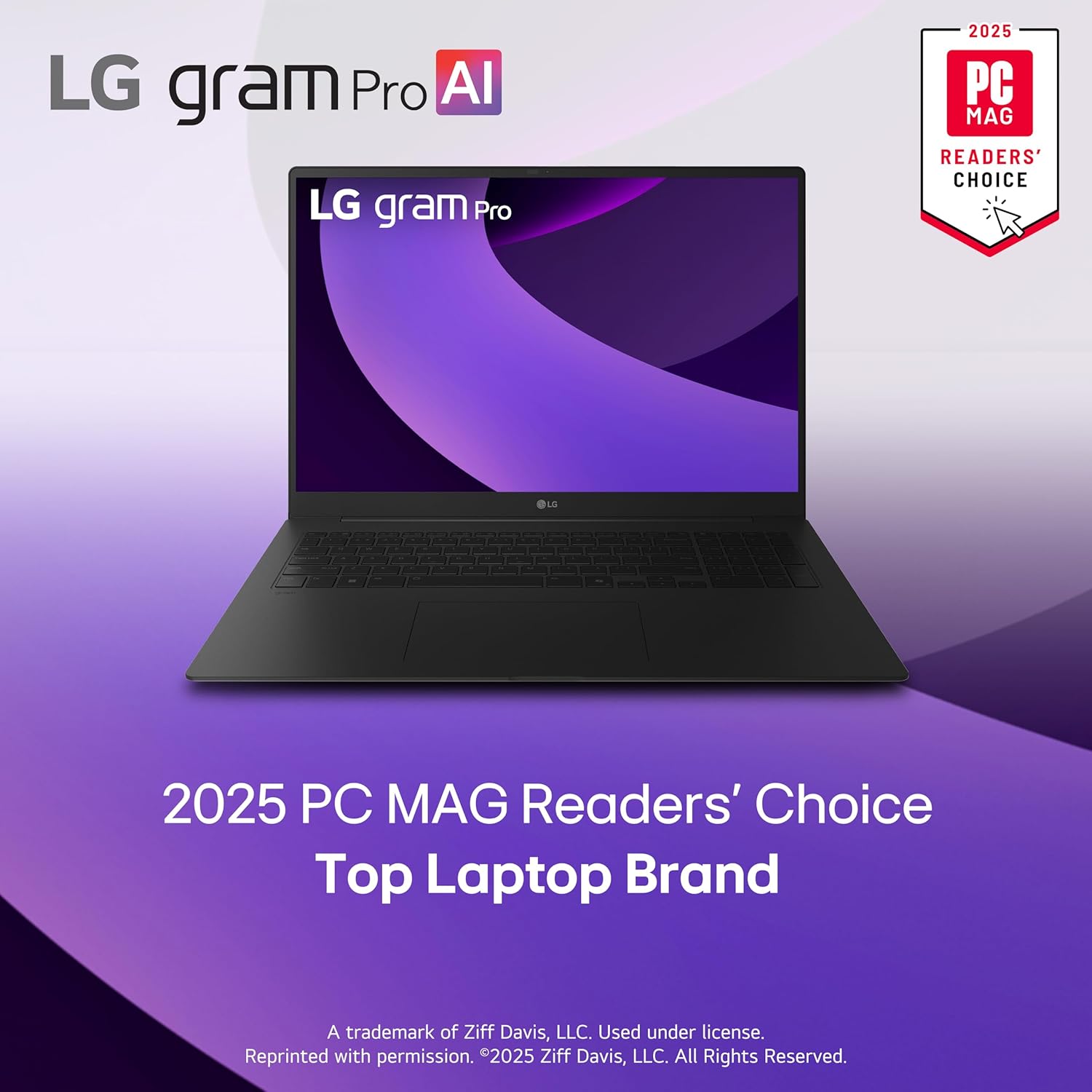
Figure 5.1: Durability and Portability. The laptop's design combines lightweight construction with military-grade durability.
6. Troubleshooting
This section provides solutions to common issues you might encounter.
6.1 Power Issues
- Laptop not turning on: Ensure the power adapter is securely connected to both the laptop and a working power outlet. Try a different outlet.
- Battery not charging: Verify the power cable is not damaged. Check the charging indicator light on the laptop.
6.2 Performance Issues
- Slow performance: Close unnecessary applications. Check for background processes consuming high CPU or RAM. Ensure Windows and drivers are updated.
- Overheating: Ensure vents are not blocked. Use the laptop on a hard, flat surface. The internal dual cooling system should manage heat effectively under normal use.
6.3 Display Issues
- No display: Connect an external monitor to check if the issue is with the laptop's screen. Restart the laptop.
- Flickering screen: Update graphics drivers. Adjust display refresh rate settings.
6.4 Connectivity Issues
- Wi-Fi not connecting: Restart your router and laptop. Check Wi-Fi settings and ensure airplane mode is off.
- Bluetooth device not pairing: Ensure the device is in pairing mode and within range. Check Bluetooth settings on the laptop.
For more detailed troubleshooting, refer to the official LG support website or the comprehensive user manual PDF.
7. Technical Specifications
| Feature | Specification |
|---|---|
| Brand | LG |
| Model Name | 17Z90TR-E.ADB9U1 |
| Screen Size | 17 Inches |
| Screen Resolution | 2560 x 1600 pixels |
| Max Screen Resolution | 2560x1600 Pixels |
| Processor | Intel Core Ultra 9 (Series 2) 285H (2.9 GHz) |
| RAM | 32 GB DDR5 (8400 MHz) |
| Hard Drive | 2 TB SSD |
| Graphics Coprocessor | Intel RTX 5050 |
| Graphics Card Description | NVIDIA RTX5050 |
| Operating System | Windows 11 Home |
| Item Weight | 3.26 pounds |
| Product Dimensions | 14.9 x 10.4 x 0.63 inches |
| Color | Black |
| Wireless Type | Bluetooth |
| Special Features | Anti Glare Coating, Backlit Keyboard, HD Audio, Lightweight, Numeric Keypad |
8. Warranty and Support
8.1 User Manual (PDF)
A detailed user manual in PDF format is available for download. This document provides in-depth information on all features, advanced settings, and troubleshooting steps.
Download Full User Manual (PDF)
8.2 Customer Support
For further assistance, technical support, or warranty inquiries, please visit the official LG support website or contact LG customer service directly. Keep your product model number (17Z90TR-E.ADB9U1) and serial number handy when contacting support.