
1. Important Safety Information
Please read and understand all instructions before installing or operating this product. Failure to follow these instructions may result in electric shock, fire, or other hazards that could cause injury or property damage.
- Electrical Safety: Always disconnect power at the fuse or circuit breaker before installation or servicing. Ensure proper grounding. If you are unsure about electrical wiring, consult a qualified electrician.
- Installation: Install the fixture in accordance with all local and national electrical codes. Do not install on surfaces that are unstable or cannot support the weight of the fixture.
- Handling: Do not look directly into the LED light source when illuminated. Avoid touching the fixture when it is operating or has recently been turned off, as it may be hot.
- Environment: This product is designed for outdoor use and is water-resistant. However, ensure all connections are sealed properly to prevent water ingress.
2. Product Overview
The Philips 72W 7400LM LED Security Light is an outdoor flood light equipped with a Passive Infrared (PIR) motion sensor. It features three adjustable heads, providing wide and customizable illumination for areas such as garages, yards, and porches. The light delivers 7400 lumens of 5000K daylight-colored light and is constructed with durable aluminum for longevity.
Key Features:
- High Brightness: 7400 lumens at 5000K daylight color temperature.
- Adjustable Heads: Three rotatable light heads for flexible coverage.
- PIR Motion Sensor: Detects motion up to 69 ft away with a 180° angle.
- Multiple Lighting Modes: Test, Security, Dusk-to-Dawn, and Manual Override.
- Durable Construction: Aluminum body with heat dissipation fins, water-resistant, and corrosion-free.
Package Contents:
- Philips LED Security Light Fixture
- Instruction Manual
- Mounting Hardware (Mounting screws, Wire Nuts, Mounting Plate, Rubber Plug, Gasket)
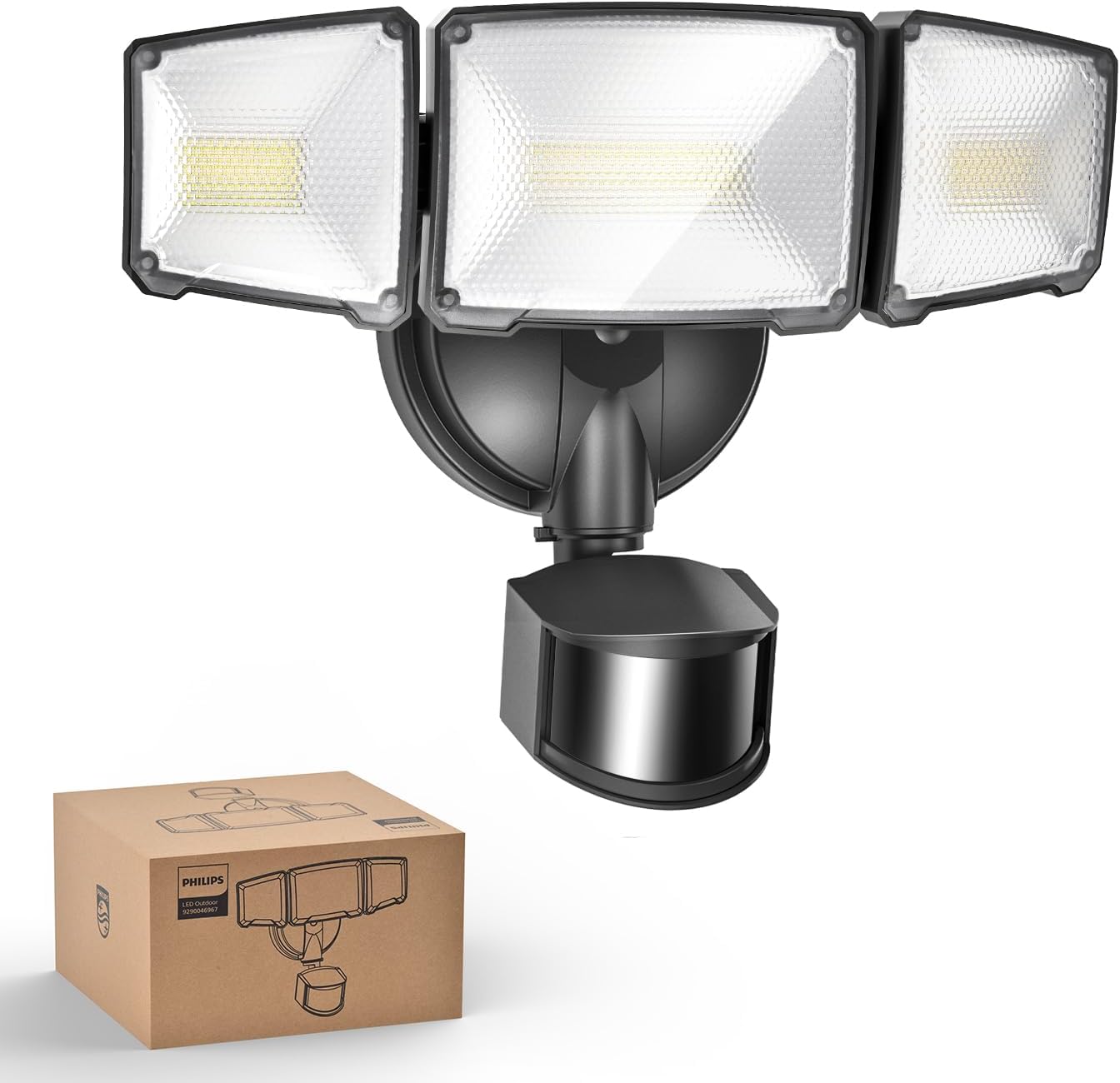
Image: Philips 72W 7400LM LED Security Light with its retail packaging.

Image: Overview of the security light's features including durable housing, high brightness, dusk-to-dawn functionality, adjustable heads, water resistance, and corrosion resistance.
3. Installation
This security light is designed for hardwired installation. A junction box is required but not included. Recommended installation height is 8.2 feet.
Pre-Installation:
- Turn off Power: Before starting, ensure the power to the installation area is turned off at the circuit breaker or fuse box.
- Tools Required: You will need a screwdriver, wire strippers, and potentially a drill for mounting.
- Inspect Contents: Verify all components listed in the 'Package Contents' section are present and undamaged.
Mounting Options:
The fixture supports both wall mounting and eave mounting. For eave mounting, ensure a tight seal between the mounting surface and the luminaire to enhance water resistance. Eave mounting may slightly reduce the sensing range.

Image: Illustration of wall mounting and eave mounting options for the security light.
Wiring and Installation Steps:
- Attach the mounting plate to your existing junction box using the provided mounting screws.
- Connect the wires: Green to Ground, Black to Live (L), White to Neutral (N). Secure connections with wire nuts.
- Mount the fixture to the mounting plate, ensuring the gasket is properly seated for a weather-tight seal.
- Adjust the three light heads to your desired angles.

Image: Dimensions of the light fixture and a list of included accessories for installation.

Image: Step-by-step guide for easy installation, including wiring connections and mounting the fixture.
4. Operating Instructions
The Philips LED Security Light features a highly sensitive PIR motion sensor and multiple lighting modes for versatile operation.
Motion Sensor Adjustment:
The motion sensor can detect movement up to 69 feet away within a 180° detection angle. Adjust the sensor's position and sensitivity using the controls located on the sensor unit.

Image: Illustration of the motion sensor's 180-degree detection angle and maximum sensing range of 69 feet.
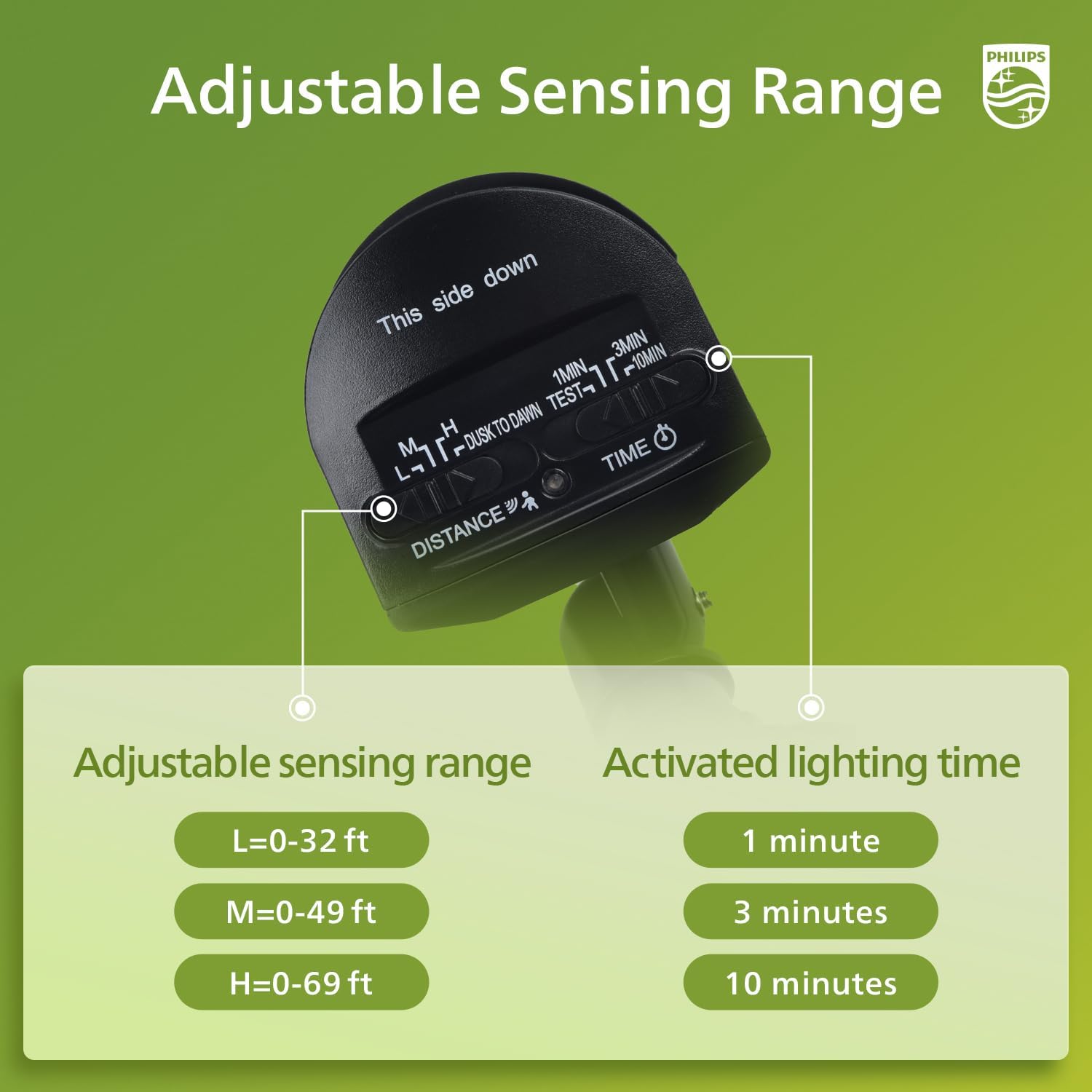
Image: Controls for adjusting sensing range (Low: 0-32 ft, Medium: 0-49 ft, High: 0-69 ft) and activated lighting time (1, 3, or 10 minutes).
Lighting Modes:
The security light offers four distinct operating modes:
- Test Mode: Can be activated in both daytime and nighttime. The light turns on for 5 seconds when motion is detected, then turns off. This mode is useful for testing the sensor's range and coverage.
- Security Mode: Activates only in nighttime. When motion is detected, the light turns on for 1, 3, or 10 minutes (selectable) at 100% brightness, then turns off.
- Dusk-to-Dawn Mode: Activates only in nighttime. The light automatically turns on at dusk and turns off at dawn.
- Manual Override Mode: Can be activated in both daytime and nighttime. The light stays on at 80% brightness (approx. 6000 lumens) for a maximum of 6 hours.
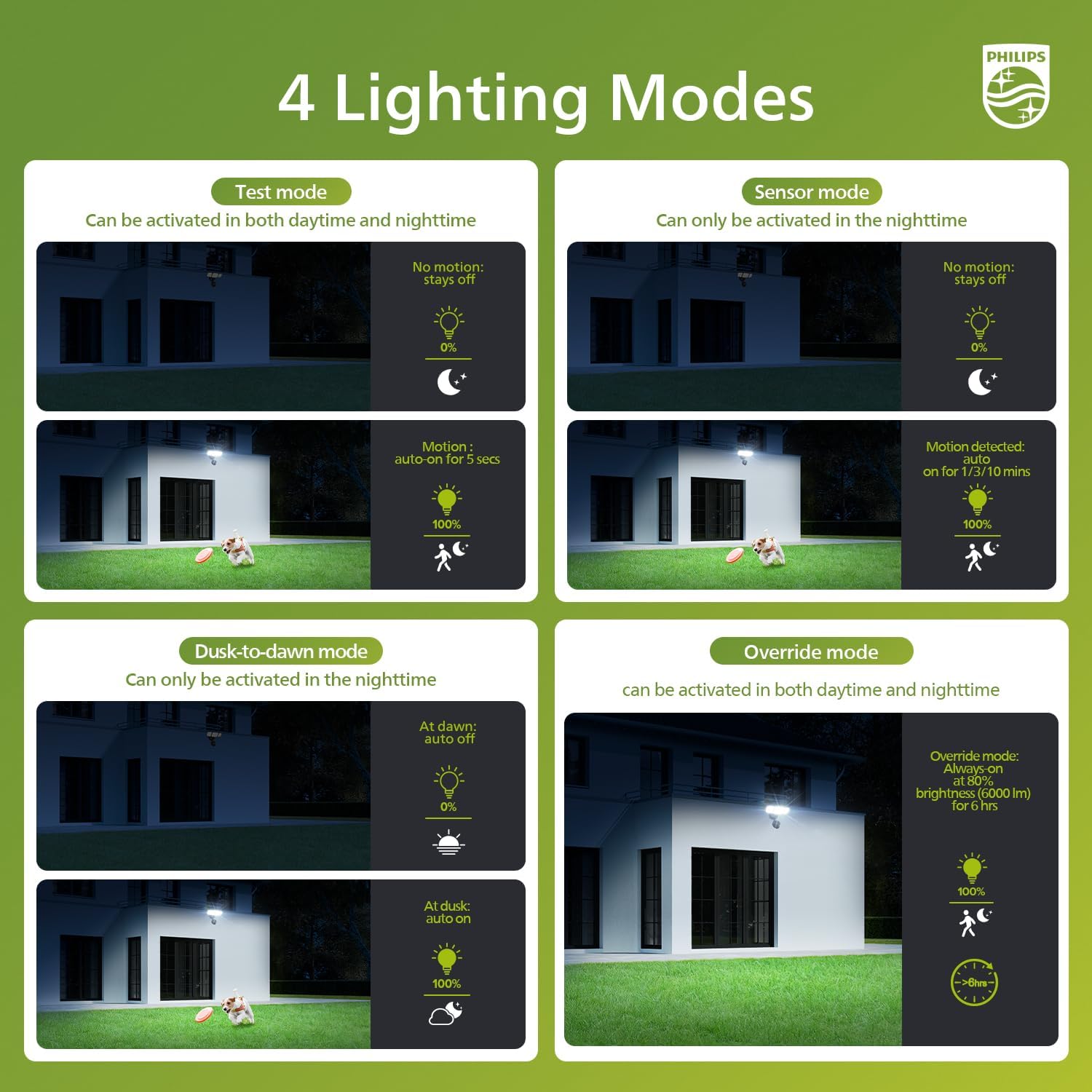
Image: Visual explanation of the four lighting modes: Test, Sensor, Dusk-to-Dawn, and Manual Override.
Activating/Deactivating Manual Override Mode:
- To Activate: Switch the light OFF and ON two times within 3 seconds. The light will activate 6-hour always-on mode at 80% brightness. After approximately 13 minutes, it will automatically dim to 80%.
- To Deactivate: Switch the light OFF and ON once, waiting more than 3 seconds between switches. This will return the light to sensor mode. Alternatively, the light will automatically return to sensor mode after 6 hours in manual override.

Image: Instructions for activating and deactivating the manual override mode using the power switch.
5. Maintenance
Regular maintenance ensures optimal performance and extends the lifespan of your Philips LED Security Light.
- Cleaning: Clean the fixture and sensor lens periodically with a soft, damp cloth. Do not use abrasive cleaners, solvents, or harsh chemicals, as these can damage the finish or electronic components.
- Inspection: Periodically check for any loose wiring, damaged components, or signs of wear. Ensure the mounting is secure.
- No User-Serviceable Parts: The LED light source is integrated and not replaceable. Do not attempt to open or repair the fixture yourself. This will void the warranty.
6. Troubleshooting
If you encounter issues with your security light, refer to the following common problems and solutions:
| Problem | Possible Cause | Solution |
|---|---|---|
| Light does not turn on. | No power, faulty wiring, sensor blocked, ambient light too high. | Check circuit breaker. Verify wiring connections. Ensure sensor is not obstructed. Adjust sensor sensitivity or switch to Test Mode to verify function. |
| Light stays on continuously. | Continuous motion detected, Manual Override Mode active, sensor setting incorrect. | Ensure no constant motion in sensor's field of view. Deactivate Manual Override Mode (refer to Section 4). Adjust sensor time setting. |
| Light turns on during the day. | Sensor sensitivity too high, Test Mode active. | Adjust sensor sensitivity to a lower setting. Ensure light is not in Test Mode. |
| Motion sensor range is poor. | Sensor obstructed, incorrect mounting height, sensitivity setting too low. | Clear any obstructions from the sensor's view. Ensure mounting height is appropriate (approx. 8.2 ft). Increase sensor sensitivity (H setting). |
If the problem persists after trying these solutions, please contact Philips customer support.
7. Specifications
| Feature | Specification |
|---|---|
| Brand | Philips |
| Model Number | 929004696703 |
| Wattage | 72 watts |
| Brightness | 7400 Lumens |
| Color Temperature | 5000 Kelvin (Daylight) |
| Voltage | 120 Volts |
| Material | Aluminum, Plastic |
| Product Dimensions (L x W x H) | 11.22" x 4.33" x 9.25" |
| Item Weight | 2.38 pounds |
| Light Source Type | LED |
| Special Features | Anti-Rust, Motion Sensor, Water-resistant |
| Indoor/Outdoor Usage | Outdoor |
| Power Source | Corded Electric |
| UPC | 046677607548 |
8. Warranty and Support
Philips products are manufactured to high-quality standards. This product is covered by a standard manufacturer's warranty against defects in materials and workmanship. Please refer to the warranty information provided with your purchase or visit the official Philips website for detailed warranty terms and conditions.
For technical assistance, troubleshooting not covered in this manual, or warranty claims, please contact Philips customer support. Keep your purchase receipt as proof of purchase for warranty services.
Online Support: Visit the Philips Lighting LED store on Amazon or the official Philips website for FAQs and support resources.