
Introduction
Welcome to the instruction manual for your SEANCHEER P05 Portable Charger. This compact and versatile power bank is designed to provide convenient and efficient charging for multiple devices, featuring a 20000mAh capacity, magnetic wireless charging, built-in cables, and a foldable wall plug.
Important Safety Information
- This product complies with UL and other international safety standards.
- It features a flame-retardant casing and multiple built-in protection mechanisms for safe use.
- During AC or wireless charging, heat is generated as a result of energy conversion. Due to the high integration of components, the heat may feel more concentrated—this is a normal phenomenon. The product is equipped with intelligent temperature control to ensure safe operation.
- A faint humming sound may occur during use. This is electromagnetic noise from internal components (similar to the sound from a laptop charger) and is a normal phenomenon.
Product Overview
The SEANCHEER P05 Portable Charger integrates multiple charging functionalities into a compact design.
Key Features
- 20000mAh Capacity: Ensures devices stay charged for extended periods.
- Foldable Wall Plug: Allows direct charging from any AC outlet.
- Built-in 2-in-1 Wristlet Cables: Includes USB-C and Lightning connectors for broad device compatibility.
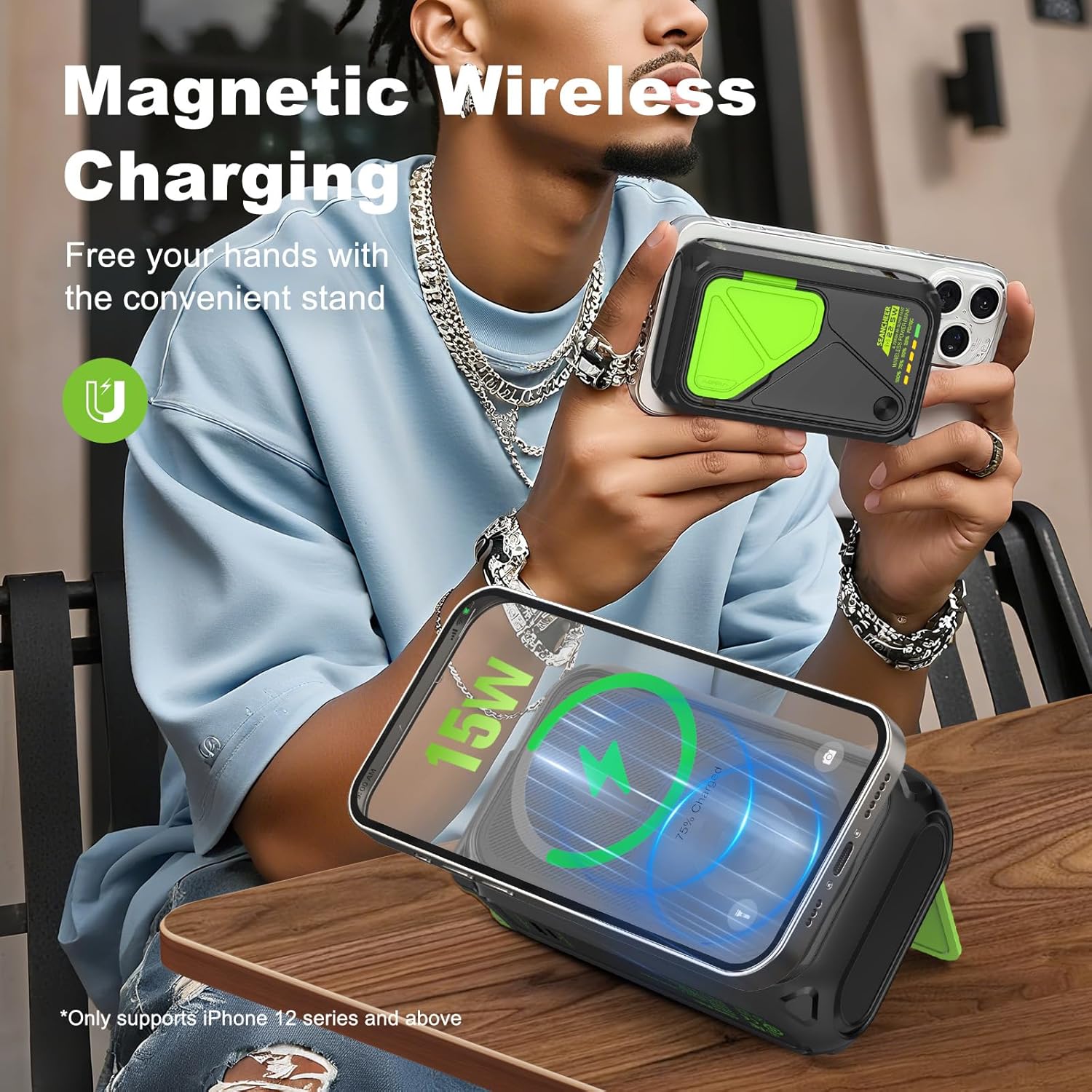
- Magnetic Wireless Charging: Supports 15W wireless charging for compatible devices (iPhone 12 and above series).
- Multiple Output Ports: Features USB-A, USB-C, and Lightning outputs for simultaneous charging of up to 3 devices.
- LED Display: Shows remaining battery percentage.
- Integrated Phone Stand: For hands-free viewing during charging.
Components
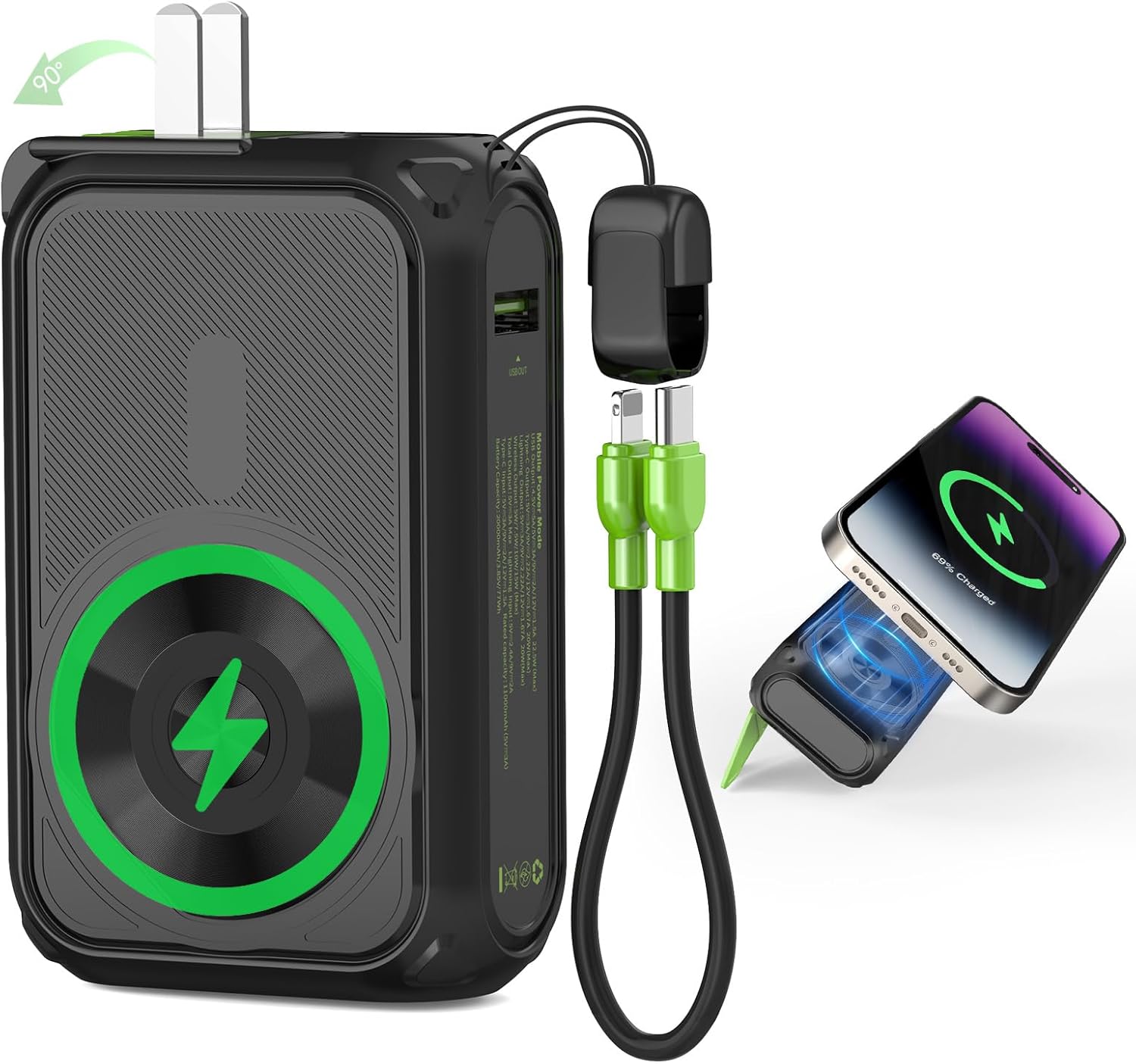
The charger includes a foldable AC wall plug, a magnetic wireless charging pad, built-in USB-C and Lightning cables, and additional USB-A and USB-C ports.
Setup and Charging the Power Bank
Before initial use, fully charge your SEANCHEER P05 Portable Charger.
Charging via Wall Outlet
- Locate the foldable AC wall plug on the side of the power bank.
- Gently pull out the prongs and plug the power bank directly into a standard wall outlet.
- The LED display will show the charging progress.
Charging via USB-C Input
- Connect a USB-C cable to the "PD IN/OUT" Type-C port on the power bank.
- Connect the other end of the USB-C cable to a compatible USB wall adapter or power source.
- The LED display will indicate charging status.

Operating Instructions
Charging Devices
The P05 Portable Charger offers multiple ways to charge your devices.
Magnetic Wireless Charging
- Ensure your device is compatible with magnetic wireless charging (e.g., iPhone 12 series and above).
- Align your compatible device with the magnetic charging pad on the power bank.
- The device should snap into place and begin charging wirelessly at 15W.
Charging via Built-in Cables
- Unclip the built-in 2-in-1 wristlet cable from the power bank.
- Select the appropriate connector (USB-C or Lightning) for your device.
- Plug the connector into your device's charging port.
- The device will begin charging.

Charging via USB-A Output
- Connect your device's USB charging cable to the "QC OUT" USB-A port on the power bank.
- Connect the other end of your cable to your device.
- Your device will begin charging.
Simultaneous Charging
The power bank supports charging up to 3 devices simultaneously using a combination of wireless charging, built-in cables, and the USB-A port.

Checking Battery Level
Press the power button once to view the remaining battery percentage on the LED display.
Maintenance
- Keep the power bank away from extreme temperatures, direct sunlight, and liquids.
- Clean the device with a soft, dry cloth. Do not use harsh chemicals or abrasive materials.
- Store in a cool, dry place when not in use.
- Avoid dropping or subjecting the device to strong impacts.
Troubleshooting
Device is heating up during charging
Heat generation during AC or wireless charging is normal due to energy conversion. The product has intelligent temperature control for safe operation. If overheating is excessive, disconnect devices and allow the power bank to cool down.
Faint humming sound during use
A faint humming sound is normal and is electromagnetic noise from internal components. It does not indicate a malfunction.
Magnetic charging not working or weak
Ensure your phone has a built-in magnet module (e.g., iPhone 12 and above). Folding phones typically do not have this function. The power bank's magnetic attraction is designed for compatible devices and is not a permanent adhesive.
Specifications
| Feature | Detail |
|---|---|
| Model | P05 |
| Brand | SEANCHEER |
| Battery Capacity | 20000mAh |
| Product Dimensions | 4.3 x 2.7 x 1.5 inches |
| Item Weight | 1.02 pounds |
| Wireless Charging Output | 15W (for compatible devices) |
| Built-in Cables | USB-C, Lightning |
| Additional Ports | USB-A Output, USB-C In/Out |
| Special Features | Foldable Wall Plug, Magnetic Wireless Charging, Built-in Stand, LED Indicator Lights, Over Charging Protection, Short Circuit Protection |
Warranty and Support
For warranty information or technical support, please refer to the product packaging or contact SEANCHEER customer service directly.
Official Product Videos
The following videos provide additional visual guidance on using your SEANCHEER P05 Portable Charger.
Video 1: Overview of the SEANCHEER P05 Power Bank (0:42 duration). This video demonstrates the compact size and various features of the P05 portable charger, including its built-in cables and magnetic charging capabilities.
Video 2: Quick look at the P05 Power Bank (0:16 duration). This short video highlights the design and portability of the SEANCHEER P05 power bank.
Video 3: Travel Power Bank black with wall plug (1:56 duration). This video showcases a similar travel power bank with a wall plug, demonstrating its convenience for charging on the go.
Video 4: 16000mAh Power Bank Built-in AC Wall Plug and Cables (0:42 duration). This video demonstrates a power bank with a built-in AC wall plug and cables, highlighting its all-in-one design.