
Introduction
Thank you for choosing the RichBird Revive Plus Smart Bird Feeder. This innovative device combines a high-definition 4MP camera with a durable bird feeder, offering an immersive birdwatching experience. Featuring free AI bird identification, solar power for continuous operation, and seamless integration with the COOLFLY app, you can observe and learn about your feathered visitors from anywhere. This manual provides essential information for setting up, operating, and maintaining your smart bird feeder.
What's in the Box
Please ensure all components are present before proceeding with the setup:
- Feeder (main unit)
- RichBird Camera
- Solar Panel
- Perch
- User Manual
- Charging Cable
- Installation Kit (Mounting Screws, Hose Clip, Black Strap)

Setup
1. Assembly
Follow these steps to assemble your bird feeder:
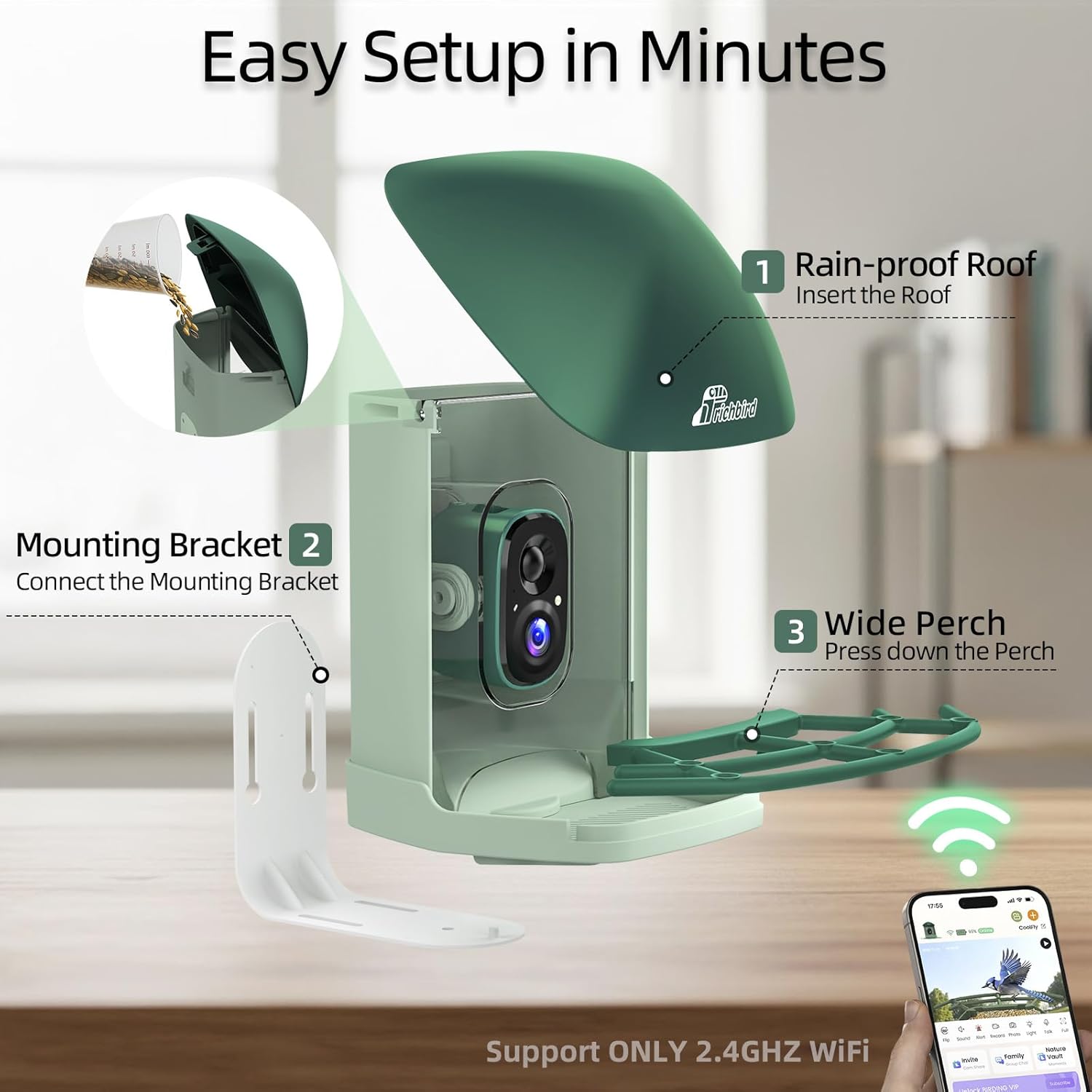
- Attach the perch to the feeder body by pressing it into the designated slots.
- Position the roof onto the feeder body, ensuring the fastening buckles align correctly. Secure the buttons to ensure the lid is tightly fastened.
- Insert the camera into its housing within the feeder.
2. Mounting Options
The RichBird Revive Plus offers versatile mounting options to suit your outdoor space:
- Freestanding: Place the feeder on a flat, stable surface.
- Pole-Mounted: Use the provided installation kit to attach the feeder to a pole.
- Wall-Mounted: Secure the feeder to a wall using the mounting bracket and screws.
- Tree-Mounted: Utilize the included strap and mounting bracket to attach the feeder to a tree.

3. Powering the Device
The feeder is equipped with a 4400mAh battery and a solar panel for continuous power. Connect the solar panel to the feeder's charging port to ensure sustainable operation without frequent manual charging.

4. App Installation and Connection
Download the COOLFLY app to manage your bird feeder and access its smart features. The app is available on both Google Play and the App Store. Scan the QR code below or visit coolflycloud.com/download to get started. Ensure your device is connected to a 2.4GHz Wi-Fi network for optimal performance.

Operating Instructions
1. Live Bird Watching
The 4MP HD camera streams live video directly to your phone, providing real-time views of birds visiting your feeder. Instant notifications alert you to new visitors, ensuring you never miss a moment.

2. AI Bird Recognition
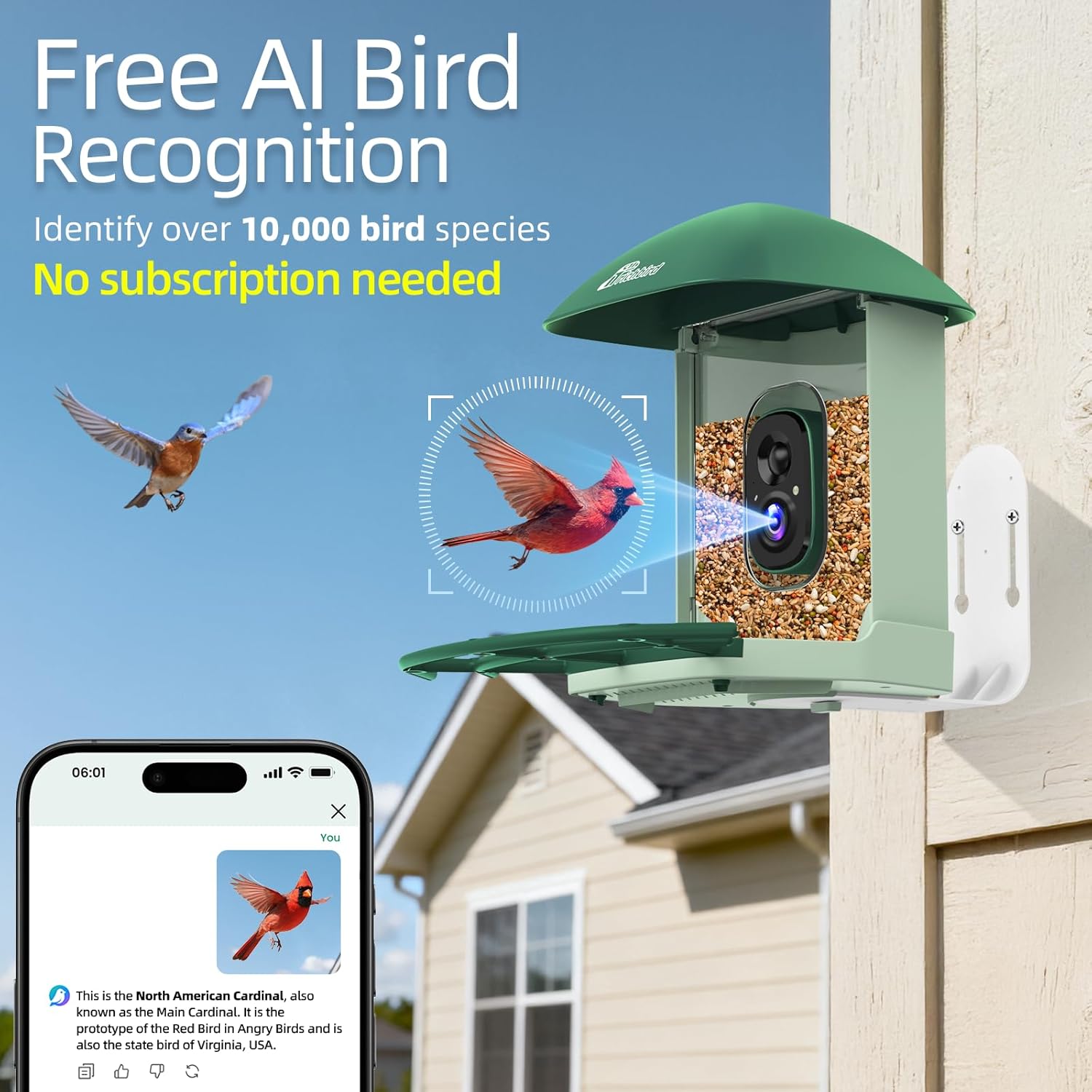
The feeder's camera utilizes AI technology to recognize over 10,000 bird species. Upload your bird videos or images to Chirpchat or enjoy automatic recognition in video for free AI identification, with no subscription required.
3. Interactive Birding App (COOLFLY)
The COOLFLY app offers an interactive birdwatching community. Share your bird discoveries, communicate with fellow enthusiasts, watch bird videos from around the world, and learn more through fun games.

4. Multi-User Access
Share the joy of birdwatching with family and friends. The feeder supports up to five users to watch live simultaneously without a subscription. Subscription options are available for 20 or even unlimited concurrent viewers.

5. Night Vision
The camera features full-color night vision, allowing you to capture stunning close-up bird moments day and night, ensuring no visitor goes unnoticed.

6. Cloud Storage
Enjoy 72 hours of free loop cloud storage within 2 years. The device also supports up to a 128GB MicroSD card (not included) for local storage of your captured bird videos and images.

Maintenance
1. Refilling Bird Food
The wide-mouth top opening allows for quick and easy refills without disassembling the feeder. Simply lift the roof and pour in your preferred birdseed.

2. Weather Resistance
The feeder is designed with an all-weather resistant housing, making it waterproof, snow-resistant, and heat-tolerant. This ensures reliable operation in various weather conditions.

Troubleshooting
1. Squirrel Deterrence
If squirrels become an issue, utilize the two-way audio feature in the COOLFLY app to issue a voice warning or play an alert sound to effectively scare them away.

2. Connectivity Issues
The RichBird Revive Plus Smart Bird Feeder supports ONLY 2.4GHz Wi-Fi networks. If you experience connectivity problems, ensure your router is configured to broadcast a 2.4GHz signal and that your phone is connected to this network during setup.
Specifications
| Brand | RichBird |
| Model Number | Revive Plus |
| Camera Resolution | 4MP HD |
| Battery Capacity | 4400mAh |
| Power Source | Solar Powered |
| Capacity | 2 Liters |
| Material | ABS Plastic |
| Item Dimensions (L x W x H) | 9.49"L x 9.29"W x 7.6"H |
| Special Features | Built-In 4MP Camera, Easy-Refill Top, Long Lasting, Squirrel Proof, Weather Resistant |
Warranty and Support
RichBird is committed to providing high-quality products and excellent customer service.
- Warranty: This product comes with a 1-Year Warranty.
- Customer Service: We offer 24-hour customer service. For any questions or assistance, please contact us at support@myrichbird.com.
- Online Support: Visit the official RichBird storefront on Amazon for more information and support: RichBird Store.
