
1. Introduction
Thank you for choosing Ltinist Wireless Earbuds BX29. These earbuds are designed to provide a superior audio experience with advanced features such as Bluetooth 5.4 connectivity, ENC noise cancellation for clear calls, and IPX8 waterproofing, making them ideal for sports and daily use. This manual will guide you through the setup, operation, and maintenance of your new earbuds.
1.1 What's in the Box
- Wireless Earbuds (L/R) x 2
- USB-C Charging Cable x 1
- Portable Charging Case x 1
- User Manual x 1
- Ear Tips (S/M/L) x 3 pairs (Medium pre-installed)

Image: Components included in the product packaging.
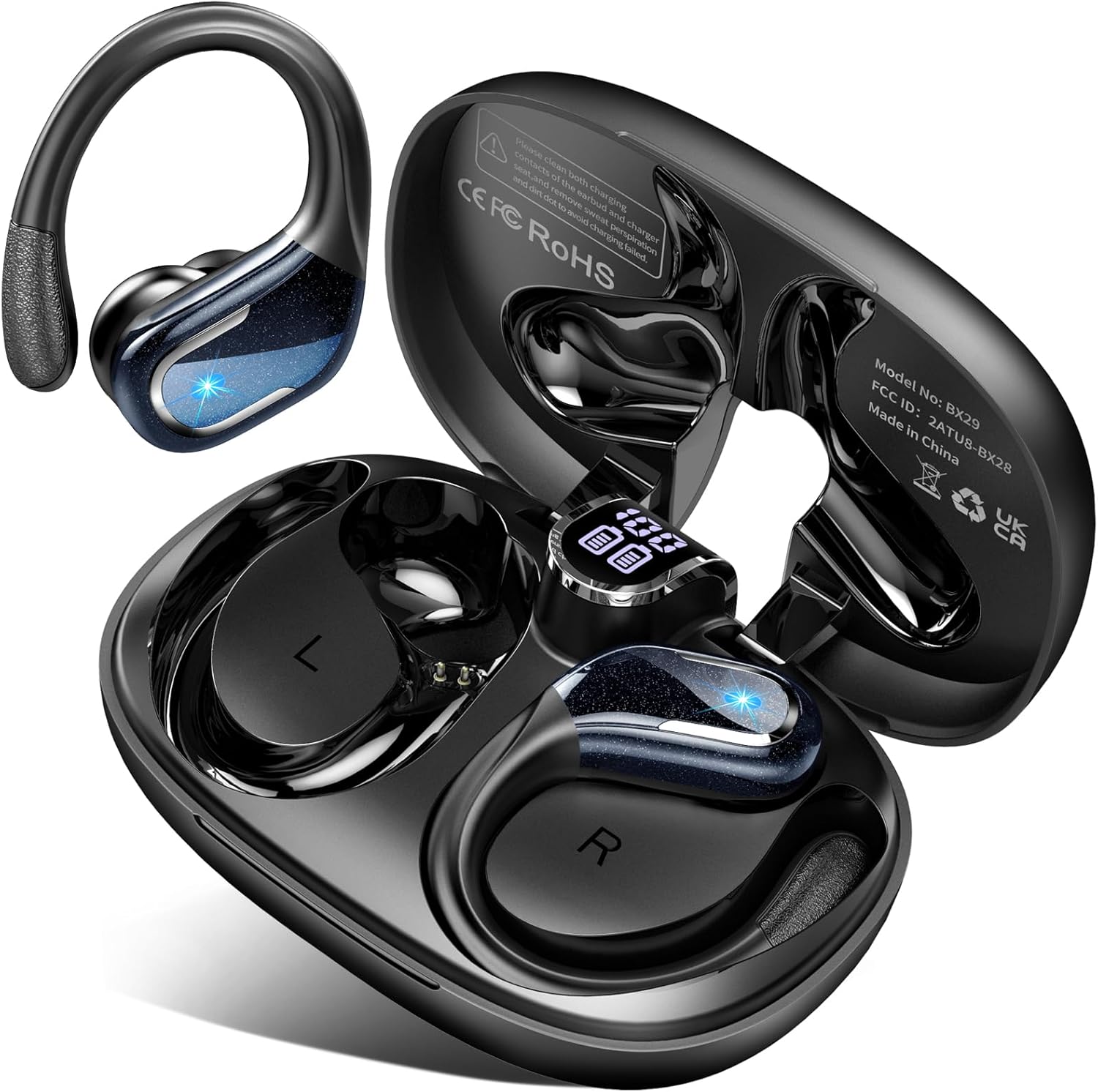
Image: Ltinist BX29 Wireless Earbuds and their charging case.
2. Safety Information
Please read all safety warnings before using this product to ensure safe and proper operation.
- Hearing Protection: Avoid listening at high volume levels for extended periods to prevent hearing damage.
- Driving Safety: Do not use earbuds while driving or cycling where the inability to hear ambient sounds could pose a danger.
- Choking Hazard: Keep earbuds and small parts away from children and pets to prevent accidental ingestion.
- Temperature: Do not expose the product to extreme temperatures (below 0°C or above 45°C).
- Cleaning: Use a soft, dry cloth for cleaning. Do not use harsh chemicals or abrasive materials.
- Disassembly: Do not attempt to disassemble or modify the earbuds or charging case. This will void the warranty and may cause damage.
3. Getting Started
3.1 Charging the Earbuds and Case
Before first use, fully charge the earbuds and the charging case.
- Place the earbuds into the charging case, ensuring they are correctly seated.
- Connect the USB-C charging cable to the charging port on the case and the other end to a USB power adapter (not included) or a computer's USB port.
- The LED display on the charging case will indicate the charging status. A full charge is indicated when the display shows 100%.
A single charge provides approximately 15 hours of playtime for the earbuds, and the charging case provides an additional 4 charges, totaling up to 75 hours of playtime.
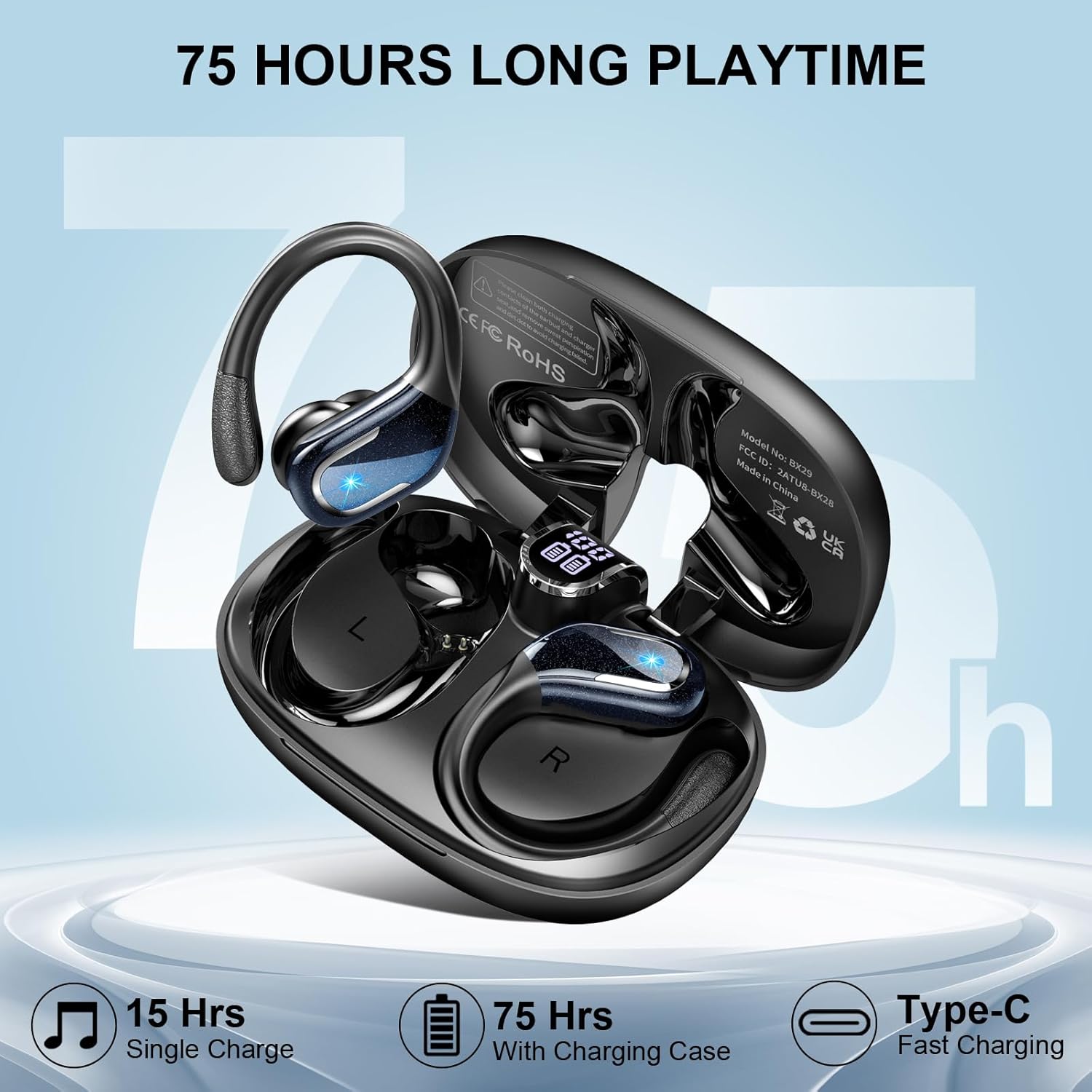
Image: Battery life indicators for the earbuds and charging case.

Image: Visual representation of battery status and total playtime.
3.2 Powering On/Off
- Power On: Open the charging case, and the earbuds will automatically power on. Alternatively, press and hold the touch control area on each earbud for 2 seconds.
- Power Off: Place the earbuds back into the charging case and close the lid, and they will automatically power off. Alternatively, press and hold the touch control area on each earbud for 5 seconds.
3.3 Bluetooth Pairing
The earbuds utilize advanced Bluetooth 5.4 technology for a stable and fast connection.
- Ensure the earbuds are charged and powered on.
- Open the charging case. The earbuds will enter pairing mode, indicated by a flashing light on the earbuds.
- On your device (smartphone, tablet, computer), enable Bluetooth and search for available devices.
- Select "BX29" from the list of found devices to connect.
- Once connected, the earbud lights will stop flashing, and you will hear a confirmation tone.
After the initial pairing, the earbuds will automatically connect to the last paired device when removed from the charging case, provided Bluetooth is enabled on your device.

Image: One-step auto pairing guide for the earbuds.

Image: Benefits of advanced Bluetooth 5.4 technology.
4. Operating Instructions
4.1 Touch Controls
The Ltinist BX29 earbuds feature smart touch controls for easy management of music and calls. The touch control area is located on the upper part of each earbud's surface.
| Function | Action |
|---|---|
| Play/Pause Music | Single tap L/R earbud |
| Volume Up | Single tap Right earbud |
| Volume Down | Single tap Left earbud |
| Next Track | Hold Right earbud for 2 seconds |
| Previous Track | Hold Left earbud for 2 seconds |
| Answer/End Call | Single tap L/R earbud |
| Reject Call | Hold L/R earbud for 2 seconds |
| Activate Voice Assistant | Double tap L/R earbud |

Image: Detailed guide to touch control gestures.
4.2 Sound Quality
The earbuds are equipped with 14.2mm vibrating diaphragm speaker drivers, delivering pure balanced audio with deep bass for an immersive music experience.

Image: Internal structure highlighting the 14.2mm speaker driver for superior sound.
4.3 Call Functionality (ENC Noise Cancelling)
With ENC (Environmental Noise Cancellation) technology, these earbuds effectively reduce background noise, providing a stable and clearer calling environment for face-to-face communication quality.

Image: Explanation of ENC noise reduction for calls.
5. Care and Maintenance
5.1 Cleaning
Regular cleaning helps maintain the performance and longevity of your earbuds.
- Wipe the earbuds and charging case with a soft, dry, lint-free cloth.
- Remove ear tips and clean them with mild soap and water if necessary, then dry thoroughly before reattaching.
- Gently clean the charging contacts on both the earbuds and the case with a dry cotton swab.
5.2 Storage
When not in use, store the earbuds in their charging case to protect them from dust and damage.
5.3 Water Resistance (IPX8)
The Ltinist BX29 earbuds are rated IPX8 waterproof, meaning they are protected against continuous immersion in water beyond 1 meter. This makes them suitable for workouts, running, and use in rainy conditions. However, they are not designed for swimming or showering.
- Ensure the earbuds are dry before placing them back into the charging case to prevent damage to the charging contacts.
- Do not expose the charging case to water, as it is not waterproof.

Image: IPX8 waterproof features of the earbuds.

Image: Ergonomic design with flexible earhooks and interchangeable ear tips.
6. Troubleshooting
If you encounter issues with your Ltinist BX29 earbuds, please refer to the following common solutions:
| Problem | Possible Solution |
|---|---|
| Earbuds not pairing | Ensure earbuds are charged. Turn off and on Bluetooth on your device. Forget "BX29" from your device's Bluetooth list and re-pair. |
| No sound from one earbud | Place both earbuds back into the charging case, close the lid, then take them out again. Check device's audio output settings. |
| Earbuds not charging | Ensure earbuds are correctly seated in the case. Check the USB-C cable and power adapter. Clean charging contacts. |
| Poor sound quality | Ensure earbuds are fully inserted and ear tips provide a good seal. Try different sized ear tips. Clean ear tips and earbud grilles. |
| Connection drops frequently | Ensure no obstacles between earbuds and device. Move closer to your device. Avoid strong electromagnetic interference. |
7. Specifications
| Feature | Detail |
|---|---|
| Model Name | BX29 |
| Connectivity Technology | Wireless (Bluetooth) |
| Bluetooth Version | 5.4 |
| Audio Driver Size | 14.2 Millimeters |
| Playtime (Single Charge) | Up to 15 Hours |
| Total Playtime (with Case) | Up to 75 Hours |
| Charging Port | USB-C |
| Water Resistance Rating | IPX8 |
| Noise Cancellation | ENC (Environmental Noise Cancellation) for calls |
| Ear Placement | In Ear (with Earhooks) |
| Compatible Devices | Telephones, Tablets, Computers |
| Item Weight | 4.6 ounces |
8. Warranty and Support
Ltinist provides comprehensive customer support for its products.
- Warranty: This product comes with a 2-year warranty from the date of purchase, covering manufacturing defects.
- Returns: You may be eligible for a return or replacement within 30 days of purchase, subject to the retailer's policy.
- Customer Service: For any inquiries, technical assistance, or warranty claims, please contact Ltinist customer service. Refer to the contact information provided in your product packaging or visit the official Ltinist website.

Image: Customer support and warranty information.


