
1. Introduction
This manual provides essential information for the safe and efficient operation of your WATTSMART 6500 Sq Ft Smart Home Dehumidifier. Please read it thoroughly before initial use and retain it for future reference. This dehumidifier is designed to remove excess moisture from indoor air, improving comfort and air quality in spaces up to 6,500 square feet.
2. Safety Information
Always follow basic safety precautions when using this appliance to reduce the risk of fire, electric shock, or injury. Ensure the unit is placed on a stable, level surface. Do not block air inlets or outlets. Unplug the unit before cleaning or maintenance. Refer to the warning labels on the unit for specific refrigerant handling and fire/explosion risks.
DANGER - Risk Of Fire Or Explosion. Flammable Refrigerant Used. To Be Repaired Only By Trained Service Personnel. Do Not Puncture Refrigerant Tubing.
3. Product Overview & Features
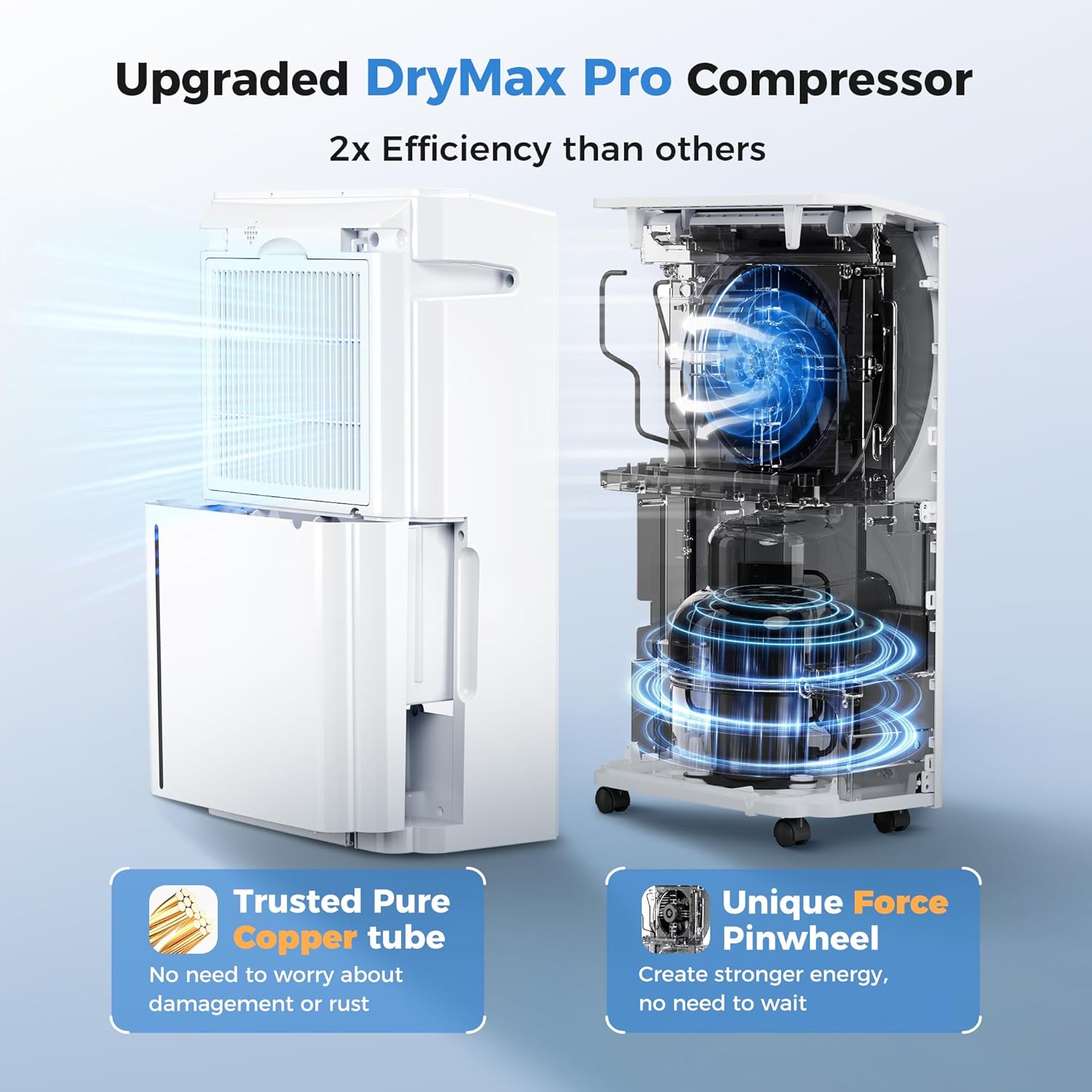
The WATTSMART dehumidifier is engineered for high efficiency and user convenience, capable of removing up to 60 pints of moisture daily.
3.1 Key Features
- Powerful Dehumidification: Removes up to 60 pints of moisture daily, suitable for areas up to 6,500 sq ft.
- Smart Humidity Monitor: Tri-color LED display indicates humidity levels (Blue: <50% RH, Green: 50-70% RH, Red: >70% RH).
- Energy-Saving Efficiency: Advanced technology minimizes power consumption.
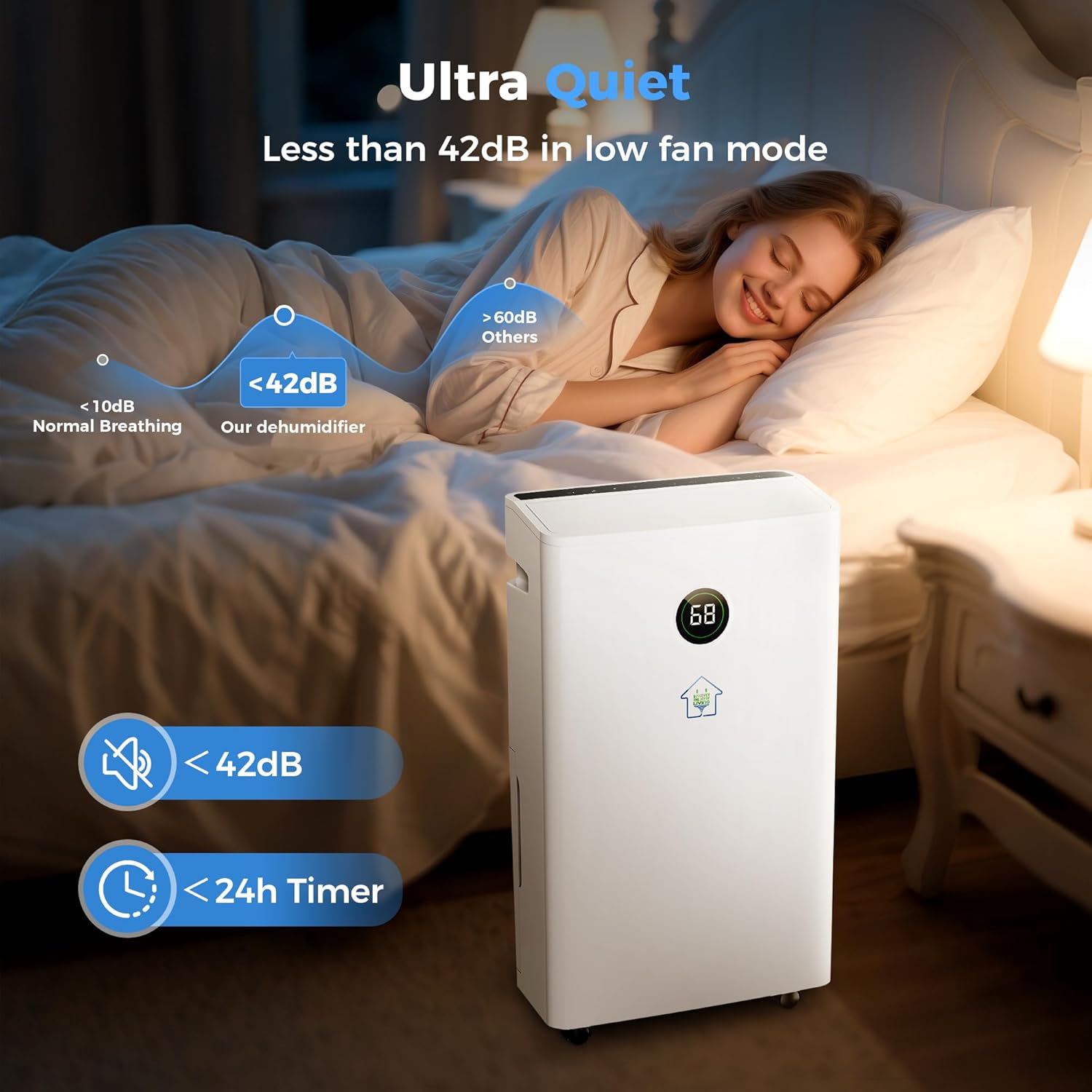
- Whisper-Quiet Operation: Operates at less than 42dB in low fan mode.
- Multiple Operating Modes: Dehumidify, Dry, and Continuous modes for versatile use.
- 24-Hour Timer: Customizable operation for automatic on/off scheduling.
- Automatic Shutoff: Prevents overflow when the water tank is full.
- Automatic Defrost Function: Ensures efficient operation in cooler environments.


4. Setup
Before first use, ensure all packaging materials are removed. Place the dehumidifier on a firm, level surface in the desired location. Ensure there is adequate space around the unit for proper airflow (at least 8 inches from walls or furniture).
4.1 Mobility
The unit is equipped with rotatable wheels for easy movement between rooms. Integrated handles on the sides also facilitate lifting and repositioning.

5. Operating Instructions
The control panel is located on the top of the unit for easy access and operation.
5.1 Control Panel Overview
The intuitive control panel features touch-sensitive buttons and a digital display for current humidity. The smart humidity monitor changes color based on the room's humidity level: Blue for comfortable (<50% RH), Green for wet (50-70% RH), and Red for warning (>70% RH).

5.2 Operating Modes
Press the 'Mode' button to cycle through the available operating modes:
- Dehumidify Mode: Standard operation to reduce humidity to a set target level.
- Dry Mode: Designed for faster drying, such as clothes or damp areas.
- Continuous Mode: Runs continuously regardless of humidity level, ideal for very damp environments like basements.

5.3 Fan Speed
Adjust the fan speed between low and high settings using the 'Speed' button to control the rate of dehumidification and noise level.
5.4 Timer Function
The 24-hour timer allows you to schedule the unit to turn on or off automatically. Press the 'Timer' button and use the '+' and '-' buttons to set the desired duration.
5.5 Child Lock
To prevent unintended changes to settings, activate the child lock by pressing and holding the 'Lock' button for 3 seconds. Repeat the action to deactivate.
6. Drainage Options
The dehumidifier offers two methods for water removal:
6.1 Manual Drainage (Water Tank)
The unit features a 1.45-gallon (60-pint) water tank. When the tank is full, the unit will automatically shut off and an indicator light will illuminate. Carefully remove the tank, empty the collected water, and reinsert it securely to resume operation.
6.2 Continuous Drainage (Drain Hose)
For continuous operation without needing to empty the tank, connect the included drain hose to the designated outlet on the back of the unit. Route the hose to a suitable drain (e.g., floor drain, sink) ensuring it is sloped downwards for gravity drainage.

7. Maintenance
7.1 Cleaning the Air Filter
The washable air filter should be cleaned every two weeks or more frequently depending on usage and air quality. To clean, remove the filter from the back of the unit, rinse it under running water, and allow it to air dry completely before reinserting.
7.2 Unit Cleaning
Wipe the exterior of the unit with a soft, damp cloth. Do not use harsh chemicals or abrasive cleaners.
8. Troubleshooting
If the unit is not operating as expected, check the following:
- Unit not turning on: Ensure the power cord is securely plugged into a working outlet. Check if the water tank is full or improperly seated.
- No dehumidification: Verify that the desired humidity level is set lower than the current room humidity. Check if the air filter is clogged.
- Unusual noise: Ensure the unit is on a level surface. Check for any obstructions in the air inlets/outlets.
- Water leakage: Confirm the water tank is correctly installed. If using continuous drainage, ensure the hose connection is secure and the hose is not kinked or blocked.
9. Specifications
| Specification | Value |
|---|---|
| Brand | WATTSMART |
| Model Number | HK-DE004-AT |
| Floor Area Coverage | 6500 Square Feet |
| Dehumidification Capacity | 60 Pints per Day |
| Water Tank Volume | 1.45 Gallons |
| Product Dimensions | 7.87"D x 13.78"W x 23.62"H |
| Item Weight | 32.1 Pounds |
| Wattage | 250 watts |
| Operation Modes | Continuous, Dry, Dehumidify |
| Special Features | Adjustable Humidity Control, Automatic Defrost, Automatic Moisture Removal, Automatic Restart, Automatic Shutoff |
10. Official Product Videos
Why Choose 60 Pints Wattsmart Dehumidifier 6500 Sq.ft
This video provides an overview of the WATTSMART 60-pint dehumidifier, highlighting its features and benefits for large spaces.
Wattsmart New Smart Dehumidifier For Larger Room
A short video showcasing the WATTSMART Smart Dehumidifier's design and suitability for larger rooms.
11. Warranty & Support
For warranty information and customer support, please refer to the contact details provided in your product packaging or visit the official WATTSMART website. Protection plans may be available for extended coverage.