
YINMIK YK-4N
YINMIK YK-4N Digital 4-in-1 pH, EC, TDS, Temperature Meter User Manual
Model: YK-4N
1. Product Overview
The YINMIK YK-4N is a versatile 4-in-1 digital meter designed for accurate measurement of pH, Electrical Conductivity (EC), Total Dissolved Solids (TDS), and temperature in various water solutions. This device is ideal for applications such as hydroponics, drinking water testing, aquariums, pools, brewing, and more.

Figure 1: YINMIK YK-4N Digital 4-in-1 Meter with EC Calibration Solution.

Figure 2: Key features of the YINMIK YK-4N, including 4-in-1 functionality and replaceable electrode.
2. What's in the Box
Upon opening the package, ensure all the following items are present:
- YINMIK YK-4N pH Meter
- pH Calibration Powder (6 packs)
- EC Calibration Liquid
- User Manual
3. Setup and Initial Preparation
3.1 Battery Installation
The meter uses 3 LR44 button cell batteries. To install or replace batteries, unscrew the top cap of the meter. Ensure correct polarity as indicated inside the battery compartment. The battery compartment is designed with a rubber O-ring to protect against splashes and high humidity.
3.2 Probe Rehydration
Before first use or after prolonged storage, the probe may be dry. It is recommended to rehydrate the probe by adding 3-4 drops of pH storage solution (not included) to the probe cap and letting it sit for at least one hour, or preferably overnight, to ensure optimal accuracy.
4. Operation
4.1 General Usage
- Remove the protective cap from the electrode.
- Rinse the electrode with distilled water and blot dry with a clean tissue.
- Press the POWER button to turn on the meter.
- Immerse the electrode into the solution to be tested, ensuring the liquid level is below the maximum immersion line.
- Gently stir the solution and wait for the reading to stabilize.
- Press the HOLD/TEMP button to freeze the reading on the display. Press again to release.
- Press the MODE/CAL button to switch between pH, EC, TDS, and Temperature modes.
- After use, rinse the electrode with distilled water and replace the protective cap.

Figure 3: Clear backlit display showing various measurement modes.
4.2 pH Measurement
The meter displays pH values, crucial for nutrient absorption in plants and water quality. Ideal pH for hydroponics is typically 5.5-6.8.

Figure 4: Measuring pH in a hydroponic setup to ensure optimal nutrient absorption.
4.3 EC Measurement
Electrical Conductivity (EC) measures the total concentration of dissolved salts in a solution. This is vital for monitoring nutrient levels in hydroponic systems. The meter has a large range of 0-9990 µS/cm and 10.01-19.99 mS/cm.
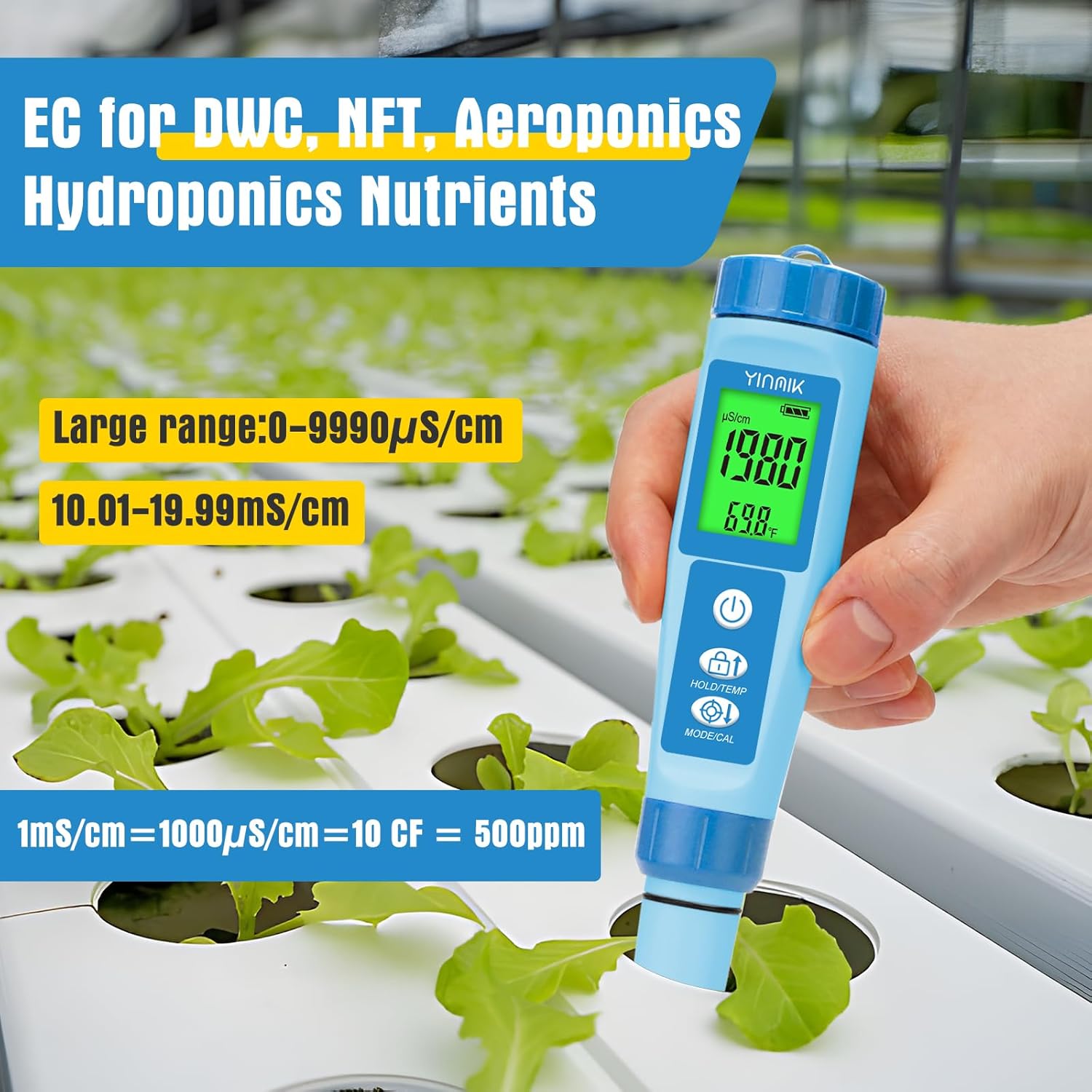
Figure 5: Using the YK-4N to measure EC in hydroponic nutrients.
4.4 TDS Measurement
Total Dissolved Solids (TDS) indicates the amount of dissolved substances in water, often expressed in parts per million (ppm). This is important for drinking water quality and monitoring filtration systems. Ideal drinking water TDS is 0-150 ppm.

Figure 6: TDS measurement for drinking water, with a guide to water quality levels.
4.5 Temperature Measurement
The meter provides temperature readings, which are essential as temperature affects pH, EC, and TDS values. The device features Automatic Temperature Compensation (ATC) for accurate readings. Ideal root solution temperature for hydroponics is between 65°F and 80°F.

Figure 7: Temperature measurement is crucial for accurate water analysis.
5. Calibration
Regular calibration ensures the accuracy of your YINMIK YK-4N meter. Calibration frequency depends on usage and desired accuracy (e.g., monthly for +/- 0.3 pH, weekly for +/- 0.1 pH).
5.1 Preparing pH Calibration Liquids
The meter comes with pH calibration powder packets. Unopened powder can be stored for 3 years. Prepared solutions can be used as long as they are not moldy.
- You will need three clean beakers (250ml each) and 750ml of purified water (distilled or bottled water).
- Pour 250ml of water into each of the three beakers.
- Add one packet of pH 7.00 powder to the first beaker, pH 4.00 to the second, and pH 10.01 to the third. Stir until fully dissolved.
- If you only have one beaker, prepare solutions one by one. Clean the beaker thoroughly before preparing the next liquid. Do not mix the solutions.
- Take out a small portion of each solution (just enough to immerse the electrode) for immediate calibration. Seal the remaining solution for future use.

Figure 8: Step-by-step guide for preparing pH calibration solutions.
5.2 pH Calibration Steps
Always calibrate the 7.00 point first. For acidic solutions, calibrate 7.00 and 4.00. For alkaline solutions, calibrate 7.00 and 10.01. If the pH of your solution is unknown, follow the order 7.00-4.00-10.01 for calibration.
- Clean the electrode with distilled water. Immerse the electrode into the prepared 7.00 pH solution.
- Short press MODE/CAL to adjust to pH mode. Wait for the value to stabilize.
- Press and hold the CAL button for 5 seconds. The display will show "CAL" and then flash "7.00" three times.
- The 7.00 calibration is complete. Repeat for 4.00 and 10.01 solutions if needed.
Note: During calibration, do not shake the product and do not remove the product out of the calibration liquid.

Figure 9: Detailed steps for pH calibration.
5.3 EC Calibration Steps
The EC calibration method uses a 1413 µS/cm solution. Drinking water (<500ppm) measurement does not require EC calibration. For hydroponic solutions, calibrate 1413 µS/cm once every 1-2 months.
- Clean the electrode with distilled water. Open the EC solution for use. You can use a small container to pour out the solution, ensuring the probe is fully covered.
- Gently shake the electrode to remove bubbles. Press MODE/CAL to adjust to EC mode. Wait for the value to stabilize.
- Press and hold the CAL button. A value will flash; quickly press the up or down arrow to adjust the value to 1413 µS/cm.
- The display will flash "1413" three times, and the calibration is complete.
Note: Please adjust the value before the value stops flashing. If the value stops flashing, calibration is not possible.

Figure 10: Detailed steps for EC calibration.
6. Maintenance
6.1 Probe Care
The YINMIK YK-4N features an upgraded, replaceable electrode for extended lifespan.
- Always rinse the electrode with distilled water after each use.
- Do not touch or rub the glass probe, as this can damage it.
- For long-term storage, ensure the probe cap contains pH storage solution to prevent the electrode from drying out. If storage solution is not available, distilled water can be used for short periods, but storage solution is highly recommended.
- Avoid immersing the probe past the maximum depth indicated to prevent water from entering the internal components.

Figure 11: Details of the upgraded electrode design for durability and accuracy.
6.2 Cleaning
Regular cleaning of the electrode is important for accurate readings. If the electrode becomes contaminated, gently clean it with a soft brush and distilled water. For stubborn deposits, refer to specialized electrode cleaning solutions.
7. Troubleshooting
| Problem | Possible Cause | Solution |
|---|---|---|
| Inaccurate readings | Probe not calibrated; dirty electrode; dried out probe; low battery. | Calibrate the meter; clean the electrode; rehydrate the probe; replace batteries. |
| Reading fluctuates excessively | Air bubbles on electrode; damaged electrode; insufficient immersion. | Gently stir to remove bubbles; check electrode for damage (replace if necessary); ensure adequate immersion. |
| Meter does not turn on | Dead batteries; incorrect battery installation. | Replace batteries (LR44); check battery polarity. |
| "CAL" flashes but calibration fails | Value not adjusted while flashing; incorrect calibration solution. | Ensure you adjust the value using the arrow buttons while it's flashing; use correct and fresh calibration solutions. |
8. Specifications
- Model: YK-4N
- Functions: pH, EC, TDS, Temperature
- pH Range: 0.00 - 14.00 pH
- EC Range: 0 - 9990 µS/cm, 10.01 - 19.99 mS/cm
- TDS Range: 0 - 9990 ppm
- Temperature Range: 0.1 - 60.0°C (32.0 - 140.0°F)
- Accuracy: pH: ±0.01 pH; EC/TDS: ±2% F.S.; Temp: ±0.5°C
- Automatic Temperature Compensation (ATC): Yes
- Power Supply: 3 x 1.5V LR44 Button Cell Batteries
- Dimensions: Approximately 8.94 x 4.17 x 2.13 inches
- Weight: Approximately 9.91 ounces
- Manufacturer: JiNan Huiquan Electronic Co., Ltd
9. Warranty and Support
YINMIK is committed to customer satisfaction. For any questions, concerns, or technical support regarding your YINMIK YK-4N meter, please contact YINMIK customer service. Information regarding warranty coverage and claims can be found on the official YINMIK website or by contacting their support team directly.
All accessories matching this pH ppm meter, such as pH Calibration powder, pH Calibration Solution, EC Calibration solution, and New Replacement probes, can be found in the YINMIK Store.
Ask a question about this manual
Ask about setup, troubleshooting, compatibility, parts, safety, or missing instructions. Manuals+ will review the question and use this page’s manual context to help answer it.