
Introduction
This manual provides essential information for the safe and efficient operation of your HAHA AI Smart Open-Front Vending Machine US360. Please read these instructions thoroughly before installation, operation, or maintenance. Retain this manual for future reference.
Safety Information
Always observe basic safety precautions when using electrical appliances. Ensure the machine is placed on a stable, level surface. Do not block ventilation openings. Disconnect power before cleaning or servicing. Only qualified personnel should perform repairs. Keep children away from the machine during operation and maintenance.
Setup
1. Unboxing and Placement
Carefully remove the vending machine from its packaging. Due to its size and weight, it is recommended to have multiple individuals assist with unboxing and placement. The machine is equipped with four 2-inch nylon wear-resistant universal wheels for easier movement. Place the machine in a suitable location such as a commercial/office building, manufacturing/factory, university/college, hospital/health care facility, hospitality/hotel/B&B, residential building, airport/shopping mall, or gym/fitness club. Ensure adequate clearance around the machine for ventilation and door opening.
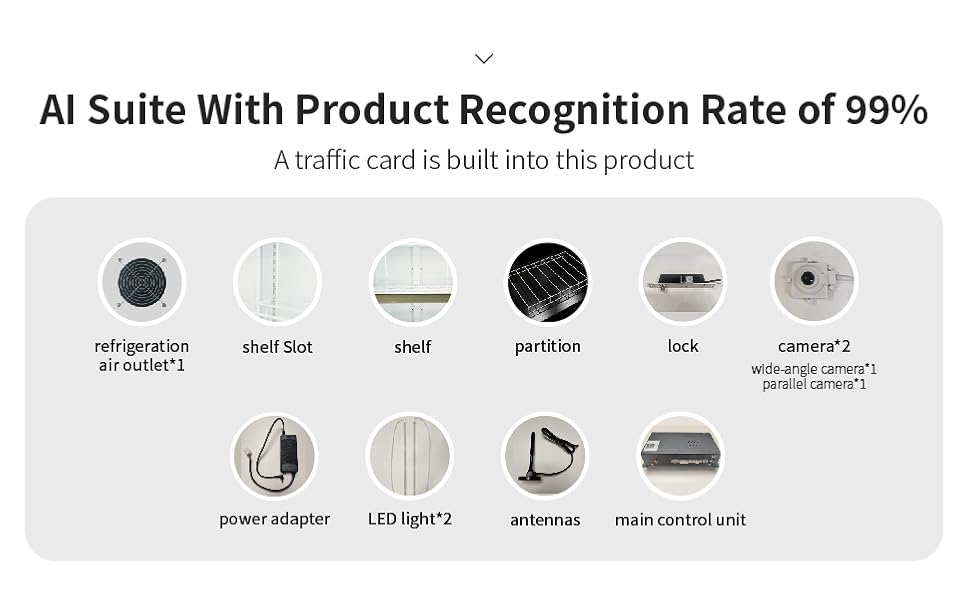
Image: HAHA AI Smart Vending Machine placed in various locations including a campus, gym, and hospital, demonstrating its versatility.
2. Component Identification
Familiarize yourself with the main components of the vending machine:
- Refrigeration Air Outlet (x1)
- Shelf Slots
- Shelves (x5)
- Partitions
- Lock
- Cameras (x2: 1 wide-angle, 1 parallel)
- Power Adapter
- LED Lights (x2)
- Antennas
- Main Control Unit
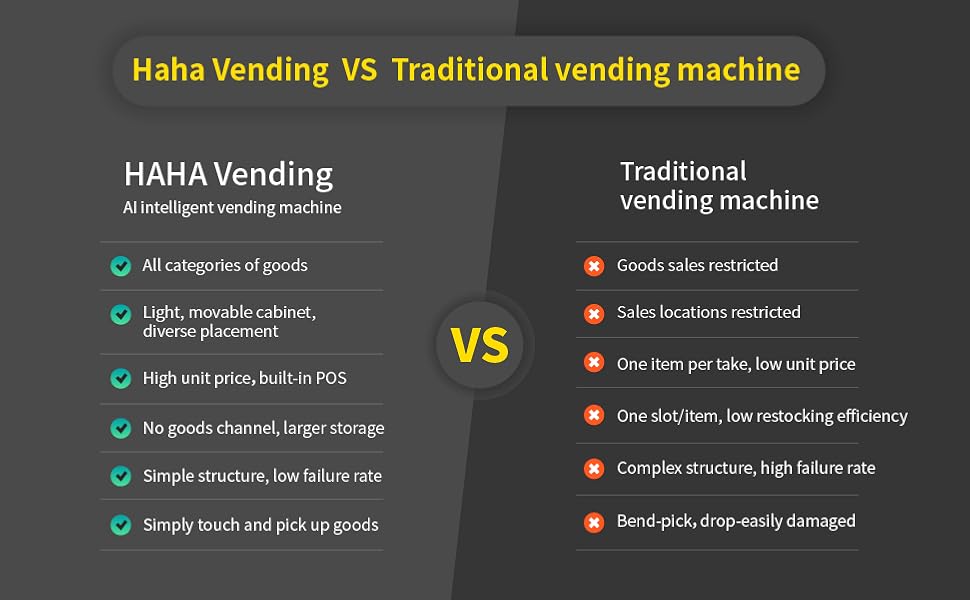
Image: Internal view highlighting the AI recognition system and product shelving.
3. Power Connection and Network Setup
Connect the vending machine to a standard electrical outlet using the provided power adapter. Ensure the power supply meets the machine's requirements. The machine supports 4G and Wi-Fi connectivity. Follow the on-screen prompts on the integrated payment terminal to connect to your local network. This connectivity is crucial for app management and transaction processing.
4. App Management Setup
Download the dedicated HAHA Vending management application to your smartphone or tablet. Register your device using the instructions provided within the app. The app allows for remote control, data statistics, replenishment order management, and consumer complaint handling.
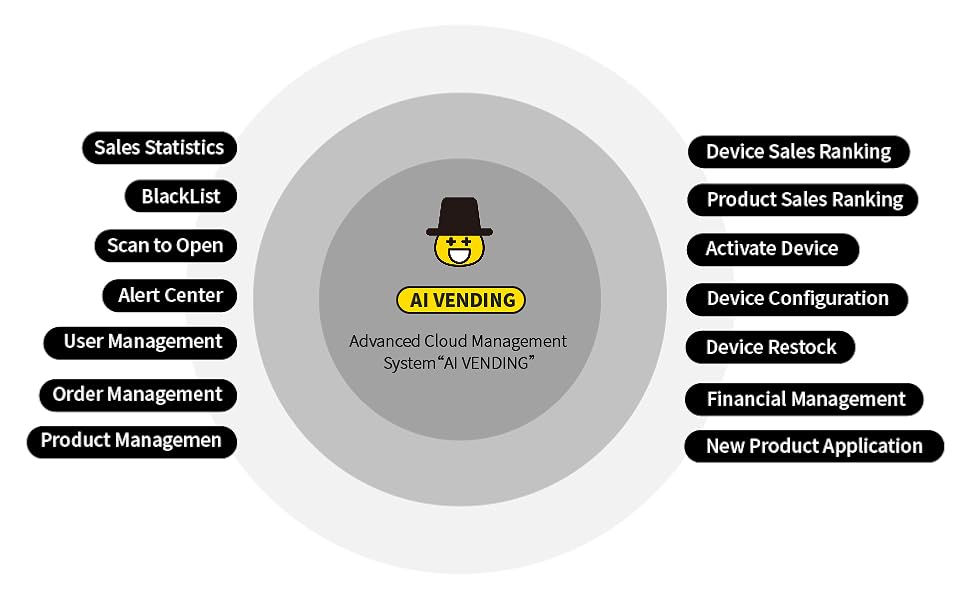
Image: The HAHA Vending app interface, demonstrating remote control over orders, temperature, performance, and inventory.
Operating Instructions
1. Loading Products
The HAHA AI Smart Vending Machine supports a wide range of product categories and allows for stacking of goods. It has a capacity of approximately 245 bottles (based on 5 shelves, 7 columns, 7 rows). The 5 shelves are movable and can be freely combined to accommodate various product sizes. Ensure products are placed neatly for optimal AI visual recognition.
2. Customer Purchase Process
- Swipe/Tap to Unlock: The consumer initiates a purchase by swiping a credit card or tapping a contactless payment method (e.g., Apple Pay) on the integrated POS reader. This action opens the electromagnetic lock on the door.
- Grab Items: The consumer opens the door and selects desired items. The internal cameras record the entire process.
- Automatic Checkout: After the door is closed, the AI visual recognition system identifies the products taken and automatically deducts the corresponding fee from the consumer’s credit card. The recognition accuracy is approximately 99%.
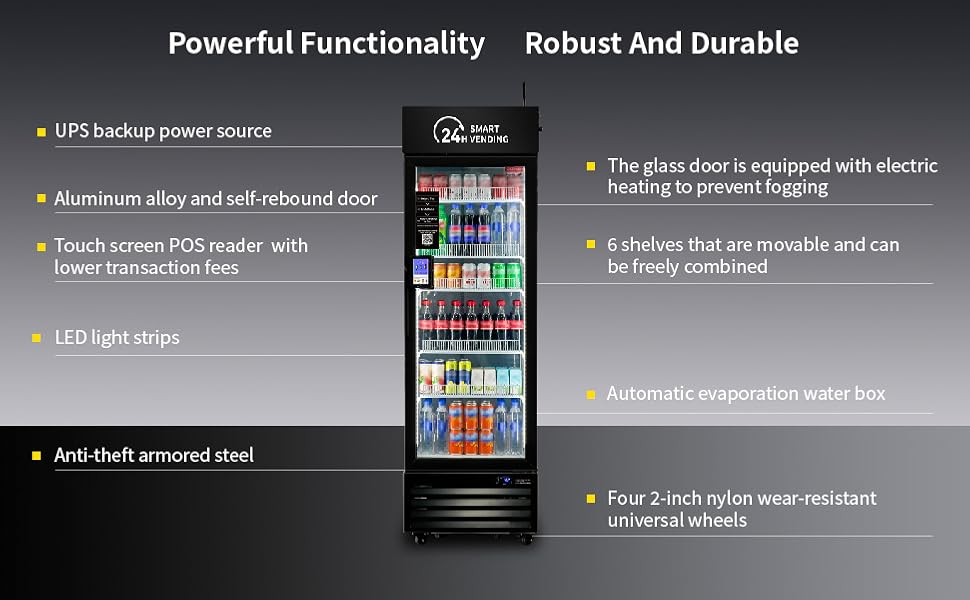
Image: Visual guide to the cashless payment process: Tap to Unlock, Grab What You Need, and Automatic Checkout.
3. App Management Features
The HAHA Vending app provides comprehensive control and monitoring:
- Remote Control: Unlock the door, adjust temperature (range 32°F to 50°F), and manage other settings remotely.
- Data Statistics: View sales data, device performance, and consumer behavior.
- Inventory Management: Monitor real-time inventory levels and receive auto-generated restocking orders.
- Product Management: Add new products and update existing product information.
- Alert Center: Receive notifications for low stock, device errors, or other important events.
- User Management: Manage access and permissions for different operators.
Image: The HAHA Vending app interface, showing remote control capabilities for orders, temperature, performance, and inventory.
Maintenance
1. Cleaning
Regular cleaning ensures optimal performance and appearance. Use a soft, damp cloth with mild detergent to clean the exterior surfaces. The double-glazed hollow glass is designed to reduce condensation and maintain clarity. The glass door is equipped with electric heating to prevent fogging, which should be kept clean for clear visibility.
2. General Care
Periodically check for any obstructions around the refrigeration air outlet. Ensure the self-rebound door mechanism operates smoothly. The machine features an automatic evaporation water box, which requires minimal maintenance.
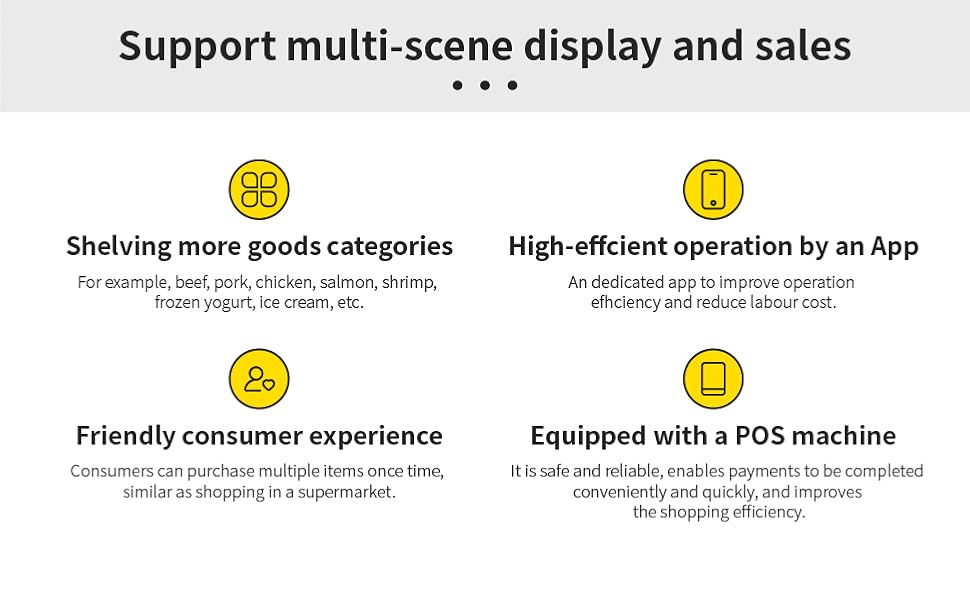
Image: Detailed view of the machine's construction, including the AI recognition camera, durable aluminum frame, anti-fog Low-E glass, and self-closing door, all contributing to its clear, long-lasting, and secure design.
Troubleshooting
If you encounter issues with your HAHA AI Smart Vending Machine, refer to the following common problems and solutions:
- Machine Not Powering On: Check the power connection and ensure the outlet is functional.
- Payment Issues: Verify network connectivity. Ensure the payment card is valid and has sufficient funds.
- Door Not Unlocking: Confirm a successful payment transaction. Check for any physical obstructions.
- Incorrect Item Deduction: Ensure products are placed correctly and not obstructing the AI cameras. If issues persist, contact technical support.
- Temperature Fluctuations: Check that the machine is not exposed to direct sunlight or heat sources. Ensure ventilation openings are clear.
For issues not covered here, or if problems persist, please contact HAHA Vending technical support.
Specifications
| Feature | Detail |
|---|---|
| Model | US360 (DC-360D, DC-360US-BLST) |
| Dimensions (W x D x H) | 22.8" x 26" x 76" (57.9cm x 66cm x 193cm) |
| Capacity | Approx. 245 bottles (5 shelves x 7 columns x 7 rows) / 13.02 Cubic Feet |
| Temperature Range | 32°F - 50°F (0°C - 10°C) |
| Power Consumption | 2.0 kWh/24h |
| Cooling Method | Compressor (Inverter Compressor) |
| Number of Shelves | 5 (Adjustable) |
| Door Type | Double-glazed hollow glass with electric heating, self-rebound |
| Payment System | Contactless (Credit Cards, Apple Pay, etc.) |
| Recognition Accuracy | 99% (AI Visual Recognition) |
| Connectivity | 4G, Wi-Fi |
| Additional Features | AI Visual Recognition, App Management, UPS backup power, Anti-theft armored steel, LED light strips, Automatic evaporation water box |
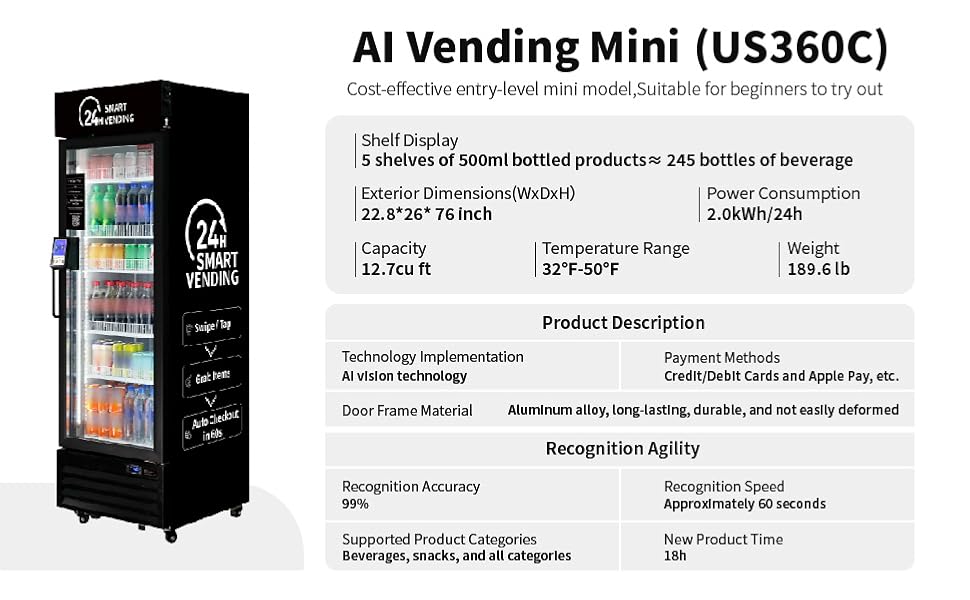
Image: Overview of the Mini 360 model, detailing its dimensions, capacity, temperature range, and power consumption.
Warranty and Support
The HAHA AI Smart Open-Front Vending Machine US360 comes with a 1-year warranty. Additionally, HAHA Vending provides lifetime free technical support for this product. For any inquiries, technical assistance, or warranty claims, please contact HAHA Vending customer service.
Contact information can be found on the official HAHA Vending website or through the management application.