
Clouree PB68-1P
Clouree Wireless Door/Window Magnetic Security Sensor
Model: PB68-1P
Instruction Manual
1. Introduction
The Clouree Wireless Door/Window Magnetic Security Sensor (Model PB68-1P) is designed to enhance the security of your home by detecting the opening of doors or windows. This sensor is compatible with Clouree alarm systems and provides real-time alerts.
2. Package Contents
Verify that all items are present in the package:
- 1 x PB68-1P Magnetic Security Sensor (main unit and magnetic strip)
- 1 x Battery (pre-installed or included separately)
- Adhesive tape for installation
- User Manual (this document)
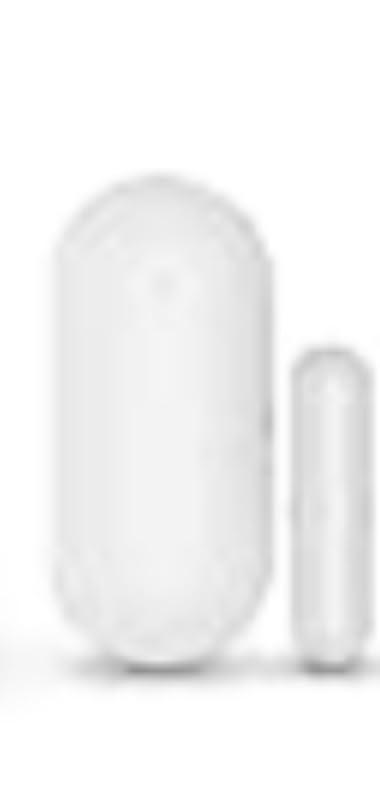
Figure 1: Clouree PB68-1P Magnetic Security Sensor and included accessories.
3. Specifications
| Feature | Detail |
|---|---|
| Brand | Clouree |
| Model Number | PB68-1P |
| Product Dimensions | 1 x 0.5 x 0.4 cm; 20 grams |
| Power Source | Battery Powered (1 Lithium-polymer battery required) |
| Connectivity Technology | Wireless |
| Installation Method | Self-adhesive |
| Compatible Devices | Clouree Alarm System |
| Alert Type | Entry Only |
| Control Method | Tactile |
4. Setup
4.1 Battery Installation
The sensor requires one Lithium-polymer battery. Ensure the battery is correctly inserted according to the polarity markings inside the battery compartment. The battery may be pre-installed or included separately.
4.2 Physical Installation
The Clouree PB68-1P sensor is designed for easy installation using adhesive tape. Simply peel off the protective backing from the adhesive tape and firmly stick the two parts of the sensor onto your door or window frame. Ensure the main unit and the magnetic strip are aligned and close to each other when the door/window is closed.
- Choose a clean, dry surface for installation.
- Mount the main sensor unit on the door/window frame and the smaller magnetic strip on the moving part of the door/window.
- Ensure the two parts are within 1 cm of each other when the door/window is closed.
5. Operating Instructions
5.1 Pairing with the Alarm Panel
This sensor must be paired with your Clouree alarm panel to function. Follow these steps:
- On your alarm panel, navigate to the "Main Menu".
- Select "Parts".
- Press "Detector".
- Select "+ Add".
- Under "Name", select "Door Alarm".
- Align the two parts of the magnetic sensor (main unit and magnetic strip).
- Separate the two parts of the door sensor to activate it and complete the pairing process.
Note: This sensor can only be paired directly with the alarm panel and does not support pairing via a mobile application.
5.2 Real-time Alarm Function
Once paired and the alarm system is armed, if the door or window where the sensor is installed is opened, the sensor will send an alarm signal ("Di~Di~") to the host via a siren. This provides immediate notification of a potential security breach.
5.3 Remote Control from Host
The sensor communicates wirelessly with the alarm host. The effective range for remote control from the host is approximately 120 meters in open space without interference. Ensure your alarm host is centrally located for optimal coverage.
6. Maintenance
6.1 Battery Replacement
When the sensor's battery is low, your alarm panel may indicate a low battery warning. To replace the battery:
- Carefully remove the sensor from its mounted position.
- Open the battery compartment.
- Remove the old battery and insert a new Lithium-polymer battery, ensuring correct polarity.
- Close the battery compartment and re-mount the sensor.
6.2 Cleaning
Wipe the sensor regularly with a soft, dry cloth to remove dust and dirt. Avoid using liquid cleaners or abrasive materials, as these can damage the device.
7. Troubleshooting
- Sensor not pairing:
- Ensure the battery is correctly installed and has sufficient charge.
- Verify that you are following the pairing steps precisely on the alarm panel.
- Make sure the sensor is within the effective range of the alarm panel during pairing.
- False alarms:
- Check that the two parts of the sensor are securely mounted and not shifting.
- Ensure the gap between the main unit and the magnetic strip is not too wide when the door/window is closed.
- No alarm when triggered:
- Confirm the alarm system is armed.
- Check the sensor's battery level.
- Verify the sensor is still paired with the alarm panel.
8. Warranty and Support
For warranty information and technical support, please refer to the contact details provided by Clouree at the time of purchase or visit the official Clouree website.
Ask a question about this manual
Ask about setup, troubleshooting, compatibility, parts, safety, or missing instructions. Manuals+ will review the question and use this page’s manual context to help answer it.