
1. Introduction
The Dacene X65 Mini Drone is designed for kids and beginners, offering an engaging and safe flying experience. It features intuitive controls, colorful LED lighting, and robust protection for indoor and outdoor use. This manual provides essential information for setup, operation, and maintenance to ensure optimal performance and enjoyment.
2. What's in the Box
Upon unboxing your Dacene X65 Mini Drone, please verify that all components are present:
- Dacene X65 Mini Drone
- Remote Control
- Rechargeable Drone Batteries (2 included)
- AAA Batteries for Remote Control (3 included)
- USB Charging Cable
- Spare Propellers (set of 4)
- Screwdriver
- Product Manual

Image: Contents of the Dacene X65 Mini Drone package, including the drone, remote, batteries, charging cable, spare propellers, screwdriver, and user manual.
3. Setup
3.1 Charging the Drone Batteries
Before first use, fully charge the drone's rechargeable batteries using the provided USB charging cable. Connect the cable to a compatible USB power source (e.g., computer, USB wall adapter). The indicator light on the battery will show charging status (e.g., red for charging, off for fully charged). Each battery provides approximately 8-10 minutes of flight time.

Image: A Dacene X65 Mini Drone battery connected to a USB charging cable, illustrating the charging process.
3.2 Installing Remote Control Batteries
Open the battery compartment on the back of the remote control. Insert 3 AAA batteries, ensuring correct polarity. Close the battery compartment securely. The remote control comes with batteries included.
3.3 Drone and Remote Pairing
- Ensure the drone batteries are charged and installed securely.
- Place the drone on a flat, level surface.
- Long press the power button on the drone for 3 seconds to turn it on. The LED lights will begin to flash.
- Turn on the remote control. The indicator light on the remote will flash.
- Push the left joystick (throttle) all the way up, then all the way down. The remote will beep, and the drone's lights will become solid, indicating successful pairing.
Gyroscope Calibration: After pairing, strike both joysticks 45 degrees inward toward the bottom to calibrate the gyroscope. The drone's lights will flash and then become solid again upon successful calibration.
4. Operating Instructions
Familiarize yourself with the remote control functions before flying. The Dacene X65 is designed for easy operation, making it suitable for beginners.
4.1 Take-off and Landing
- One-Key Take-off: After pairing and calibration, press the one-key take-off button (usually indicated by an upward arrow icon) on the remote. The drone will automatically ascend and hover at a stable altitude.
- Manual Take-off: Alternatively, push the left joystick (throttle) upwards to gradually increase propeller speed and lift off.
- One-Key Landing: Press the one-key landing button (usually indicated by a downward arrow icon) on the remote. The drone will automatically descend and land gently.
- Manual Landing: Pull the left joystick (throttle) downwards to gradually decrease propeller speed and land the drone.
Image: Illustration of the one-key take-off and landing feature of the Dacene X65 Mini Drone, showing the drone ascending and descending.
4.2 Basic Flight Controls
- Left Joystick (Throttle/Rotation):
- Push Up/Down: Controls altitude (Ascend/Descend).
- Push Left/Right: Controls rotation (Turn Left/Turn Right).
- Right Joystick (Directional Control):
- Push Up/Down: Controls forward/backward movement.
- Push Left/Right: Controls left/right sideward movement.
4.3 Speed Modes
The drone features 3 adjustable speed modes (Low, Medium, High) to accommodate different skill levels. Press the speed mode button (usually indicated by a gear icon or "Speed") on the remote control to cycle through the speeds. Start with Low speed for learning and progress to higher speeds as you gain proficiency.
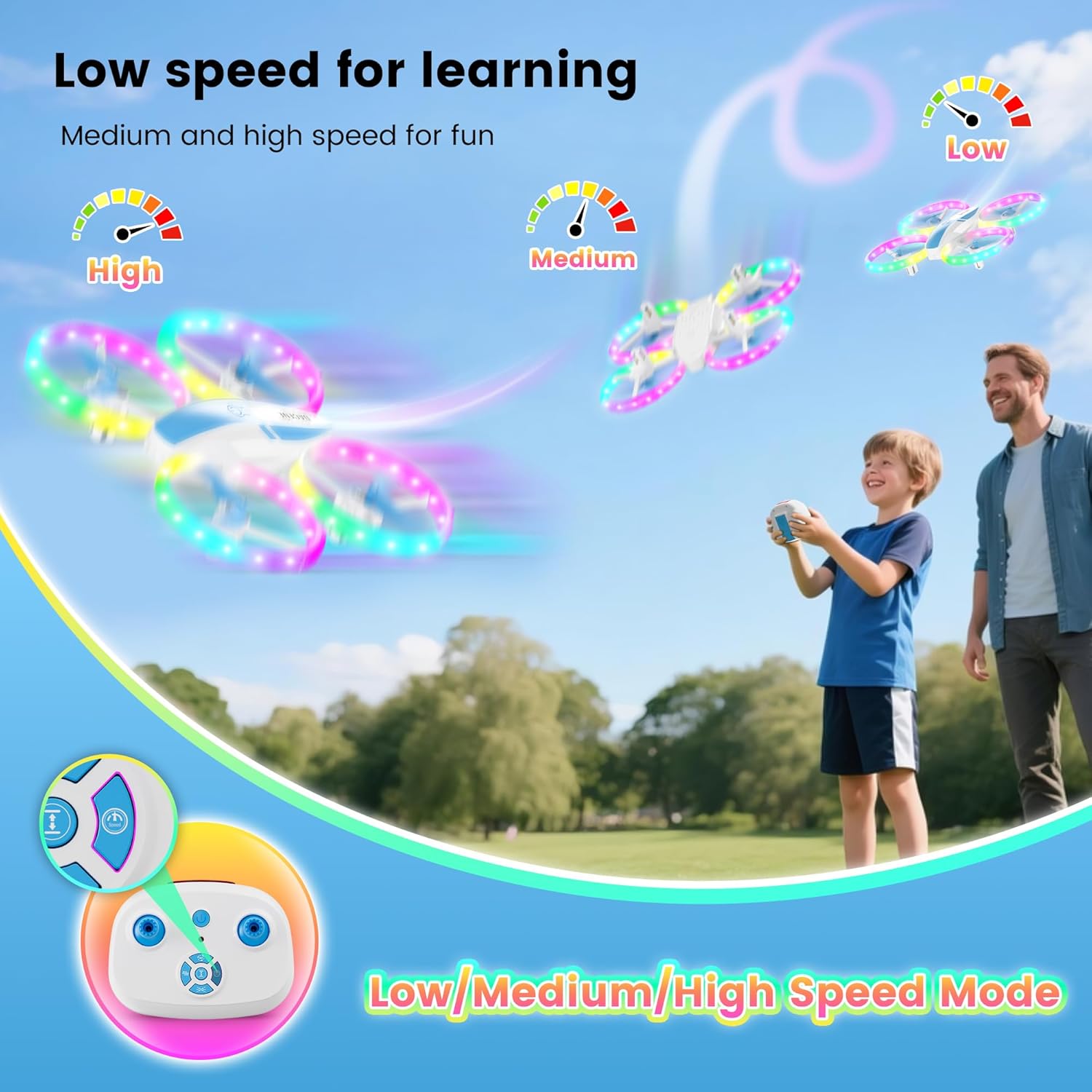
Image: Visual representation of the three speed modes (Low, Medium, High) for the Dacene X65 Mini Drone, showing the drone flying at different speeds.
4.4 360° Flips
To perform a 360° flip, press the 360° flip button on the remote control (usually indicated by a circular arrow icon). Then, quickly push the right joystick in the desired direction (forward, backward, left, or right) to execute the flip. The drone will perform an aerial roll in that direction.

Image: A child operating the remote control to make the Dacene X65 Mini Drone perform a 360-degree flip in the air.
4.5 LED Lighting Effects
The drone is equipped with colorful LED lights offering 5 different lighting effects. Press the light mode button (usually indicated by a light bulb icon) on the remote control to cycle through the various lighting patterns. This feature enhances visibility and adds excitement, especially during evening flights.

Image: The Dacene X65 Mini Drone displaying various colorful LED lighting effects, making it appear like a flying rainbow.
4.6 Fine-Tuning
If the drone drifts in any direction during flight, use the fine-tuning buttons on the remote control to adjust its stability. For example, if the drone veers left, press the right fine-tuning button to correct its path. Press the fine-tuning button again to exit fine-tuning mode.
4.7 Instructional Videos
For a visual guide on setup and operation, please refer to the official instructional videos:
Video: Official operating instructions for the Dacene X65 drone, covering unboxing, battery charging, remote setup, and basic flight controls.
Video: Demonstrates the X65 Drone with LED lights, showcasing its features and flight capabilities for kids.
5. Maintenance
5.1 Propeller Replacement
If a propeller is damaged, replace it promptly to maintain optimal flight performance. Use the provided screwdriver to unscrew the damaged propeller. Carefully remove it and install a new propeller, ensuring it matches the A or B marking on the drone's motor arm. Tighten the screw securely.
Important: Pay attention to the 'A' and 'B' markings on the propellers and motor arms. Install 'A' propellers on 'A' motor arms and 'B' propellers on 'B' motor arms for correct rotation and flight stability.
6. Safety Information
WARNING: Choking Hazard - Small Parts. Not suitable for children under 96 months of age (8 years).
- Always supervise children during drone operation.
- Avoid flying near people, animals, or obstacles.
- Do not operate in strong winds or adverse weather conditions.
- Ensure propellers are free from obstructions before and during flight.
- Do not touch rotating propellers.
- Use only the provided charging cable and batteries.
- Do not modify the drone or its components.
7. Specifications
| Brand | Dacene |
| Model Name | X65 |
| Age Range (Description) | Kid (Manufacturer recommended age: 8 years and up) |
| Skill Level | Beginner |
| Color | Blue |
| Material | Plastic |
| Product Dimensions | 7.17"L x 6.77"W x 1.77"H |
| Item Weight | 11.5 ounces (325 Grams) |
| Battery Capacity | 500 Milliamp Hours (2 Nonstandard Battery batteries required, included) |
| Maximum Range | 50 Feet |
| Connectivity Technology | Wi-Fi, Radio Frequency (2.4 GHz transmitter) |
| Special Features | 360 Degree Flip, Auto Rotation, 5 colorful LED light effects, High/Medium/Low Speeds, One-key take off/Landing, Propeller protective cover, Altitude Hold |
8. Troubleshooting
- Drone not responding: Ensure both the drone and remote control are powered on and successfully paired. Re-pair if necessary. Check battery levels for both devices.
- Drone drifting: Perform gyroscope calibration as described in Section 3.3. Use the fine-tuning buttons on the remote to correct minor drifts.
- Weak flight or short flight time: Fully charge the drone batteries. Ensure propellers are not damaged and are installed correctly.
- Propellers not spinning: Check for any obstructions around the propellers. Ensure propellers are securely attached and not damaged.
- Remote control not working: Check and replace the AAA batteries in the remote control. Ensure it is paired with the drone.
9. Warranty and Support
For warranty information, technical support, or replacement parts, please contact Dacene customer service. Refer to the product packaging or the official Dacene website for contact details.
Please retain your purchase receipt as proof of purchase for warranty claims.