1. Introduction
This manual provides detailed instructions for the setup, operation, and maintenance of your YZ LED Basketball Scoreboard with Shot Clock. Please read this manual thoroughly before using the product to ensure proper function and longevity.
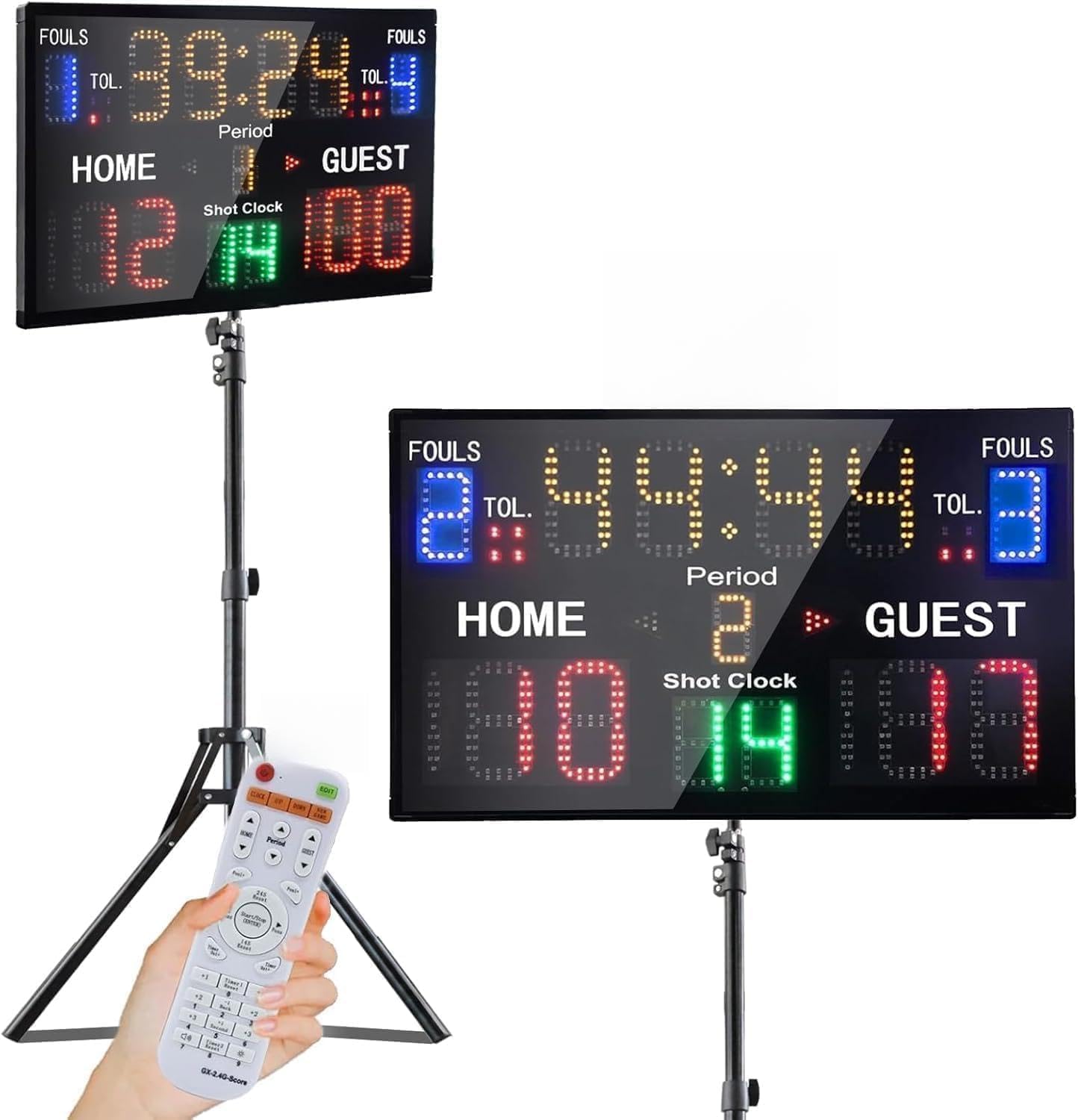
The YZ LED Basketball Scoreboard with Shot Clock, shown mounted on its included tripod with the remote control.
2. What's Included
Upon unboxing, verify that all the following components are present:
- YZ LED Basketball Scoreboard
- Remote Control
- Tripod
- Table Stand
- Power Adapter and Type-C Cable
- Mounting Accessories (screws, wall mounts)
- User Manual
Video demonstrating the unboxing of the YZ 15 Digital Scoreboard, showing all included components.

An overview of the scoreboard and its accessories, including the remote control, user manual, power supply, and tripod.
3. Setup
The YZ LED Basketball Scoreboard offers versatile installation options: tabletop, wall-mounted, or tripod-mounted.

The scoreboard can be set up using a table stand, wall-mounted, or placed on a tripod.
3.1. Powering the Scoreboard
The scoreboard can be powered via a direct plug-in connection or by three 18650 rechargeable batteries (not included).
- Battery Power: Insert three 18650 batteries into the battery compartment located on the back of the scoreboard. Ensure correct polarity.
- Plug-in Power: Connect the provided power adapter and Type-C cable to the scoreboard and a power outlet.

Illustration of the two power options: direct plug-in or using 18650 batteries.

Detail of the power switch, battery compartment, and charging port on the scoreboard's rear.
3.2. Table Stand Installation
To use the scoreboard on a tabletop:
- Locate the table stand bracket and the small screws.
- Align the bracket with the designated screw holes on the bottom rear of the scoreboard.
- Secure the bracket using the provided screws.
Video demonstrating the installation of the table stand for the scoreboard.

The scoreboard securely placed on its table stand.
3.3. Tripod Installation
To mount the scoreboard on the tripod:
- Unfold the tripod and extend it to the desired height, securing the clamps.
- Attach the tripod mounting bracket to the back of the scoreboard using the provided screws.
- Mount the scoreboard onto the tripod post, ensuring it is securely fastened with the locking mechanism.
Video demonstrating the installation of the YZ 15 Digital Scoreboard onto its tripod.

The tripod stand, ready for scoreboard attachment.
4. Operating Instructions
The scoreboard features a multifunctional display for time, score, period, possession, fouls, and timeouts. All functions are controlled via the remote.
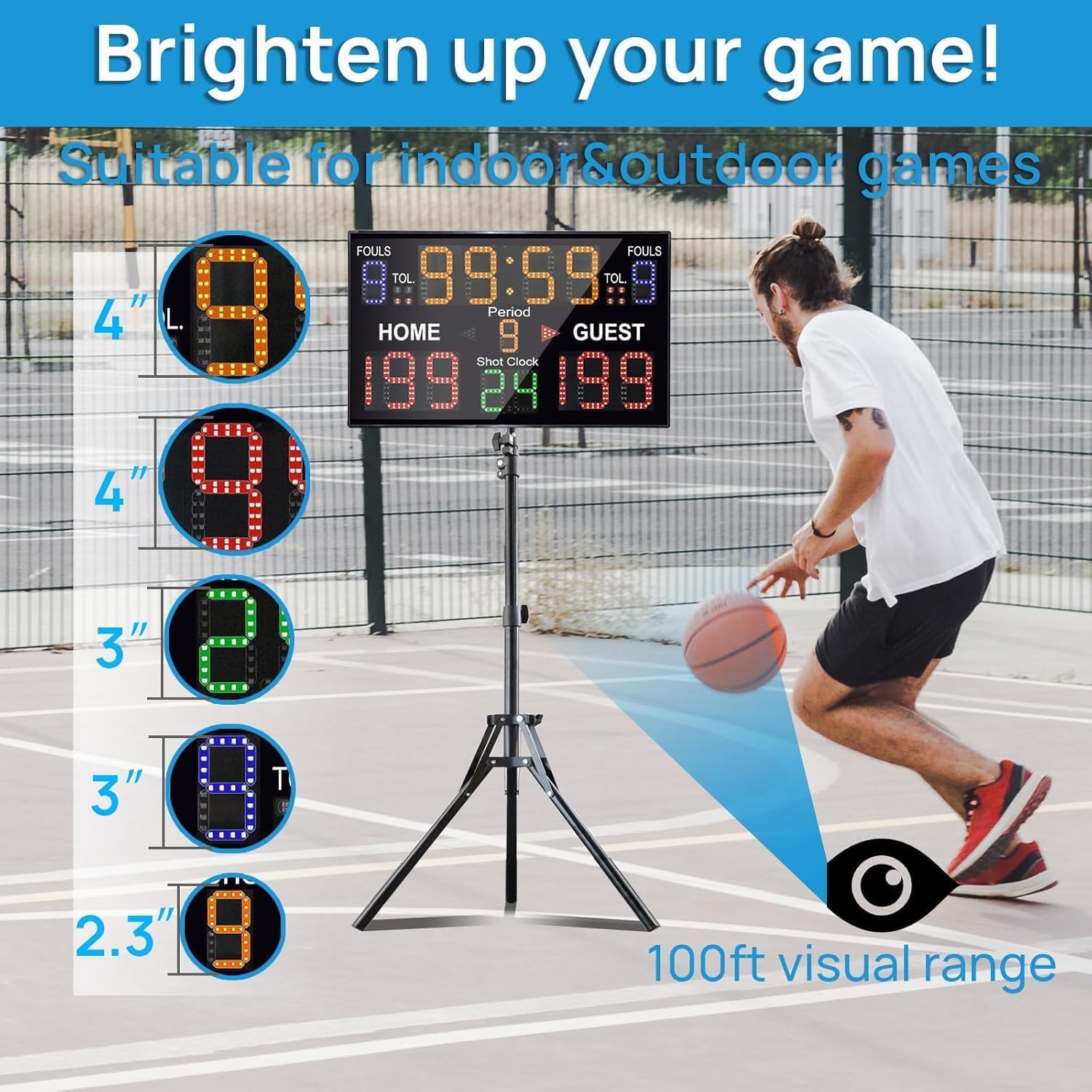
The scoreboard in use, demonstrating its visibility and various display elements.
4.1. Remote Control Functions
The remote control allows for easy adjustment of all scoreboard parameters from up to 100 feet away. Refer to the included 'Pairing User Manual' for initial remote setup if needed.

The remote control, illustrating its battery placement.
4.2. Basic Scoreboard Operations
- Time: Adjust game time using the designated buttons on the remote.
- Score: Increment or decrement home and guest scores.
- Period: Advance or reset the game period.
- Fouls/Time Out: Track fouls and timeouts for both teams.
- Possession: Indicate team possession.
Video showcasing the various functions and display capabilities of the YZ 15-digit digital scoreboard.
4.3. Shot Clock Settings
The scoreboard includes a shot clock feature with customizable settings:
- Quick reset options for 24 seconds, 14 seconds, and 12 seconds.
- Custom time reset from 0-99 seconds.
- Option to turn off the shot clock display.

Available shot clock presets and custom time options.
4.4. Brightness and Sound
The scoreboard features super bright LED lights for clear visibility in various conditions. It also includes sound alerts.
- Brightness Adjustment: The display brightness can be adjusted to suit indoor or outdoor environments.
- Sound Control: The scoreboard includes sound functionality, which can be adjusted or muted as needed.

Brightness levels of the scoreboard display.

Sound level adjustment for the scoreboard.
5. Maintenance
To ensure optimal performance and extend the lifespan of your YZ LED Basketball Scoreboard, follow these maintenance guidelines:
- Cleaning: Gently wipe the display and casing with a soft, dry cloth. Avoid abrasive cleaners or solvents that could damage the surface.
- Storage: When not in use, store the scoreboard in a dry, cool place away from direct sunlight and extreme temperatures. If using batteries, remove them for long-term storage.
- Battery Care: If using rechargeable 18650 batteries, ensure they are charged regularly and replaced when their capacity diminishes.
- Remote Control: Keep the remote control clean and dry. Replace batteries as needed.
6. Troubleshooting
If you encounter any issues with your scoreboard, refer to the following common troubleshooting steps:
- Scoreboard Not Turning On:
- Check if the power adapter is securely connected to both the scoreboard and the power outlet.
- If using batteries, ensure they are correctly inserted, charged, and not depleted.
- Verify the power switch on the back of the scoreboard is in the 'ON' position.
- Remote Control Not Responding:
- Ensure there are no obstructions between the remote and the scoreboard.
- Replace the batteries in the remote control.
- Refer to the 'Pairing User Manual' for instructions on re-pairing the remote if necessary.
- Display Issues (e.g., dim, flickering):
- Adjust the brightness settings using the remote control.
- Ensure the scoreboard is not exposed to extreme temperatures.
- Inaccurate Scoring/Timing:
- Reset the scoreboard to its default settings.
- Carefully review the operating instructions for the specific function you are using.
If problems persist after attempting these steps, please contact customer support.
7. Specifications
| Feature | Detail |
|---|---|
| Model Name | YZ-A30B15D+TR |
| Dimensions (L x W x H) | 22.8 x 13.7 x 0.9 inches (Scoreboard) |
| Item Package Dimensions | 23.8 x 19.5 x 4.2 inches |
| Weight | 4 lb (Scoreboard), 3.86 Kilograms (Package) |
| Material | Plastic |
| Power Source | Plug-in (AC adapter) or 3x 18650 batteries (not included) |
| Battery Life | Up to 5 hours on full charge (with 18650 batteries) |
| Control Range | 100ft (Remote Control) |
| Display Features | Time, Score, Period, Possession, Fouls, Time Out, Shot Clock (4", 3", 1.8" LED lights) |
| Installation Options | Tabletop, Wall-mounted, Tripod |

Detailed product size and dimensions.
8. Warranty and Support
Your YZ LED Basketball Scoreboard comes with a 1 Year Warranty from the date of purchase.
For warranty claims, technical support, or any questions regarding your product, please contact the manufacturer:
- Manufacturer: HANGZHOU YIZHI TECHNOLOGY CO.,LTD.
- Seller: HangZhouYizhi
Please retain your proof of purchase for warranty validation.