
1. Introduction
The SAFEMATE PJS06-2500 is a portable 12V car battery jump starter designed to provide instant power for starting vehicles with dead batteries. It features a powerful 2500A peak current, suitable for gas engines up to 8.0L and diesel engines up to 6.5L. This device also functions as a portable power bank for charging electronic devices and includes an emergency LED light. This manual provides essential instructions for safe and effective use, maintenance, and troubleshooting.
2. Safety Information
Please read all safety warnings and instructions carefully before using this product. Failure to follow these instructions may result in electric shock, fire, and/or serious injury.
- General Safety: Keep the device away from children. Do not operate in explosive atmospheres, such as in the presence of flammable liquids, gases, or dust. Do not expose the jump starter to rain or wet conditions.
- Battery Safety: The internal battery is a Lithium-Ion type. Do not disassemble, crush, or puncture the device. Do not expose to high temperatures (above 60°C / 140°F) or direct sunlight.
- Jump Starting Safety:
- Ensure proper polarity when connecting the clamps to the vehicle battery. Reverse connection will trigger a warning.
- Wear eye protection (safety glasses) and gloves when jump starting.
- Do not allow the red and black clamps to touch each other, as this can cause sparks and damage.
- Ensure the vehicle is in park/neutral with the ignition off before connecting.
- Do not attempt to jump start a frozen battery.
- If the jump starter becomes excessively hot during use, discontinue use immediately and allow it to cool down.
- Built-in Protections: The SAFEMATE PJS06-2500 includes 10 advanced safety protections, such as over-charge, over-current, reverse polarity, short circuit, and over-temperature protection. These features are designed to prevent accidents and protect both the device and your vehicle.
3. Package Contents
Verify that all items listed below are included in your package:
- 1x SAFEMATE PJS06-2500 Portable Car Jump Starter
- 1x Smart Jumper Cables
- 1x USB Type-C Charging Cable
- 1x High-value EVA Protection Case
- 1x User Manual (this document)

Figure 3.1: Contents of the SAFEMATE PJS06-2500 package. This image displays the main jump starter unit, the smart jumper cables with red and black clamps, a USB Type-C charging cable, and a protective EVA carrying case.
4. Product Overview
Familiarize yourself with the components and indicators of your SAFEMATE PJS06-2500 jump starter.

Figure 4.1: Front and side view of the SAFEMATE PJS06-2500, highlighting the display screen and various ports. The display shows battery level, voltage, and icons for USB output, high/low temperature protection, reverse connection, short circuit, engine start, lighting, and SOS.
4.1. Display Indicators
- Battery Level: Shows the current charge of the jump starter.
- Voltage Display: Indicates the voltage of the connected battery or the jump starter itself.
- USB Output Icon: Indicates when USB charging is active.
- High Temperature Protection Icon: Warns if the device is overheating.
- Low Temperature Protection Icon: Warns if the device is too cold for optimal operation.
- Reverse Connection Icon: Alerts if jumper cables are connected with incorrect polarity.
- Short Circuit Icon: Indicates a short circuit in the connection.
- Engine Start Icon: Confirms readiness for jump starting.
- Lighting & SOS Icons: Indicate active LED light modes.
4.2. Ports and Buttons
- Type-C (IN/OUT) Port: Used for charging the jump starter and for charging external devices (Max 40W).
- USB1/USB2 (OUT) Ports: Used for charging external devices (Max 24W).
- Power Button: Turns the device on/off and activates the display.
- Light Button: Controls the multi-mode LED light.
5. Setup & Charging
5.1. Initial Charge
Before first use, fully charge the SAFEMATE PJS06-2500. Connect the provided USB Type-C charging cable to the Type-C (IN/OUT) port on the jump starter and to a suitable USB wall adapter (not included) or car charger. The display will show the charging progress. A full charge typically takes approximately 1.1 hours. A 15-minute quick charge can provide enough power for a single jump start.

Figure 5.1: The SAFEMATE PJS06-2500 connected for charging via its Type-C port, and simultaneously charging a smartphone. This illustrates its bi-directional fast charging capability.
5.2. Checking Battery Level
Press the Power Button once to activate the display and check the current battery level of the jump starter. It is recommended to have at least 50% charge before attempting a jump start.
6. Operation
6.1. Jump Starting a Vehicle
The SAFEMATE PJS06-2500 is designed to start 12V vehicles with gas engines up to 8.0L and diesel engines up to 6.5L.
- Prepare the Vehicle: Ensure the vehicle's ignition is off and the parking brake is engaged.
- Connect Smart Jumper Cables: Insert the blue plug of the smart jumper cables firmly into the jump starter's dedicated port.
- Connect to Car Battery:
- Connect the RED (+) clamp to the positive terminal of the vehicle's battery.
- Connect the BLACK (-) clamp to the negative terminal of the vehicle's battery.
The jump starter's display will show the vehicle battery voltage. If a reverse connection or short circuit is detected, an error icon will appear, and an audible warning may sound. Correct the connection immediately.
- Start the Vehicle: Once the connections are secure and the display indicates readiness (e.g., 'Engine Start' icon), start the vehicle's engine.
- Remove Cables: As soon as the vehicle starts, remove the BLACK (-) clamp first, then the RED (+) clamp from the car battery. Finally, disconnect the smart jumper cables from the jump starter.

Figure 6.1: The SAFEMATE PJS06-2500 connected to a vehicle battery, demonstrating the jump-starting process. The display shows the battery voltage and charge status.
6.2. Using the Multi-Mode LED Light
The integrated LED light offers three modes for various emergency and utility situations.
- Flashlight Mode: Press the Light Button once to turn on the bright flashlight.
- SOS Mode: Press the Light Button twice (from off or flashlight mode) to activate the SOS signal (three short flashes, three long flashes, three short flashes).
- Strobe/Warning Light Mode: Press the Light Button three times (from off or flashlight mode) to activate the strobe warning light.
- Turn Off: Press the Light Button a fourth time to turn off the light.

Figure 6.2: Illustration of the SAFEMATE PJS06-2500's multi-mode LED light in use, providing illumination and emergency signaling options.
6.3. Charging External Devices
The SAFEMATE PJS06-2500 can charge various electronic devices such as smartphones, tablets, and laptops.
- Connect your device's charging cable to one of the USB output ports (USB1, USB2) or the Type-C (IN/OUT) port on the jump starter.
- The jump starter will automatically begin charging your device. The Type-C port supports up to 40W fast charging, while the USB-A ports support up to 24W.
7. Maintenance
7.1. Recharging the Unit
To ensure optimal performance and extend the lifespan of the internal battery, it is recommended to recharge the SAFEMATE PJS06-2500 after each use and at least once every three months, even if not used. This prevents deep discharge and maintains battery health.

Figure 7.1: The SAFEMATE PJS06-2500 boasts an 18-month standby time. Regular charging every three months is crucial to protect and maintain the device's battery.
7.2. Storage
Store the jump starter in its protective EVA case in a cool, dry place, away from direct sunlight and extreme temperatures. Keep it out of reach of children.
7.3. Cleaning
Wipe the device with a soft, dry cloth. Do not use harsh chemicals or abrasive cleaners.
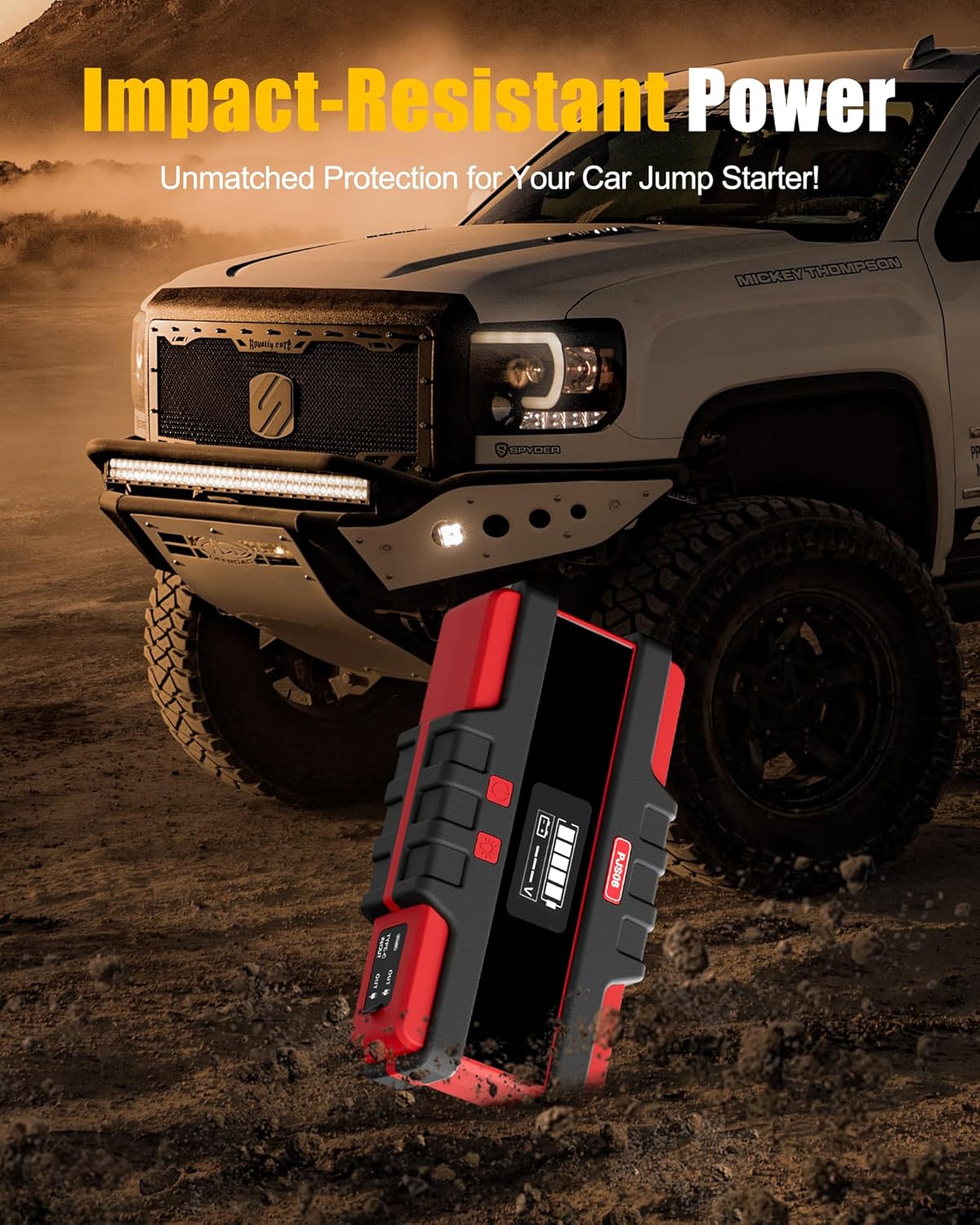
Figure 7.2: The SAFEMATE PJS06-2500 features an impact-resistant design, engineered to withstand drops and tough conditions.
8. Troubleshooting
If you encounter issues with your SAFEMATE PJS06-2500, refer to the table below for common problems and solutions.
| Problem | Possible Cause | Solution |
|---|---|---|
| Vehicle does not start. | Jump starter battery is low. Incorrect cable connection. Vehicle battery is severely damaged. | Recharge the jump starter. Check connections for correct polarity (red to +, black to -). Consult a professional mechanic. |
| Display shows 'Reverse Connection' icon. | Jumper cables are connected with incorrect polarity. | Immediately disconnect the clamps and reconnect them to the correct terminals (red to +, black to -). |
| Display shows 'Short Circuit' icon. | Red and black clamps are touching. Faulty vehicle wiring. | Ensure clamps do not touch. If issue persists, consult a mechanic. |
| Display shows 'High Temperature' icon. | Device is overheating from prolonged use or high ambient temperature. | Disconnect the device and allow it to cool down in a well-ventilated area before reuse. |
| Display shows 'Low Temperature' icon. | Device is too cold for optimal operation. | Bring the device to a warmer environment and allow it to reach room temperature before use. |
| External devices are not charging. | Jump starter battery is low. Incorrect cable or port used. Device not compatible. | Recharge the jump starter. Ensure correct USB or Type-C cable is used and connected to the correct output port. Check device compatibility with 5V/9V/12V USB charging. |
9. Specifications
| Feature | Specification |
|---|---|
| Brand | SAFEMATE |
| Model | PJS06-2500 |
| Peak Current | 2500 Amps |
| Battery Capacity | 48.84Wh / 13200 mAh |
| Voltage | 12 Volts |
| Engine Compatibility | Up to 8.0L Gas / 6.5L Diesel |
| Battery Cell Composition | Lithium Ion |
| Type-C Input/Output | Max 40W (Bi-directional Fast Charging) |
| USB Output (USB1/USB2) | Max 24W |
| Operating Temperature | Refer to product labeling for specific range |
| Dimensions | Refer to product packaging |
| Weight | Refer to product packaging |
10. Warranty & Support
SAFEMATE products are manufactured to high-quality standards. For warranty information, technical support, or customer service inquiries, please refer to the contact details provided on your product packaging or visit the official SAFEMATE website. Please retain your proof of purchase for warranty claims.