
Driveye D7pro
Driveye AI Dash Cam D7pro User Manual
Model: D7pro
1. Introduction
This manual provides detailed instructions for the installation, operation, and maintenance of your Driveye AI Dash Cam D7pro. Please read this manual thoroughly before using the device to ensure proper functionality and safety. The Driveye D7pro is a 4-channel dash camera designed to provide comprehensive vehicle surveillance and advanced driving assistance.
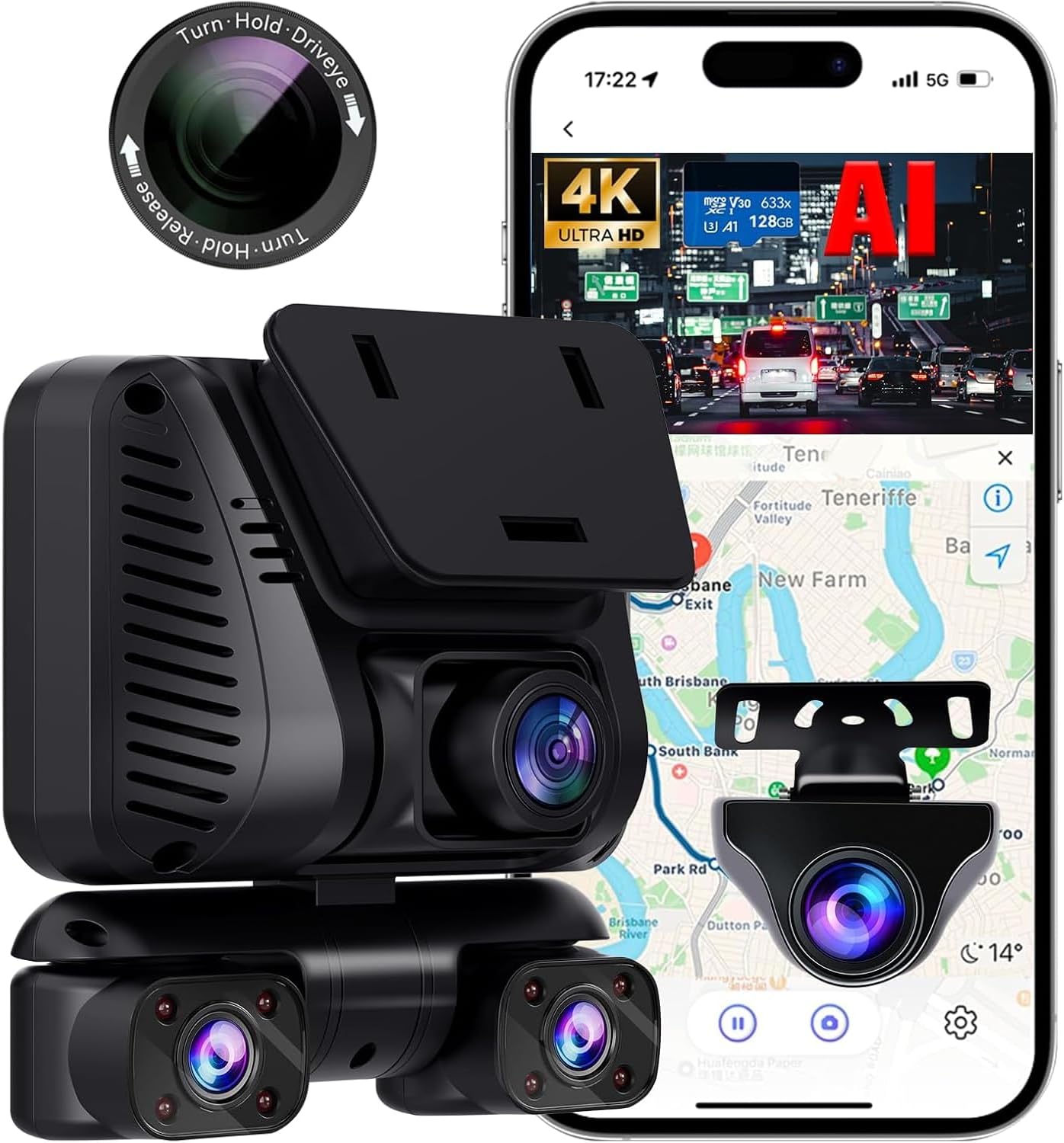
Figure 1.1: Driveye AI Dash Cam D7pro with CPL filter and smartphone app interface.
2. Product Overview
The Driveye D7pro is an advanced 4-channel dash camera system offering 360-degree coverage and 4K UHD recording. Key features include:
- AI Advanced Driver Assistance System (ADAS): Includes Forward Collision Warning, Pedestrian Collision, Lane Departure, and Front Vehicle Departure Warning.
- 4K UHD Recording: Front and rear cameras record in 4K + 2K, with all four channels simultaneously recording at 4K + 1080P*3 clarity.
- 4-Channel 360° Coverage: Records front, rear, left, and right views of the vehicle.
- Hands-Free Smart Voice Control: Manage functions like saving videos, starting/stopping recording, and taking photos using voice commands.
- Advanced Built-in GPS & 5G Wi-Fi: Fast data transfer, accurate location and speed logging, and app control.
- Loop Recording & G-Sensor Protection: Continuous recording with automatic locking of critical footage during impacts.
- 24-Hour Parking Monitoring: Automatically detects collisions and records (requires add-on kit).
- Super Night Vision & WDR Technology: Enhanced low-light recording capabilities.
- CPL Filter: Included to reduce glare and reflections.

Figure 2.1: Overview of Driveye D7pro features.
3. What's in the Box
Verify that all components are present in the package:
- Dash cam x1
- Rear camera x1
- Car charger x1
- CPL filter x1
- 128GB SD card x1
- 3M adhesive x2
- Static sticker x3
- Installation kit x1 (includes Cable Clip, Crowbar, Installation Tool)
- User Manual x1

Figure 3.1: Package contents of the Driveye D7pro.
4. Setup and Installation
Follow these steps to install your Driveye D7pro dash cam:
- Choose Mounting Location: Select a location on your windshield, typically behind the rearview mirror, that does not obstruct your view. The front camera is 60° rotatable for optimal positioning.
- Clean Surface: Ensure the windshield surface is clean and dry before applying the static sticker and 3M adhesive.
- Attach Dash Cam: Apply the static sticker to the windshield, then attach the dash cam using the 3M adhesive to the static sticker.
- Install Rear Camera: Mount the rear camera on the rear windshield using 3M adhesive.
- Route Cables: Carefully route the power cable from the car charger to the dash cam (Type-C port) and the rear camera cable (AV-IN port) along the edges of the windshield and interior trim. Use the included cable clips and crowbar for a neat installation.
- Connect Power: Plug the car charger into your vehicle's cigarette lighter socket.
- Insert SD Card: Insert the provided 128GB SD card into the dash cam.

Figure 4.1: Installation diagram for the Driveye D7pro.
5. Operating Instructions
5.1. AI Advanced Driver Assistance System (ADAS)
The D7pro features an intelligent ADAS to enhance driving safety:
- Forward Collision Warning: Alerts you to potential front-end collisions.
- Pedestrian Collision Warning: Detects pedestrians and children in the road ahead.
- Lane Departure Warning: Notifies you if the vehicle drifts out of its lane.
- Front Vehicle Departure Warning: Alerts you when the vehicle in front starts moving after a stop.

Figure 5.1: ADAS features in action.
5.2. 4K UHD Recording and 4-Channel Coverage
The dash cam records simultaneously from four channels, providing a comprehensive 360-degree view around your vehicle. The front and rear cameras capture 4K + 2K video, while all four channels together achieve 4K + 1080P*3 clarity.
- Front Camera: Records the road ahead in high definition.
- Rear Camera: Records the view behind your vehicle.
- Left/Right Cameras: Monitor the vehicle's interior and side approaches.

Figure 5.2: 4-Channel recording views.
5.3. Smart Voice Control
Operate your dash cam safely without taking your hands off the wheel using simple English voice commands. Examples include:
- "Turn on Audio"
- "Turn off Audio"
- "Lock the Video"
- "Take Photo"
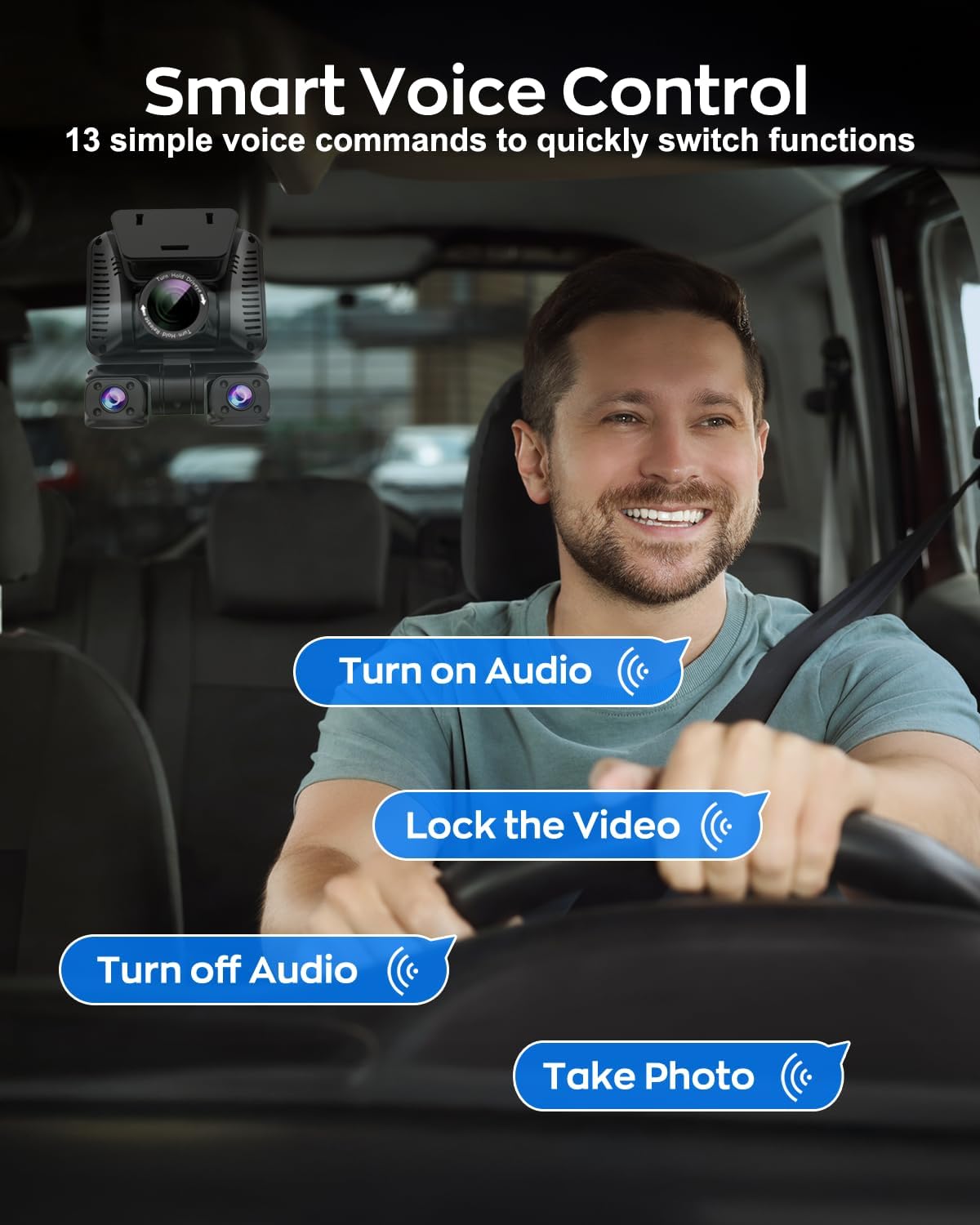
Figure 5.3: Voice control functionality.
5.4. Built-in GPS & 5G Wi-Fi
The integrated GPS module accurately logs your driving location and speed, allowing you to track your journey. The 5GHz Wi-Fi provides faster data transfer speeds for quick preview, download, and sharing of footage via the companion app.

Figure 5.4: 5GHz Wi-Fi connectivity.

Figure 5.5: Built-in GPS tracking.
5.5. Loop Recording & G-Sensor Protection
The dash cam continuously records, overwriting the oldest footage when the SD card is full (in 1/3/5 minute segments). The built-in G-sensor detects sudden impacts or collisions, automatically locking and protecting critical video segments from being overwritten.

Figure 5.6: Loop Recording explanation.

Figure 5.7: G-Sensor emergency recording.
5.6. Super Night Vision & WDR Technology
The D7pro is equipped with Super Night Vision and Wide Dynamic Range (WDR) technology, along with F1.8 aperture and 8 IR lights, to ensure clear video capture in low-light conditions and at night, including legible license plates.
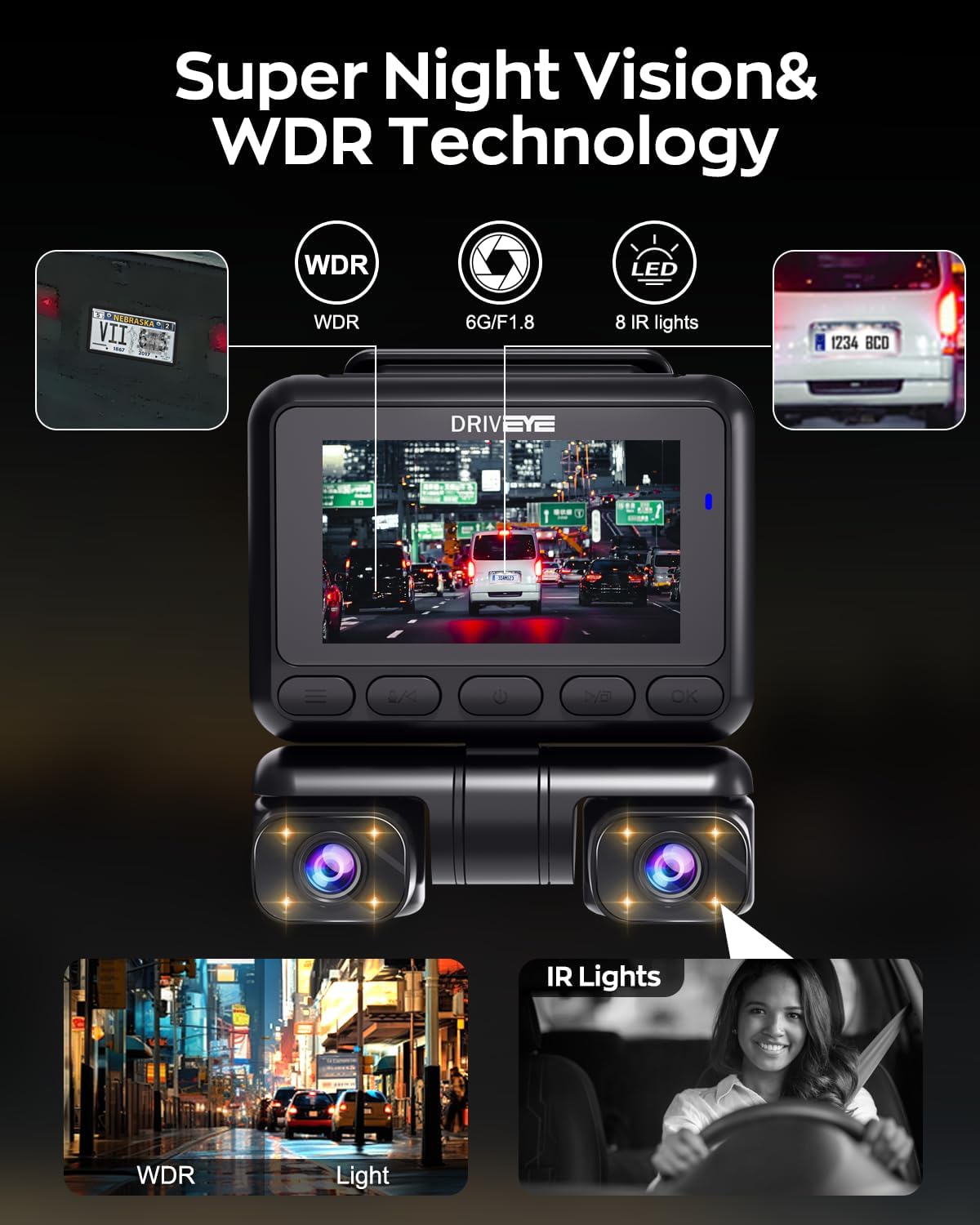
Figure 5.8: Super Night Vision and WDR technology.
5.7. CPL Filter
The included CPL (Circular Polarizing Lens) filter helps to reduce reflections and glare from the windshield and road, improving video clarity and color saturation.

Figure 5.9: CPL Filter benefits.
6. Parking Monitoring
The 24-hour parking monitoring feature provides continuous surveillance of your vehicle when parked. It automatically detects collisions and initiates recording. Note: Activating the Parking Monitor feature requires the purchase of an add-on kit.
6.1. Hardwire Kit (Optional)
For 24/7 uninterrupted recording, a hardwire kit is recommended. This kit connects directly to your car battery, providing constant power and low voltage protection. It compresses parking monitoring to 1 frame per second (1fps) to optimize storage.
Compatible Hardwire Kit: B0D4J2S1N

Figure 6.1: Hardwire Kit for 24/7 recording.
6.2. OBD-5S Installation (Optional)
The OBD-5S kit connects directly to your vehicle's OBD-II interface, providing stable power without breaking wires or using the cigarette lighter. It automatically switches to parking monitoring when the engine is turned off and detects collisions.
Compatible OBD-5S Kit: B0D4J35WZ8

Figure 6.2: OBD-5S installation for parking mode.
6.3. Radar-360° 4-CH Detective (Optional)
This accessory detects vehicle or human activity within 5 meters, activating all 4 cameras to record. It remains in standby mode when no activity is detected.
Compatible Radar Kit: B0D767ZCS2

Figure 6.3: Radar-360° 4-CH Detective for enhanced parking surveillance.
7. Maintenance
- Cleaning: Use a soft, dry cloth to clean the camera lenses and screen. Avoid abrasive cleaners.
- SD Card: Regularly format the SD card (at least once a month) to ensure optimal performance and prevent data corruption. Use a high-quality Class 10 or U3 microSD card.
- Firmware Updates: Check the Driveye website or app periodically for firmware updates to improve performance and add new features.
- Temperature: The D7pro is designed to withstand extreme temperatures from -22°F to 158°F. However, prolonged exposure to direct sunlight in extreme heat can affect battery life and component longevity.

Figure 7.1: D7pro's durability in extreme temperatures.
8. Troubleshooting
If you encounter issues with your Driveye D7pro, refer to the following common solutions:
- Dash Cam Not Powering On:
- Check the car charger connection and ensure the vehicle's cigarette lighter socket is functional.
- Ensure the power cable is securely connected to the dash cam's Type-C port.
- Recording Issues (e.g., footage not saving, corrupted files):
- Format the SD card within the dash cam's settings.
- Ensure the SD card is a high-quality Class 10 or U3 card.
- Replace the SD card if issues persist.
- Wi-Fi Connection Problems:
- Ensure the dash cam's Wi-Fi is enabled.
- Restart both the dash cam and your smartphone.
- Ensure you are within close proximity to the dash cam.
- ADAS Alerts Not Functioning Correctly:
- Ensure the dash cam lenses are clean and unobstructed.
- Calibrate the ADAS system through the dash cam settings or companion app if available.
- Annoying Startup Sound:
- Check the dash cam's system settings for an option to disable or lower the startup volume. If an option to disable is not present, setting the system volume to 0 may not affect the startup sound. Contact support if this issue persists after checking all available settings.
For further assistance, please contact Driveye customer support.
9. Specifications
| Feature | Specification |
|---|---|
| Product Dimensions | 2 x 1.7 x 2 inches |
| Item Weight | 1.98 pounds |
| Model Name | D7pro |
| Connectivity Technology | Wi-Fi (5GHz) |
| Video Capture Resolution | 4K+1080*2 / 4K+1080*3 / 4K+2K |
| Field Of View | 360 Degrees |
| Mounting Type | Windshield Mount |
| Special Features | 4K front camera, App control, Built-In GPS, Voice control, Night vision, 360 degree coverage, CPL filter, Upgraded heat sink |
| Included Components | Cable Clip, Car Charger, Crowbar, Installation Tool, User Manual, Rear Camera, CPL Filter, 128GB SD Card, 3M Adhesive, Static Sticker |
| Operating Temperature Range | -22°F to 158°F |
10. Warranty and Support
Driveye offers an 18-month warranty extension for the D7pro Dash Cam. If you have any questions regarding installation, missing accessories, or device issues, please contact our dedicated support team. We are committed to providing assistance and ensuring your satisfaction.
For support, please visit the official Driveye website or contact the seller directly through your purchase platform.
Ask a question about this manual
Ask about setup, troubleshooting, compatibility, parts, safety, or missing instructions. Manuals+ will review the question and use this page’s manual context to help answer it.