
Risina TC-017
Risina Electric Shaver for Women - Model TC-017 Instruction Manual
Your comprehensive guide to operating and maintaining your Risina Electric Shaver.
Product Overview
The Risina Electric Shaver, Model TC-017, is a versatile 3-in-1 cordless device designed for painless hair removal across various body areas. It features detachable heads and hypoallergenic ceramic blades engineered to trim hair just above the skin, minimizing irritation, redness, razor burn, and ingrown hairs. Its waterproof design allows for both wet and dry use, making it suitable for use in the shower or for quick touch-ups.
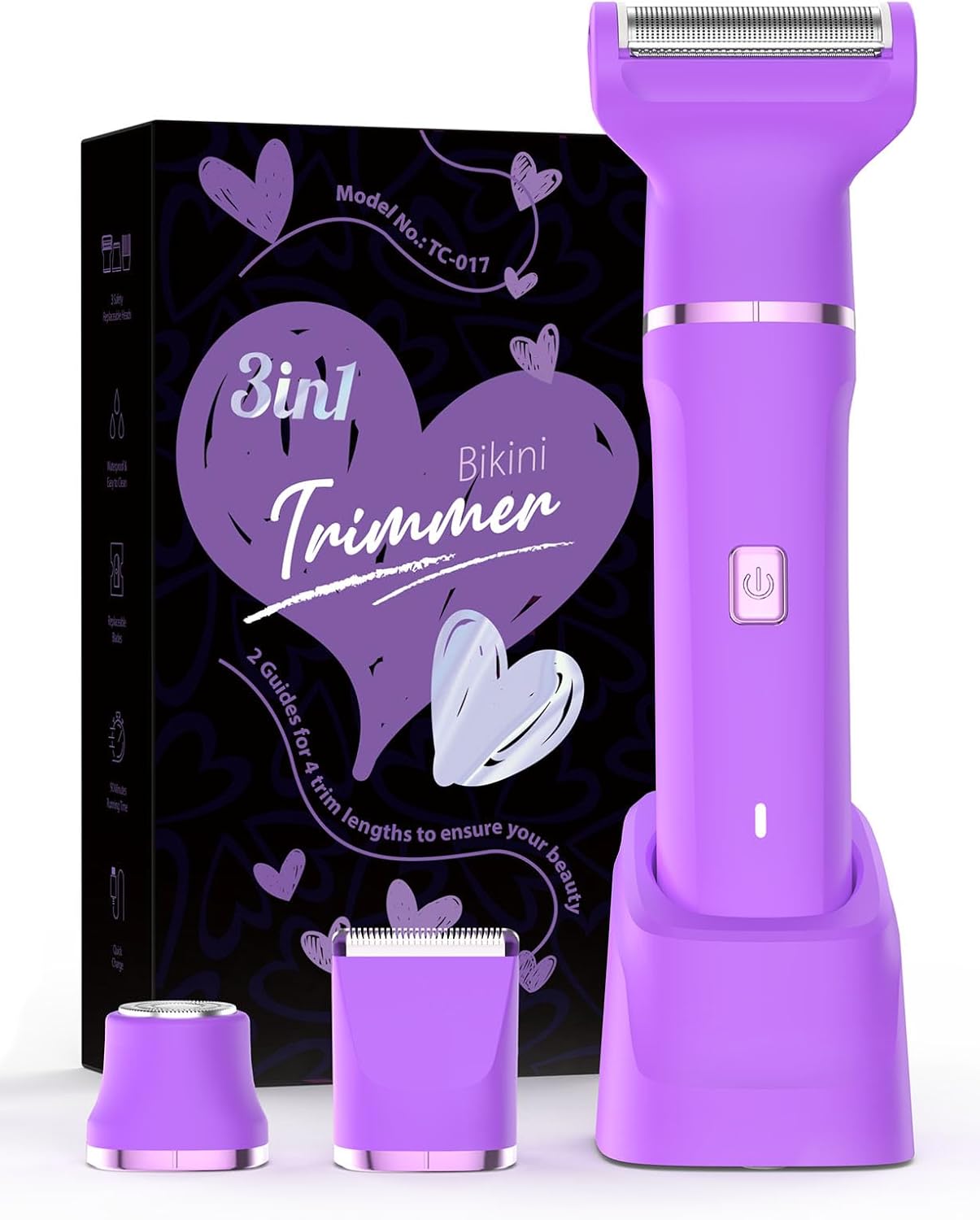
Image: The Risina Electric Shaver in nebula violet, shown with its charging dock, packaging, and two interchangeable heads (precision trimmer and foil shaver).
Safety Information
Please read all instructions carefully before using the Risina Electric Shaver. Failure to follow these guidelines may result in injury or damage to the device.
- Do not immerse the charging dock or USB cable in water. Ensure the device is completely dry before charging.
- Keep the device out of reach of children.
- Do not attempt to disassemble or repair the device yourself. Contact customer support for assistance.
- If you have sensitive skin or pre-existing skin conditions, consult a dermatologist before use.
- Avoid using the shaver on irritated, inflamed, or broken skin.
- Clean the shaver heads regularly to maintain hygiene and optimal performance.
Package Contents
Verify that all the following items are included in your package:
- 1 x Risina Electric Shaver Unit (Main Body)
- 1 x Precision Trimmer Head
- 1 x Foil Shaver Head
- 2 x Guide Combs (for different trim lengths)
- 1 x Cleaning Brush
- 1 x USB Charging Cable
- 1 x Charging Dock
- 1 x User Manual (this document)

Image: The main shaver unit standing in its charging dock, accompanied by two guide combs for adjustable trimming.
Setup
1. Initial Charging
- Before first use, fully charge the shaver.
- Connect the USB charging cable to the charging dock.
- Place the shaver unit into the charging dock.
- Plug the USB cable into a compatible USB power adapter (not included) or a USB port.
- The indicator light on the shaver will illuminate during charging and turn off when fully charged.
2. Attaching/Detaching Heads
- To attach a head: Align the desired head with the top of the shaver unit and gently push until it clicks into place.
- To detach a head: Hold the shaver unit firmly and pull the head straight off.

Image: Visual representation of the three interchangeable heads and how they connect to the main shaver body.
Operating Instructions
1. Power On/Off
Press the power button located on the front of the shaver unit to turn it on or off.
2. Selecting the Right Head
- Foil Shaver Head: Ideal for smooth shaving on larger areas like legs and arms.
- Precision Trimmer Head: Best for sensitive areas, bikini lines, underarms, and for precise trimming.
- Round Head: Specifically designed for delicate facial hair, such as peach fuzz on the cheeks or upper lip.
3. Using Guide Combs
Attach one of the two provided guide combs to the precision trimmer head for desired hair length. These combs help maintain an even trim.
4. Shaving Technique
- For best results, hold the shaver at a 90-degree angle to your skin.
- Gently glide the shaver against the direction of hair growth.
- For sensitive areas, pull the skin taut to ensure a smooth surface.
- The device can be used wet or dry. For wet shaving, apply shaving cream or gel.

Image: A user demonstrating the application of the shaver on the underarm area.
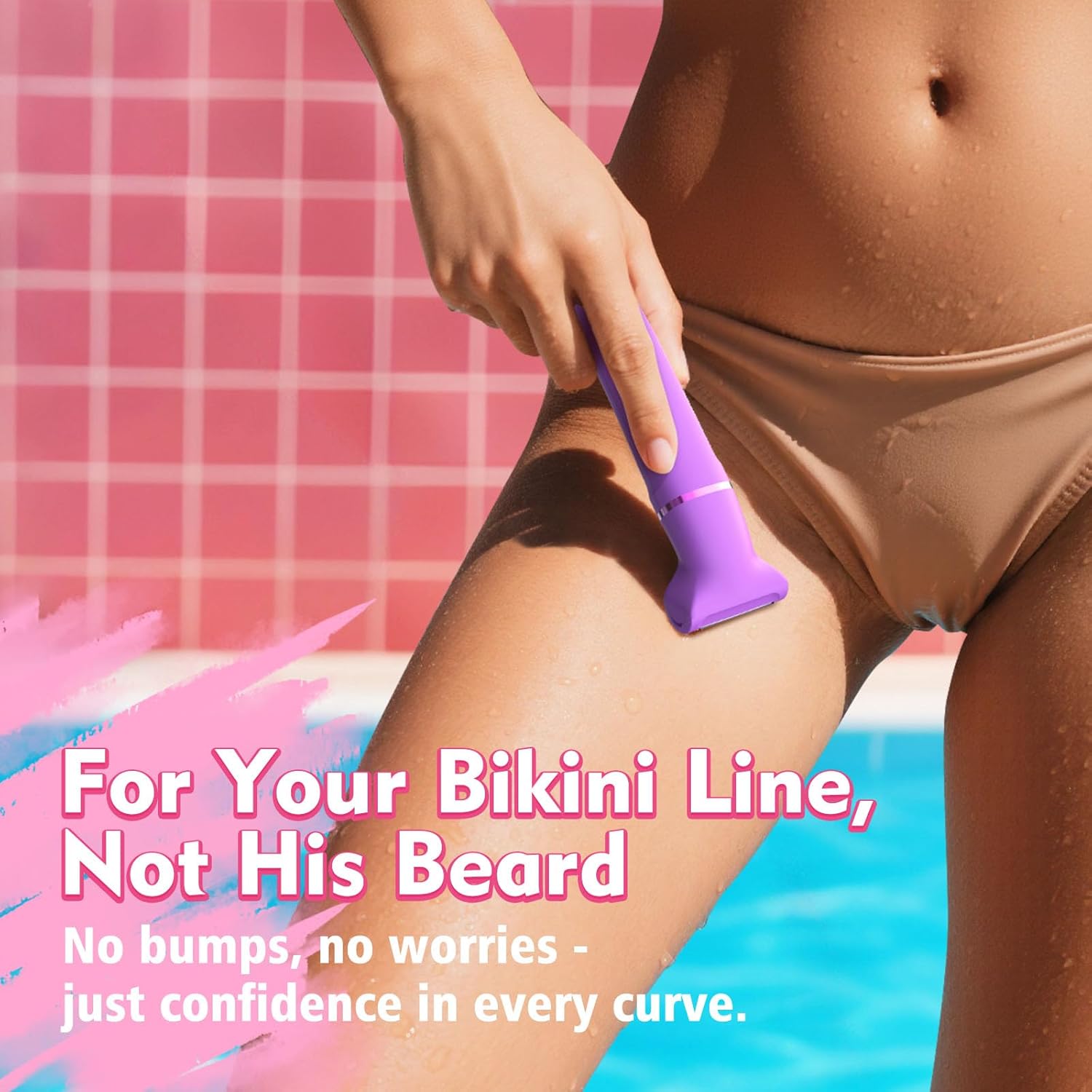
Image: The shaver being used for the bikini line, highlighting its suitability for sensitive areas.
Maintenance
1. Cleaning the Shaver Heads
Regular cleaning ensures optimal performance and hygiene.
- Turn off the shaver and detach the head.
- Use the provided cleaning brush to remove any trapped hairs from the blades and foil.
- For a deeper clean, rinse the detached head under running water. Ensure the head is completely dry before reattaching or storing.
- Do not use harsh chemicals or abrasive cleaners on the shaver.
2. Storage
Store the shaver in a cool, dry place, away from direct sunlight and extreme temperatures. Ensure the shaver is clean and dry before storing.

Image: The shaver unit with water droplets, illustrating its IPX7 waterproof rating for easy cleaning and wet use.
Troubleshooting
| Problem | Possible Cause | Solution |
|---|---|---|
| Shaver does not turn on. | Low battery or not charged. | Charge the shaver fully using the provided USB cable and charging dock. |
| Poor shaving performance. | Clogged blades or dull blades. | Clean the shaver head thoroughly. Ensure the head is properly attached. If performance does not improve, consider replacing the head. |
| Shaver pulls hair. | Hair is too long or blades are dull. | Trim longer hair with the precision trimmer head first, or use a guide comb. Ensure blades are clean. |
| Device feels hot during use. | Extended continuous use. | Allow the device to cool down before continuing use. This is normal during prolonged operation. |
Specifications
| Feature | Detail |
|---|---|
| Brand | Risina |
| Model Name | TC-017 |
| Power Source | Battery Powered |
| Special Features | Adjustable, Cordless, Precision, Rechargeable, Waterproof (IPX7) |
| Recommended Uses | Armpit, Bikini Line, Cheek, Chest, Chin, Eyebrow, Face, Leg, Lip, Mustache, Pubic |
| Package Dimensions | 7.52 x 4.41 x 2.05 inches |
| Item Weight | 10.4 ounces |
| Batteries | 1 AA battery required (included) |
| Manufacturer | Ningbo Tianchao Electrical Appliance Co., LTD |
Warranty and Support
Risina stands behind the quality of its products. If your trimmer experiences any issues, please contact our customer support team. We are committed to providing prompt assistance and will arrange for a replacement within 48 hours if necessary, ensuring your continued satisfaction with your Risina product.
Related Documents - TC-017
 |
Ufree Women's Body Hair Trimmer - Product Manual Comprehensive user manual for the Ufree Women's Body Hair Trimmer (Model: U-1816). Learn about safety instructions, product features, charging, usage, cleaning, maintenance, and travel lock function for this 3-in-1 waterproof electric shaver. |
 |
2-in-1 Women's Electric Shaver User Manual & Product Overview Learn about the features and benefits of the 2-in-1 Women's Electric Shaver. Features include a 200mAh rechargeable battery, stainless steel blades, and an ergonomic design for painless hair removal on legs, face, and bikini lines. |
 |
Unibono YH-3301 3-in-1 Lady Shaver: User Manual and Guide Comprehensive user manual for the Unibono YH-3301 3-in-1 Lady Shaver. Learn about its features, usage for wet/dry shaving, trimming, maintenance, troubleshooting, and specifications for effective personal grooming. |
 |
Happy Curves Smoothie Electric Bikini & Body Trimmer User Guide Comprehensive user guide for the Happy Curves Smoothie electric bikini and body trimmer, covering quick start, usage, charging, cleaning, and safety instructions. |
 |
Lady Shaver 2 in 1 ZB-0221D User Manual and Instructions Comprehensive user manual for the Lady Shaver 2 in 1 (Model ZB-0221D), providing detailed instructions on usage, charging, cleaning, and maintenance for this rechargeable, waterproof electric shaver. |
 |
Philips Lady Shaver Series 8000 BRL166/91 User Guide Comprehensive guide for the Philips Lady Shaver Series 8000 (BRL166/91), a cordless wet and dry electric shaver for body and face. Features include a facial epilator, exfoliating glove, and various accessories for smooth, gentle hair removal. |
Ask a question about this manual
Ask about setup, troubleshooting, compatibility, parts, safety, or missing instructions. Manuals+ will review the question and use this page’s manual context to help answer it.