
Introduction
Thank you for purchasing the GRLEAF Adjustable Height Narrow Console Table. This manual provides essential information for the safe assembly, operation, and maintenance of your new table. Please read these instructions carefully before use and retain them for future reference.
This versatile console table features an adjustable height mechanism and integrated power outlets, making it suitable for various applications such as a sofa table, entryway table, or a flexible workspace.
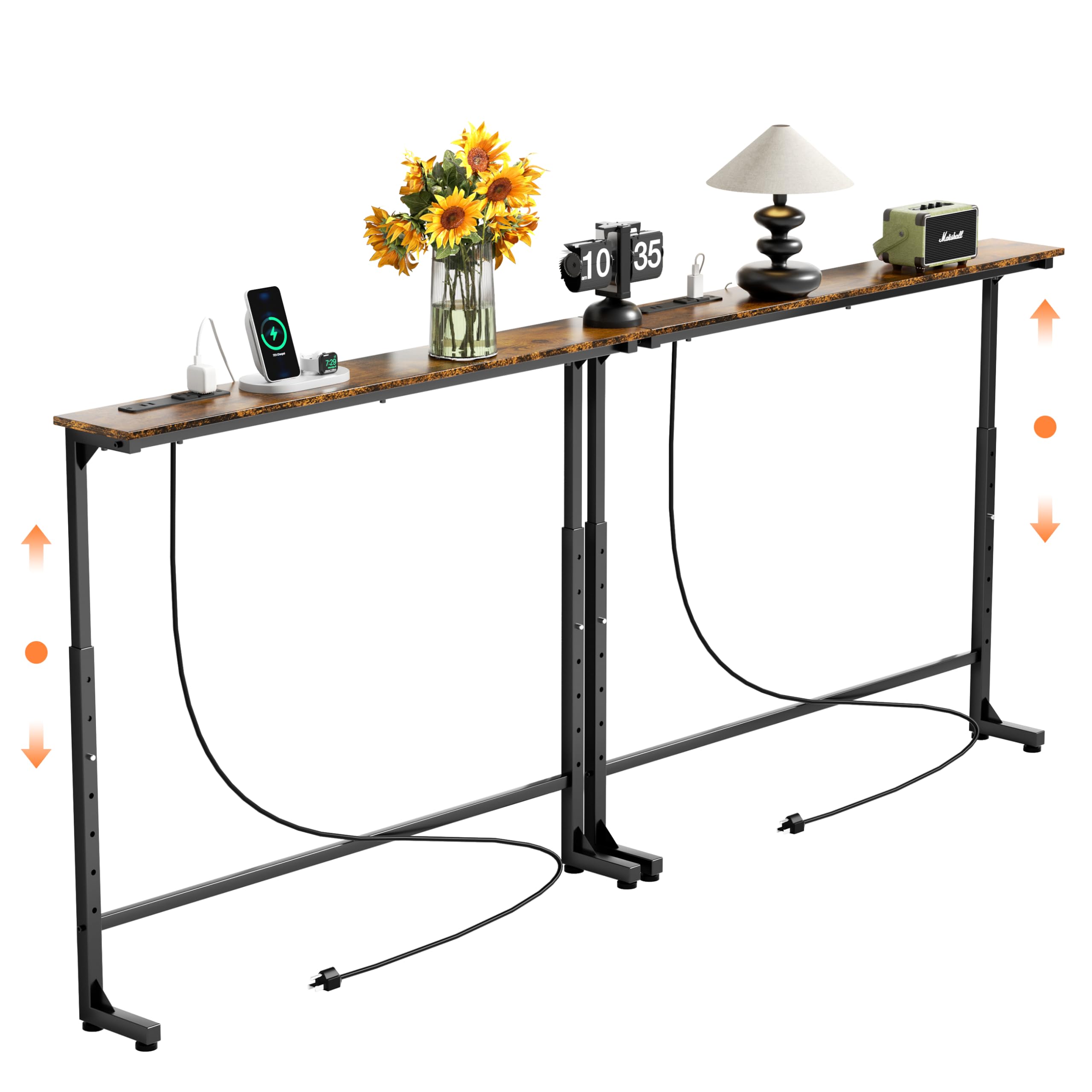
Image: The GRLEAF Adjustable Height Narrow Console Table positioned behind a sofa, showcasing its slim design and integrated power strip with devices charging.
Safety Information
- Ensure all parts are present and undamaged before assembly. Do not use if any parts are missing or broken.
- Assemble the table on a soft, clean surface to prevent scratches.
- Do not overtighten screws during assembly to avoid damaging the material.
- Always use the included anti-tip strap to secure the table to a wall, especially if children or pets are present.
- Do not exceed the maximum weight capacity of 220 pounds (100 kg) on the tabletop.
- Keep liquids away from the power outlets and USB ports to prevent electrical hazards.
- Ensure the power cord is not pinched or damaged during setup or use.

Image: A detailed view of the table's base, highlighting the triangular stability structure and the adjustable feet designed for stability and floor protection.
Package Contents
Verify that all components listed below are included in your package. If any parts are missing or damaged, please contact customer support.
| Part | Description | Quantity |
|---|---|---|
| A | Tabletop (Engineered Wood) | 1 |
| B | Left Frame Leg | 1 |
| C | Right Frame Leg | 1 |
| D | Power Strip Unit (2 AC Outlets, 2 USB Ports) | 1 |
| E | Adjustable Feet | 4 |
| F | Anti-tip Strap Kit | 1 |
| G | Assembly Hardware (Screws, Allen Wrench) | 1 Set |
Setup and Assembly
Follow these step-by-step instructions to assemble your console table.
- Unpack Components: Carefully remove all parts from the packaging and lay them out on a soft, flat surface to prevent damage.
- Attach Frame Legs: Connect the left (B) and right (C) frame legs to the tabletop (A) using the provided hardware (G). Ensure the height adjustment mechanisms are facing the correct direction as indicated in the diagrams.
- Install Power Strip: The power strip unit (D) can be installed on either the left or right side of the tabletop. Align the unit with the pre-drilled holes and secure it with the appropriate screws from the hardware kit (G).
- Attach Adjustable Feet: Screw the adjustable feet (E) into the bottom of each frame leg. These feet help stabilize the table on uneven surfaces and protect your floor.
- Positioning and Stability: Place the assembled table in its desired location. Adjust the feet to ensure the table is level and stable.
- Secure with Anti-tip Strap: For safety, attach the anti-tip strap kit (F) to the back of the table and secure it to a wall stud using appropriate wall anchors (not included, choose based on wall material).

Image: A diagram illustrating how the power outlet unit can be installed on either the left or right side of the tabletop, offering flexible placement.
Operating Instructions
Adjusting Table Height
The console table features a 7-level adjustable height mechanism, allowing you to set the tabletop from 25.2 inches to 37.0 inches. To adjust the height:
- Locate the adjustment pins or levers on the frame legs.
- Carefully lift the tabletop slightly to relieve pressure on the pins.
- Pull out the adjustment pins, then raise or lower the tabletop to your desired height.
- Ensure the pins securely snap back into place at the chosen height level on both legs before placing items on the table.

Image: A visual representation of the table's 7-level height adjustment feature, showing the range from 25.2 inches to 37.0 inches.
Using the Integrated Power Outlets
The table is equipped with two standard AC outlets (120V/12A) and two USB ports (5V/2A) for convenient charging and powering of devices.
- Plug the table's main power cord (6.56 ft long) into a wall outlet.
- Insert your device's power adapter into one of the AC outlets or connect your USB charging cable to one of the USB ports.
- Ensure devices are properly connected and charging indicators are active.
Caution: Do not overload the power strip. Refer to the maximum current rating (12A) for the AC outlets. Avoid using damaged cables or adapters.

Image: A close-up view of the table's integrated power strip, showing two AC outlets, two USB ports, and the power cord, with a smartphone charging wirelessly.
Maintenance
- Cleaning: Wipe the table surface with a dry, soft cloth. For stubborn marks, use a slightly damp cloth and immediately dry the surface. Avoid harsh chemicals or abrasive cleaners.
- Inspection: Periodically check all screws and connections to ensure they remain tight. Retighten if necessary.
- Power Strip Care: Keep the power outlets and USB ports free from dust and debris. Do not attempt to disassemble the power strip unit.
- Adjustable Mechanism: Ensure the height adjustment mechanism operates smoothly. Do not force the mechanism if it feels stiff.
Troubleshooting
| Problem | Possible Cause | Solution |
|---|---|---|
| Table is wobbly. | Uneven floor; loose screws. | Adjust the leveling feet at the bottom of the legs. Tighten all assembly screws. |
| Height adjustment is difficult. | Pins are stuck; mechanism is dirty. | Ensure no weight is on the table. Gently wiggle the tabletop while pulling pins. Clean any debris from the mechanism. |
| Power outlets/USB ports not working. | Table not plugged in; wall outlet issue; overloaded circuit. | Ensure the table's power cord is securely plugged into a working wall outlet. Test the wall outlet with another device. Reduce the number of devices plugged into the power strip. |
| Missing parts during assembly. | Packaging error. | Contact GRLEAF customer support with your purchase details. |
Specifications

Image: A diagram illustrating the overall product dimensions, including length (78.7 inches), depth (5.9 inches), and the adjustable height range (25.2 to 37.0 inches).
| Feature | Detail |
|---|---|
| Brand | GRLEAF |
| Model Number | B0FBWBVS13 |
| Color | Rustic Brown |
| Product Dimensions (L x W x H) | 78.7 x 5.9 x 32.6 inches (198.12 x 14.99 x 82.8 cm) |
| Adjustable Height Range | 25.2 - 37.0 inches |
| Item Weight | 17.1 lbs (7.76 kg) |
| Maximum Weight Capacity | 220 lbs (100 kg) |
| Frame Material | Metal |
| Top Material Type | Engineered Wood |
| Power Outlets | 2 x AC Outlets (120V/12A) |
| USB Ports | 2 x USB Ports (5V/2A) |
| Power Cord Length | 6.56 ft |
| Shape | Rectangular |
| Special Features | Adjustable Height, Integrated Power Outlets, Anti-tip Strap, Adjustable Feet |
Warranty and Support
GRLEAF provides customer support for this product. If you encounter any issues or have questions regarding assembly, operation, or parts, please contact our customer service team.
For assistance, please refer to your purchase documentation or the retailer's website for contact information. Our customer service is available to help resolve any concerns you may have.