
COOLECH JDAC69R
COOLECH JDAC69R Portable Evaporative Air Cooler User Manual
Model: JDAC69R | Brand: COOLECH
Introduction
Thank you for choosing the COOLECH JDAC69R Portable Evaporative Air Cooler. This manual provides essential information for the safe operation, installation, maintenance, and troubleshooting of your new appliance. Please read it thoroughly before use and keep it for future reference.
Important Safety Instructions
- Always ensure the unit is placed on a stable, level surface.
- Do not operate the unit with a damaged cord or plug.
- Unplug the unit before cleaning, refilling water, or performing any maintenance.
- Do not immerse the unit, cord, or plug in water or other liquids.
- Keep children and pets away from the unit during operation.
- Ensure water pipes are not bent or folded during installation to prevent leaks or damage.
- Do not add water above the MAX level in the ice packs or water tank.
- This appliance is for indoor use only.
Package Contents
Upon unpacking, please verify that all items listed below are present and in good condition:
- 1 x COOLECH JDAC69R Portable Evaporative Air Cooler
- 1 x Remote Control
- 2 x Ice Packs (Contains powdered gel inside. Add water and shake gently for first use.)
- 1 x User Manual
- 4 x Swivel Wheels (pre-installed or included for installation)
Setup Guide
The following video demonstrates the installation of casters, water pump, and water pipe, as well as the removal of the water curtain for maintenance.
Video: Comprehensive installation and maintenance guide for the COOLECH JDAC69R.
1. Caster Installation
Insert the four swivel wheels into the designated slots at the bottom of the unit until they click into place. Ensure they are securely fastened for easy mobility. (Refer to the video above, 0:01-0:04)
2. Water Pump and Drain Pipe Installation
Carefully remove the top section of the air cooler from the water tank. Locate the water pump and drain pipe. Straighten the water pipe and ensure it is firmly fixed in place. Identify points A and B on the water pump and align them with the corresponding points in the water tank. Press firmly to install. (Refer to the video above, 0:05-0:35)
3. Securing Side Buckles
After installing the water pump and pipe, carefully place the top section back onto the water tank. Secure the side buckles to ensure the unit is properly assembled and stable.
4. Initial Ice Pack Preparation
For first-time use, open the cap of the included ice packs and add water up to the MAX level. Shake gently to mix the powdered gel. Freeze the ice packs for at least 3 hours before placing them into the water tank.
Video: Instructions for preparing and freezing the ice packs for enhanced cooling.
Operating Your Air Cooler
The COOLECH JDAC69R features an intelligent LED touch screen and a remote control for convenient operation.

Image: Overview of the control panel and remote control.
1. Power On/Off
Press the ON/OFF button on the control panel or remote control to turn the unit on or off.
2. Selecting Modes
Press the MODE button to cycle through the available modes:
- Normal Mode: Standard fan operation.
- Natural Mode: Simulates a natural breeze with varying fan speeds.
- Sleep Mode: Operates quietly at a lower speed for undisturbed rest.
- Cooling Mode: Activates the evaporative cooling function. Ensure the water tank is filled and ice packs are in place for optimal performance.

Image: Illustrates the quiet operation in Sleep Mode.
3. Adjusting Fan Speed
Press the SPEED button to select from three wind speeds: Low (14 ft/s), Medium (18 ft/s), or High (22 ft/s).
4. Oscillation (Swing) Function
Press the SWING button to activate the 70° wide-angle oscillation, distributing cool air evenly across the room.

Image: Depicts the 70° wide oscillation feature covering up to 250 sq.ft.
5. Timer Function
Use the TIMER button to set an automatic shut-off time, up to 12 hours. This feature helps conserve energy and provides convenience during sleep.
6. Waterless Alert System
The unit is equipped with a waterless warning system. When the water level in the tank is low, the air cooler will beep and flash an alert to remind you to refill. It will automatically switch to Natural Wind Mode to prevent damage and ensure continuous operation.

Image: Depicts the waterless alert system indicator on the control panel.
7. Using Ice Packs for Enhanced Cooling
For maximum cooling effect, place the pre-prepared and frozen ice packs into the water tank along with cold water. The 2.4-gallon tank allows for up to 20 hours of continuous cooling.
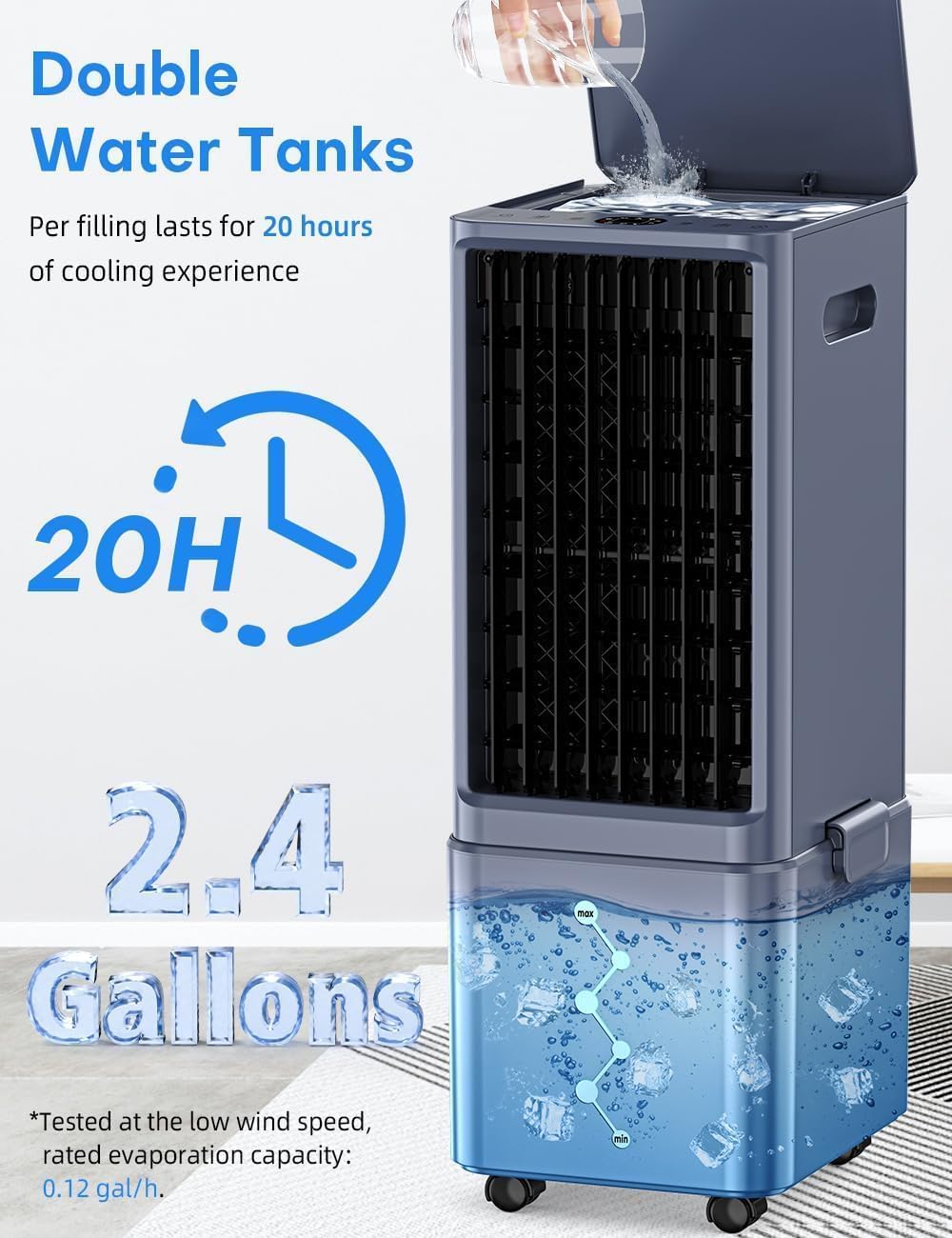
Image: Shows the double water tanks and placement of ice packs.
Care and Maintenance
Regular cleaning ensures optimal performance and longevity of your air cooler.
1. Cleaning the Water Curtain (Air Inlet Filter)
To clean the water curtain, unplug the unit, loosen the back cover lock, and remove the back cover (air inlet filter). Carefully remove the water curtain, clean it with a soft brush and mild detergent, then rinse thoroughly. Allow it to dry completely before re-installing. Align the snap and screw back the cover lock. (Refer to the installation video in the Setup Guide, 0:39-0:53)
2. Cleaning the Water Tank
The detachable bottom water tank design makes cleaning easy. Unbuckle the side clips and separate the top unit from the water tank. Clean the tank with a damp cloth and mild detergent. Rinse thoroughly and ensure it is dry before reassembling.
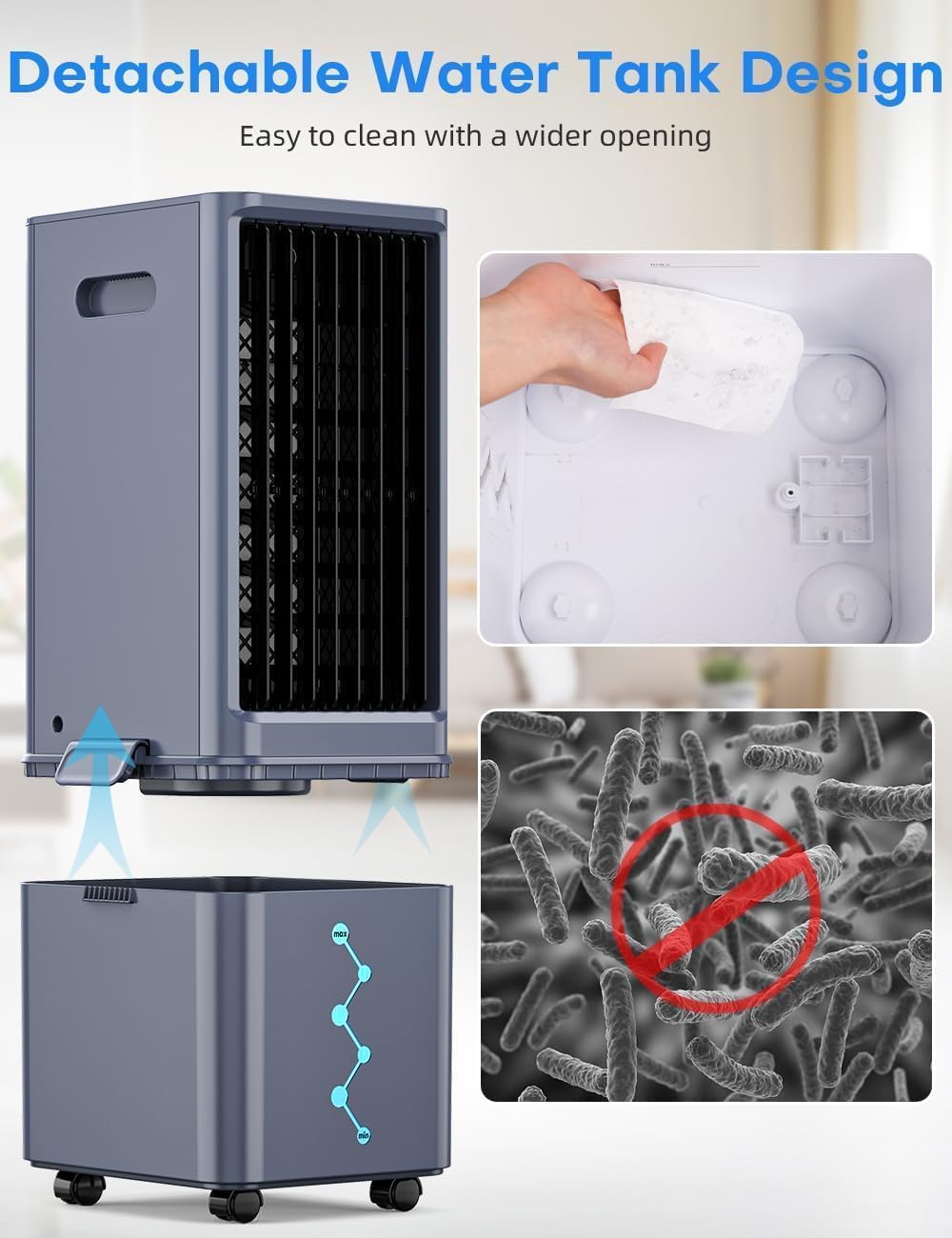
Image: Shows the detachable water tank for easier cleaning.
3. General Cleaning
Wipe the exterior of the unit with a soft, damp cloth. Do not use abrasive cleaners or solvents.
Troubleshooting
If you encounter any issues with your COOLECH JDAC69R, please refer to the following common problems and solutions:
- Unit does not power on: Ensure the power cord is securely plugged into a working outlet. Check if the ON/OFF button has been pressed.
- No cooling effect: Verify the water tank is filled and ice packs are frozen and placed correctly. Ensure the unit is in Cooling Mode.
- Water leakage: Check that the water tank is properly seated and the water pump/drain pipe connections are secure and not bent. Do not overfill the water tank.
- Unusual noise: Ensure the unit is on a flat, stable surface. Check for any obstructions in the air inlet or outlet.
If the problem persists, please contact customer support for assistance.
Product Specifications
| Feature | Detail |
|---|---|
| Brand | COOLECH |
| Model Name | JDAC69R |
| Dimensions (D x W x H) | 23.9" x 9.3" x 10.2" |
| Power | 65 W |
| Voltage | 120 Volts |
| Noise Level | 40 Decibels |
| Air Flow Capacity | 1320 CFM |
| Max Wind Speed | 22 ft/s |
| Coverage Area | Up to 250 sq.ft |
| Oscillation | 70° Wide Angle |
| Water Tank Capacity | 2.4 Gallons |
| Continuous Cooling Time | Up to 20 hours (with full tank and ice packs) |
| Timer | 12-Hour Auto Shut-Off |
| Control Type | Smart LED Touch Control & Remote Control |
| Number of Speeds | 3 |
| Operation Modes | Normal, Natural, Sleep, Cooling |
| Material | Plastic |
| Item Weight | 8.9 Pounds |
Warranty and Customer Support
Your COOLECH JDAC69R Portable Evaporative Air Cooler comes with a 1-Year Warranty.
For any questions, concerns, or warranty claims, please contact our customer service team:
- Email: support@usfan.net
- Amazon Message: Contact us directly through your Amazon order.
- Our customer service is available 7 days a week, 24 hours a day.
Ask a question about this manual
Ask about setup, troubleshooting, compatibility, parts, safety, or missing instructions. Manuals+ will review the question and use this page’s manual context to help answer it.