1. Introduction
This manual provides essential instructions for the safe and efficient operation of your GdjRttk 350W 7R Beam Moving Head Light. Please read this manual thoroughly before installation, operation, or maintenance to ensure proper usage and to prevent damage to the unit or injury to personnel.
The GdjRttk 350W 7R Beam Moving Head Light is a professional stage lighting fixture designed for concerts, theaters, DJ parties, and other events. It features a powerful 350W light source, RGB LED strip effects, multiple prism and gobo patterns, and advanced control options.
2. Safety Information
- Electrical Safety: Always connect the unit to a grounded power outlet. Ensure the power supply voltage matches the unit's requirements. Disconnect power before any service or maintenance.
- Heat Management: The fixture generates heat. Ensure adequate ventilation and maintain a safe distance from flammable materials. Do not block ventilation openings.
- Eye Protection: Do not look directly into the light source when the fixture is operating, as it can cause severe eye injury.
- Installation: Mount the fixture securely using appropriate hardware. Ensure the mounting surface can support the weight of the fixture.
- Environmental Conditions: Operate the fixture within the specified temperature range (-10°C to 45°C). Avoid exposure to moisture or extreme humidity. This unit has an IP20 rating, meaning it is protected against solid objects larger than 12.5mm but has no protection against water.
- Qualified Personnel: Installation, maintenance, and repair should only be performed by qualified personnel.
3. Setup and Installation
3.1 Unpacking
Carefully unpack the fixture and inspect it for any damage during transit. Retain the packaging materials for future transport or storage.
3.2 Mounting
The moving head light can be mounted in various orientations (e.g., truss, floor). Always use appropriate clamps and safety cables. Ensure the fixture is securely fastened to prevent accidental falls.
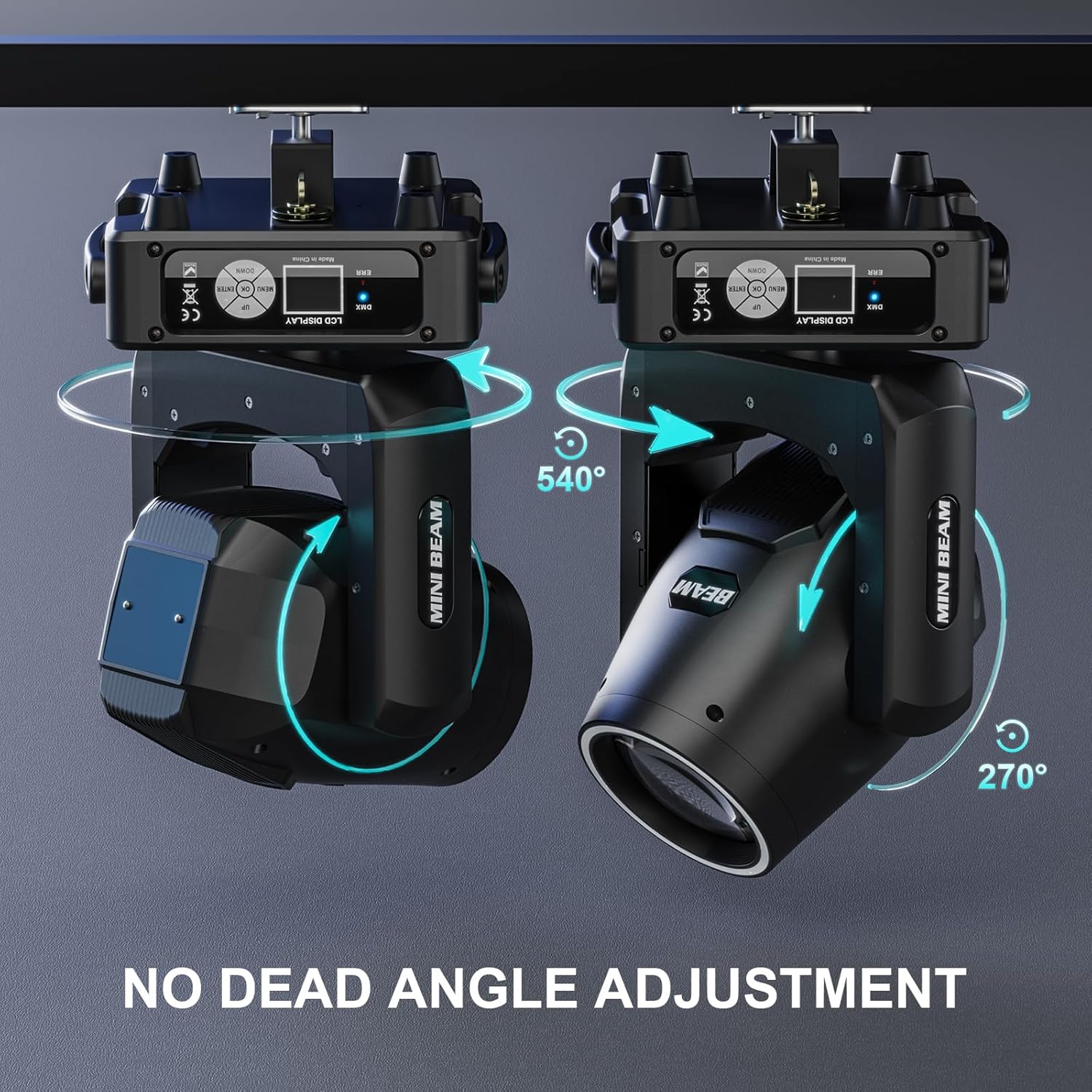
Image 1: The moving head light demonstrating its 540-degree pan and 270-degree tilt capabilities when mounted. The image highlights the rotational axes for precise positioning.
3.3 Power Connection
Connect the power cable to a suitable power outlet. The unit supports daisy-chaining power for up to 4-6 units, reducing cable clutter. Refer to the power input/output ports on the rear of the unit.

Image 2: Detailed view of the rear panel connections, including DMX In/Out, Power In/Out, ON/OFF switch, and Fuse. The LCD display and control buttons are also visible.
3.4 DMX Connection
For DMX512 control, connect a DMX cable from your DMX controller to the DMX IN port of the first fixture. For multiple fixtures, daisy-chain them by connecting the DMX OUT of the first fixture to the DMX IN of the next, and so on. Ensure the last fixture in the chain has a DMX terminator.
4. Operating Instructions
4.1 Control Panel
The fixture features an LCD display and control buttons (MENU, UP, DOWN, ENTER) for navigating settings and selecting operating modes.
4.2 Operating Modes
- DMX512/RDM Mode: Allows precise control over all fixture functions using a DMX controller. The fixture supports 18-channel programming. Refer to the DMX chart (not provided in this manual, consult manufacturer's website or full manual) for channel assignments.
- Sound Activated Mode: The fixture reacts to ambient sound, creating dynamic light shows. Sensitivity can typically be adjusted via the control panel.
- Auto Mode: Pre-programmed light shows run automatically.
- Master/Slave Mode: Link multiple fixtures where one acts as the master, controlling the others (slaves) to synchronize effects.
4.3 Features and Effects
- Beam Effects: Produces ultra-bright, focused beams with 0.5°-8° zoom.
- Color Wheel: Features 13 distinct colors plus white, allowing for a wide range of color mixing.
- Gobo Wheel: Includes 14 static gobos plus open, enabling various pattern projections.
- Prism Effects: Offers 48 dynamic prism effects to multiply and rotate beam patterns.
- RGB LED Strip: 27 RGB LEDs provide vivid color mixing and rainbow effects around the main lens.
- Electronic Focus: For sharp projection of gobos and beams.
- Pan/Tilt Movement: 540° horizontal (Pan) and 270° vertical (Tilt) movement with auto-correction for precise positioning.
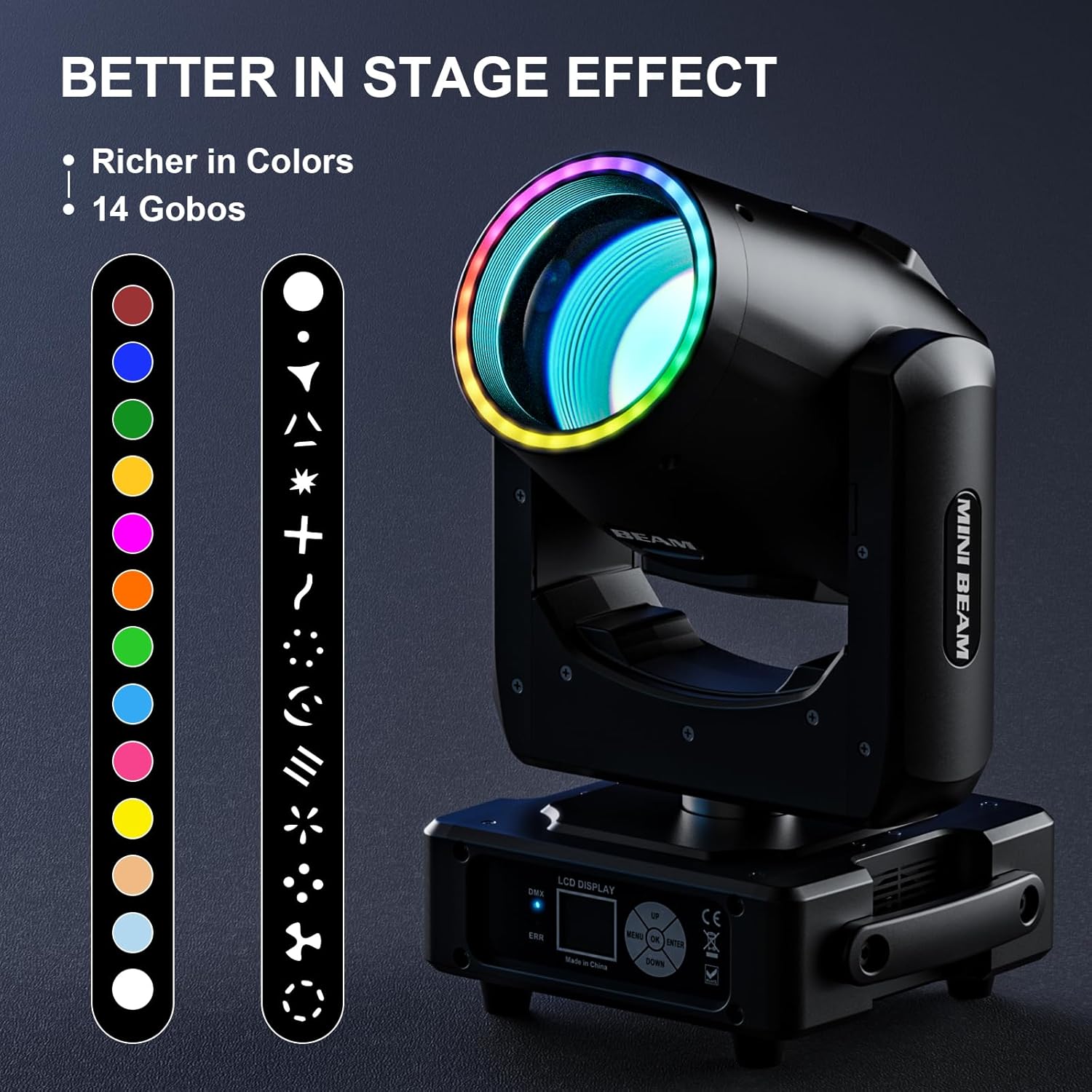
Image 3: This image illustrates the variety of 14 gobos and 14 colors available with the fixture, showcasing the creative potential for stage effects. The RGB LED strip around the lens is also visible.
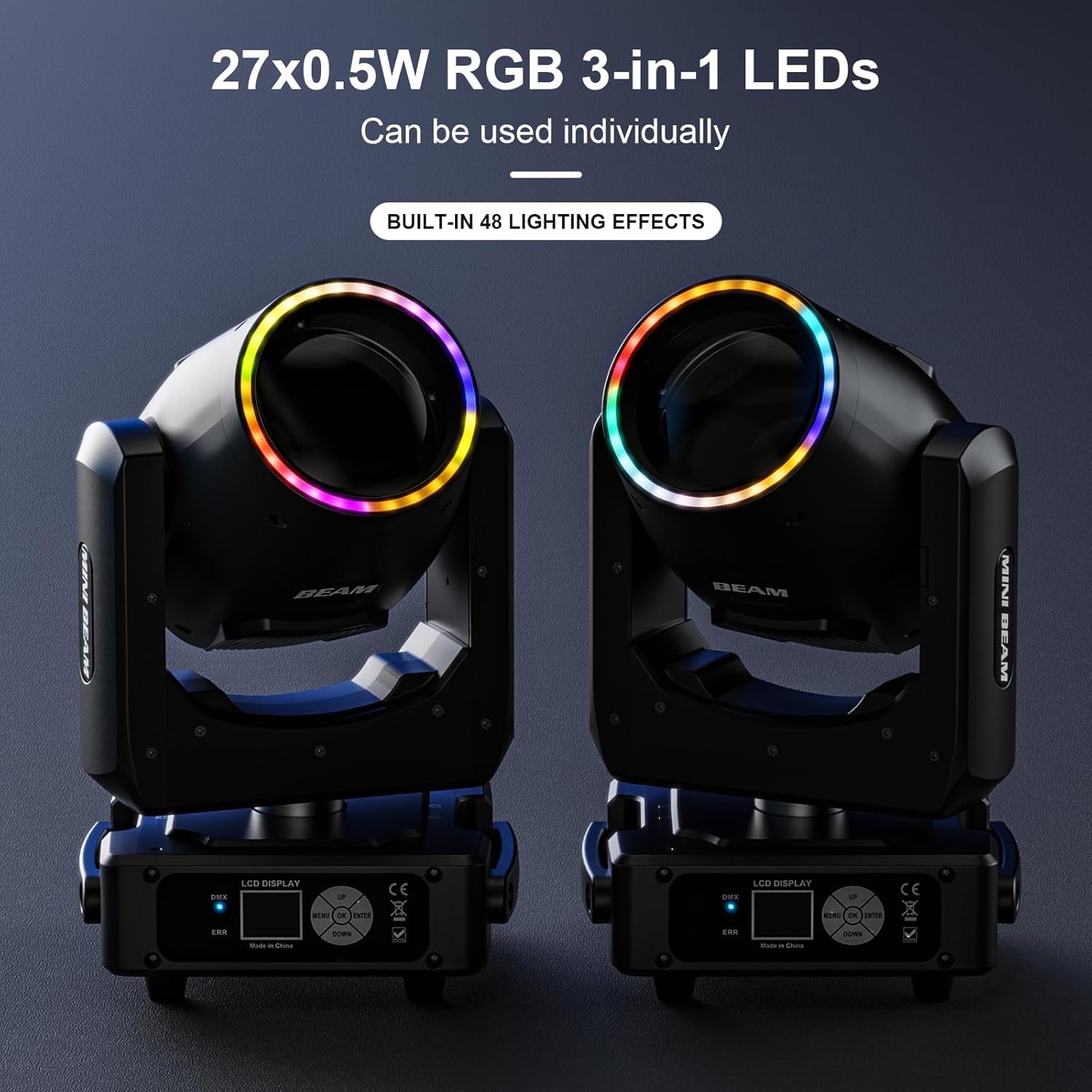
Image 4: Two moving head lights with their RGB LED strips glowing, emphasizing the 27x0.5W RGB 3-in-1 LEDs that can be used individually to create 48 built-in lighting effects.
5. Maintenance
- Cleaning: Regularly clean the lenses and exterior housing with a soft, lint-free cloth. Do not use abrasive cleaners or solvents.
- Cooling System: Ensure the cooling fan and ventilation openings are free from dust and debris. The intelligent cooling system helps prevent overheating and prolongs bulb lifespan.
- Bulb Lifespan: The light source has an estimated lifespan of 2000 hours. Monitor performance and consider replacement when brightness significantly diminishes.
- Inspection: Periodically check all cables, connections, and mounting hardware for wear or damage.
6. Troubleshooting
| Problem | Possible Cause | Solution |
|---|---|---|
| No Power | Power cable disconnected, faulty outlet, blown fuse. | Check power connections. Test the outlet. Replace the fuse if necessary. |
| No DMX Control | Incorrect DMX address, faulty DMX cable, no terminator, DMX controller issue. | Verify DMX address settings. Check DMX cable integrity. Ensure a DMX terminator is used on the last fixture. Test with a different DMX controller. |
| Fixture Not Moving/Responding | Motor calibration issue, internal fault. | Power cycle the unit. Check for any error messages on the LCD (ERR fault alerts). If issues persist, contact support. |
| Dim or Flickering Light | Overheating, aging bulb, power supply instability. | Ensure proper ventilation. Consider bulb replacement if lifespan is exceeded. Check power supply. |
If an "ERR" fault alert appears on the display, consult the full product manual or contact customer support for specific error code interpretations and solutions.
7. Specifications
| Feature | Detail |
|---|---|
| Brand | GdjRttk |
| Model Number | ZQ02357 |
| Power Source | Corded Electric |
| Light Source Type | Light Emitting Diode (LED) |
| Material | Plastic |
| Product Dimensions | 6.8"L x 3.1"W x 5.3"H (17.27cm L x 7.87cm W x 13.46cm H) |
| Manufacturer | Shenzhen Zhuoqiong Technology Co., Ltd. |
| Power Consumption | 350W |
| Luminous Output | 98,000lm (230,000 Lux at 10 meters) |
| Beam Angle | 0.5° - 8° (Zoom) |
| Pan Movement | 540° |
| Tilt Movement | 270° |
| Control Protocols | DMX512, RDM |
| DMX Channels | 18-channel |
| Color Wheel | 13 Colors + White |
| Gobo Wheel | 14 Gobos + Open |
| Prism Effects | 48 Dynamic Prism Effects |
| RGB LED Strip | 27x0.5W RGB 3-in-1 LEDs |
| Operating Temperature | -10°C ~ 45°C |
| IP Rating | IP20 |
| Included Components | 1*light (per unit) |

Image 5: Dimensional diagram of the moving head light, indicating its width (29cm), depth (24cm), and height (45cm) for installation planning.
8. Warranty and Support
For information regarding the product warranty, please refer to the documentation provided at the time of purchase or contact your retailer. Warranty terms and conditions may vary.
For technical support, troubleshooting assistance beyond this manual, or spare parts inquiries, please contact GdjRttk customer service or your authorized dealer. Contact details are typically available on the manufacturer's official website or your purchase invoice.