
1. Product Overview
The COOLECH JDAC69R Evaporative Air Cooler is a versatile 4-in-1 unit designed to provide cooling, humidification, and air circulation. It features multiple operating modes and speed settings, a large water tank for extended operation, and a smart waterless alert system for safe use. This manual provides essential information for the proper setup, operation, and maintenance of your device.

Image: The COOLECH JDAC69R Evaporative Air Cooler, showcasing its main unit, remote control, and two ice packs. The water tank capacity of 2.4 gallons is highlighted.
2. Setup Instructions
Follow these steps to prepare your COOLECH JDAC69R for first use.
2.1 Caster Installation
Attach the four 360° swivel wheels to the bottom of the unit for easy mobility.
Video: Demonstrates the installation of casters onto the base of the evaporative air cooler, followed by the assembly of the water pump and drain pipe into the water tank. It also shows how to secure the side buckles.
2.2 Water Pump and Drain Pipe Assembly
- Carefully remove the top section of the unit from the water tank.
- Locate the water pump and drain pipe. Straighten the water pipe and ensure it is firmly fixed in place.
- Identify points A and B on the water pump and align them with the corresponding points in the water tank. Press firmly to install.
- Ensure water pipes are not bent or folded during installation.
2.3 Securing the Unit
After assembling the water pump and drain pipe, carefully place the top section back onto the water tank and secure the side buckles to ensure a stable connection.
2.4 Ice Pack Preparation (First Use Only)
- For first use, add water to the included ice packs and shake gently to activate the powdered gel.
- Place the ice packs in a freezer for at least 3 hours until completely frozen.
2.5 Filling the Water Tank
Open the top cover of the unit. Place the frozen ice packs into the water tank. Fill the tank with water, ensuring not to exceed the 'MAX' level indicator. Close the top cover securely.

Image: A close-up of the COOLECH JDAC69R's double water tanks, highlighting its 2.4-gallon capacity and the ability to provide 20 hours of cooling per fill.
3. Operating Instructions
Your COOLECH JDAC69R Evaporative Air Cooler offers multiple settings for personalized comfort.
3.1 Power On/Off
Press the ON/OFF button on the control panel or remote control to turn the unit on or off.
3.2 Mode Selection
Press the MODE button to cycle through the 4 available modes:
- Normal Mode: Standard fan operation.
- Natural Mode: Simulates a natural breeze with varying fan speeds.
- Sleep Mode: Operates at a lower speed and noise level for quiet operation.
- Cooling Mode: Utilizes water and ice packs for enhanced cooling.
3.3 Speed Adjustment
Press the SPEED button to select from 3 wind speeds: Low, Medium, or High. The maximum airflow speed is 22 ft/s.
3.4 Oscillation Function
Activate the SWING function for a 70° wide-angle oscillation, ensuring even air distribution across an area of up to 250 sq.ft.
3.5 Timer Function
Use the TIMER button to set an auto-off timer from 1 to 12 hours. The unit will automatically power off after the set duration.
3.6 Remote Control
The included remote control allows for convenient adjustment of all settings from up to 20 feet away. Ensure the remote is pointed towards the unit's sensor.
Video: Shows the COOLECH JDAC69R in operation, demonstrating how to use the remote control to adjust settings like mode and speed. The unit's oscillation feature is also visible.
3.7 Enhanced Cooling
For optimal cooling, ensure the water tank is filled and the ice packs are frozen. The unit converts water into an icy mist to reduce ambient temperature. The cooling effect is most noticeable in dry environments.

Image: A diagram illustrating the cooling process of the COOLECH JDAC69R, showing how hot air is drawn in and transformed into cold air through its internal components.
4. Maintenance
Regular maintenance ensures optimal performance and longevity of your air cooler.
4.1 Cleaning the Water Tank
The 2.4-gallon water tank is detachable for easy cleaning. Simply unbuckle the side clips, lift the top section, and remove the tank. Clean with mild soap and water, then rinse thoroughly. The top-fill design also facilitates easy refilling.

Image: The COOLECH JDAC69R with its detachable water tank separated from the main unit, illustrating the ease of access for cleaning and maintenance.
4.2 Water Curtain (Air Inlet Filter) Maintenance
- Loosen the back cover lock.
- Lift up the back cover (air inlet filter) and remove it.
- Remove the water curtain for cleaning or replacement.
- Clean the water curtain with water and mild detergent if necessary. Ensure it is completely dry before reinstallation.
- Reinstall the water curtain and align the snap on the back cover.
- Screw back the cover lock to secure it.
4.3 Exterior Cleaning
Wipe the exterior of the unit with a damp cloth. Do not use abrasive cleaners or solvents.
5. Troubleshooting
If you encounter issues with your COOLECH JDAC69R, refer to the following common problems and solutions.
5.1 Waterless Alert System
The unit is equipped with a waterless warning system. If the water level is low, the unit will beep and flash an indicator light to remind you to refill. To prevent damage, the unit will automatically switch to Natural Wind Mode once the water is depleted.
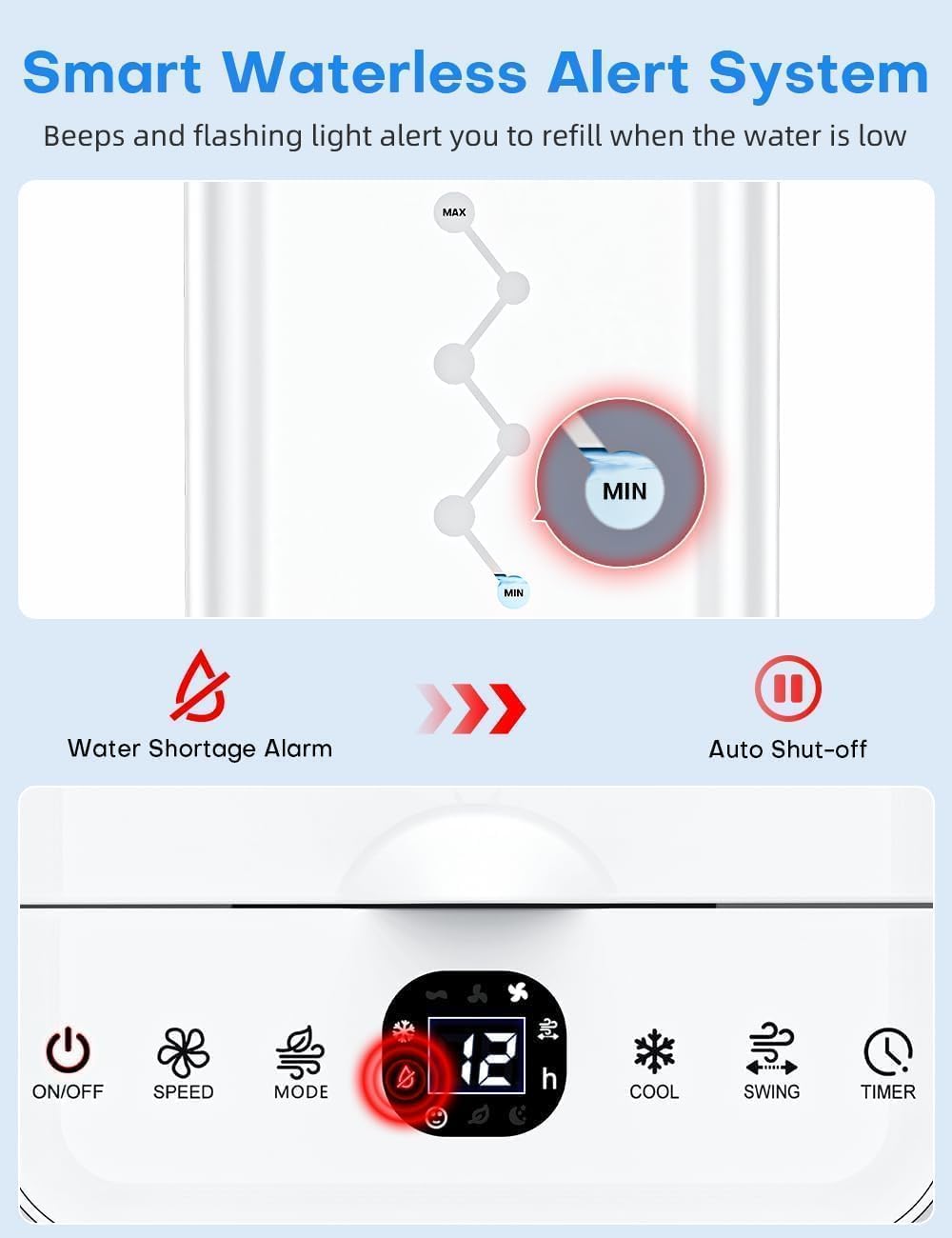
Image: The control panel of the COOLECH JDAC69R displaying a smart waterless alert system, with a red flashing light and an icon indicating low water level, prompting a refill.
5.2 Unit Not Cooling Effectively
- Ensure the water tank is filled to the 'MAX' level.
- Verify that the ice packs are frozen and placed in the water tank.
- Check if the unit is in Cooling Mode.
- Evaporative coolers perform best in dry climates. High humidity may reduce the cooling effect.
5.3 Unusual Noises
Ensure the unit is placed on a flat, stable surface. Check for any obstructions in the air inlet or outlet. If the noise persists, contact customer support.
6. Specifications
| Feature | Detail |
|---|---|
| Model Name | JDAC69R |
| Brand | COOLECH |
| Mounting Type | Freestanding |
| Color | Off White |
| Air Flow Capacity | 1320 Cubic Feet Per Minute (CFM) |
| Max Wind Speed | 22 ft/s |
| Controls Type | Smart LED Touch Control & Remote Control |
| Reservoir Capacity | 2.4 Gallons |
| Noise Level | 40 Decibels (dB) |
| Number of Speeds | 3 |
| Product Dimensions | 23.9"D x 9.3"W x 10.2"H |
| Voltage | 120 Volts |
| Power Consumption | 65W |
| Special Features | 4 Modes (Normal/Natural/Sleep/Cooling), 70° Oscillation, 12H Timer, Waterless Alert System, Detachable Water Tank, Removable Cooling Pad, Built-In Handle, 360° Swivel Wheels, UL Listed, Bladeless Design |
7. Warranty Information
The COOLECH JDAC69R Evaporative Air Cooler comes with a 1-year warranty from the date of purchase. This warranty covers manufacturing defects and malfunctions under normal use. Please retain your proof of purchase for warranty claims.
8. Customer Support
For any questions, concerns, or technical assistance regarding your COOLECH JDAC69R Evaporative Air Cooler, please contact our customer service team:
- Email: support@usfan.net
- Amazon Message: Contact us through your Amazon order details.
Our customer service team is available 7 days a week, 24 hours a day, and we aim to respond to all inquiries within 24 hours.