
BENYAR SMART EF13-J
BENYAR SMART Smartwatch EF13-J User Manual
Model: EF13-J
Introduction
Thank you for choosing the BENYAR SMART EF13-J Smartwatch. This device is designed to enhance your daily life with advanced features for communication, health monitoring, and fitness tracking. This manual provides essential information for setting up, operating, and maintaining your smartwatch to ensure optimal performance and longevity.

Image: The BENYAR SMART EF13-J Smartwatch, showcasing its robust design, metallic and silicone strap options, and various digital watch faces.
Setup Guide
1. Charging the Smartwatch
Before first use, fully charge your smartwatch. Connect the magnetic USB charging cable to the charging points on the back of the watch and to a standard USB power adapter (not included). A full charge takes approximately 2 hours.

Image: A visual comparison highlighting the extended battery life of the 1000mAh battery in the EF13-J smartwatch, indicating up to 15 days of daily use and 45 days of standby.
2. App Download and Pairing
- Download the App: Scan the QR code provided in the included user manual or search for 'FitCloudPro' in your device's app store (Apple App Store for iOS, Google Play Store for Android).
- Install and Open: Install the 'FitCloudPro' app on your smartphone. Ensure your phone's Bluetooth is enabled.
- Pairing: Open the app and follow the on-screen instructions to add your device. The smartwatch uses Bluetooth 5.0/5.3 for stable connection. Ensure your smartphone meets the system requirements: Android 5.0 and above, or iOS 11.0 and above.
3. Strap Installation
Your smartwatch comes with two quick-release straps: a sweat-resistant silicone strap for sports and an elegant 316L stainless steel Milanese bracelet for business. To change straps, locate the quick-release pins on the back of the strap, slide the pin inwards, and align it with the lug holes on the watch body. Release the pin to secure the strap.
Operating Instructions
Display and Navigation
The EF13-J features a 1.85-inch TFT HD round display with 360x360 resolution, offering clear and vivid visuals. The fully laminated touch screen allows for smooth swiping and seamless navigation through menus and features. You can also use the physical buttons on the side for quick access and navigation.
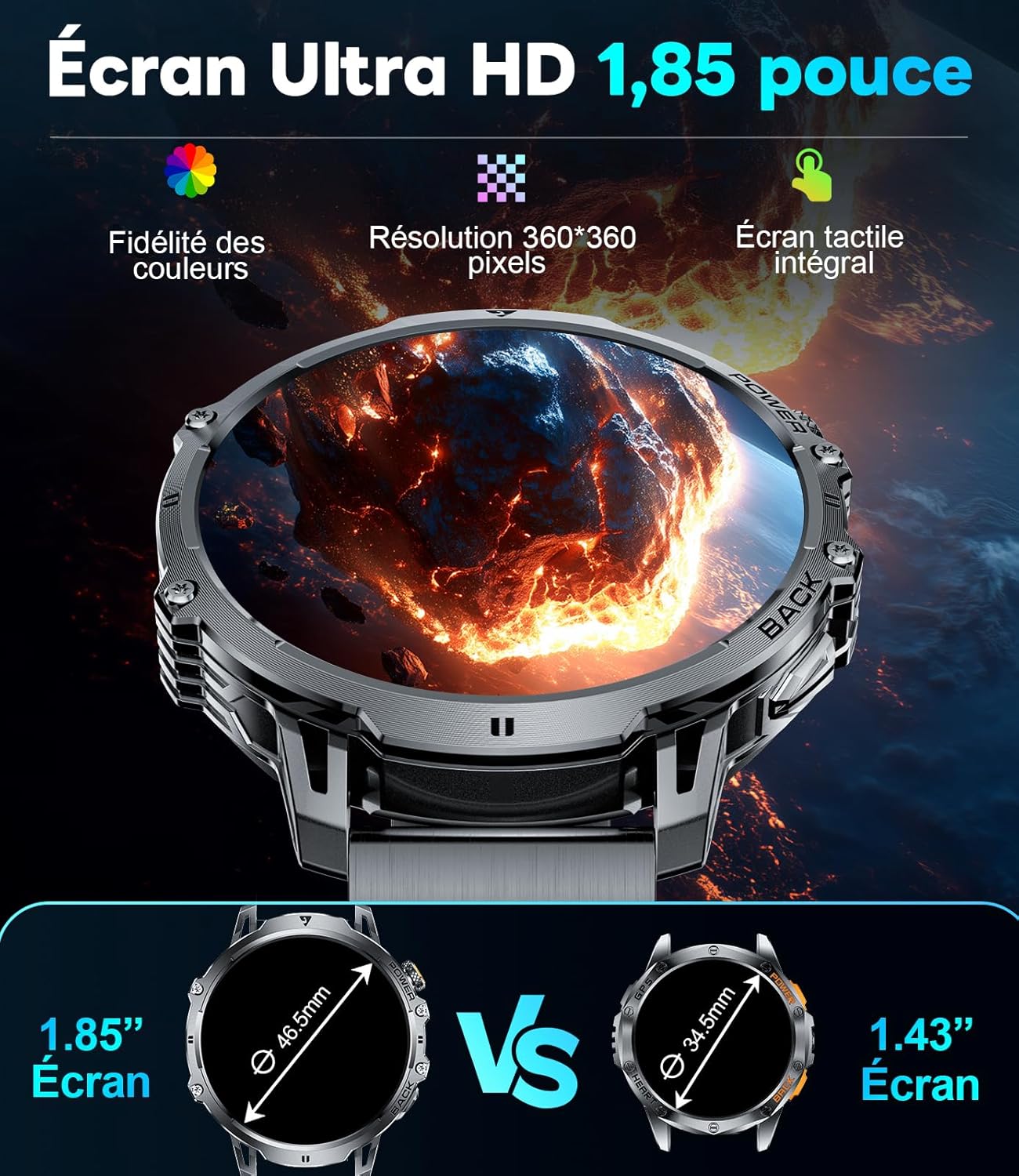
Image: A detailed view of the smartwatch's 1.85-inch Ultra HD screen, emphasizing its color fidelity and 360x360 pixel resolution, alongside a size comparison with a smaller 1.43-inch screen.
Basic Functions
- Time Display: Shows current time, date, and day of the week.
- Pedometer: Tracks your daily steps.
- Calories: Estimates calories burned based on activity.
- Distance: Records the distance covered.
Health Monitoring
- Heart Rate Detection: Monitors your heart rate throughout the day.
- Blood Pressure Detection: Provides blood pressure readings.
- Blood Oxygen Detection: Measures your blood oxygen levels.
- Sleep Monitoring: Tracks sleep time and quality.
Communication Features
- Bluetooth Call/Music: Make and receive calls directly from the watch with clear sound quality, and control music playback on your phone.
- Notifications: Receive incoming call and message reminders, with multilingual push support.
Sports Modes
The smartwatch offers over 120 sports modes (20 pre-installed, 100+ expandable via the app). The highly accurate STK8321 sensor captures precise data such as distance, pace, and calories burned in real-time during your workouts.
Special Features
- LED Torch: An integrated, dimmable LED torch with multiple brightness levels, controllable directly via the display. Ideal for low-light situations.
- Remote Photo: Control your phone's camera remotely from your watch.
- Sedentary Reminder: Alerts you to move after periods of inactivity.
- Stopwatch & Timer: Built-in tools for timing activities.
- Calculator: A convenient calculator on your wrist.
- Weather Forecasts: Get real-time weather updates.
- Breathing Exercises: Guided breathing sessions for relaxation.
- Voice Assistant: Access your phone's voice assistant.

Image: The smartwatch demonstrating its powerful LED torch feature, useful for various scenarios like outdoor adventures, power outages, night walks, and searching in the dark.

Image: An overview of the smartwatch's practical functions, including camera control, stopwatch, phone finder, weather updates, music control, calculator, LED torch, and alarm clock.
Customization
Personalize your smartwatch experience with 5 exclusive dial designs pre-loaded, and access unlimited other designs via the GloryFitPro app. You can also switch between 6 theme interfaces and choose from 25 languages for global usability.
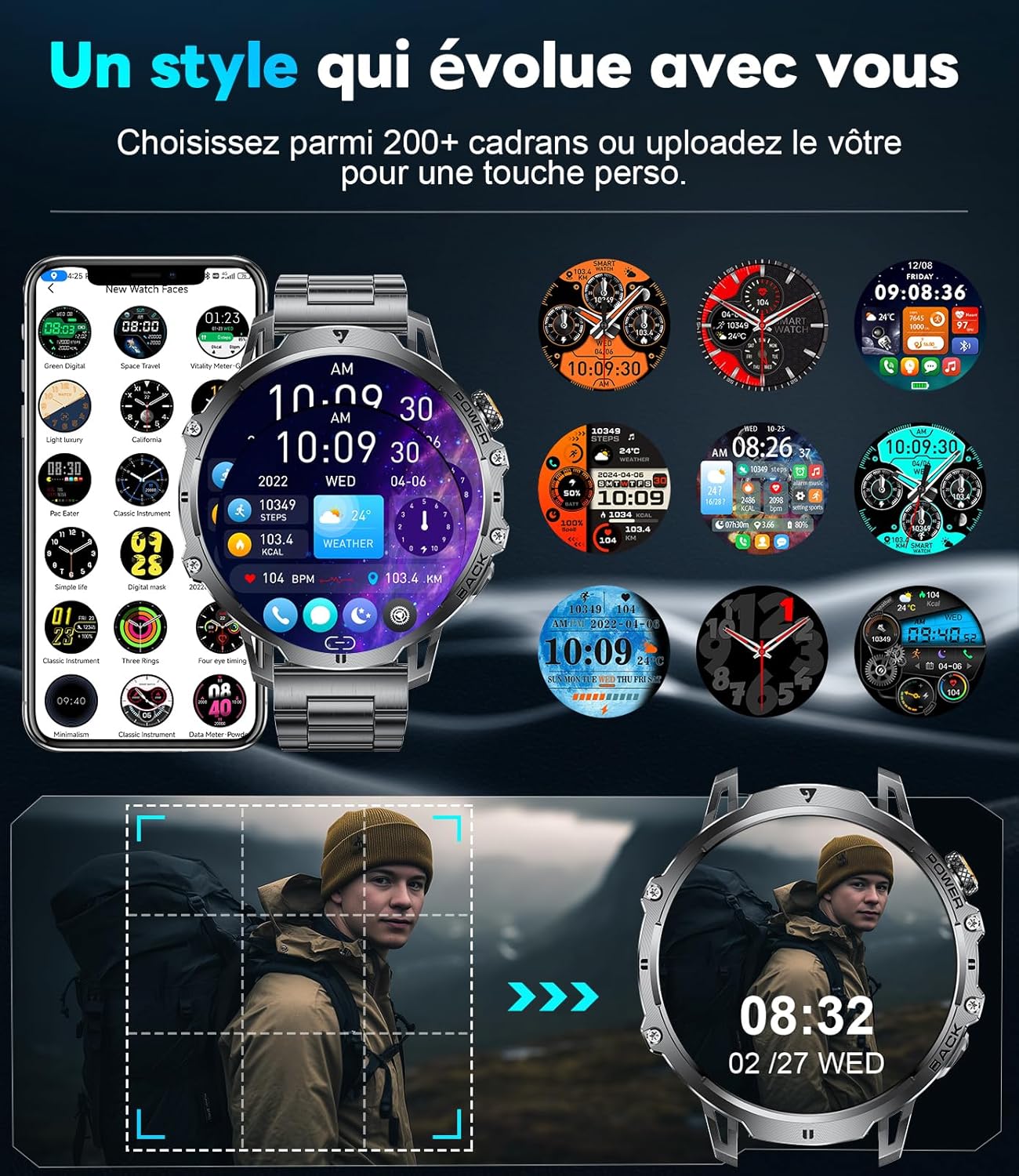
Image: The smartwatch showcasing its customizable watch faces, including the ability to upload personal photos for a unique display.
Maintenance
IP68 Waterproofing
The EF13-J smartwatch is IP68 rated, meaning it is completely dustproof and waterproof up to 1.5 meters depth for 30 minutes. It is suitable for daily activities such as washing hands, showering, and swimming. An optimized waterproof construction and professional water drainage system ensure full functionality even after contact with water.

Image: The smartwatch demonstrating its IP68 waterproof capability, suitable for activities like swimming, hand washing, and use in rain, as well as being sweat-resistant.
Durability and Cleaning
Constructed from high-quality zinc alloy and lightweight PC + ABS material with precise CNC processing, the smartwatch is robust and meets military-grade standards for dust resistance, shock resistance, extreme temperature conditions (-40°C to 70°C), and fluid corrosion resistance. To clean, wipe the watch and straps with a soft, damp cloth. Avoid using harsh chemicals or abrasive materials.

Image: The smartwatch highlighting its military-grade quality, including resistance to dust, shocks, extreme temperatures, and fluid corrosion.
Troubleshooting
If you encounter any issues with your BENYAR SMART EF13-J Smartwatch, please refer to the following common solutions:
- Connectivity Issues: Ensure Bluetooth is enabled on your phone and the watch is within range. Restart both the watch and your phone, then try re-pairing through the FitCloudPro app.
- App Synchronization Problems: Check if the FitCloudPro app is updated to the latest version. Ensure the app has necessary permissions (e.g., location, notifications) on your phone.
- Inaccurate Readings: Ensure the watch is worn snugly on your wrist, not too tight or too loose. Clean the sensors on the back of the watch regularly.
- Battery Draining Quickly: Reduce screen brightness, disable unnecessary notifications, and limit continuous heart rate monitoring if not needed. Ensure the watch is fully charged using the provided magnetic cable.
- Watch Not Turning On: Connect the watch to its charger for at least 10 minutes to ensure it has sufficient power.
For more detailed troubleshooting or persistent issues, please consult the 'Help' section within the FitCloudPro app or contact customer support.
Specifications
| Feature | Detail |
|---|---|
| Model | EF13-J |
| Display | 1.85-inch TFT HD Round Display, 360x360 Resolution |
| Battery Capacity | 1000 mAh |
| Battery Life (Normal Use) | 7-10 days |
| Standby Time | Over 50 days |
| Charging Time | Approx. 2 hours |
| Chipset | Realtek 8773EWE VP |
| Bluetooth Version | 5.0 / 5.3 |
| Compatibility | Android 5.0+ / iOS 11.0+ |
| Waterproof Rating | IP68 |
| Weight | 56.7 g |
| Materials | Zinc Alloy, PC + ABS |
| Memory Storage Capacity | 256 MB |
| Included Accessories | 1 x Smartwatch, 1 x User Manual, 1 x Magnetic USB Charging Cable, 1 x Black Stainless Steel Strap, 1 x Black Silicone Strap |

Image: Product dimensions and included accessories, showing the smartwatch with different strap options.
Warranty and Support
BENYAR SMART stands behind the quality of the EF13-J Smartwatch with comprehensive support:
- Return Policy: 30 days return policy.
- Warranty: 2 years warranty from the date of purchase.
- Customer Support: Lifetime support and 24/7 customer service are available for any inquiries or assistance you may need.