
Iris Ohyama 500341
IRIS USA WOOZOO 3.5" Cordless Portable Personal Fan
Model 500341 Instruction Manual
1. Introduction
Thank you for purchasing the IRIS USA WOOZOO 3.5" Cordless Portable Personal Fan. This manual provides essential information for the safe and efficient operation of your new fan. Please read it thoroughly before use and retain it for future reference.
This compact and versatile fan is designed for personalized cooling in various indoor and outdoor environments. It features a flexible tripod stand, multiple fan speeds, an integrated LED light, and an aroma tray for added functionality.
2. Safety Information
- Read all instructions before operating the fan.
- Do not insert fingers or any objects into the fan grill while it is operating.
- Keep hair, clothing, and loose items away from the fan blades.
- Do not use the fan near water or in excessively humid environments.
- Ensure the fan is placed on a stable surface or securely attached when in use.
- Use only the provided USB-C cable for charging.
- Do not attempt to disassemble or repair the fan yourself. Contact customer support for assistance.
- Keep out of reach of small children and pets. The grill gap is 0.25 inches, designed to protect small fingers and paws.
3. Package Contents
Verify that all items are present in the package:
- IRIS USA WOOZOO 3.5" Cordless Portable Personal Fan
- Flexible Tripod Stand
- USB-C Charging Cable
- Aroma Pads (3 included)
- Instruction Manual
4. Product Overview
Familiarize yourself with the components and features of your fan.

Image: The IRIS USA WOOZOO 3.5" Cordless Portable Personal Fan with its flexible tripod stand attached to a metal bar.

Image: Diagram showing the dimensions of the fan: 4.7 inches deep, 2.5 inches wide, and 12.2 inches high with the tripod. A man is shown working in a workshop with the fan on a table.
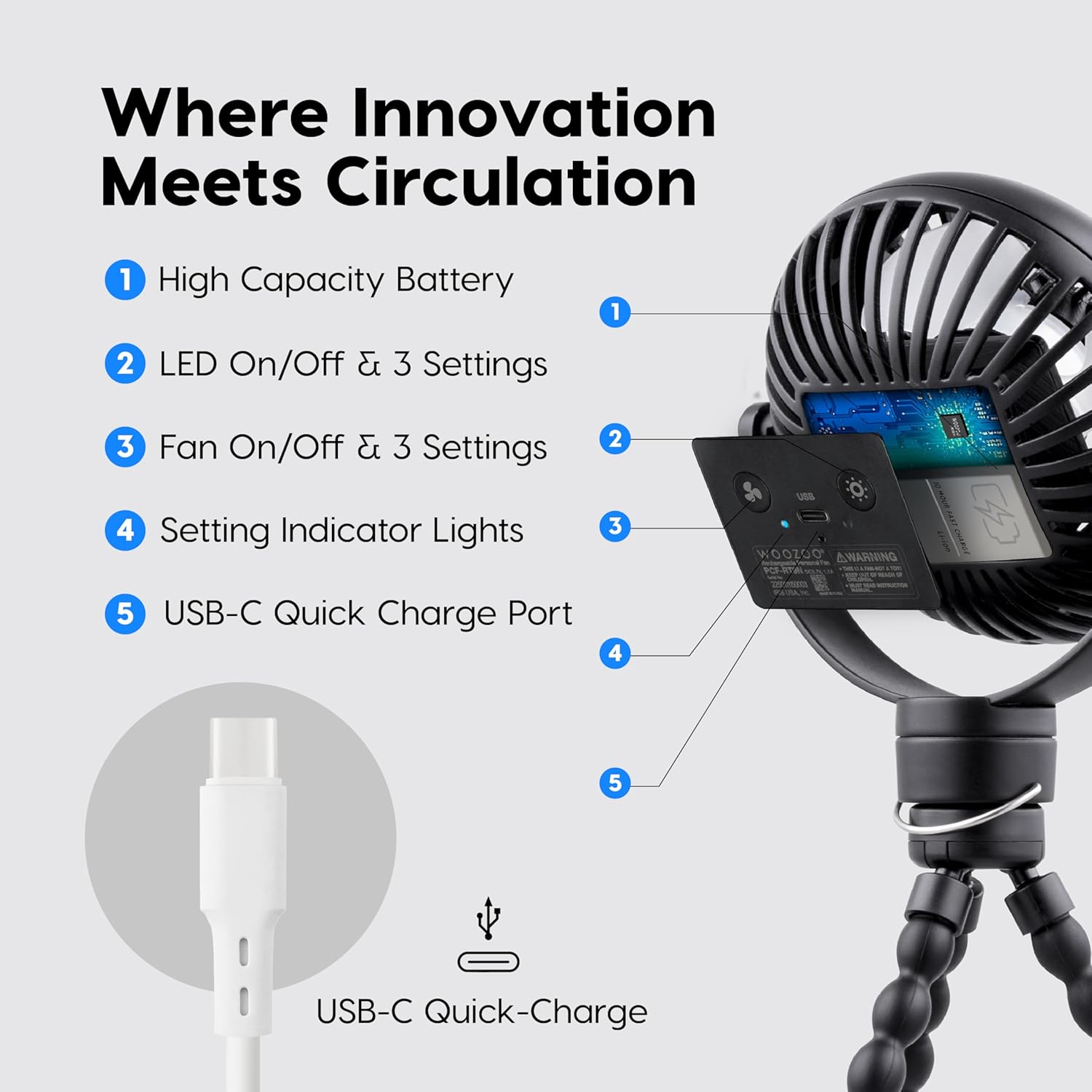
Image: A close-up view of the fan's control panel, highlighting the High Capacity Battery, LED On/Off & 3 Settings, Fan On/Off & 3 Settings, Setting Indicator Lights, and USB-C Quick Charge Port.
5. Setup
- Attach the Tripod: Align the fan's base with the tripod's mounting screw. Twist clockwise to secure the fan to the tripod.
- Positioning: The flexible tripod legs allow for versatile placement. You can wrap them around objects (e.g., stroller handles, gym equipment), stand the fan on a flat surface, or use it handheld.
- Initial Charge: Before first use, fully charge the fan using the provided USB-C cable. Refer to the 'Charging' section for details.
6. Operating Instructions
The fan features touch controls for power and speed adjustments.
- Power On/Off: Press the fan power button once to turn on the fan at the lowest speed. Press again to cycle through speeds. Press and hold to turn off.
- Adjust Fan Speed: With the fan on, short press the fan power button to cycle through 3 speed settings (Low, Medium, High).
- Adjust Tilt: Manually adjust the fan head 360 degrees vertically and horizontally to direct airflow as desired.
7. Charging
The fan is equipped with a rechargeable Lithium Ion battery.
- Charging Port: Locate the USB-C charging port on the fan's control panel.
- Connect: Insert the USB-C cable into the fan's port and the other end into a compatible USB power adapter (not included) or a computer USB port.
- Charging Indicator: The indicator lights will show charging status.
- Charging Time: A full charge typically takes approximately 2 hours.
- Runtime: The fan provides up to 10 hours of operation on a single charge, depending on the speed setting and LED light usage.

Image: Visual representation of the fan's cordless operation, up to 10 hours of use per charge, and USB-C fast charging capability (charges in 2 hours).
8. LED Light Functions
The fan includes an integrated LED light with multiple settings.
- Power On/Off: Press the LED light button once to turn on the light at its lowest setting.
- Adjust Light Mode: Short press the LED light button to cycle through 3 light modes: Night-Light Mode, Reading Mode, and Bright Mode.
- Turn Off Light: Continue pressing the LED light button until the light turns off.
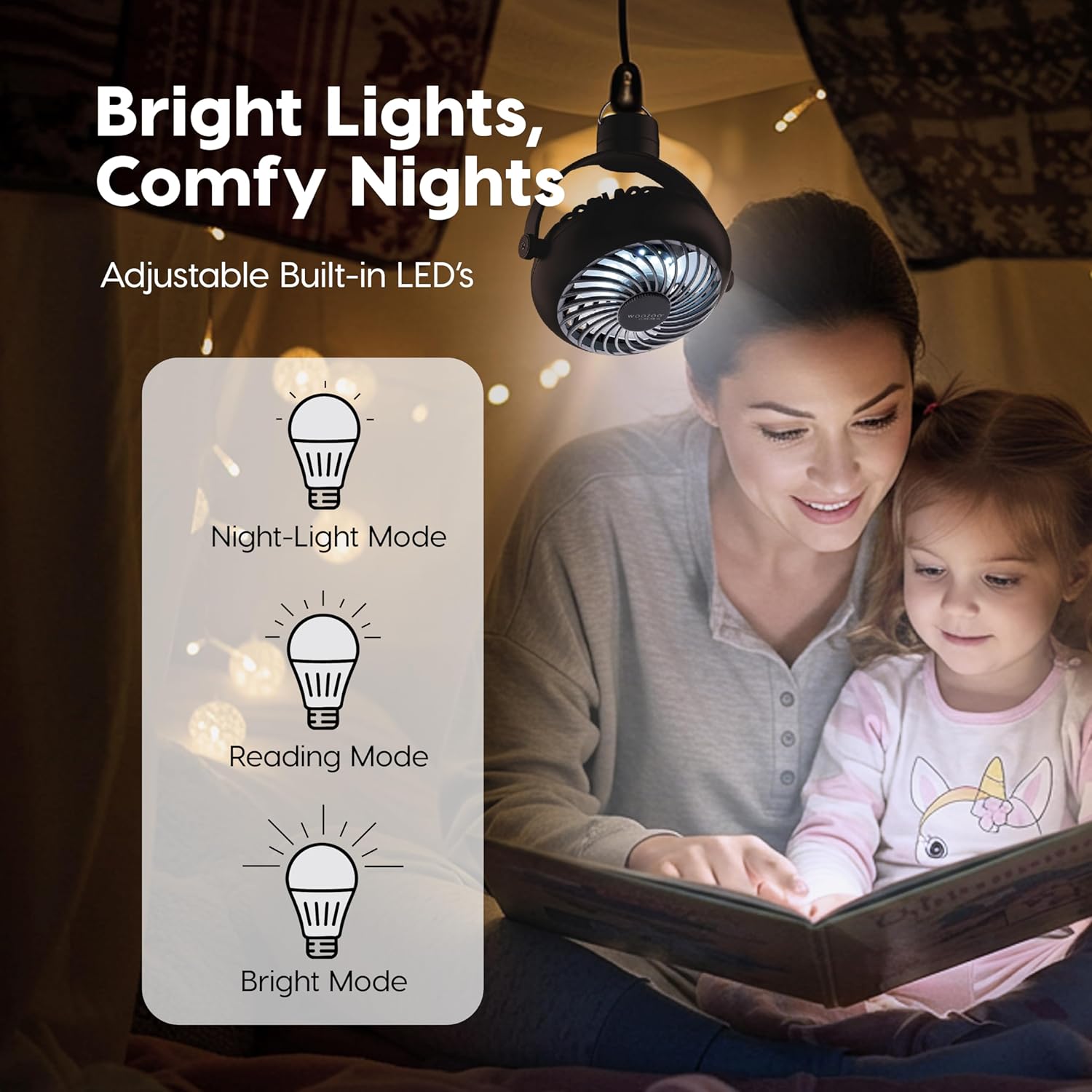
Image: Illustration of the three adjustable LED light settings: Night-Light Mode, Reading Mode, and Bright Mode, shown with a woman and child reading under a tent.
9. Aroma Tray Usage
The fan features an aroma tray for scent enhancement or mosquito repellent.
- Locate Tray: The aroma tray is located on the back of the fan grill.
- Open: Gently twist the compartment cover counter-clockwise to open.
- Insert Pad: Place one of the included aroma pads into the tray.
- Apply Scent/Repellent: Apply a few drops of your preferred essential oil or mosquito repellent liquid onto the pad.
- Close: Close the compartment cover by twisting clockwise until secure.
- Activate: Turn on the fan to circulate the scent or repellent throughout the area.

Image: The fan's aroma tray feature, demonstrating how to apply repellent and circulate scent. The fan is shown attached to a backpack.

Image: A woman relaxing with the fan, illustrating the use of the aroma tray to circulate essential oils or scents.
10. Maintenance
Regular cleaning ensures optimal performance and longevity of your fan.
- Cleaning the Grill: The front grill can be detached for easy cleaning. Gently twist the front grill counter-clockwise to remove it.
- Blade Cleaning: Use a soft, dry cloth or a brush to carefully wipe dust from the fan blades.
- Reassembly: After cleaning, align the front grill and twist clockwise to secure it back in place.
- Exterior Cleaning: Wipe the exterior of the fan with a soft, damp cloth. Do not use abrasive cleaners or immerse the fan in water.
11. Troubleshooting
If you encounter issues, refer to the following common problems and solutions:
| Problem | Possible Cause | Solution |
|---|---|---|
| Fan does not turn on. | Battery is depleted. | Charge the fan using the USB-C cable. |
| Fan airflow is weak. | Fan speed is set too low; Blades are dirty. | Increase fan speed; Clean the fan blades and grill. |
| LED light does not turn on. | Battery is depleted; Light button not pressed correctly. | Charge the fan; Press the LED light button to cycle through modes. |
| Aroma not dispersing. | Aroma pad is dry; Tray cover not closed properly. | Add more essential oil/repellent to the pad; Ensure the aroma tray cover is securely closed. |
If the problem persists after attempting these solutions, please contact customer support.
12. Specifications
- Model Name: 500341
- Brand: Iris Ohyama
- Product Dimensions: 4.7"D x 2.5"W x 12.2"H
- Item Weight: 9.6 ounces
- Power Source: Lithium Ion Battery
- Charging: USB-C (5 Volts)
- Wattage: 5 watts
- Number of Fan Speeds: 3
- LED Light Modes: 3 (Night-Light, Reading, Bright)
- Special Features: Adjustable Tilt (360°), Lightweight, Portable, Quiet Operation, Aroma Tray
- Indoor/Outdoor Usage: Yes
- UPC: 762016501536
13. Warranty and Support
For warranty information or technical support, please refer to the official Iris Ohyama website or contact their customer service department. Keep your purchase receipt as proof of purchase.
Contact Information: Please visit www.irisusainc.com for support and contact details.
Related Documents - 500341
 |
Iris Ohyama Air Purifier User Manual User manual for the Iris Ohyama air purifier, providing instructions on operation, maintenance, and safety precautions. |
 |
IRIS OHYAMA BMA型 ジャー炊飯器 かんたん操作ガイド IRIS OHYAMA BMA型 ジャー炊飯器の簡単操作ガイド。部品の取り付け・取り外し、時刻合わせ、炊飯、予約、保温機能、メニュー選択方法を説明します。安全上の注意、お手入れ方法、仕様も記載。 |
 |
IRIS OHYAMA DDC-50 Dehumidifier with Fan User Manual User manual for the IRIS OHYAMA DDC-50 Dehumidifier with Fan, providing detailed instructions on safety precautions, operation, maintenance, troubleshooting, and specifications. |
 |
Iris Ohyama PC-MA3 Pressure Cooker User Manual Comprehensive user manual for the Iris Ohyama PC-MA3 pressure cooker, covering safety precautions, automatic and manual cooking modes, maintenance, and troubleshooting. |
 |
IRIS OHYAMA JMD8BG 充電式ボールグリップ ミニドライバ 取扱説明書 IRIS OHYAMA JMD8BG 充電式ボールグリップ ミニドライバの取扱説明書。安全上の注意、使い方、お手入れ、保証、仕様、リサイクル方法などを記載。家庭用電動ドライバー。 |
 |
IRIS OHYAMA 冷凍冷蔵庫 IRSN-HF15A かんたん操作ガイド IRIS OHYAMA 冷凍冷蔵庫 IRSN-HF15A のかんたん操作ガイド。製品の設置、基本的な操作方法、温度設定、お手入れ、および安全に関する重要な注意事項を簡潔にまとめています。初めてご使用になる方や、基本的な使い方を確認したい方に最適です。 |
Ask a question about this manual
Ask about setup, troubleshooting, compatibility, parts, safety, or missing instructions. Manuals+ will review the question and use this page’s manual context to help answer it.