
1. Introduction
This manual provides essential instructions for the safe and effective use of your Canal Toys Photo Creator Mini Digicam CLK 061. Please read this manual thoroughly before operating the device and retain it for future reference. This compact digital camera is designed for capturing photos and videos with ease, featuring a 12MP sensor and 1080p Full HD video recording capabilities.
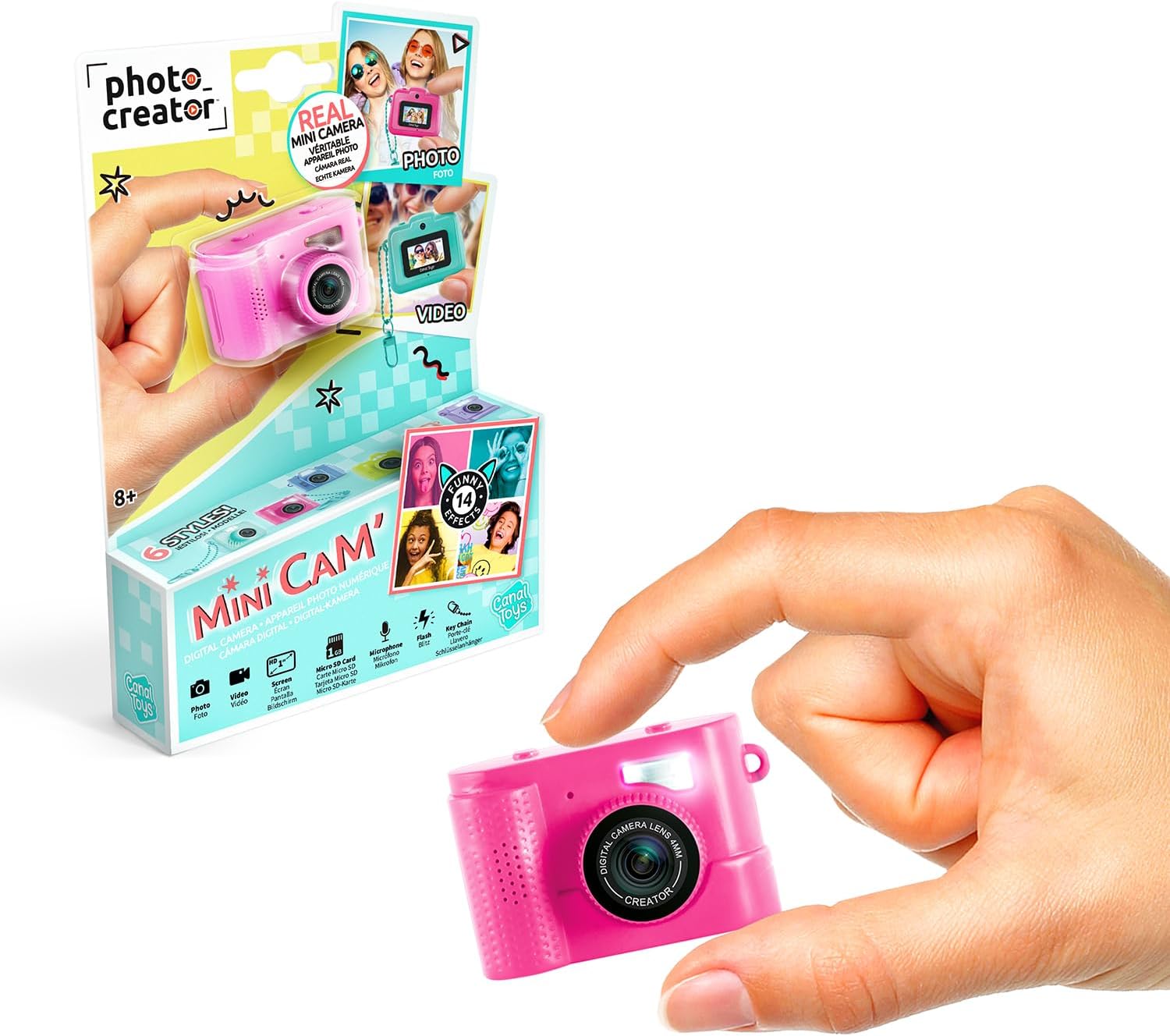
Image 1.1: The Canal Toys Photo Creator Mini Digicam CLK 061 and its packaging.
2. Product Overview
2.1 Key Features
- Compact Design: Miniature and lightweight for portability.
- High Resolution: 12MP maximum webcam image resolution for photos.
- Video Recording: 1080p Full HD video capability.
- Display: 1.5-inch LCD screen for viewing and navigation.
- Selfie Mode: Dedicated mode for self-portraits.
- Creative Filters: Includes 6 frames and 8 color filters.
- Storage: MicroSD card slot, supports up to 64GB (1GB card included).
- Connectivity: USB-C for charging and data transfer.
2.2 Package Contents
Ensure all items are present in the package:
- 1 x Canal Toys Photo Creator Mini Digicam CLK 061
- 1 x Keychain
- 1 x 1GB Micro SD Card
- 1 x USB-C Charging Cable
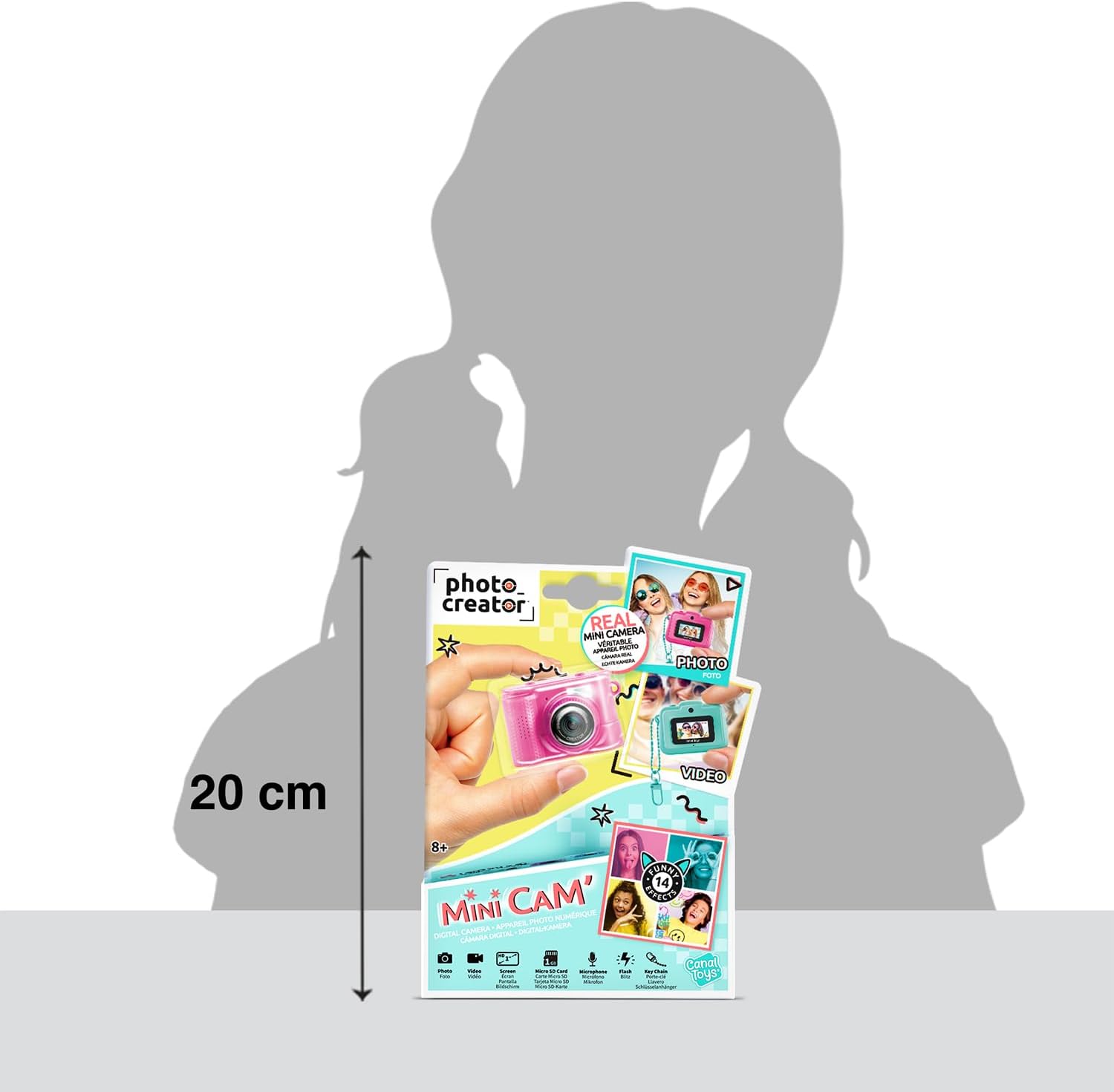
Image 2.1: Included accessories: camera, keychain, 1GB Micro SD card, and USB-C cable.
3. Setup
3.1 Charging the Battery
- Locate the USB-C port on the camera.
- Connect the provided USB-C cable to the camera and the other end to a compatible USB power source (e.g., computer, USB wall adapter).
- The charging indicator light will illuminate. Charging is complete when the light changes color or turns off (refer to camera display for battery status).
3.2 Inserting the Micro SD Card
The camera requires a Micro SD card to store photos and videos. A 1GB Micro SD card is included, and the camera supports cards up to 64GB.
- Locate the Micro SD card slot on the side of the camera.
- Gently insert the Micro SD card into the slot with the gold contacts facing down (or as indicated by the diagram near the slot) until it clicks into place.
- To remove the card, gently push it in until it clicks, then release, and it will spring out.

Image 3.1: Micro SD card and USB-C cable for camera setup.
4. Operating Instructions
4.1 Power On/Off
- To Power On: Press and hold the power button (usually located on the top or side) for a few seconds until the screen illuminates.
- To Power Off: Press and hold the power button again until the screen turns off.
4.2 Taking Photos
- Ensure the camera is in photo mode (indicated on the LCD screen). Use the mode button if necessary to switch.
- Frame your shot using the LCD screen.
- Press the shutter button (typically on top) to capture the photo.
4.3 Recording Videos
- Switch the camera to video mode using the mode button.
- Press the shutter button once to start recording. A timer or indicator will show recording is active.
- Press the shutter button again to stop recording.
4.4 Using Selfie Mode and Filters
- The camera features a front lens for selfie mode. Activate selfie mode via the menu or a dedicated button.
- Navigate through the camera's menu to access the 6 frames and 8 color filters. Select your desired effect before taking a photo or video.

Image 4.1: Examples of creative effects and filters.
4.5 Transferring Files
- Connect the camera to a computer using the USB-C cable.
- The camera should appear as a removable drive on your computer.
- Open the drive to access and copy your photos and videos. Alternatively, remove the Micro SD card and insert it into a compatible card reader connected to your computer.
5. Maintenance
5.1 Cleaning the Camera
- Use a soft, dry cloth to clean the camera body.
- For the lens and screen, use a specialized lens cleaning cloth and solution if necessary, applying gently to avoid scratches.
- Do not use harsh chemicals or abrasive materials.
5.2 Battery Care
- Charge the battery regularly, even if the camera is not in frequent use, to maintain battery health.
- Avoid exposing the camera to extreme temperatures, which can affect battery performance.
5.3 Storage
- Store the camera in a cool, dry place away from direct sunlight and moisture.
- If storing for an extended period, ensure the battery is partially charged (around 50%) to prevent deep discharge.
6. Troubleshooting
- Camera not turning on: Ensure the battery is charged. Connect to a power source and try again.
- "SD Card Error" message: Reinsert the Micro SD card. Ensure it is properly formatted (FAT32 recommended) and not damaged. Try a different compatible Micro SD card.
- Poor image/video quality: Ensure the lens is clean. Check lighting conditions. Ensure the camera is held steady during capture.
- Cannot transfer files to computer: Ensure the USB-C cable is securely connected. Try a different USB port or cable. Ensure the camera is powered on when connected.
7. Specifications
| Feature | Specification |
|---|---|
| Brand | Canal Toys |
| Model Name | CLK 061 |
| Maximum Webcam Image Resolution | 12 MP |
| Effective Still Resolution | 3 MP |
| Photo Sensor Technology | CMOS |
| Photo Sensor Size | 1/10 |
| Supported File Format | JPEG |
| Aspect Ratio | 16:9 |
| Exposure Control Type | Automatic |
| Form Factor | Compact |
| Storage Media | Micro SD (1GB included, supports up to 64GB) |
| Connectivity | USB-C |

Image 7.1: Product packaging dimensions.
8. Warranty and Support
For warranty information and customer support, please refer to the documentation included with your purchase or contact Canal Toys directly through their official website. Keep your proof of purchase for any warranty claims.
Manufacturer: Canal Toys
Developed in: France
UPC: 3555801706493


