
1. Introduction
This manual provides essential information for the proper installation, operation, and maintenance of your GregYoung Fardriver ND72360 72V BLDC Programmable E-Bike Controller. Please read this manual thoroughly before using the product to ensure safe and efficient operation.
2. Safety Information
Always prioritize safety when working with electrical components. Failure to follow these safety guidelines may result in injury or damage to the product.
- Ensure all power sources are disconnected before installation or maintenance.
- Wear appropriate personal protective equipment (PPE), such as insulated gloves and eye protection.
- Avoid contact with live electrical circuits.
- Do not expose the controller to water or extreme temperatures unless specified for such conditions.
- Consult a qualified technician if you are unsure about any installation or wiring procedures.
3. Package Contents
Verify that all items are present and undamaged upon unpacking:
- Fardriver ND72360 BLDC Programmable E-Bike Controller
- Bluetooth Module
- Wiring Harness (if included in specific package)
4. Product Overview
The GregYoung Fardriver ND72360 is a 72V BLDC programmable controller designed for electric bikes and motorcycles. It offers advanced programming features for fine-tuning performance and optimizing ride characteristics. The controller is built with durable materials for reliability in various outdoor conditions and includes a Bluetooth module for convenient wireless configuration.
Key Features:
- Wide Compatibility: Compatible with various E-Bike and electric motorcycle setups.
- Advanced Programming: Allows users to fine-tune settings for enhanced performance.
- Durable Design: Constructed with high-quality aluminum to withstand outdoor use.
- Integrated Bluetooth: Comes with a Bluetooth module for wireless connectivity and configuration.

Figure 1: Top view of the Fardriver ND72360 controller, highlighting its main connections and robust green casing.
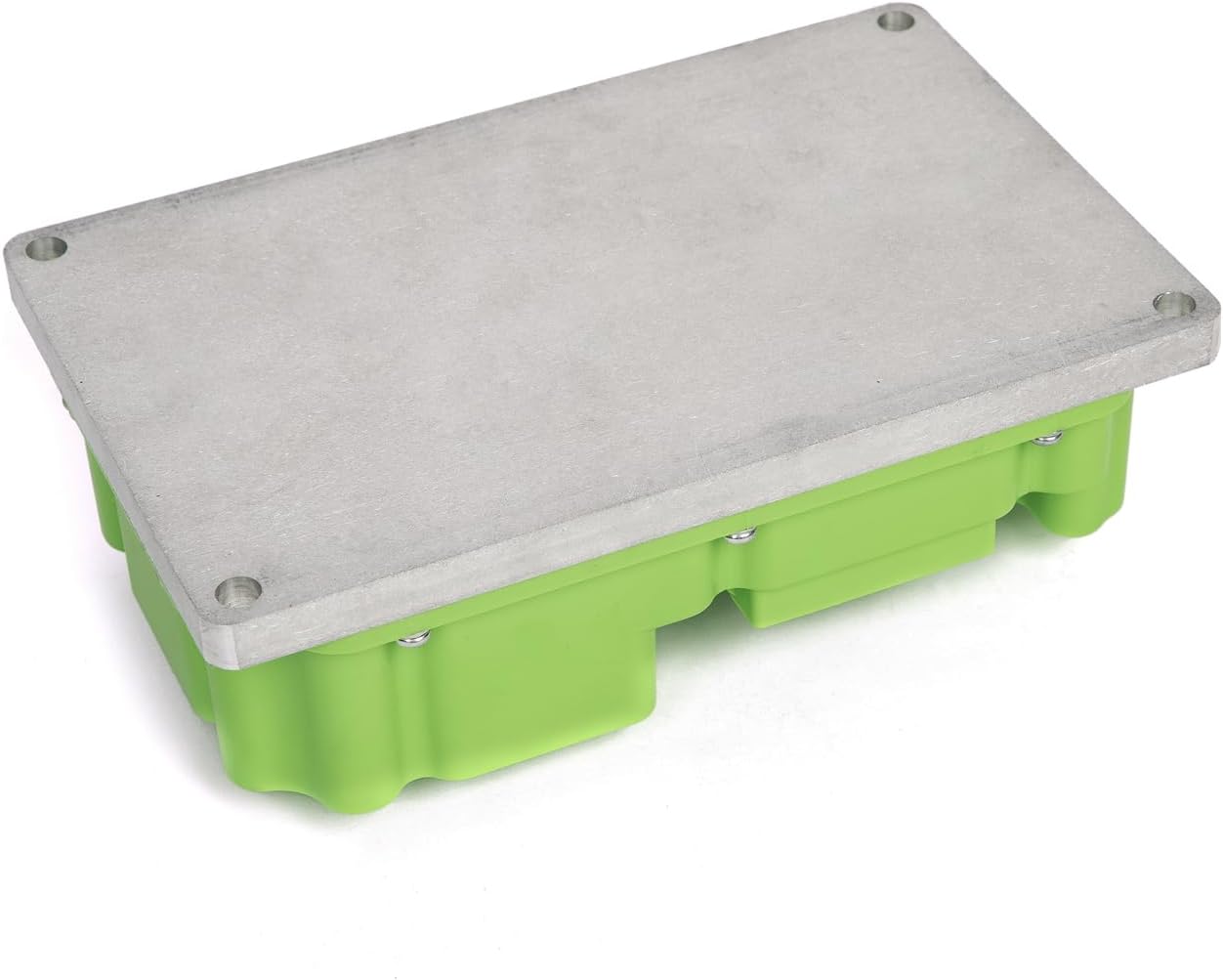
Figure 2: Bottom view of the Fardriver ND72360 controller, illustrating the aluminum base designed for heat dissipation and secure mounting.
5. Setup and Installation
Proper installation is crucial for the controller's performance and longevity. Refer to the wiring tutorial provided by the manufacturer for detailed connection instructions.
5.1 Mounting the Controller
- Select a secure, well-ventilated location on your E-bike or motorcycle, away from direct heat, water, and excessive vibration.
- Use appropriate fasteners to mount the controller securely to the frame. Ensure the aluminum base has good contact with a metal surface for optimal heat dissipation.
5.2 Wiring Connections
The controller requires connections for battery power, motor phases, and various control signals. A wiring tutorial is available to assist with this process.
- Battery Connections: Connect the main battery positive (B+) and negative (B-) terminals to the corresponding ports on the controller. Ensure correct polarity.
- Motor Phase Connections: Connect the U, V, and W phase wires from your BLDC motor to the respective terminals on the controller.
- Signal Wires: Connect throttle, brake, hall sensors, and other auxiliary wires as per the wiring diagram.
- Bluetooth Module: Connect the included Bluetooth module to its designated port on the wiring harness.

Figure 3: The Fardriver ND72360 controller with its associated wiring harness and Bluetooth module, illustrating the components involved in installation.

Figure 4: Detailed view of the controller's power and motor phase terminals, indicating the B+, B-, U, V, W connections with their protective caps.

Figure 5: Close-up of the controller's terminals and the large multi-pin connector, which handles various signal inputs and outputs.
6. Operating Instructions
6.1 Initial Power-Up
After completing all wiring, double-check connections before applying power. Turn on the E-bike's main power switch. The controller should initialize, and any connected display (LCD or LED) should power on.
6.2 Bluetooth Connection and Programming
The Fardriver ND72360 controller can be configured wirelessly via Bluetooth. This allows for advanced programming and fine-tuning of parameters such as motor current limits, speed settings, and regenerative braking.
- Ensure the Bluetooth module is connected and powered.
- Download the official Fardriver programming application to your smartphone or compatible device.
- Open the application and search for available Bluetooth devices. Select the controller's Bluetooth ID.
- Once connected, you can access various parameters to customize your E-bike's performance. Refer to the application's user guide for detailed programming instructions.
7. Maintenance
Regular maintenance helps ensure the longevity and optimal performance of your controller.
- Cleaning: Periodically clean the exterior of the controller with a dry, soft cloth. Avoid using harsh chemicals or solvents.
- Connections: Routinely check all wiring connections for tightness and signs of corrosion. Secure any loose connections.
- Inspection: Inspect the controller for any physical damage, cracks, or signs of overheating.
- Ventilation: Ensure the controller's mounting location remains clear of obstructions to allow for proper airflow and heat dissipation.
8. Troubleshooting
If you encounter issues with your Fardriver ND72360 controller, refer to the following common troubleshooting steps:
- No Power: Check battery connections, main power switch, and ensure the battery is charged.
- Motor Not Responding: Verify motor phase connections, hall sensor connections, and throttle input. Check for error codes on your display, if applicable.
- Bluetooth Connection Issues: Ensure the Bluetooth module is properly connected and powered. Restart the application and your device. Check for interference from other wireless devices.
- Overheating: Ensure the controller has adequate ventilation. Reduce continuous high-power usage if possible.
For persistent issues, contact customer support.
9. Specifications
| Attribute | Specification |
|---|---|
| Brand | GregYoung |
| Model Number | ND72360 |
| Voltage | 72 Volts |
| Material | Aluminum |
| Item Weight | 5.59 pounds |
| Package Dimensions | 10.04 x 9.88 x 3.82 inches |
| Included Components | Speed Controller |
| Batteries Required | No |
| Display Type | LCD or LED (compatible) |
10. Warranty Information
This GregYoung Fardriver ND72360 controller comes with a 180-day warranty from the date of purchase. This warranty covers manufacturing defects under normal use. It does not cover damage resulting from improper installation, misuse, accidents, or unauthorized modifications. Please retain your proof of purchase for warranty claims.
11. Support & Contact
For technical assistance, warranty claims, or further inquiries, please contact GregYoung customer support. You may also find additional resources and wiring diagrams by scanning the QR code found on the product label or visiting the associated link: