
1. Introduction
The MeshPocket Qi2 Magnetic Power Bank is a versatile device combining a 5000mAh portable power bank with Qi2-certified magnetic wireless charging and integrated Bluetooth/LoRa communication capabilities. It features an e-ink display and is designed for both daily charging needs and Meshtastic system integration, making it suitable for outdoor activities and emergency communication.
This manual provides essential information for the safe and efficient operation of your MeshPocket device. Please read it thoroughly before use.
2. Product Components
The MeshPocket device includes the following key components:
- E-Ink Display: For status information and Meshtastic messages.
- Charging Indicator Light: Provides visual feedback on charging status and battery level.
- Firmware Upgrade Interface: For updating device firmware.
- Power Control Button: To power on/off the device and control functions.
- Type-C Input/Output Port: For wired charging and discharging.
- Magnetic Wireless Charging Area: For Qi2-compatible wireless charging.
- LoRa Antenna: For long-range communication.
- Function USER Button: User-programmable button.
- Function RST Button: Reset button.

Image: Detailed diagram of the MeshPocket device highlighting its various components and their functions.
3. Package Contents
Verify that all items are present in the package:
- MeshPocket Power Bank
- USB-A to Magnetic Cable
- USB-C to USB-C Cable
- Magnetic Sticker
- User Manual

Image: Contents of the MeshPocket product package.
4. Setup
4.1 Initial Charging
Before first use, fully charge your MeshPocket power bank using the provided USB-C to USB-C cable and a compatible power adapter. The charging indicator light will provide feedback on the charging status.
4.2 Meshtastic Integration
The MeshPocket integrates with Meshtastic systems via Bluetooth and LoRa technology. To set up Meshtastic functionality:
- Download the official Meshtastic application on your smartphone.
- Power on the MeshPocket device.
- Open the Meshtastic app and follow the on-screen instructions to connect to your MeshPocket via Bluetooth.
- Configure your Meshtastic node settings within the app.
For advanced customization and specialized uses, the device supports open-source firmware. Refer to the official Meshtastic documentation and community resources for detailed instructions on firmware upgrades and custom configurations.
5. Operating Instructions
5.1 Powering On/Off
Press and hold the Power Control Button for a few seconds to power the device on or off. The e-ink display will activate upon power-on.
5.2 Wireless Charging (Qi2 Magnetic)
Align your Qi2-compatible smartphone or device with the magnetic wireless charging area on the MeshPocket. The device will automatically begin charging at 5W-15W, depending on the connected device's capabilities.

Image: MeshPocket providing wireless charging to a smartphone.
5.3 Wired Charging (USB-C)
Connect your device to the MeshPocket's USB-C port using a compatible cable for fast charging up to 20W. The MeshPocket supports Power Delivery (PD) and Adaptive Fast Charging (AFC) protocols.
The MeshPocket supports simultaneous wireless and wired discharging, allowing you to charge two devices at once.
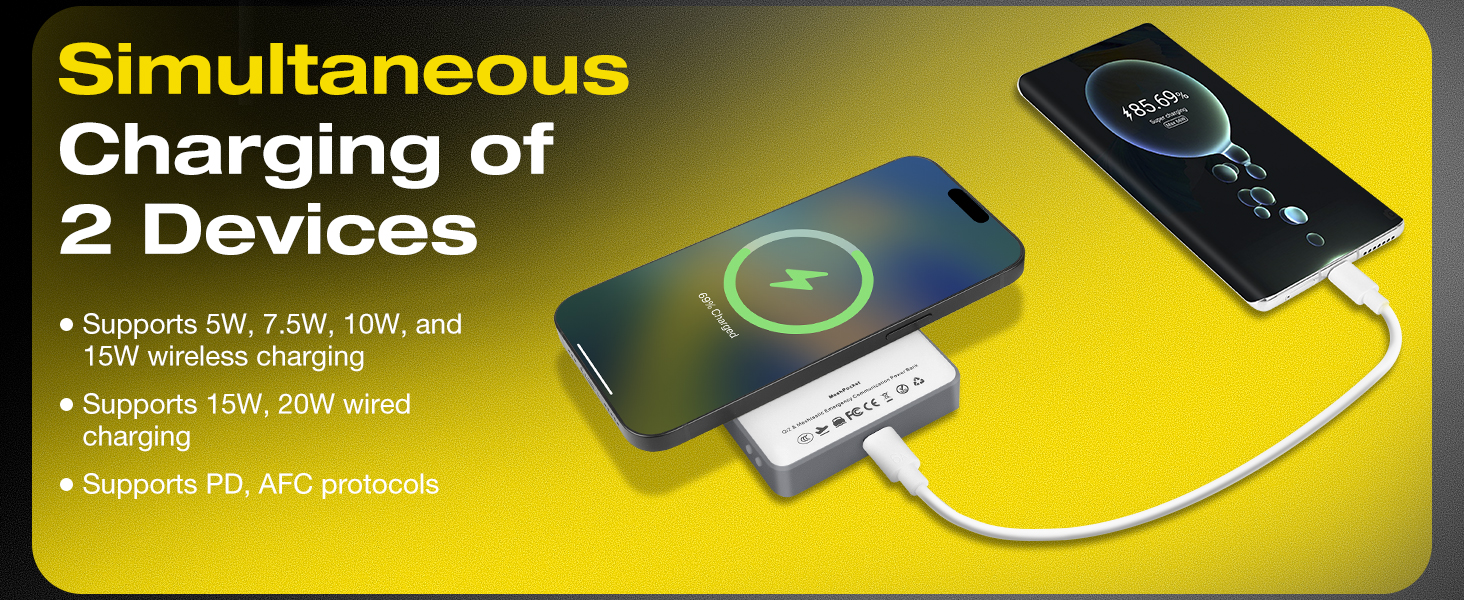
Image: Simultaneous charging of two devices using the MeshPocket.
5.4 Recharging the MeshPocket
To recharge the MeshPocket, connect it to a power source using the USB-C port. The device supports simultaneous charging and discharging.
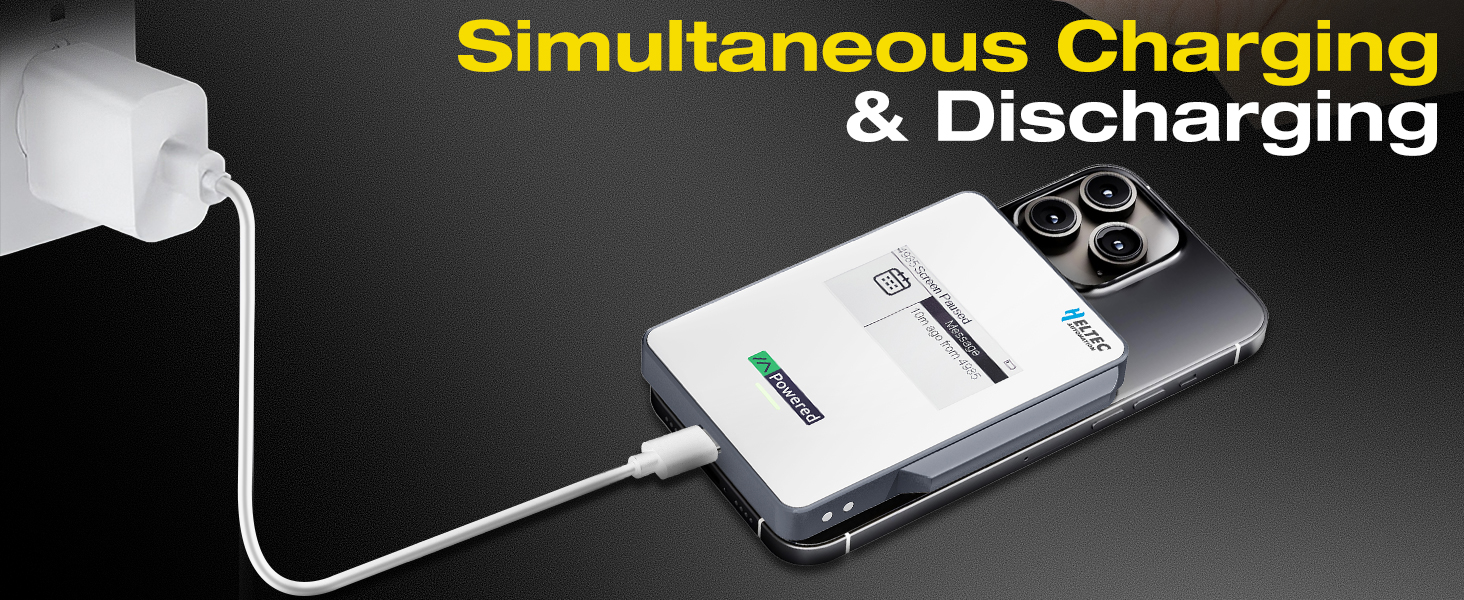
Image: MeshPocket being recharged while simultaneously charging another device.
5.5 E-Ink Display and LED Indicator
The e-ink display shows Meshtastic messages and device status. The RGB LED indicator provides battery level alerts:
- Green: 71-100% battery
- Yellow: 31-70% battery
- Red: 11-30% battery
- Flashing Red: 5-10% battery
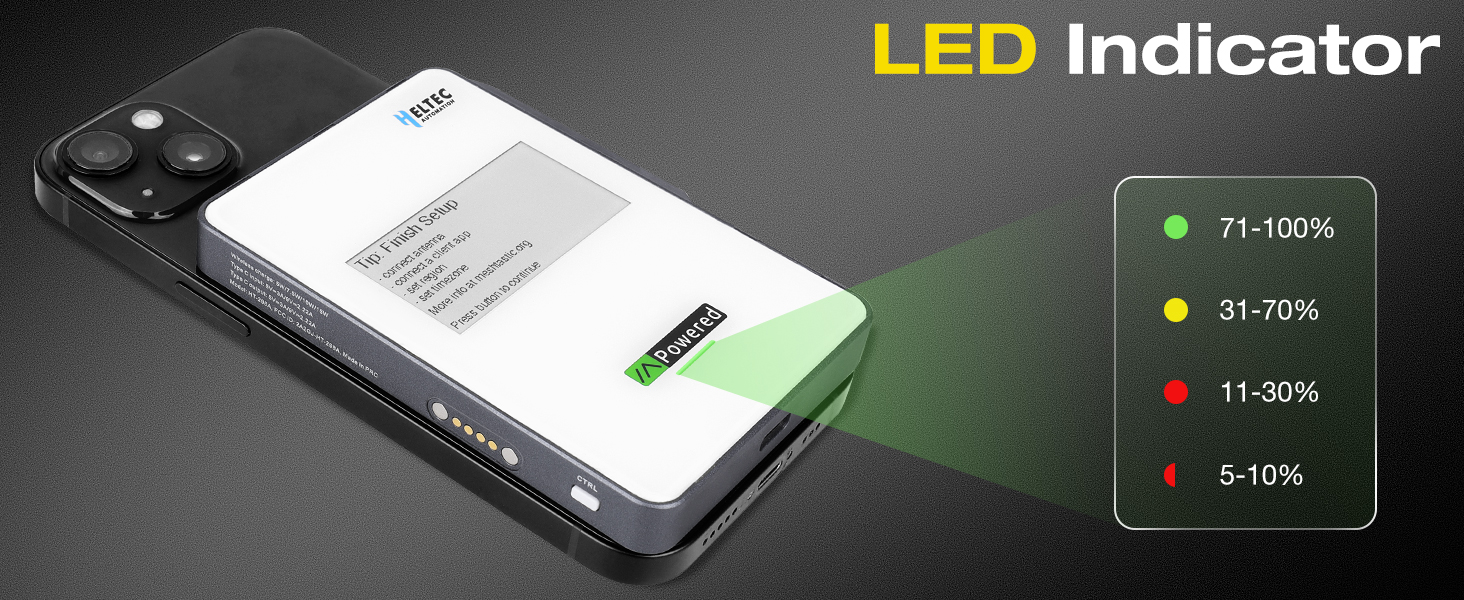
Image: MeshPocket LED indicator showing battery status.
5.6 Meshtastic Communication
Utilize the integrated Bluetooth and LoRa technology for long-range communication (up to 10km) with other Meshtastic devices. The e-ink display will show incoming messages and network status.

Image: MeshPocket in use for Meshtastic wireless communication in an outdoor environment.
6. Safety Features
The MeshPocket is equipped with over 10 safety protections to ensure safe operation:
- Overvoltage Protection
- Undervoltage Protection
- Overcurrent Protection
- Short Circuit Protection
- Overcharge Protection
- Overdischarge Protection
- NTC Temperature Protection
- Chip Temperature Protection
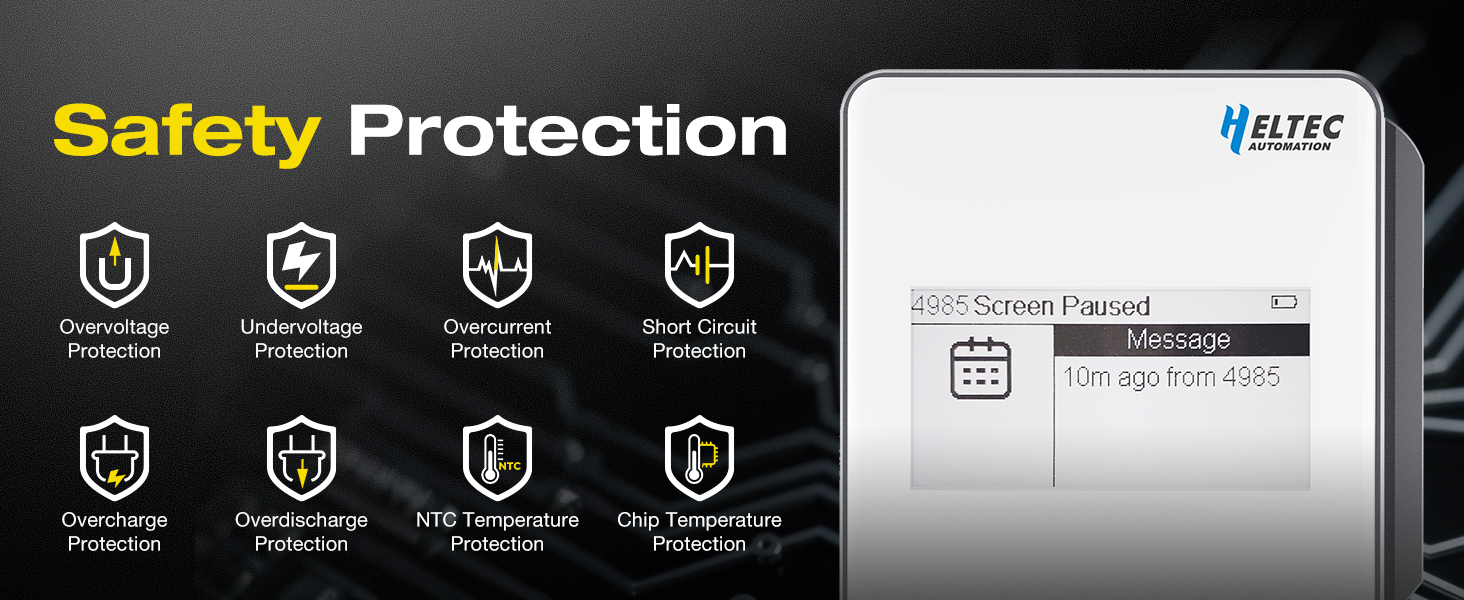
Image: Visual representation of the MeshPocket's safety protection features.
7. Maintenance
- Keep the device dry and clean. Avoid exposure to extreme temperatures or direct sunlight for prolonged periods.
- Do not disassemble, crush, puncture, or drop the device.
- Use only approved charging cables and adapters.
- Clean the e-ink display and device surface with a soft, dry cloth. Avoid abrasive cleaners.
- Store the device in a cool, dry place when not in use.
8. Troubleshooting
| Problem | Possible Cause | Solution |
|---|---|---|
| Device not powering on. | Low battery; device malfunction. | Charge the device fully. If the issue persists, contact support. |
| Wireless charging not working. | Misalignment; non-Qi2 compatible device; foreign objects. | Ensure proper alignment. Verify device compatibility. Remove any obstructions. |
| Wired charging not working. | Faulty cable/adapter; incorrect port. | Try a different USB-C cable and power adapter. Ensure cable is fully inserted into the Type-C port. |
| Meshtastic connection issues. | Bluetooth not enabled; app issues; firmware outdated. | Ensure Bluetooth is active on your phone. Restart the Meshtastic app and MeshPocket. Check for firmware updates. |
| Device gets warm during charging. | Normal operation; excessive load. | Slight warming is normal. If it becomes excessively hot, discontinue use and contact support. Ensure adequate ventilation. |
9. Specifications
| Feature | Detail |
|---|---|
| Model Number | HT-298A |
| Battery Capacity | 5000 Milliamp Hours (Li-Polymer) |
| Wireless Charging Output | 5W, 7.5W, 10W, 15W (Qi2 Certified) |
| Wired Charging Output | Up to 20W (USB-C, PD/AFC compatible) |
| Connectivity | Bluetooth, LoRa (Long Range Communication) |
| Display | E-Ink Display |
| Dimensions | 4 x 2.9 x 0.45 inches (102mm x 74.1mm x 11.5mm) |
| Weight | 7.8 ounces (140g) |
| Operating Temperature | -20°C to 55°C |
| Safety Features | Overvoltage, Undervoltage, Overcurrent, Short Circuit, Overcharge, Overdischarge, NTC Temperature, Chip Temperature Protection |

Image: MeshPocket dimensions and weight.
10. Official Product Video
Video: An official product video demonstrating the MeshPocket Qi2 Magnetic Power Bank's features and use cases, including its Meshtastic communication capabilities and charging functions.
11. Warranty and Support
The MeshPocket Qi2 Magnetic Power Bank comes with a standard manufacturer's warranty. For specific warranty details, please refer to the warranty card included in your package or contact Meshnology customer support.
For technical support, troubleshooting assistance, or warranty claims, please visit the official Meshnology website or contact their customer service department. Contact information can typically be found on the product packaging or the brand's official website.
Online Resources:
- Meshnology Amazon Store
- For Meshtastic related information and community support, visit meshtastic.org.