
1. Introduction
Thank you for choosing the NinPeen NP009 Floating TV Stand. This wall-mounted entertainment console is designed to provide a modern and space-saving solution for your media devices, featuring integrated power outlets and customizable LED lighting. This manual provides essential information for safe installation, operation, and maintenance of your new TV stand.
2. Safety Information
- Wall Compatibility: This product is not suitable for use with hollow walls or gypsum board walls. Ensure your wall type is solid (e.g., concrete, brick, or wood studs) and capable of supporting the weight of the TV stand and its contents.
- Secure Mounting: Always ensure the console is securely mounted to the wall following all instructions. Improper installation can lead to property damage or personal injury. If unsure, seek professional assistance.
- Weight Capacity: Do not exceed the maximum weight capacity of the shelves. Refer to the detailed assembly manual for specific weight limits.
- Children and Pets: Keep small children and pets away from the console during assembly and ensure all components are securely fastened to prevent tipping or falling hazards.
- Sharp Edges: Be cautious of sharp edges and heavy components during assembly. Wear appropriate safety gear if necessary.
- Electrical Safety: Only use the integrated power outlets and USB ports for their intended purpose. Do not overload the outlets. Ensure all cables are properly managed to prevent tripping hazards or damage.

Image Description: A visual representation of the floating TV stand mounted on a wall, with a clear overlay warning that the product is not suitable for hollow or gypsum board walls. This highlights a critical safety instruction for installation.
3. Package Contents
Before beginning assembly, please verify that all components are present and undamaged. Refer to the packing list included with your product for a complete inventory of all parts, hardware, and tools required for assembly.
4. Specifications
| Feature | Detail |
|---|---|
| Model Number | NP009 |
| Dimensions (L x W x H) | 45.67 x 11.02 x 8.82 inches (116 x 28 x 22.4 cm) |
| Weight | 18.39 pounds (8.34 kg) |
| Material | Engineered Wood, Reinforced Metal Frame |
| Power Outlets | 2 Standard AC Outlets (120V/12A) |
| USB Ports | 2 USB Ports (5V/2A) |
| Color | Rustic Brown |
| Assembly Required | Yes |

Image Description: A detailed diagram illustrating the key dimensions of the floating TV stand, including its overall length (45.7 inches / 116 cm), depth (9.8 inches / 25 cm), and height (9 inches / 23 cm). It also shows recommended TV sizes for compatibility.
5. Setup and Installation
The NinPeen NP009 Floating TV Stand requires wall mounting. Please follow the detailed step-by-step instructions provided in the separate assembly manual included with your product. Adherence to these instructions is crucial for safety and stability.
Key Installation Steps:
- Wall Type Verification: Confirm your wall is solid (e.g., concrete, brick, or wood studs) and not hollow or gypsum board. This is a critical safety step.
- Location Selection: Choose a suitable location on your wall, ensuring it is free from electrical wires, plumbing, or other obstructions. Consider the height for optimal TV viewing.
- Marking and Drilling: Use a level and measuring tape to accurately mark drilling points. Drill pilot holes as specified in the assembly manual.
- Bracket Installation: Securely attach the mounting brackets to the wall using the provided hardware. Ensure they are level and firmly anchored.
- Console Attachment: Carefully lift and attach the TV stand to the installed wall brackets. Ensure all locking mechanisms are engaged.
- Cable Management: Utilize the integrated cable management features to route power cords and media cables neatly, maintaining a tidy appearance.
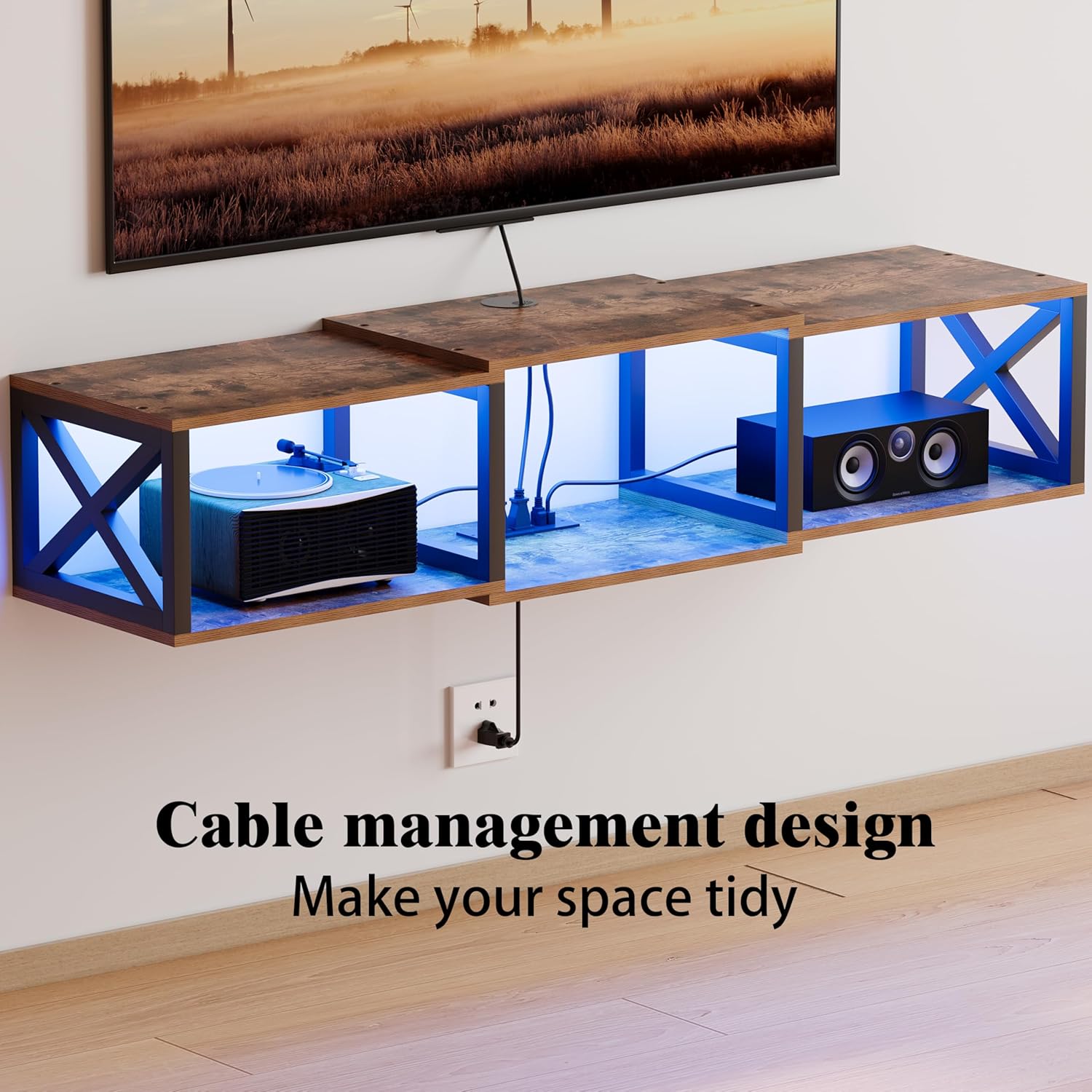
Image Description: A close-up view of the floating TV stand's underside, highlighting the cable management design. Cables are shown neatly organized and routed through an opening, contributing to a clean and tidy setup.
6. Operating Instructions
6.1 Integrated Charging Station
The TV stand is equipped with a convenient charging station to power your devices.
- AC Outlets: Two standard 120V/12A AC outlets are provided for connecting your television, soundbar, gaming console, or other electronic devices.
- USB Ports: Two 5V/2A USB ports are available for charging smartphones, tablets, smartwatches, or other USB-powered accessories.
To use, simply plug the TV stand's main power cord into a wall outlet, then connect your devices to the integrated outlets and USB ports.

Image Description: A detailed view of the integrated charging station, featuring two AC outlets and two USB ports. A smartphone and a smartwatch are shown connected and charging, illustrating the functionality of the power hub.
6.2 LED Lighting System
The integrated LED lighting system enhances the aesthetic appeal of your entertainment area. The lights can be controlled via an app or a physical switch, offering various customization options.
- Color Options: Choose from a wide spectrum of colors (e.g., 60,000 colors) to match your mood or decor.
- Lighting Modes: Explore various modes such as Music Mode (lights react to sound), Timing Mode (schedule on/off times), Dynamic Mode (pre-set light patterns), and Mic Mode.
- Brightness Adjustment: Adjust the brightness level to create the desired ambiance.
- Control: Use the dedicated app on your smartphone or the physical switch to manage the LED settings. Refer to the LED light kit's specific instructions for app pairing and detailed control functions.

Image Description: The floating TV stand illuminated with pink LED lights, showcasing its ambient lighting feature. An accompanying graphic illustrates the various control options available, including color selection, music mode, timing, brightness adjustment, dynamic modes, and app/switch control.
7. Maintenance
- Cleaning: Wipe surfaces with a soft, damp cloth. Avoid harsh chemicals or abrasive cleaners that may damage the finish.
- Dusting: Regularly dust the unit to prevent accumulation, especially on the LED strips and power outlets.
- Inspection: Periodically check all mounting hardware to ensure it remains tight and secure. Re-tighten screws if necessary.
- Cable Management: Ensure cables remain neatly organized and are not pinched or damaged.
8. Troubleshooting
| Problem | Possible Cause | Solution |
|---|---|---|
| LED lights not turning on | Power cord not plugged in; LED controller disconnected; Faulty LED strip. | Ensure the main power cord is securely plugged into a working wall outlet. Check connections to the LED controller. If issues persist, contact support. |
| Power outlets/USB ports not working | Main power cord unplugged; Wall outlet not functioning; Overload. | Verify the main power cord is plugged in. Test the wall outlet with another device. Reduce the number of connected devices to prevent overload. |
| Stand feels unstable | Improper wall mounting; Loose hardware; Incorrect wall type. | Re-check all mounting hardware and tighten if loose. Ensure the stand is mounted on a suitable, solid wall. If necessary, consult a professional for re-installation. |
9. Warranty and Support
NinPeen stands by the durability and quality of its products. For any assistance, questions, or concerns regarding your NP009 Floating TV Stand, please reach out to us directly. Our customer support team is available to provide prompt solutions and guidance.
Please refer to your purchase documentation or the NinPeen official website for specific warranty terms and contact information.