
1. Introduction
The KKSTOTO W8-AP6S-YS60 Smart GPS Tracker is designed to help Android users locate personal items such as keys, wallets, luggage, and more. This device integrates seamlessly with the Google Find My Device application, leveraging the extensive Android network for reliable tracking. It features an IP66 waterproof rating, a replaceable battery with up to 12 months of life, and a loud alarm function to assist in finding nearby items.
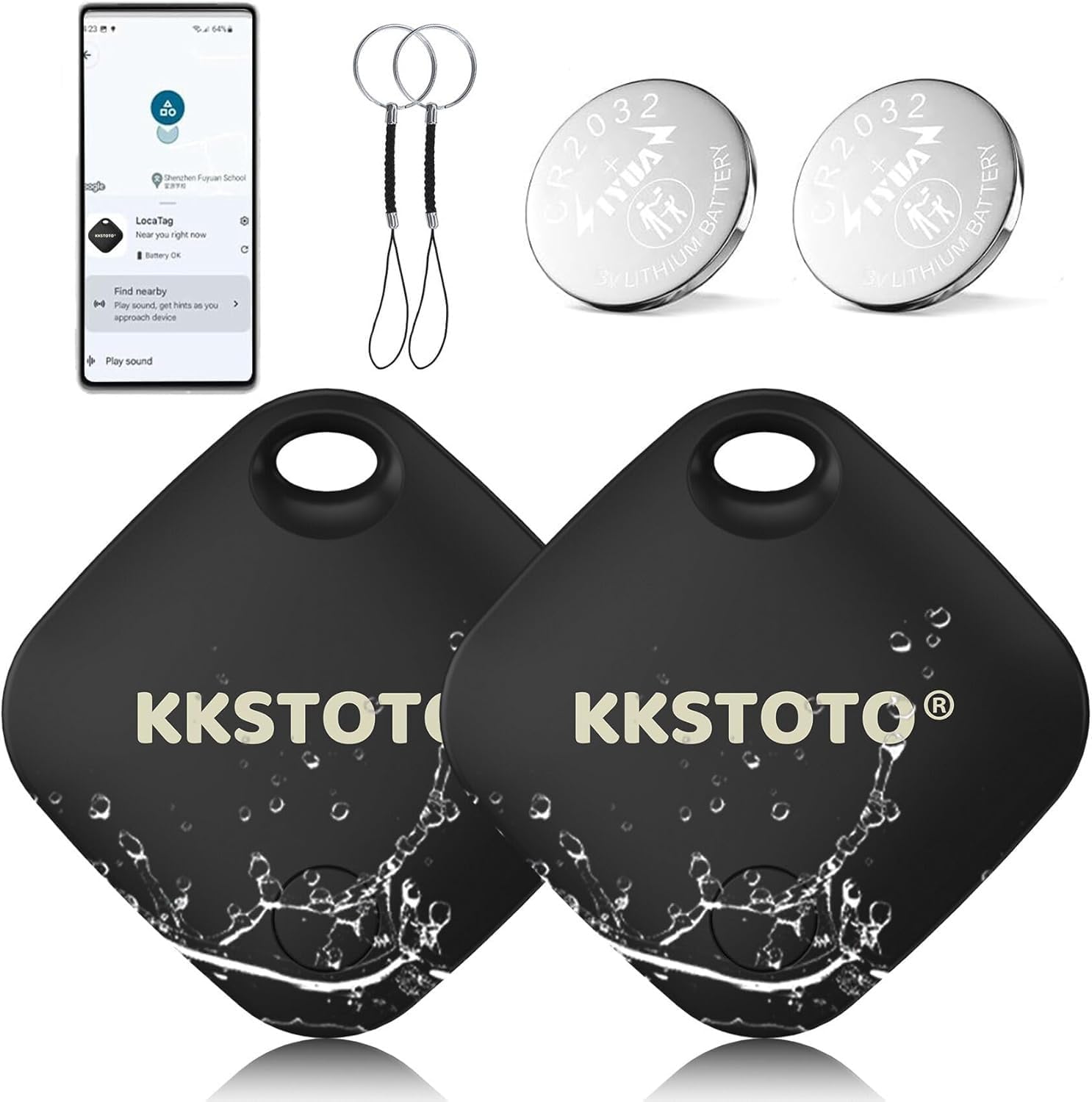
Figure 1: KKSTOTO W8-AP6S-YS60 Smart GPS Tracker with accessories. This image displays two black square-shaped trackers with the KKSTOTO logo, two small black keychains, and two silver CR2032 lithium batteries.
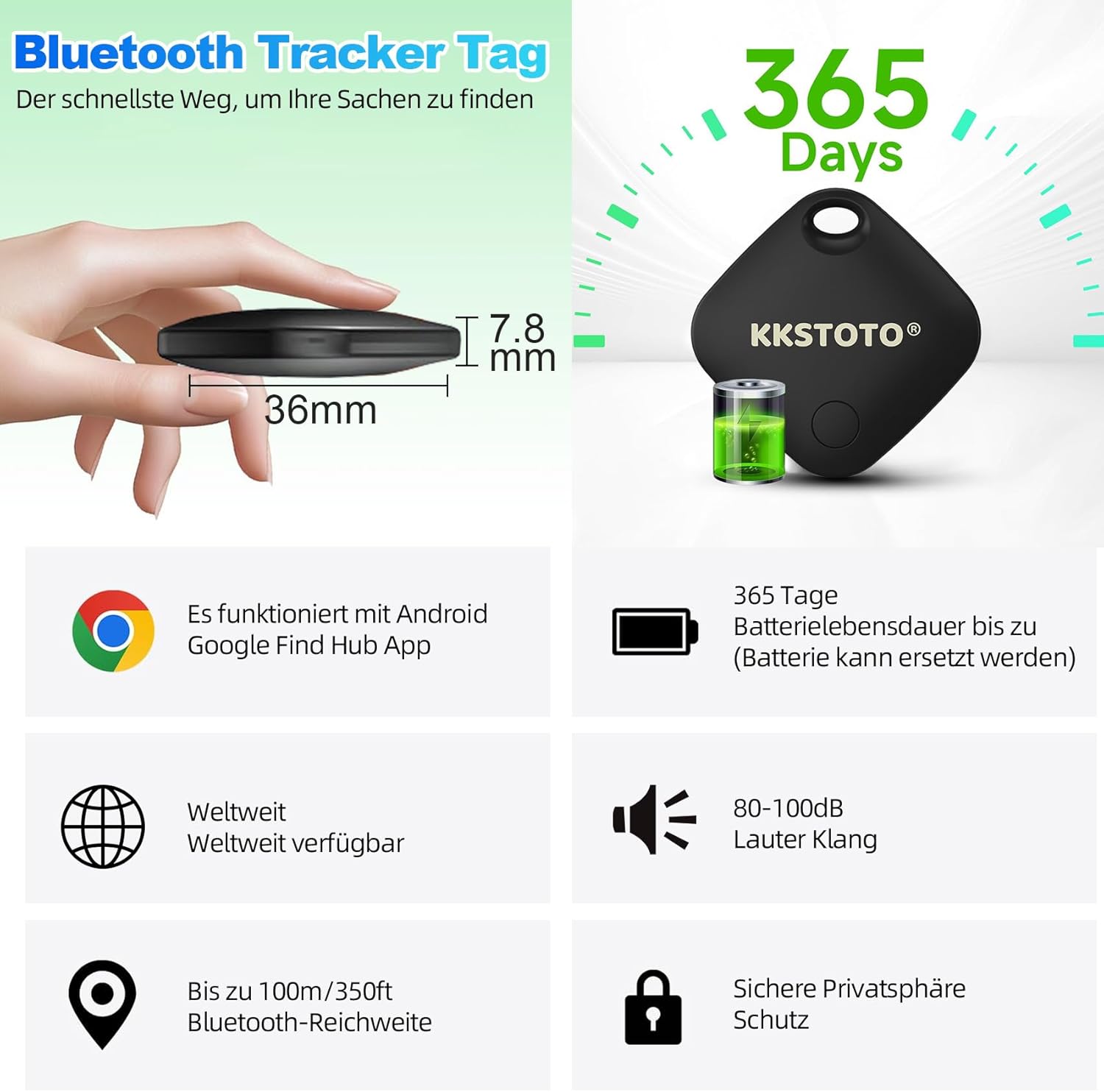
Figure 2: Examples of how the tracker can be used to locate frequently misplaced items, pets, or valuables.
Product Features:
- Google Certified: Works exclusively with the Google Find My Device app.
- Loud Alarm: Emits an alarm up to 100 dB to help locate nearby items.
- Lost Mode: Utilizes the Google Find My Device network to locate lost items over a wider area.
- Device Sharing: Allows sharing the item's location with others via the app.
- Privacy Focused: All communications are anonymous and encrypted; no subscription required.
- Durable Design: IP66 waterproof and dustproof.
- Long Battery Life: Replaceable battery lasts up to 12 months.
- Compact Size: Lightweight and discreet for various attachments.
2. Setup
Before using your KKSTOTO Smart GPS Tracker, you need to pair it with your Android smartphone or tablet using the Google Find My Device application. Ensure your device runs Android 9 or higher. This tracker is not compatible with Apple or Huawei devices.
- Install Google Find My Device App: Download and install the "Google Find My Device" app (also known as "Find Hub") from the Google Play Store on your Android smartphone or tablet.
- Enable Bluetooth and Location: On your Android device, ensure both Bluetooth and Location services are active.
- Activate the Tracker: Press the button located on the tracker (often indicated by the logo or a small indentation) to activate it.
- Pairing: Open the Google Find My Device app. The tracker should be automatically recognized. Follow the on-screen instructions within the app to complete the pairing process.
- Name Your Tracker: Once paired, you can assign a name to your tracker within the app (e.g., "My Keys," "Travel Bag").

Figure 3: Step-by-step guide for pairing the tracker with the Google Find My Device app. The image illustrates opening the app, connecting the tracker, and using the sound function.
Important Note: If you encounter issues during pairing, ensure the tracker's battery is properly inserted and charged, and that Bluetooth and location services are enabled on your Android device. Some users have reported initial difficulties; if a tracker fails to pair, it may become unusable. There is no specific recovery method provided in the product information for such cases.
3. Operating Instructions
3.1 Finding Items (Close Range)
When your item is within Bluetooth range (approximately 40 meters or 130 feet), you can use the "Play sound" feature in the Google Find My Device app to locate it. The tracker will emit an alarm up to 100 dB, guiding you to its exact location.
- Open the Google Find My Device app on your paired Android device.
- Select the tracker associated with the item you wish to find.
- Tap the "Play sound" option. The tracker will start beeping.
- Follow the sound to locate your item. You can stop the sound from the app once found.

Figure 4: Locating a nearby item using the sound function. The image shows the app interface with a map, a "Find nearby" option, and a visual representation of the tracker beeping near keys.
3.2 Lost Mode (Long Range)
If your item is outside of Bluetooth range, you can activate "Lost Mode" in the Google Find My Device app. This feature leverages the vast network of billions of Android devices worldwide. When another Android device comes within range of your lost tracker, its location will be anonymously and securely updated in your app, helping you pinpoint its last known position.
- Open the Google Find My Device app.
- Select the lost tracker.
- Activate "Lost Mode" (the exact wording may vary slightly in the app).
- You will receive notifications when the tracker's location is updated by the network.
3.3 Sharing Device Location
The Google Find My Device app allows you to share the location of your tracker with family and friends. This is useful if multiple people need to track an item, such as shared keys or luggage.
- Open the Google Find My Device app.
- Select the tracker you wish to share.
- Look for a "Share device" or similar option within the tracker's settings.
- Follow the prompts to select contacts or generate a shareable link.

Figure 5: Sharing the tracker's location with others. The image shows the app interface with a "Share device" option, indicating collaborative tracking.
4. Maintenance
4.1 Battery Replacement
The KKSTOTO Smart GPS Tracker uses a replaceable CR2032 lithium coin cell battery, providing up to 12 months of battery life. When the battery is low, you will typically receive a notification in the Google Find My Device app.
- Locate the battery compartment on the tracker. This usually involves twisting or prying open a small cover.
- Carefully remove the old CR2032 battery.
- Insert a new CR2032 battery with the positive (+) side facing up.
- Close the battery compartment securely to maintain the IP66 waterproof seal.
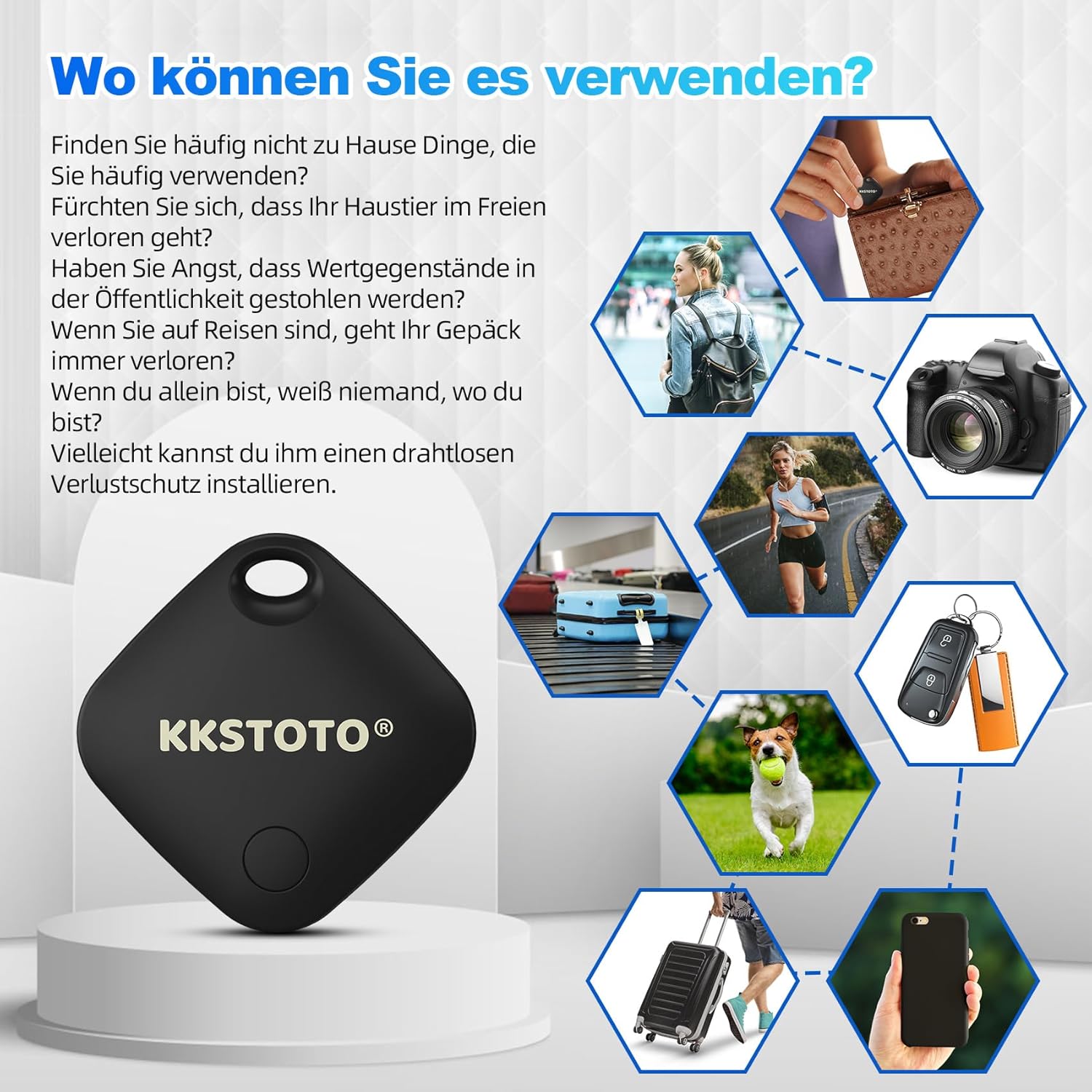
Figure 6: Key features including 365 days of battery life (replaceable battery). The image also highlights the compact size (36mm width, 7.8mm thickness), 100m Bluetooth range, and 80-100dB sound.
4.2 Cleaning and Water Resistance
The tracker has an IP66 rating, meaning it is protected against dust ingress and powerful water jets. It is suitable for daily use and can withstand rain or splashes, but it is not designed for submersion.
- To clean the tracker, wipe it with a soft, damp cloth.
- Do not use harsh chemicals or abrasive cleaners.
- Ensure the battery compartment is always securely closed to maintain its water and dust resistance.
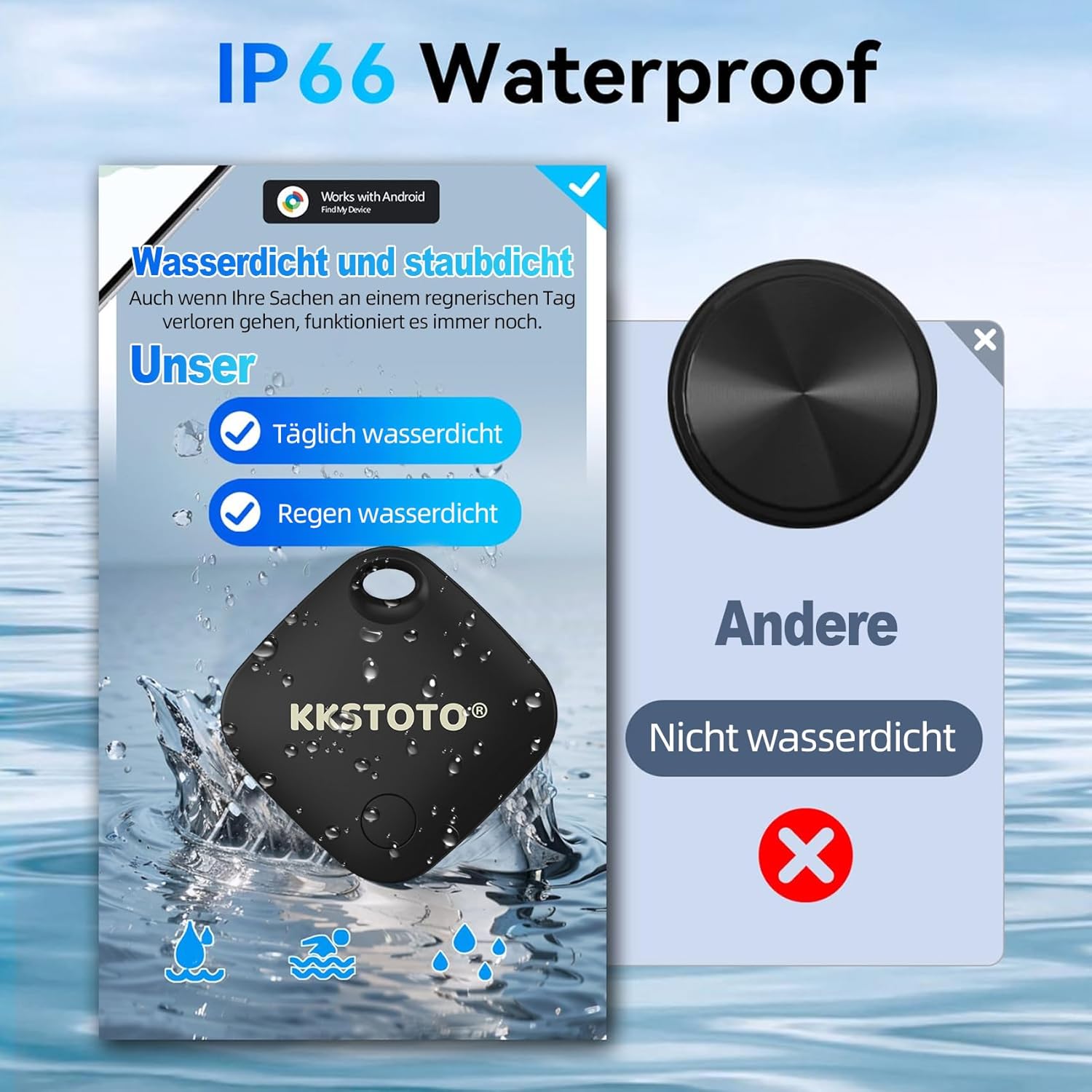
Figure 7: Visual representation of the tracker's IP66 waterproof and dustproof capabilities, showing it being splashed with water.
5. Troubleshooting
If you encounter issues with your KKSTOTO Smart GPS Tracker, refer to the following common troubleshooting steps:
- Tracker Not Found/Not Pairing:
- Ensure your Android device is running Android 9 or higher.
- Verify that Bluetooth and Location services are enabled on your Android device.
- Check if the tracker's battery is new or has sufficient charge. Replace if necessary.
- Make sure you are within close proximity to the tracker during the initial pairing process.
- Restart your Android device and try the pairing process again.
- Confirm you are using the official Google Find My Device app.
- Sound Not Playing:
- Ensure the tracker is within Bluetooth range of your Android device.
- Check the tracker's battery level in the app. A low battery might affect sound output.
- Verify that your phone's volume is up and not muted.
- Inaccurate Location:
- Location accuracy depends on the density of Android devices in the area when using Lost Mode. In remote areas, updates might be less frequent or precise.
- Ensure your Android device has a stable internet connection for the app to receive location updates.
- For close-range finding, rely on the sound alarm rather than map precision.
- Tracker Becomes Unresponsive:
- Try replacing the battery with a fresh one.
- If the tracker was dropped or exposed to extreme conditions, physical damage might be a factor.
For further assistance, please refer to the support section within the Google Find My Device app or contact KKSTOTO customer support.
6. Specifications
| Brand | KKSTOTO |
| Model Number | W8-AP6S-YS60 |
| Connectivity Technology | Bluetooth |
| Compatible Devices | Android Smartphones (Android 9+), Android Tablets (Android 9+) |
| Control Method | Application (Google Find My Device) |
| Battery Type | CR2032 (Replaceable) |
| Battery Life | Up to 12 months |
| Water Resistance | IP66 (Waterproof and Dustproof) |
| Alarm Sound Level | Up to 100 dB |
| Bluetooth Range | Up to 100 meters / 350 feet (optimal conditions) |
| Dimensions (L x W x H) | Approximately 36mm (Width) x 36mm (Length) x 7.8mm (Thickness) |
Note: Product images indicate the tracker itself is approximately 36mm wide and 7.8mm thick. The 10x10x10mm dimension found in some product data may refer to packaging or a general small size.
7. Warranty and Support
Specific warranty details are not provided in the product information. For any questions, technical support, or warranty inquiries, please contact KKSTOTO customer service through the retailer where you purchased the product or refer to the support options within the Google Find My Device application.
The manufacturer states: "If you have any questions, please do not hesitate to contact us."