
1. Introduction
This manual provides comprehensive instructions for the setup, operation, and maintenance of your Emerhome Gen3 Smart Translation Glasses, Model G07. These smart glasses integrate real-time translation, audio playback, and voice assistant capabilities into a lightweight, modular design. Please read this manual thoroughly before using the product to ensure proper function and longevity.
2. Package Contents
Verify that all items listed below are included in your package:
- Emerhome Gen3 Smart Translation Glasses (Frame with Lenses)
- Bluetooth-enabled Smart Temples (Pair)
- Standard Temples (Pair)
- Charging Cable
- Cleaning Cloth
- User Manual (this document)

This image displays the Emerhome Gen3 Smart Translation Glasses. The main frame is shown with one Bluetooth-enabled temple attached, while the other Bluetooth temple and a standard temple are shown detached, highlighting the modular design. A smartphone screen next to the glasses illustrates the user interface of the companion application, showing translation features and device status.
3. Product Features
- Modular Design: Features fully detachable frames and two sets of temples (Bluetooth-enabled smart arms and standard arms) for versatile use.
- Lightweight & Slim Profile: Crafted with advanced materials for comfort during extended wear, reducing pressure on the nose and ears.
- Real-Time Multilingual Translation: Supports over 100 languages for simultaneous interpretation, video call translation, mobile + headset pairing, and conference recording.
- Smart Touch Control & Voice Assistant: Intuitive touch sensors for calls, music, and activating voice assistants (Siri, Google Assistant) on Android and iOS devices.
- Open-Ear HD Audio & Clear Calls: High-definition open-ear speakers and a noise-reducing microphone provide clear audio while maintaining environmental awareness.
- Long-Lasting Battery: Up to 5 hours of continuous playback or talk time on a single charge.
- Blue Light Protection: Lenses designed to reduce eye strain from prolonged screen exposure, offering anti-ultraviolet and filtering radiation benefits.
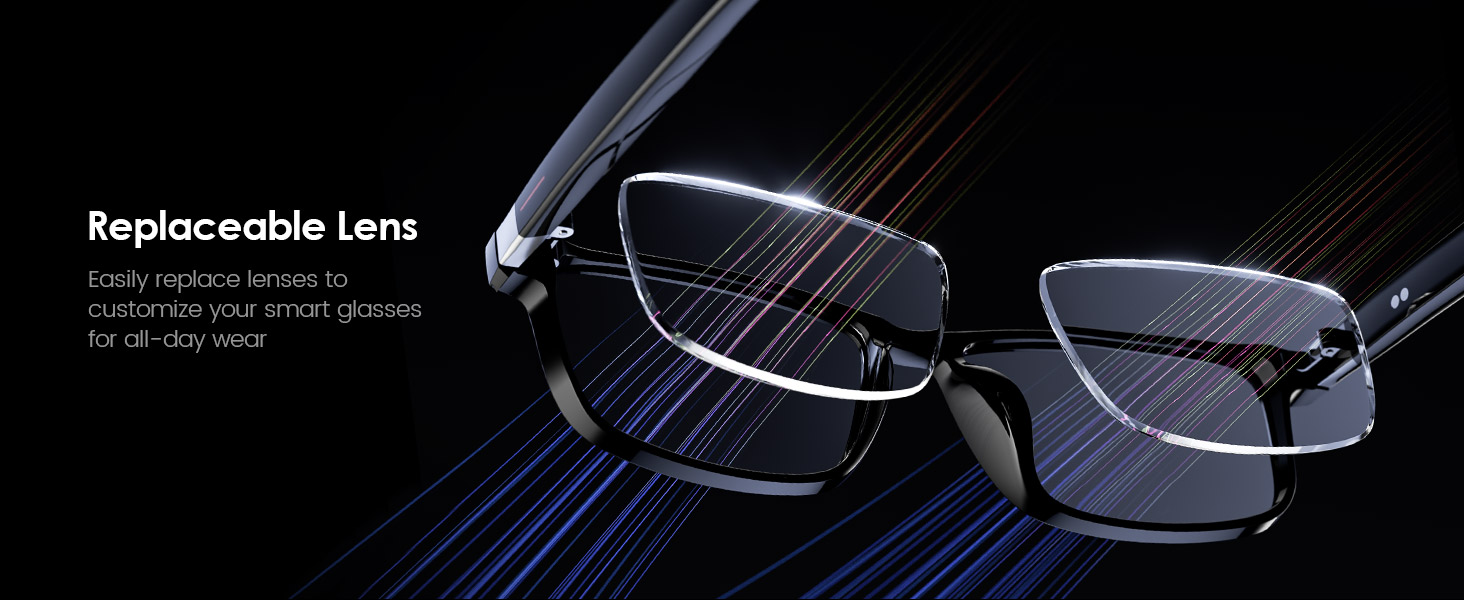
- Replaceable Lenses: Easily customize or replace lenses for various needs.
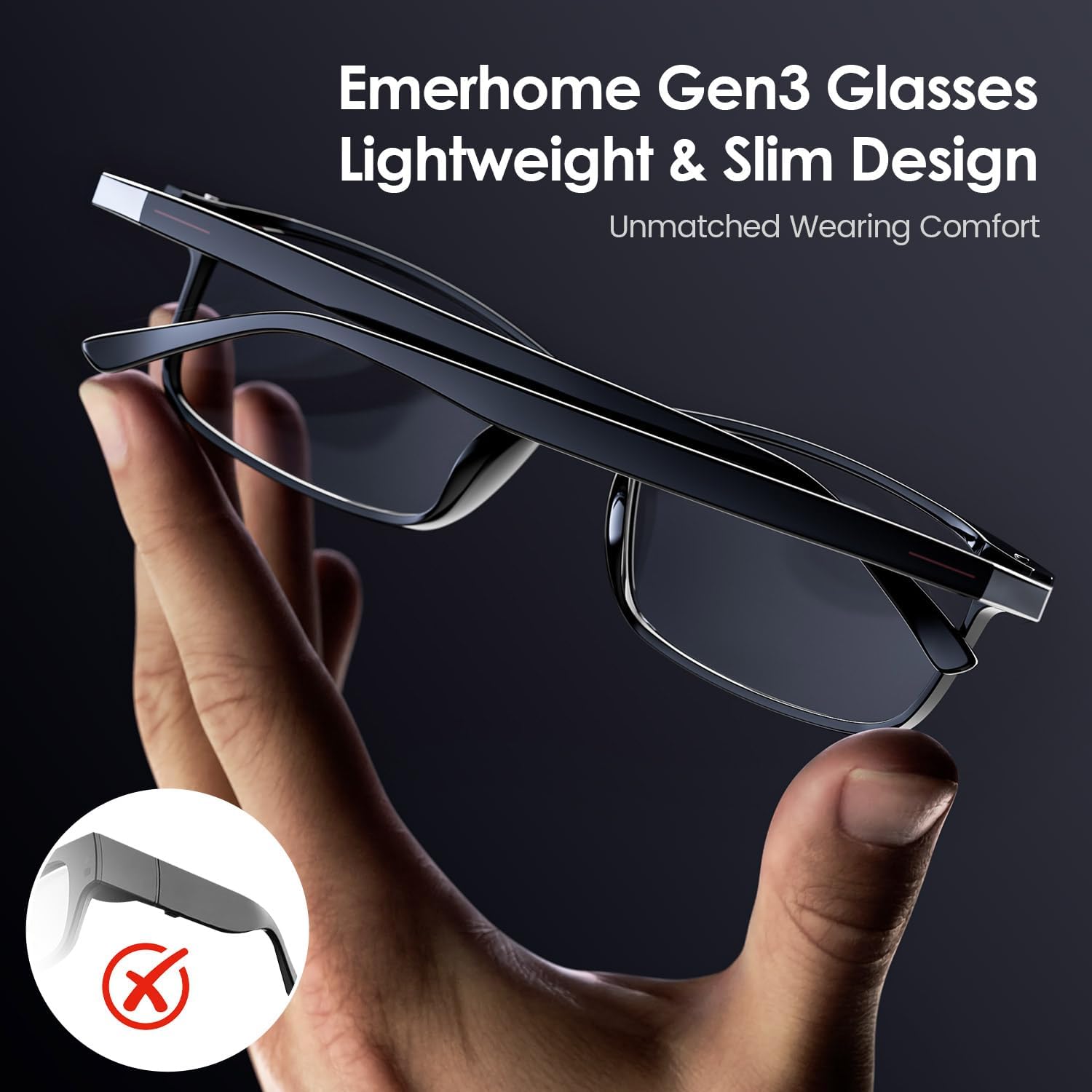
This image focuses on the lightweight and slim profile of the Emerhome Gen3 Smart Translation Glasses. A hand gently holds the glasses, demonstrating their ergonomic design and comfortable fit for extended wear.
4. Setup Guide
4.1. Charging the Glasses
Before first use, fully charge your Emerhome Gen3 Smart Translation Glasses.
- Connect the charging cable to the charging port on the Bluetooth-enabled temple.
- Connect the other end of the cable to a USB power adapter (not included) or a computer's USB port.
- The indicator light will show charging status (refer to the LED indicator section in the full manual for details).
- A full charge typically takes approximately 1.5-2 hours.

This image shows the Emerhome Gen3 Smart Translation Glasses connected to a charging cable, with an overlay indicating 'Up to 5 Hours of Battery Life'. This demonstrates the charging process and the expected duration of use on a single charge.
4.2. Attaching Temples
The Gen3 glasses feature interchangeable temples. You can switch between Bluetooth-enabled smart temples and standard temples.
- To detach: Gently pull the temple away from the frame hinge until it disconnects.
- To attach: Align the desired temple with the frame hinge and push firmly until it clicks into place. Ensure a secure connection.
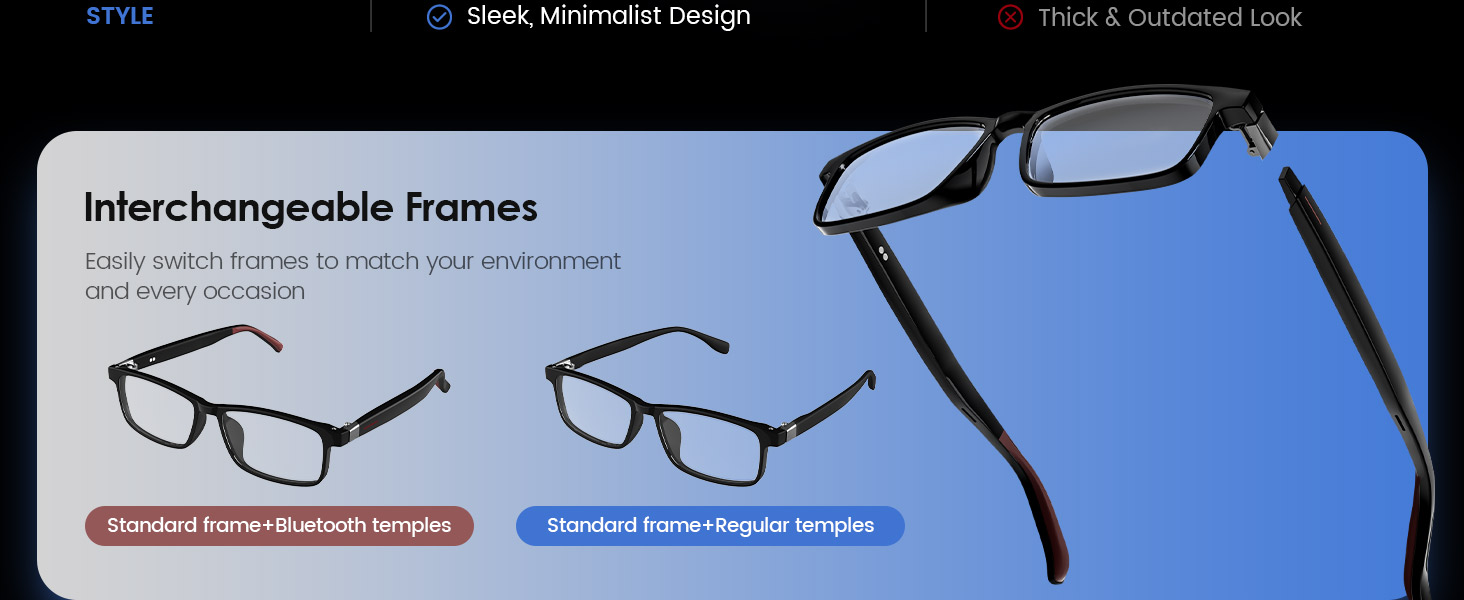
This image illustrates the versatility of the Emerhome Gen3 Smart Translation Glasses, showcasing different combinations of standard frames with Bluetooth temples and regular temples, emphasizing the ease of customization.
4.3. Bluetooth Pairing
To use smart features, pair your glasses with a smartphone or other Bluetooth-enabled device.
- Ensure the Bluetooth-enabled temples are attached and the glasses are charged.
- Turn on the glasses (refer to the power section for specific instructions).
- Enable Bluetooth on your smartphone.
- Search for available devices and select "Emerhome Gen3" (or similar name) from the list.
- Confirm pairing if prompted. The glasses will indicate successful connection.
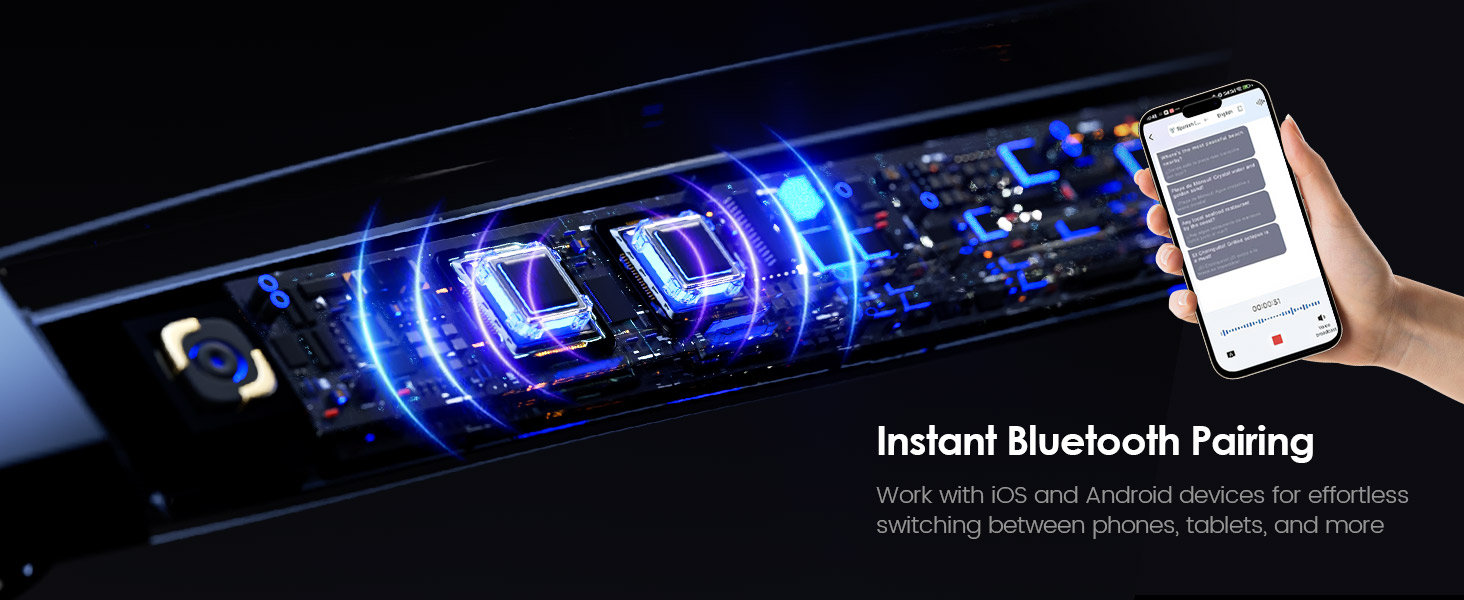
This image shows the internal components of the Emerhome Gen3 Smart Translation Glasses, highlighting the Bluetooth technology that enables instant pairing with iOS and Android devices for seamless connectivity.
4.4. App Installation and Setup
For full translation and smart features, download the dedicated Emerhome app from your device's app store.
- Search for the "Emerhome" app in the Apple App Store or Google Play Store.
- Download and install the app.
- Open the app and follow the on-screen instructions to connect your Gen3 glasses.
- Complete any necessary profile setup or language preferences within the app.
5. Operating Instructions
5.1. Basic Touch Controls
The smart temples feature intuitive touch controls for various functions:
- Click (Single Tap): Play/Pause audio, Answer incoming calls.
- Press 2 Seconds: Wake up voice assistant.
- Double-Click: Skip to the next audio track.
- Long Press (during call): Hang up a call.
- Click (in app): Remote control photo taking.

This diagram details the touch control functions located on the temple of the Emerhome Gen3 Smart Translation Glasses. It shows gestures for play/pause, activating voice assistant, remote photo control, skipping tracks, and managing calls.
5.2. Voice Assistant Activation
Activate your smartphone's voice assistant (Siri or Google Assistant) directly from your glasses.
- Press and hold the touch sensor on the temple for approximately 2 seconds.
- You will hear an audible prompt indicating the voice assistant is active.
- Speak your command or question.

This image shows a woman wearing the Emerhome Gen3 Smart Translation Glasses while interacting with her smartphone. The phone screen displays a conversation with an AI assistant, demonstrating the glasses' capability to facilitate hands-free access to information and support.
5.3. Real-Time Translation
The core feature of your Gen3 glasses is real-time language translation, managed through the companion app.
- Open the Emerhome app on your paired smartphone.
- Select the desired translation mode (e.g., simultaneous interpretation, conversation mode).
- Choose the source and target languages.
- Speak into your glasses' microphone, or use the app's interface. The translated audio will be played through the open-ear speakers, and text will appear on your phone screen.

This image depicts individuals in a professional meeting setting, with a holographic overlay illustrating the real-time translation capabilities of the Emerhome Gen3 Smart Translation Glasses. It shows how the glasses facilitate communication across different languages in a business environment.

This image features a couple traveling, using the Emerhome Gen3 Smart Translation Glasses for real-time voice translation. A smartphone displays the translation interface, illustrating seamless communication in different languages.
5.4. AI Transcription and Photo Translation
The app also supports advanced features like AI transcription and photo translation.
- AI Transcription: Within the app, initiate transcription to convert spoken audio into text, with accent recognition and multi-language support. This is useful for generating meeting notes or transcribing conversations.
- Photo Translation: Use the app to take a photo of text (e.g., a sign, menu, or document). The app will instantly translate the text displayed in the image.

This image shows two individuals on a beach, utilizing the Emerhome Gen3 Smart Translation Glasses for AI transcription. The smartphone screen displays transcribed audio with multi-language support, demonstrating the glasses' ability to convert speech to text and generate notes.

This image illustrates the feature of the Emerhome Gen3 Smart Translation Glasses where users can snap a photo with their smartphone app to instantly translate text, such as from a document or sign, for effortless communication.
5.5. Audio Playback and Calls
Enjoy music and manage calls through the open-ear speakers.
- Music: Once paired, audio from your device will play through the glasses. Use touch controls for play/pause and track skipping.
- Calls: Incoming calls will be announced. Tap the touch sensor to answer, or long-press to hang up. The noise-reducing microphone ensures clear communication.

This image features a woman wearing the Emerhome Gen3 Smart Translation Glasses, accompanied by graphical representations of the product's audio technology. These graphics highlight high-resolution audio certification, AI-enhanced noise-canceling microphones, and stable Bluetooth 5.4 connectivity, ensuring clear sound and calls.
6. Modular Design and Customization
The Gen3 glasses offer flexibility through interchangeable components.
6.1. Temple Replacement
Easily swap between Bluetooth-enabled and standard temples based on your needs.

A close-up view of the Emerhome Gen3 Smart Translation Glasses showing the mechanism for detaching and replacing the temples. This illustrates the modular design that allows users to switch between different temple types.
6.2. Frame and Lens Customization
The Gen3 glasses support interchangeable frames and replaceable lenses, allowing for personalized style and functionality. Additional frames (e.g., Gen3-C Frame) and photochromic lenses may be purchased separately to unlock up to four unique wearing combinations.

This image illustrates the interchangeable frame feature of the Emerhome Gen3 Smart Translation Glasses. It shows the standard Gen3 frame and a separate Gen3-C frame (sold separately), indicating how users can switch frames to customize their eyewear.
This image demonstrates the replaceable lens feature of the Emerhome Gen3 Smart Translation Glasses, showing a lens being easily inserted into the frame for customization or replacement.

This diagram visually explains the blue light protection feature of the Emerhome Gen3 Smart Translation Glasses lenses. It shows how the lenses filter harmful blue light, reduce eye strain, and offer anti-ultraviolet and anti-radiation benefits for sustainable eye protection.
This image illustrates four distinct wearing combinations achievable with the Emerhome Gen3 Smart Translation Glasses, including Bluetooth mode, normal mode, and options requiring separate purchase of photochromic lenses, showcasing the product's versatility.
7. Battery and Charging
The Gen3 glasses are designed for extended use with a reliable battery.
- Battery Life: Up to 5 hours of continuous audio playback or talk time.
- Charging Time: Approximately 1.5-2 hours for a full charge.
- Charging Indicator: Refer to the product's LED indicator guide for charging status.
To preserve battery life, ensure the glasses are powered off when not in use.
8. Maintenance and Care
- Cleaning: Use the provided cleaning cloth to gently wipe the lenses and frame. For stubborn smudges, use a lens cleaning solution designed for eyewear.
- Storage: Store the glasses in their protective case when not in use to prevent scratches and damage.
- Avoid Water: The glasses are not waterproof. Avoid exposure to water, rain, or excessive moisture.
- Temperature: Do not expose the glasses to extreme temperatures (hot or cold) as this can affect battery life and electronic components.
9. Troubleshooting
If you encounter issues with your Emerhome Gen3 Smart Translation Glasses, try the following solutions:
- No Power: Ensure the glasses are fully charged. Check the charging cable and power source.
- Bluetooth Disconnection: Verify Bluetooth is enabled on your device. Try unpairing and re-pairing the glasses. Ensure the glasses are within range of your device.
- No Audio: Check the volume level on both your glasses and your connected device. Ensure the glasses are properly paired.
- Translation Issues: Verify your internet connection is stable (required for real-time translation). Ensure the correct source and target languages are selected in the app. Speak clearly and at a moderate pace.
- Touch Controls Unresponsive: Ensure the temples are securely attached. Try restarting the glasses and your connected device.
If problems persist, contact Emerhome customer support for further assistance.
10. Specifications
| Feature | Detail |
|---|---|
| Model Name | G07 |
| Brand | Emerhome |
| Connectivity Technology | Bluetooth |
| Wireless Communication Standard | Bluetooth |
| Special Features | Interchangeable, Ultra thin and lightweight, Voice Control |
| Operating System | Android Wear 2.9 (for app compatibility) |
| Battery Cell Composition | Lithium Ion |
| Battery Life | Up to 5 hours (continuous playback/talk time) |
| Item Weight | 7 ounces |
| Package Dimensions | 7.36 x 3.94 x 1.93 inches |
| Manufacturer | Emerhome |
11. Warranty and Support
Emerhome products are designed for reliability and performance. For warranty information, please refer to the warranty card included with your product or visit the official Emerhome website. For technical support, troubleshooting assistance, or inquiries about replacement parts, please contact Emerhome customer service through the contact information provided on our website or within the companion app.
Online Support: Visit the Emerhome Store on Amazon


