
Introduction
This manual provides essential information for the proper use and care of your MingFeng protective tablet case. This case is designed specifically for the TCL NxtPaper 11 Plus and TAB 11 Plus 2025 (model 9469x) tablets, offering full protection, a foldable stand, a pen holder, and a hand strap.
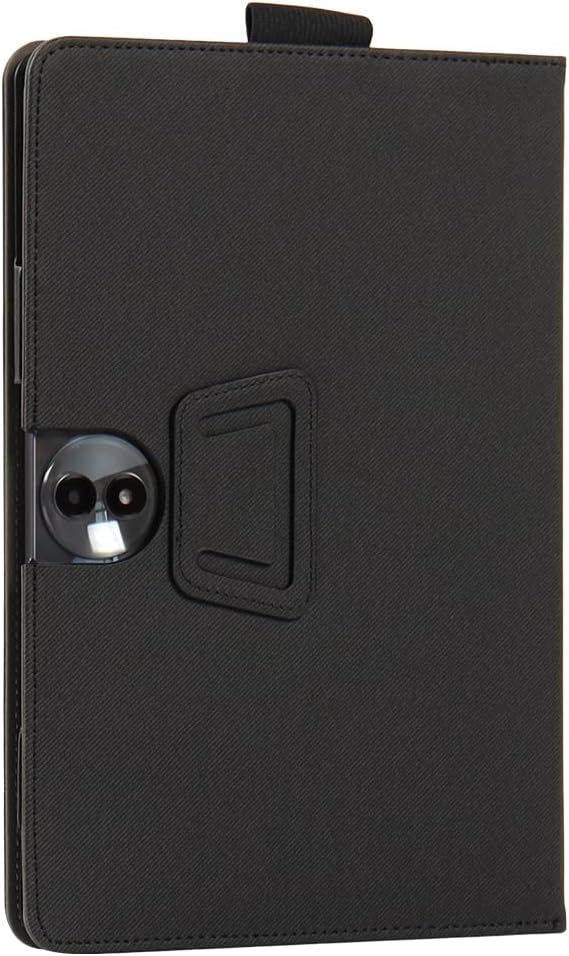
Figure 1: Closed MingFeng Tablet Case (Front View)
Setup
- Inserting the Tablet: Gently align your TCL NxtPaper 11 Plus or TAB 11 Plus 2025 tablet with the protective frame inside the case. Press the tablet firmly into the frame until it is securely seated. Ensure all ports, buttons, and the camera are unobstructed by the case frame.
- Pen Holder: The integrated pen holder is located on the side of the case. Insert your stylus or digital pen into this loop for secure storage.
- Hand Strap: The elastic hand strap on the interior cover allows for a secure grip when holding the tablet with one hand. Slide your hand through the strap for comfortable and stable use.

Figure 2: Interior View of the Tablet Case
Operating Instructions
Using the Foldable Stand
The case features a multi-angle foldable stand for hands-free viewing. To activate the stand function:
- Open the front cover of the case.
- Fold the cover backward, utilizing the creases designed for the stand.
- Position the tablet at your desired viewing angle by resting the edge of the tablet in one of the grooves on the inner cover.

Figure 3: Tablet in Stand Mode (Front View)

Figure 4: Tablet in Stand Mode (Rear View)
Maintenance
To ensure the longevity and appearance of your tablet case, follow these maintenance guidelines:
- Cleaning: The case is made of leather material. Wipe the exterior with a soft, damp cloth. Avoid using harsh chemicals, abrasive cleaners, or excessive water, as these can damage the material.
- Storage: When not in use, store the case in a cool, dry place away from direct sunlight and extreme temperatures.
- Avoid Sharp Objects: Prevent contact with sharp objects to avoid scratches or punctures to the case material.
Troubleshooting
- Tablet Does Not Fit: Ensure your tablet model is specifically the TCL NxtPaper 11 Plus or TAB 11 Plus 2025 (model 9469x). This case is designed for these specific models. Do not force the tablet into the case if it does not fit easily.
- Stand Instability: Ensure the tablet is properly seated in the grooves of the inner cover when using the stand function. Adjust the angle to find a stable position on a flat surface.
- Stylus/Pen Holder Too Tight/Loose: The elastic nature of the pen holder should accommodate most standard styluses. If it feels too tight, ensure the pen is not excessively thick. If too loose, consider a slightly thicker pen or contact support.
Specifications
| Brand | MingFeng |
| Compatible Devices | TCL NxtPaper 11 Plus, TAB 11 Plus 2025 (9469x) |
| Maximum Compatible Device Size | 11.5 inches |
| Color | Black |
| Material | Leather |
| Form Factor | Case (Foldable Stand, Pen Holder, Hand Strap) |
| Included Components | 1 x Tablet Case |
| Manufacturer Model Number | 722 |
| Country of Origin | China |
Support
Warranty information for this product is not provided. If you encounter any issues not covered in this manual or require further assistance, please contact the seller or retailer from whom you purchased the product for support.