
Coolhill ZH27
Coolhill USB Desk Fan User Manual
Model: ZH27
Introduction
Thank you for choosing the Coolhill USB Desk Fan. This manual provides essential information for the safe and efficient operation of your new fan. Designed for versatility and comfort, this fan offers powerful yet quiet airflow, making it ideal for various settings.

Image: The Coolhill USB Desk Fan, showcasing its sleek design and digital display.
Key Features
- 100 Adjustable Speeds & Digital Display: Fine-tune airflow from 1 to 100 levels with a clear numeric screen.
- Ultra Quiet Operation: Advanced noise-reduction technology ensures whisper-quiet performance (as low as 28dB).
- Powerful Airflow & 120° Oscillation: Delivers strong, gentle airflow with a max of 6m/s and a 120° oscillation function for wide coverage.
- Portable & Versatile: Suitable for various occasions including bedroom, kitchen, office, or outdoor use.
- Rechargeable Battery & USB-C Powered: Built-in 4000 mAh battery for 3-10 hours of wireless operation, rechargeable via USB-C.
Setup
1. Unboxing
Carefully remove all components from the packaging. The package should include:
- Coolhill USB Desk Fan (Model ZH27)
- USB-C Charging Cable
- User Manual

Image: The fan, USB-C cable, and user manual as included in the package.
2. Initial Charging
Before first use, fully charge the fan. Connect the provided USB-C cable to the charging port on the fan and plug the other end into a compatible USB power source (e.g., computer, power bank, wall adapter). The digital display will indicate the battery percentage during charging.

Image: A USB-C cable connected to the fan's charging port.
3. Placement
The fan can be used as a desktop fan or mounted on a wall. Ensure it is placed on a stable, flat surface or securely mounted to prevent accidental falls.

Image: The fan positioned on a desk and also mounted on a wall, demonstrating its versatility.
Operating Instructions
1. Power On/Off
- To Power On: Short press the power button located on the fan's control panel.
- To Power Off: Long press the power button for 2 seconds.
2. Speed Adjustment
The fan offers 100 adjustable wind speeds.
- Preset Speeds: Short press the speed adjustment button (usually marked with '+' or '-') to cycle through preset levels (e.g., 1, 20, 40, 60, 80, 100).
- Continuous Adjustment: Long press the speed adjustment button to continuously increase or decrease the fan speed.
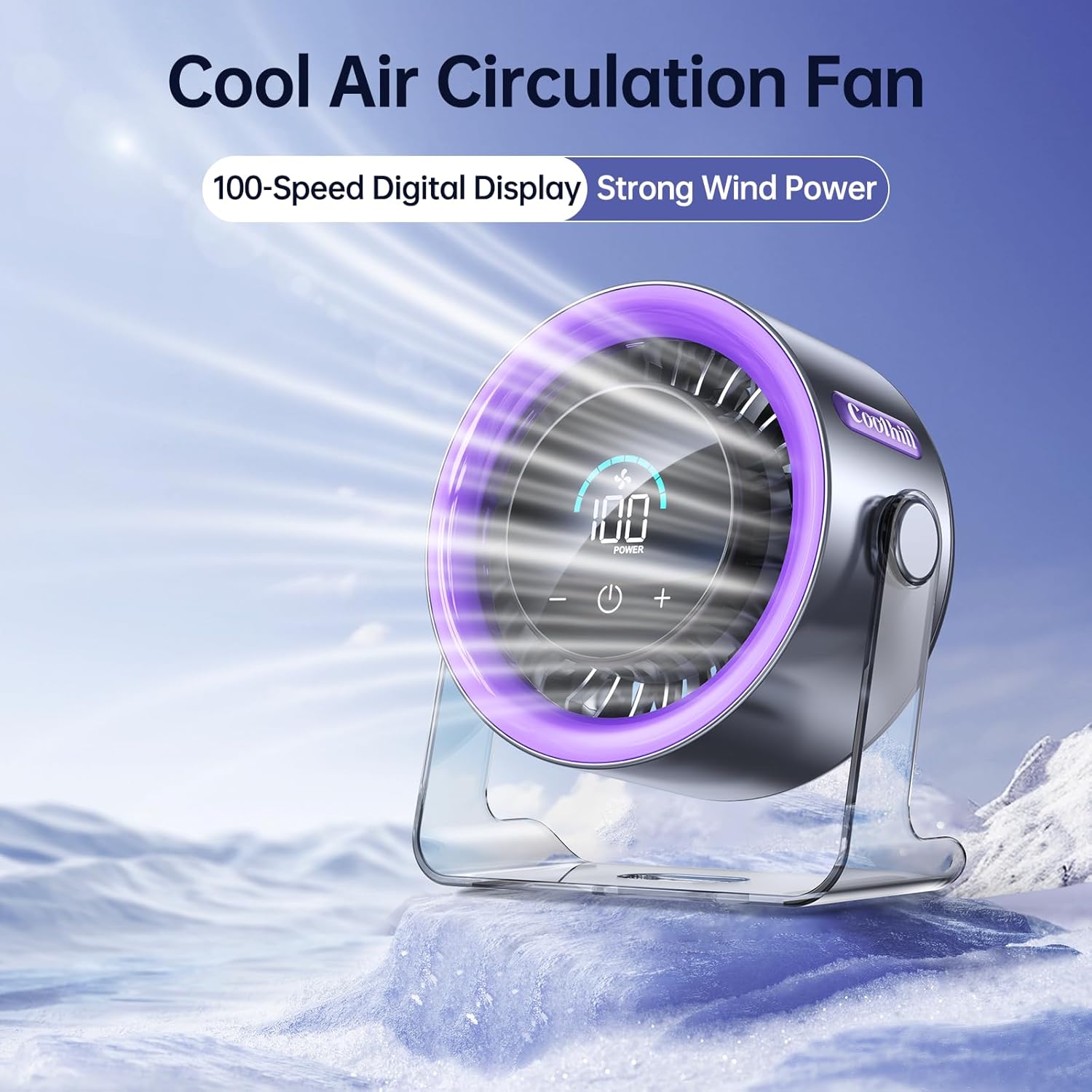
Image: The fan operating at maximum speed, illustrating its powerful airflow.
3. Digital Display
The clear numeric screen displays the current fan speed and the remaining battery percentage, allowing for easy monitoring even in low light conditions.

Image: Close-up of the fan's digital display showing battery level and fan speed.
4. Oscillation
The fan features a 120° oscillation function to distribute air evenly. To activate or deactivate oscillation, refer to the specific button or touch control indicated in the quick start guide included in your package.
Maintenance
1. Cleaning
- Ensure the fan is powered off and unplugged before cleaning.
- Wipe the exterior surfaces with a soft, dry cloth.
- Do not use abrasive cleaners or immerse the fan in water.
2. Storage
When not in use for extended periods, store the fan in a cool, dry place away from direct sunlight and extreme temperatures.
Troubleshooting
- Fan not turning on: Ensure the battery is charged. Connect the USB-C cable and try again.
- Weak airflow: Increase the fan speed using the adjustment buttons.
- Unusual noise: Check for any obstructions around the fan blades. If the noise persists, contact customer support.
- Digital display not working: Ensure the fan is powered on and charged. If the issue continues, contact customer support.
Specifications
| Feature | Specification |
|---|---|
| Brand | Coolhill |
| Model Name | ZH27 |
| Product Dimensions | 5.78"D x 6.37"W x 2.87"H |
| Item Weight | 1.1 Pounds |
| Power Source | Battery Powered |
| Battery Capacity | 4000 mAh |
| Noise Level | 28 Decibels |
| Adjustable Speeds | 100 Levels |
| Control Method | Touch |
| Special Features | Quiet Operation, 120° Oscillation, Digital Display |
| UPC | 199284640382 |
Warranty & Support
For warranty information or technical support, please refer to the contact details provided in your product packaging or visit the official Coolhill website.
Ask a question about this manual
Ask about setup, troubleshooting, compatibility, parts, safety, or missing instructions. Manuals+ will review the question and use this page’s manual context to help answer it.