
1. Introduction
This manual provides comprehensive instructions for the setup, operation, and maintenance of your Generic UC7087T Replacement Remote Control. This remote is designed to be compatible with various Hampton Bay and Harbor Breeze brand ceiling fans, offering convenient control over fan speed and lighting functions.
2. Product Overview
The UC7087T remote control features an intuitive button layout for easy operation of your ceiling fan and its integrated light kit. It utilizes infrared technology for communication with the fan's receiver.
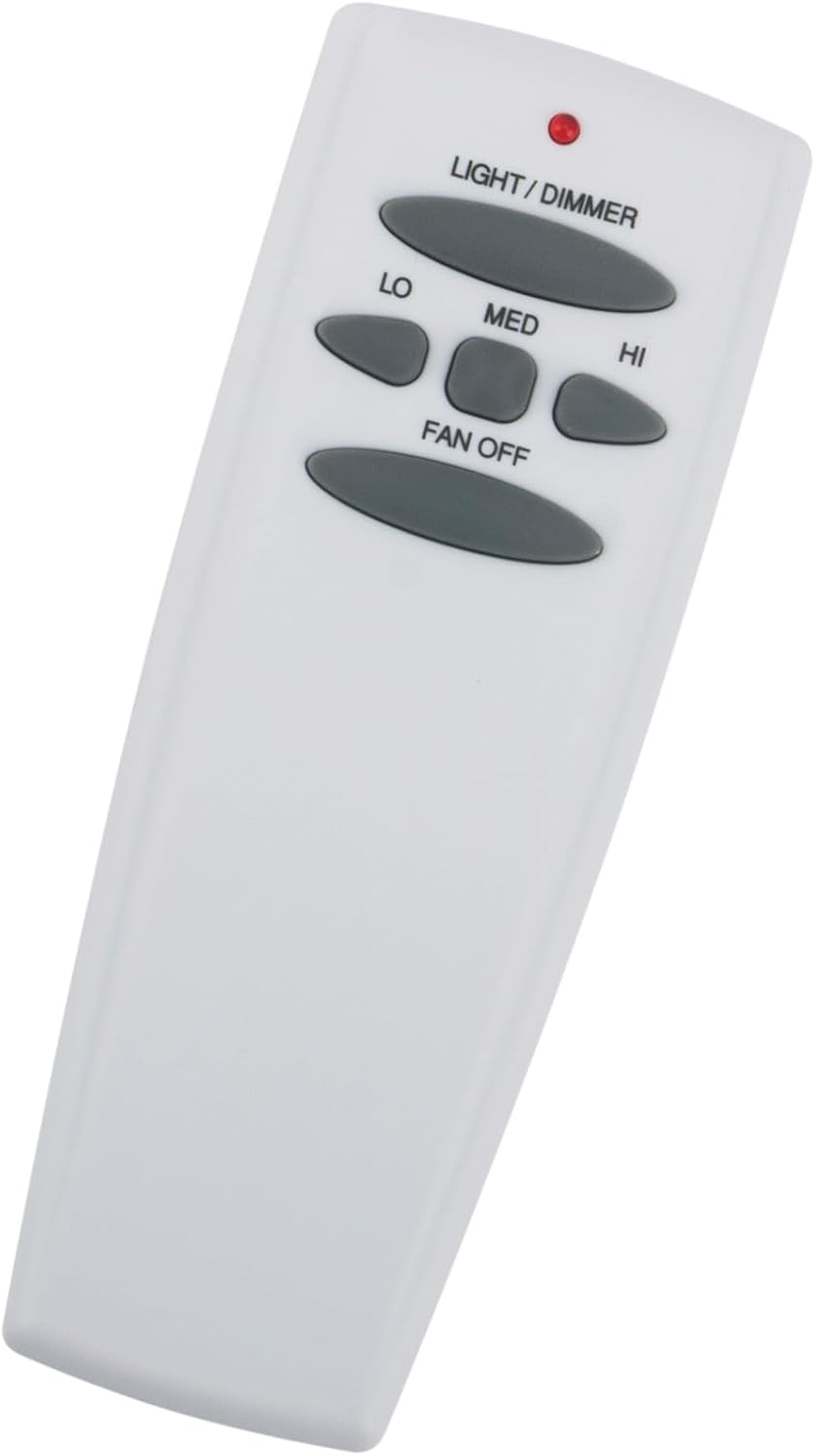
Figure 1: Front view of the UC7087T remote control. The remote is white with gray oval-shaped buttons. From top to bottom, buttons include "LIGHT/DIMMER", "LO", "MED", "HI", and "FAN OFF". A small red indicator light is visible at the top.
Key Features:
- Model: UC7087T
- Compatibility: Designed for Hampton Bay and Harbor Breeze brand ceiling fans.
- Functions: Controls fan speed (Low, Medium, High, Off) and light (On/Off, Dimming).
- Connectivity: Infrared (IR) technology.
- Operating Range: Up to 5 meters (approximately 16 feet).
- Color: Black (as per product specifications, though product images show a white remote).
- Special Feature: Digital Display (as per product specifications, though not visible in provided images).
3. Setup Instructions
3.1. Battery Installation
The remote control requires batteries for operation. Typically, these remotes use one 9-volt battery or two AAA batteries. Refer to the battery compartment cover on the back of the remote for the correct battery type and polarity.
- Locate the battery compartment cover on the back of the remote control.
- Slide or unclip the cover to open the compartment.
- Insert the required batteries, ensuring correct polarity (+ and - terminals).
- Replace the battery compartment cover securely.
Note: If the remote has a digital display (as per specifications), ensure batteries are correctly installed for it to function.
3.2. Pairing with Fan Receiver (If Applicable)
Some replacement remotes may require pairing with your fan's receiver unit. This process typically involves setting DIP switches or a learning function. Consult your ceiling fan's original instruction manual for specific pairing procedures. If your fan's receiver has DIP switches, ensure they match the settings on your new remote (if the remote also has them). If the remote is a direct replacement for a UC7087T, it may work without additional pairing if the fan's receiver is already set to the UC7087T code.
Important: Always turn off power to the ceiling fan at the circuit breaker before performing any installation or pairing procedures involving the fan's receiver.
4. Operating Instructions
Familiarize yourself with the buttons on your UC7087T remote control:
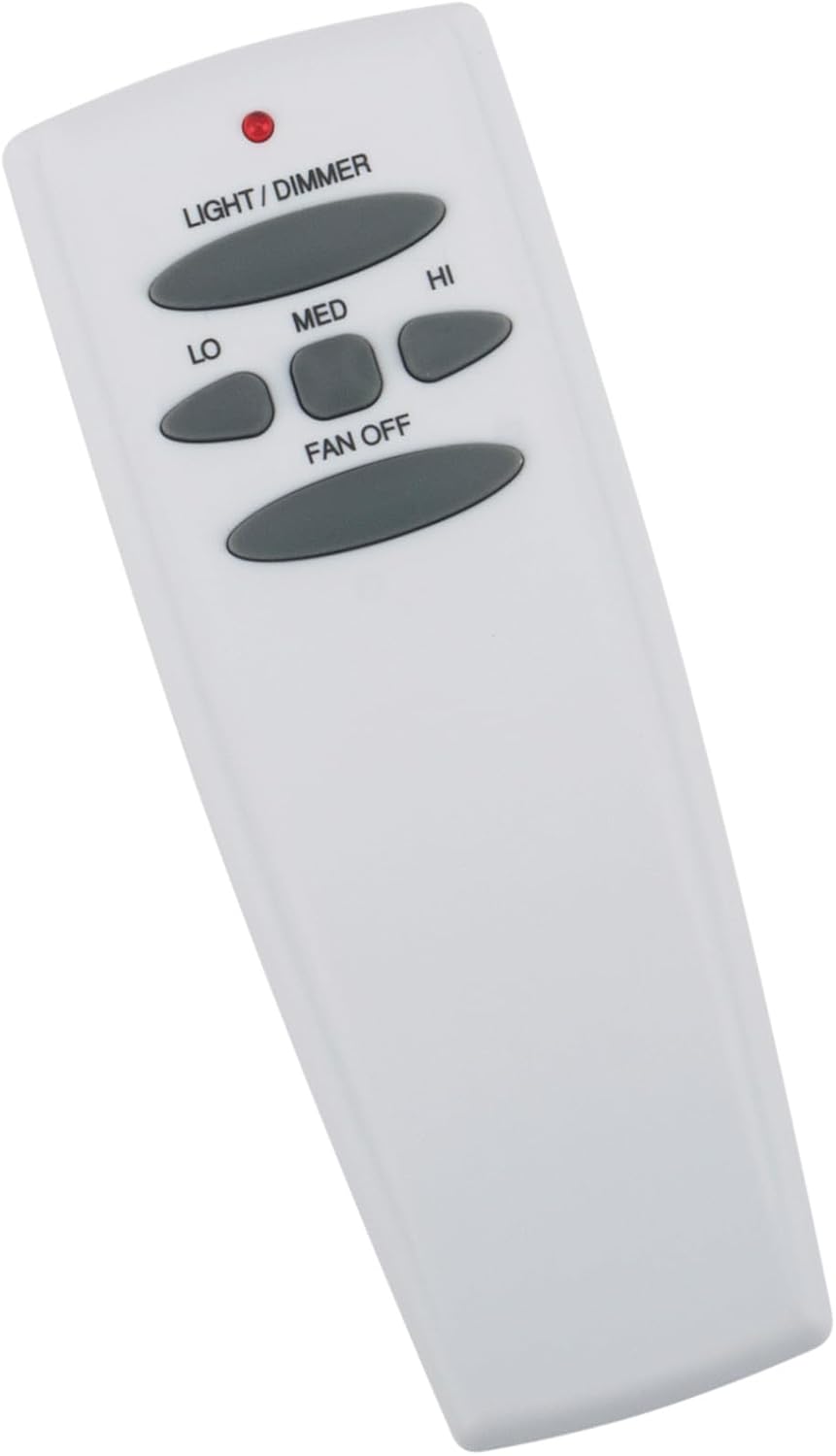
Figure 2: Detailed view of the UC7087T remote control buttons. The buttons are clearly labeled for fan speed and light control.
- LIGHT/DIMMER:
- Press once to turn the light ON or OFF.
- Press and hold to dim or brighten the light (if your fan's light kit supports dimming).
- LO: Press to set the fan speed to Low.
- MED: Press to set the fan speed to Medium.
- HI: Press to set the fan speed to High.
- FAN OFF: Press to turn the fan OFF.
Tip: Ensure the remote is pointed towards the fan's receiver for optimal signal transmission. The maximum effective range is approximately 5 meters.
5. Maintenance
To ensure the longevity and proper functioning of your remote control:
- Cleaning: Wipe the remote with a soft, dry cloth. Do not use abrasive cleaners or solvents.
- Battery Replacement: Replace batteries when the remote's performance degrades or if the indicator light (if present) does not illuminate. Remove batteries if the remote will not be used for an extended period to prevent leakage.
- Storage: Store the remote in a dry place, away from extreme temperatures and direct sunlight.
6. Troubleshooting
| Problem | Possible Cause | Solution |
|---|---|---|
| Remote not responding. | Dead or incorrectly installed batteries. | Replace batteries, ensuring correct polarity. |
| Remote not responding. | Obstruction between remote and fan receiver. | Ensure a clear line of sight. Reduce distance to fan. |
| Remote not responding. | Remote not paired with fan receiver. | Refer to Section 3.2 for pairing instructions or your fan's original manual. |
| Fan or light functions intermittently. | Weak batteries. | Replace batteries. |
| Light dimming not working. | Fan's light kit does not support dimming. | Verify if your fan's light kit is dimmable. |
7. Specifications
- Model Number: UC7087T
- Connectivity Technology: Infrared
- Maximum Operating Range: 5 Meters (approx. 16 feet)
- Power Source: Batteries (type typically 9V or AAA, refer to remote for specifics)
- Special Feature: Digital Display (as listed in product specifications)
- Compatible Brands: Hampton Bay, Harbor Breeze
8. Warranty and Support
For warranty information and customer support, please refer to the retailer or manufacturer from whom you purchased this replacement remote control. Keep your purchase receipt as proof of purchase.
For specific fan-related issues or advanced troubleshooting, consult the original instruction manual for your Hampton Bay or Harbor Breeze ceiling fan.