
JYUAJOI H95
JYUAJOI H95 Health Fitness Tracker Smart Watch User Manual
Model: H95
Introduction
This manual provides essential instructions for setting up, operating, and maintaining your JYUAJOI H95 Health Fitness Tracker Smart Watch. Please read this manual carefully before use to ensure proper function and to maximize your device's capabilities.
What's in the Box
- Smart Watch (H95) x 1
- Charging Cable x 1
- User Manual x 1
Setup
1. Charging the Device
Before first use, fully charge your smart watch. The device uses a magnetic charging cable.
- Connect the USB end of the charging cable to a power adapter (not included) or a computer's USB port.
- Align the magnetic end of the charging cable with the charging contacts on the back of the watch. The magnets will snap into place.
- The watch display will show a charging indicator. A full charge typically takes approximately 1.5 hours.
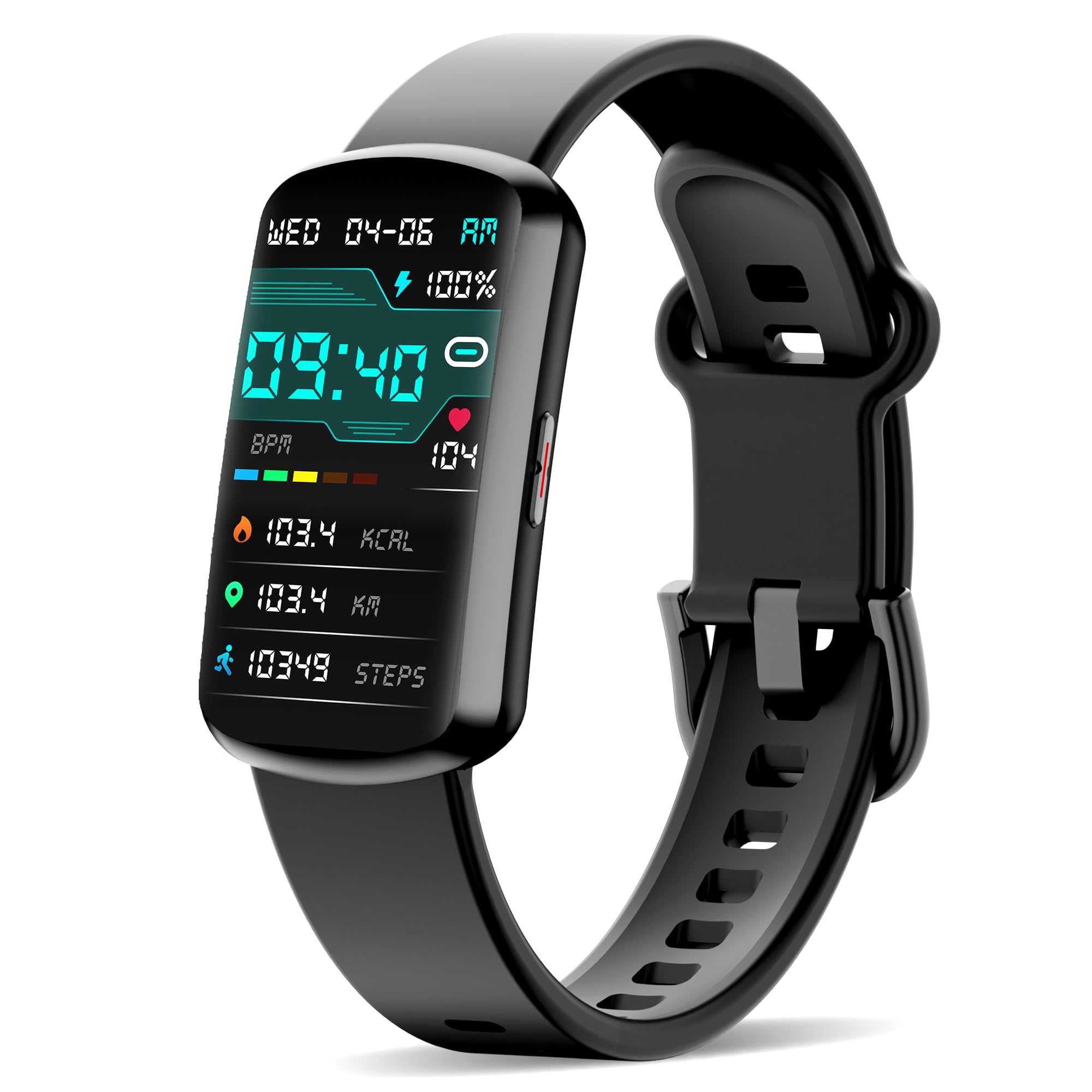
Image: The JYUAJOI H95 Smart Watch connected to its magnetic charging cable, displaying a charging icon.
2. App Download and Pairing
To unlock all features and synchronize data, download the companion application to your smartphone.
- Scan the QR code provided in the user manual or on the product packaging to download the official app.
- Alternatively, search for the app name (usually mentioned in the manual) in your smartphone's app store (Google Play Store for Android, Apple App Store for iOS).
- Ensure your smartphone's Bluetooth is enabled.
- Open the app and follow the on-screen instructions to pair your JYUAJOI H95 Smart Watch.
- The watch is compatible with smartphones running Android 5.0 or iOS 10.0 and above, equipped with Bluetooth 5.0. It is not compatible with PCs or tablets.
Operating Instructions
1. Display and Navigation
The JYUAJOI H95 features a 1.47-inch HD color touchscreen for intuitive interaction.
- Touchscreen: Navigate through menus and select options by swiping and tapping the screen.
- Watch Faces: Customize your watch face from over 100 cloud-based options available through the companion app.

Image: The 1.47-inch HD color display of the smart watch, highlighting its customizable watch faces and battery information.
2. Health Monitoring
The device offers comprehensive health tracking features. Note: This device is for reference only and not intended for medical use.
- Heart Rate Monitor: Continuously monitors your heart rate throughout the day.
- Blood Pressure Monitor: Tracks your blood pressure levels.
- Blood Oxygen Monitor: Measures your blood oxygen saturation (SpO2).
- Sleep Analysis: Provides detailed analysis of your sleep patterns to help improve rest.
- Guided Breathing Exercises: Access guided breathing exercises to enhance vitality.

Image: The smart watch screen showing real-time readings for heart rate, blood pressure, and blood oxygen.

Image: The smart watch tracking sleep, with a visual representation of deep sleep, light sleep, and wake-up times.
3. All-Day Activity Tracking
Monitor your physical activity and customize your workouts.
- Daily Activity: Tracks steps taken, calories burned, and distance traveled.
- Sports Modes: Choose from over 120+ sports modes to track specific exercises, including walking, cycling, running, and more.

Image: The smart watch displaying activity data such as steps, calories burned, and distance covered during exercise.
4. Smart Notifications and Assistant Features
Stay connected and manage daily tasks directly from your wrist.
- Call & Text Alerts: Receive instant notifications for incoming calls and messages.
- Weather Updates: Get current weather forecasts.
- Music Control: Control music playback on your paired smartphone.
- Menstrual Cycle Tracking: Monitor and predict menstrual cycles.
- Alarms: Set alarms for reminders.
- Shutter Control: Remotely control your phone's camera.
- Stopwatch & Timer: Utilize built-in stopwatch and timer functions.
- Hydration & Sedentary Reminders: Receive alerts to drink water and move if inactive for too long.

Image: The smart watch screen showing notifications from different applications, indicating its versatile assistant capabilities.

Image: The smart watch interface displaying menstrual cycle tracking features.

Image: The smart watch showcasing various additional functions including weather, alarm clocks, camera control, music playback, and timer.
5. IP68 Waterproof Rating
The fitness tracker is designed with an IP68 waterproof rating, allowing it to withstand water droplets and sweat during daily activities. It can also be worn while swimming.

Image: The smart watch being used in water, illustrating its IP68 waterproof feature.
Maintenance
- Cleaning: Regularly clean the watch screen and band with a soft, dry cloth. If necessary, use a slightly damp cloth and mild soap, then dry thoroughly.
- Charging Contacts: Ensure the charging contacts on the back of the watch and the charging cable are clean and free of debris to maintain efficient charging.
- Storage: Store the watch in a cool, dry place when not in use.
- Avoid Chemicals: Do not expose the watch to harsh chemicals, strong detergents, or solvents, as these can damage the materials.
Troubleshooting
If you encounter issues with your JYUAJOI H95 Smart Watch, consider the following:
- Device Not Turning On: Ensure the watch is fully charged. Connect it to the charger for at least 10-15 minutes.
- Pairing Issues:
- Ensure Bluetooth is enabled on your smartphone.
- Restart both your smartphone and the smart watch.
- Make sure the watch is within Bluetooth range of your phone.
- Check if the app is updated to the latest version.
- Inaccurate Readings:
- Ensure the watch is worn snugly on your wrist, but not too tight.
- Clean the sensors on the back of the watch.
- Remember that health monitoring data is for reference only and not for medical diagnosis.
- Battery Life Shorter Than Expected:
- Frequent use of certain features (e.g., continuous heart rate monitoring, bright display) can reduce battery life.
- Ensure background app refresh for the companion app is optimized on your phone.
For further assistance, refer to the "Support" section.
Specifications
| Model Number | H95 |
| Display Size | 1.47 Inches |
| Item Weight | 40 Grams (1.41 ounces) |
| Battery Capacity | 200 Milliamp Hours |
| Battery Life | 5-7 days (depending on usage) |
| Charging Time | Approx. 1.5 hours |
| Waterproof Rating | IP68 |
| Connectivity | Bluetooth 5.0 |
| Operating System | Android Wear 2.6 (compatible with Android 5.0+ / iOS 10.0+) |
| Memory Storage Capacity | 100 MB |
| Special Features | Multisport Tracker, Sedentary Reminder, Heart Rate, Blood Pressure, Blood Oxygen, Sleep Tracking, Notifications |
Warranty and Support
For technical support or warranty inquiries, please contact JYUAJOI customer service.
- Email: jyuajoi.service@gmail.com
- Please provide your model number (H95) and a detailed description of your issue when contacting support.
Ask a question about this manual
Ask about setup, troubleshooting, compatibility, parts, safety, or missing instructions. Manuals+ will review the question and use this page’s manual context to help answer it.