
1. Introduction
Thank you for choosing the IFSEB Makeup Vanity with Glass Top, Mirror and Lights. This manual provides essential information for the safe assembly, operation, and maintenance of your new vanity. Please read these instructions carefully before use and retain them for future reference.
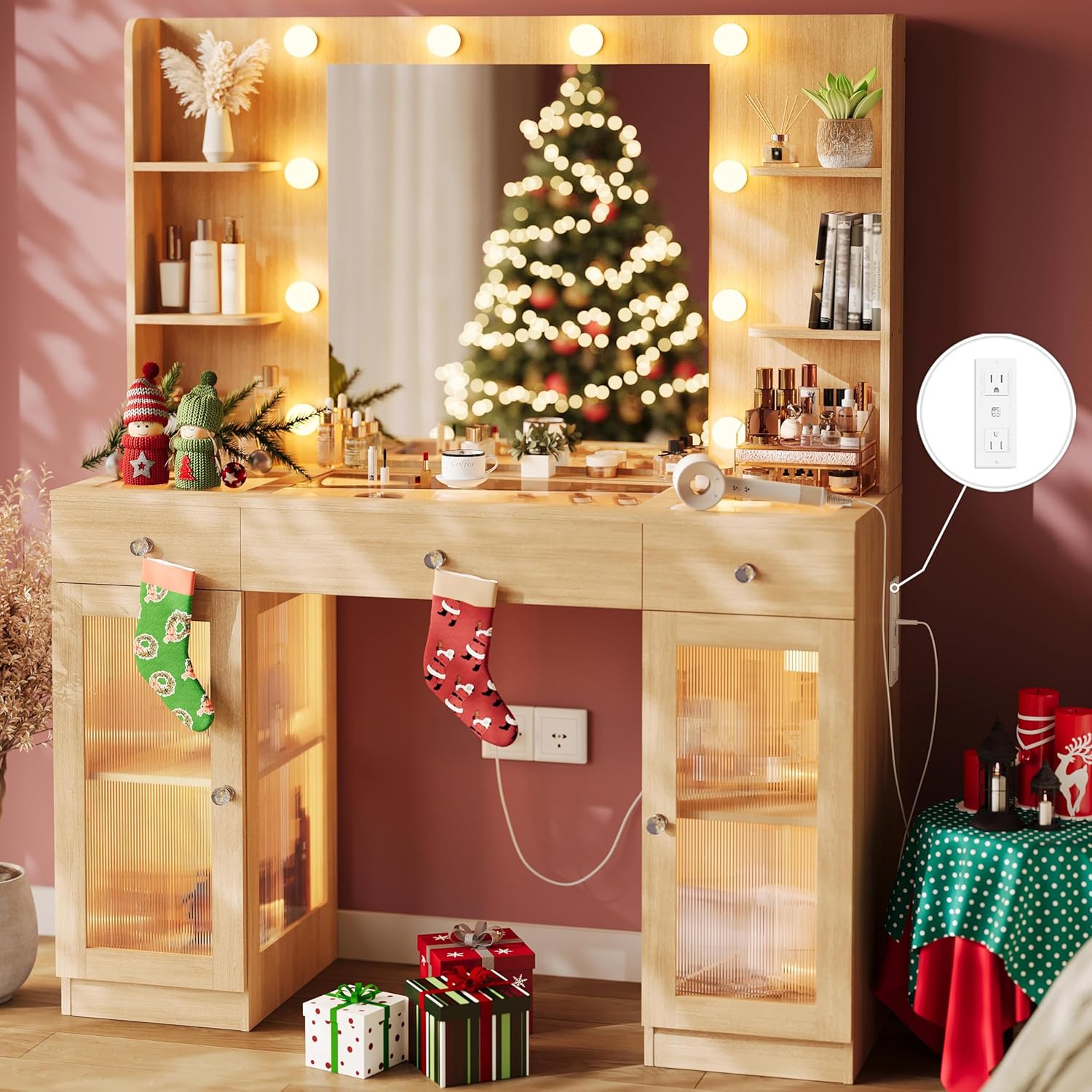
Image 1.1: IFSEB Makeup Vanity with Glass Top, Mirror and Lights (Oak finish shown)
2. Safety Information
To ensure safe use and prevent damage, please observe the following safety guidelines:
- Always assemble the vanity on a soft, clean surface to prevent scratches.
- Ensure all screws and fasteners are securely tightened before use. Periodically check and re-tighten as necessary.
- Do not overload drawers or shelves. Distribute weight evenly.
- Keep electrical components (lights, power outlet) away from water or excessive moisture.
- Use the built-in power outlet only for its intended purpose and within specified electrical ratings (125V/12A AC, 5V/2A USB).
- Do not attempt to modify or repair electrical components. Contact qualified personnel for service.
- Keep small parts out of reach of children during assembly to prevent choking hazards.
- This product may contain chemicals known to the State of California to cause cancer and birth defects or other reproductive harm (Proposition 65 Warning).
3. Package Contents
Your IFSEB Makeup Vanity package includes all necessary components for assembly. All parts are neatly packaged and clearly labeled for easy identification. Please verify that all parts are present and undamaged before beginning assembly.
- Vanity Table Frame (Engineered Wood)
- HD Mirror with Integrated LED Bulbs
- Tempered Glass Top Panels
- Drawers with Crystal Knobs
- Cabinets with See-Through Doors and Crystal Knobs
- Internal LED Light Strips for Drawers and Cabinets
- Built-in Power Outlet (2 AC, 2 USB ports) with 6-foot power cord
- Assembly Hardware (screws, connectors, etc.)
- Instruction Manual
4. Assembly Instructions
Assembly of the IFSEB Makeup Vanity is designed to be straightforward with the provided easy-to-follow instructions. We recommend having two people for certain steps, particularly when handling larger components like the mirror and glass panels.
- Unpack and Organize: Carefully unpack all components and lay them out on a clean, soft surface. Verify all parts against the included parts list.
- Assemble Base Structure: Follow the numbered steps in the separate assembly guide to construct the main vanity frame, including the drawers and cabinet sections. Pay close attention to the orientation of each piece.
- Install Glass Top: Carefully place the tempered glass top panels into their designated slots. Ensure they are seated securely.
- Attach Mirror Unit: Secure the mirror unit to the main vanity structure as indicated in the assembly guide. Ensure all connections are firm.
- Connect Electrical Components: Connect the LED light bulbs, internal light strips, and power outlet according to the wiring diagrams. Ensure all connections are secure before plugging the unit into a wall outlet.
- Final Checks: Once assembled, ensure all screws are tightened, and the vanity is stable.
For a visual overview of the product and its features, please refer to the video below:
Video 4.1: Overview of the IFSEB Makeup Vanity with Storage and Lighting features.
5. Operating Instructions
5.1. LED Lighting System
The vanity features adjustable LED lighting for both the mirror bulbs and the internal light strips in the drawers and cabinets. These are controlled by two separate switches, typically located on the side or front of the vanity, or via an inline remote control.

Image 5.1: Illustration of the 3 color lighting modes (Warm Yellow, Natural White, Cold White).
- Power On/Off: Press the power button on the switch or remote to turn the lights on or off.
- Adjust Color Mode: Cycle through the 3 available color modes (e.g., Warm Yellow, Natural White, Cold White) by pressing the mode selection button.
- Adjust Brightness: Use the '+' and '-' buttons to increase or decrease the brightness level to your preference.
5.2. Built-in Power Outlet
The vanity includes a convenient built-in power outlet for your electronic devices and styling tools.

Image 5.2: Detail of the built-in charging station with 2 AC outlets and 2 USB ports.
- The power outlet provides 2 standard AC outlets (125V/12A) and 2 USB ports (5V/2A).
- Plug your hair tools, phone chargers, or other small electronic devices directly into the available ports.
- Ensure devices are compatible with the provided power specifications.
6. Maintenance and Care
Proper care will extend the life and appearance of your vanity.
- Cleaning: Wipe surfaces with a soft, damp cloth. Avoid harsh chemicals or abrasive cleaners that may damage the finish or glass.
- Glass Care: Use a glass cleaner for the mirror and glass top. Avoid spraying cleaner directly onto the glass; instead, apply it to a cloth first.
- Dusting: Regularly dust all surfaces, including shelves and inside cabinets, to prevent buildup.
- Knobs: Periodically check that the crystal knobs are securely attached.
- Electrical: Ensure power cords are not pinched or damaged. Unplug the vanity from the wall outlet before cleaning or performing any maintenance on electrical components.
7. Troubleshooting
| Problem | Possible Cause | Solution |
|---|---|---|
| Lights not turning on | Power cord not plugged in; loose connection; bulb/LED strip failure. | Check power connection to wall outlet and vanity. Ensure all internal connections are secure. If individual bulbs/strips are replaceable, check them. |
| Power outlet not working | Vanity not plugged in; device not properly inserted; device malfunction. | Verify the vanity is plugged into a live wall outlet. Ensure your device is correctly plugged into the vanity outlet. Test the device in another outlet. |
| Vanity feels unstable | Loose fasteners; uneven floor. | Check and tighten all assembly screws. If the floor is uneven, use furniture levelers (not included) under the vanity legs. |
| Damaged or missing parts upon arrival | Shipping damage; packaging error. | Do not proceed with assembly. Contact customer support immediately with photos of the damage. |
8. Specifications
| Feature | Detail |
|---|---|
| Model Number | Vanity US04 |
| Product Dimensions | 15.7"D x 43.4"W x 56.8"H |
| Item Weight | 90 pounds |
| Material | Engineered Wood, Tempered Glass Top, HD Mirror, Metal Glides |
| Frame Material | Tempered Glass Top, Engineered Wood |
| Lighting | Adjustable LED bulbs (3 modes, adjustable brightness), LED light strips in drawers/cabinets |
| Storage | 3 Drawers, 2 Cabinets, Open Shelves |
| Power Outlet | 2 AC outlets (125V/12A), 2 USB ports (5V/2A), 6-foot power cord |
| Assembly Required | Yes |
| Color | Oak (as per current product variant) |

Image 8.1: Detailed product dimensions.
9. Warranty and Support
IFSEB is committed to providing quality products and excellent customer service. While specific warranty details are not provided in this manual, we offer premium service for our customers.
- If you encounter any issues with your vanity, require assistance with assembly, or have questions about its operation, please do not hesitate to contact our customer support team.
- We aim to respond to all inquiries within 24 hours.
- For damaged parts, especially the mirror, please send us a photo, and we will arrange for a replacement without requiring the return of the entire package.
For support, please refer to the contact information provided at the point of purchase or on the IFSEB official website.