
1. Introduction
The MOESAPU BH-GF108 is a high-precision laser rangefinder designed for golf, hunting, and other outdoor activities requiring accurate distance measurement. It features advanced functions such as slope compensation, flagpole locking with vibration, and a magnetic mount for convenience. This manual provides comprehensive instructions to help you operate and maintain your device effectively.

Figure 1: MOESAPU BH-GF108 Golf Rangefinder. This image shows the front view of the rangefinder, highlighting its compact design and optical lenses.
2. What's in the Box
Upon unboxing, please ensure all items are present:
- MOESAPU BH-GF108 Golf Rangefinder
- Protective Carrying Case
- USB Type-C Charging Cable
- Lens Cleaning Cloth
- Lanyard
- User Manual
3. Device Overview
Familiarize yourself with the key components of your rangefinder:

Figure 2: Detailed view of the MOESAPU BH-GF108 rangefinder components. This image labels the Laser Emission Lens, Slope Switch, Laser Receiving Lens, Eyepiece, Power Button, Mode Button, Magnet, and Charging Port, along with the included protective case.
- Laser Emission Lens: Emits the laser beam for distance measurement.
- Laser Receiving Lens: Receives the reflected laser beam.
- Eyepiece: For viewing through the device. Adjustable for focus.
- Power Button: Powers the device on/off and initiates measurements.
- Mode Button: Cycles through different measurement modes.
- Slope Switch: Enables or disables slope compensation.
- Magnetic Mount: Allows attachment to metal surfaces, such as a golf cart frame.
- Charging Port (USB Type-C): For recharging the internal battery.
4. Setup
4.1 Charging the Battery
The MOESAPU BH-GF108 features a built-in rechargeable lithium-based battery. Before first use, fully charge the device.
- Locate the USB Type-C charging port on the device.
- Connect the provided USB Type-C cable to the rangefinder and a compatible USB power source (e.g., computer, wall adapter).
- The charging indicator will illuminate. Once fully charged, the indicator may change color or turn off.
A full charge provides extended use, supporting up to 30,000 measurements.

Figure 3: The rangefinder connected to a USB-C charging cable. This image illustrates the USB-C charging port and the internal 600mAh rechargeable battery.
4.2 Adjusting the Eyepiece
Rotate the eyepiece to adjust the focus until the display and target appear clear and sharp.
5. Operating Instructions
5.1 Power On/Off
- Power On: Press the Power Button once to turn on the device. The display will activate.
- Power Off: The device will automatically power off after a period of inactivity to conserve battery. Alternatively, press and hold the Power Button to manually turn it off.
5.2 Basic Measurement
- Look through the eyepiece and aim the reticle at your desired target.
- Press the Power Button once. The distance measurement will appear on the display almost instantly (within 1 second).
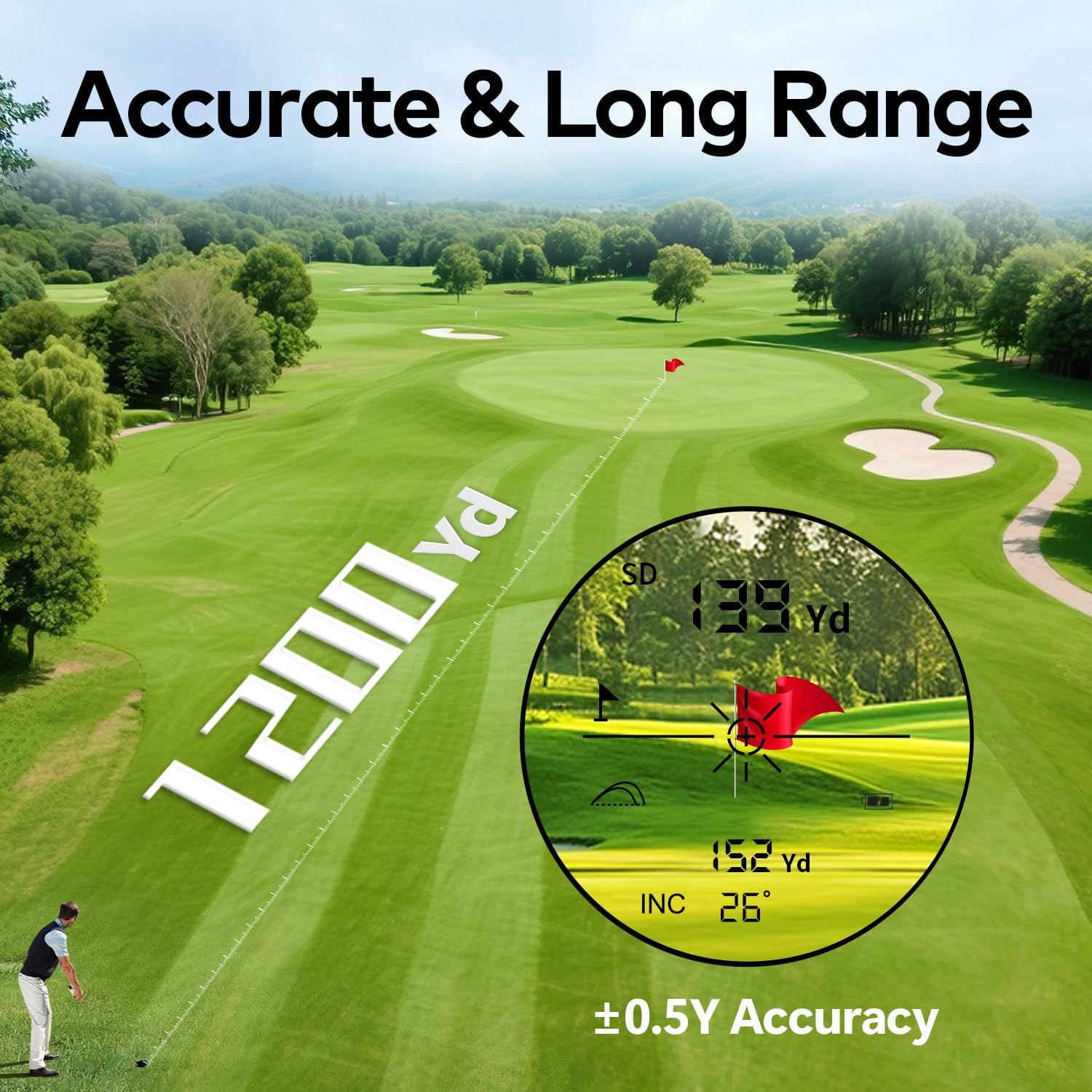
Figure 4: Display showing a distance measurement of 139 yards. This image highlights the rangefinder's capability to measure distances up to 1200 yards with an accuracy of ±0.5 yards, as seen through the eyepiece.
5.3 Switching Measurement Modes
Press the Mode Button to cycle through the available measurement modes:
- Distance Mode: Standard line-of-sight distance measurement.
- Slope Compensation Mode: Calculates the adjusted distance based on elevation changes.
- Scan Mode: Allows continuous measurement by holding down the Power Button while scanning across multiple targets.
- Speed Mode: Measures the speed of a moving object.
5.4 Slope Compensation
The slope compensation feature adjusts the measured distance to account for uphill or downhill shots, providing a more accurate 'play as' distance for golf. This feature can be enabled or disabled using the external Slope Switch.
- To Enable Slope Compensation: Ensure the Slope Switch is in the 'ON' position. The display will show both the line-of-sight distance and the slope-adjusted distance.
- To Disable Slope Compensation (Tournament Legal): Move the Slope Switch to the 'OFF' position. In this mode, only the line-of-sight distance will be displayed, making the device compliant with tournament rules.

Figure 5: Illustration of slope compensation in golf. This image demonstrates how slope compensation calculates the actual yardage needed for more accurate shots, showing the difference between no slope compensation and slope-compensated distance.
5.5 Flagpole Locking with Vibration
This feature helps to lock onto the flagpole, even with background objects, and confirms the lock with a short vibration.
- In a measurement mode, aim the reticle at the flagpole.
- Press and hold the Power Button. The device will scan for the nearest object.
- Once the flagpole is identified and locked, the device will vibrate, and the distance to the flagpole will be displayed.
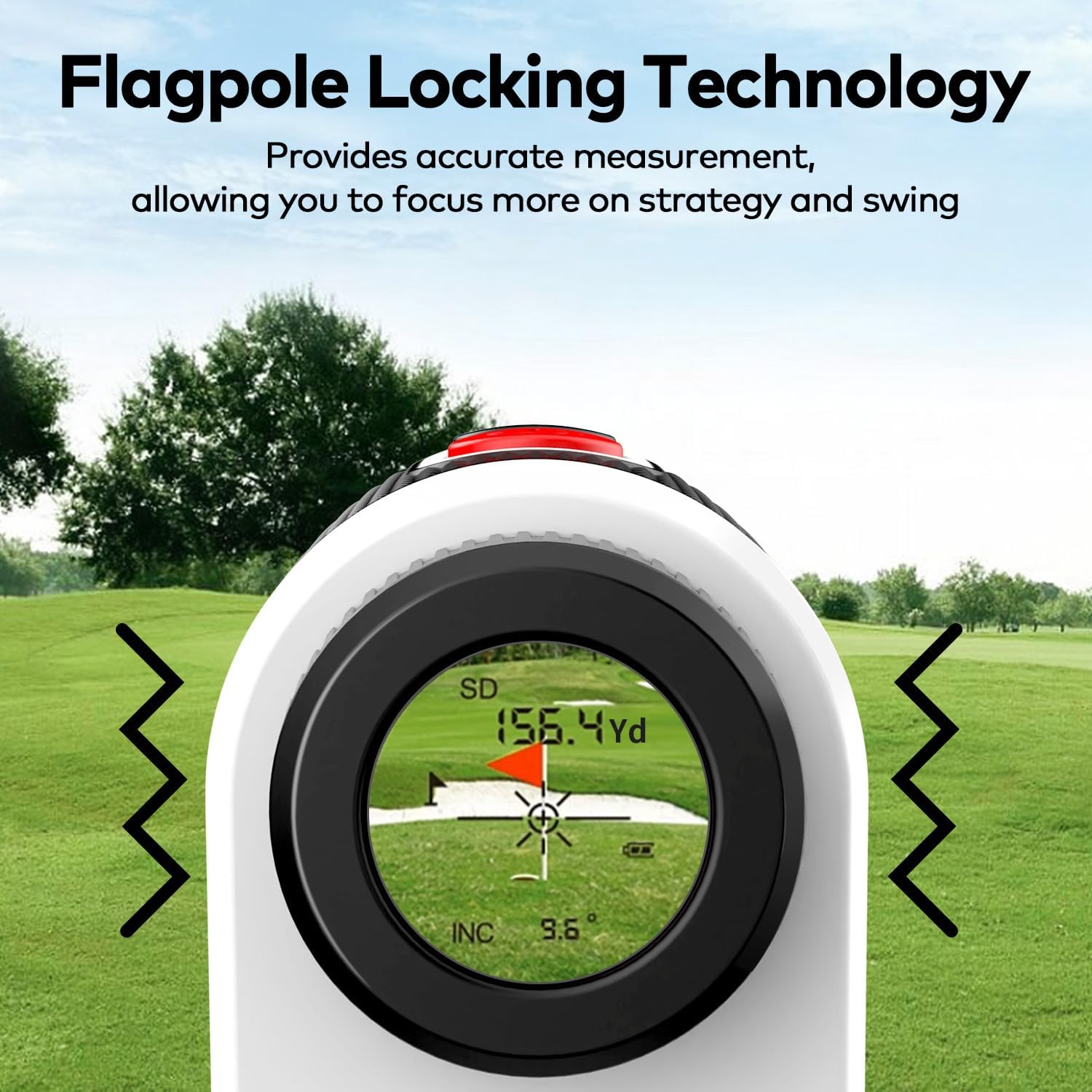
Figure 6: View through the rangefinder showing flagpole locking. This image illustrates the flagpole locking technology, which provides accurate measurement and allows the user to focus on strategy.
5.6 Magnetic Attachment
The integrated powerful magnet allows you to securely attach the rangefinder to metal surfaces, such as a golf cart frame, for easy access during play.
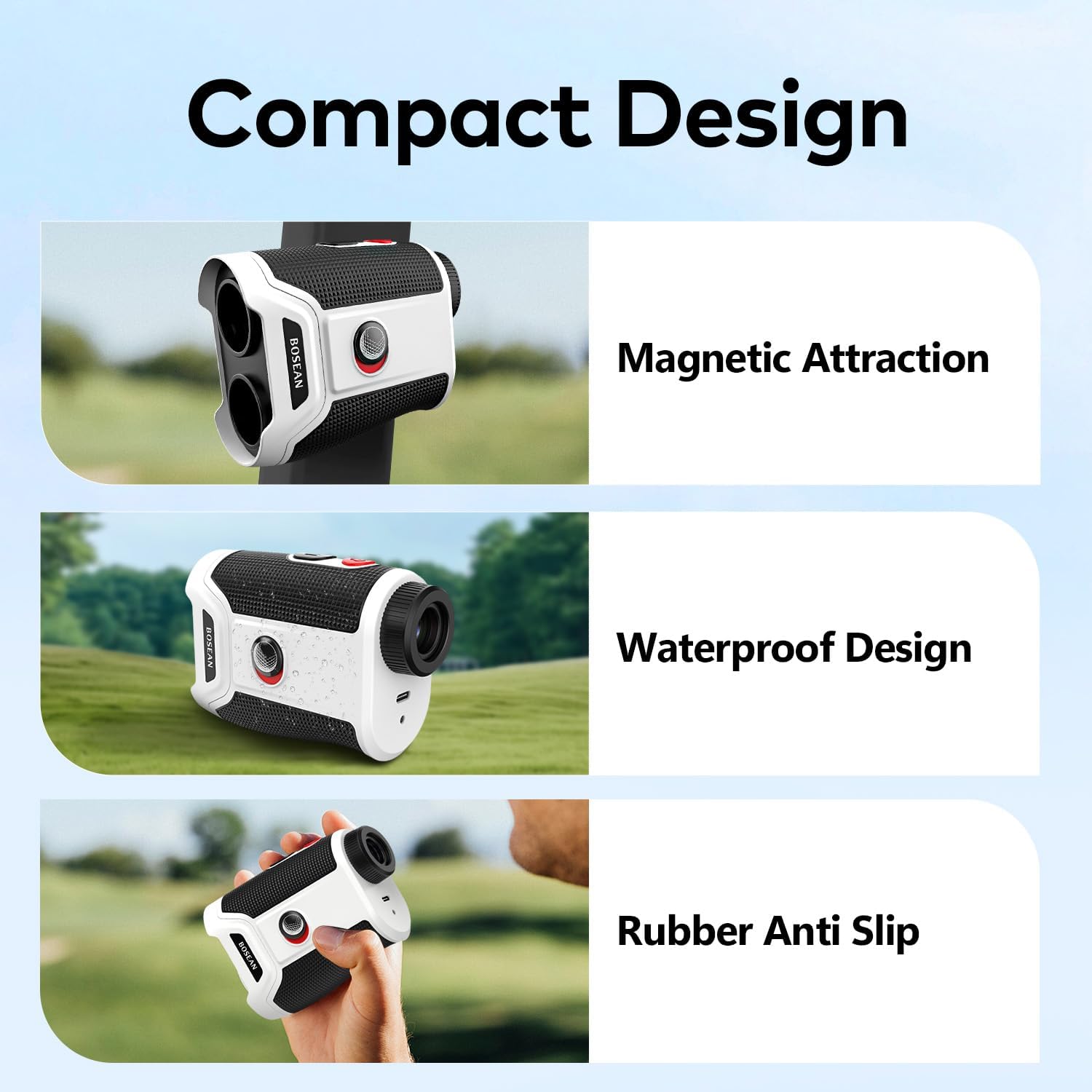
Figure 7: Features of the compact design. This image shows the rangefinder's magnetic attraction, waterproof design, and rubber anti-slip grip.
6. Maintenance
6.1 Cleaning
- Lenses: Use the provided lens cleaning cloth to gently wipe the lenses. Do not use abrasive materials or harsh chemicals.
- Body: Wipe the body of the rangefinder with a soft, damp cloth.
6.2 Storage
When not in use, store the rangefinder in its protective carrying case in a cool, dry place, away from direct sunlight and extreme temperatures.
6.3 Water Resistance
The device has an IP54 waterproof rating, meaning it is protected from dust and splashing water from any direction. It is not designed for submersion.
7. Troubleshooting
If you encounter issues with your MOESAPU BH-GF108 rangefinder, refer to the following common solutions:
- Device not powering on: Ensure the battery is charged. Connect the device to a power source using the USB-C cable.
- Inaccurate readings: Ensure the lenses are clean and free from obstructions. Make sure you are aiming at a clear target. Check if the correct mode is selected.
- Display is blurry: Adjust the eyepiece focus until the display is clear.
- Flagpole lock not working: Ensure the target is within the effective range and there are no significant obstructions. Try scanning the area slowly.
If problems persist, please contact MOESAPU customer support.
8. Specifications
| Feature | Specification |
|---|---|
| Model Number | BH-GF108 |
| Measurement Range | 5-1200 yards |
| Accuracy | ± 0.5 yards |
| Magnification | 7X |
| Battery Type | Rechargeable Lithium-based (600mAh) |
| Charging Port | USB Type-C |
| Waterproof Rating | IP54 |
| Dimensions | 10.41 x 7.87 x 4.32 cm (4.1 x 3.1 x 1.7 inches) |
| Weight | 181.44 g (0.4 lbs) |
| Material | Acrylonitrile Butadiene Styrene (ABS) PC |
9. Warranty and Support
MOESAPU provides a standard warranty for this product. For specific warranty details, claims, or technical support, please refer to the warranty card included with your purchase or contact MOESAPU customer service directly through their official website or the retailer where the product was purchased.