
Introduction
Thank you for choosing the URBN UPR123 10000mAh Wireless Power Bank. This device is designed to provide convenient and efficient charging for your mobile devices, featuring both wireless and wired charging capabilities, a strong magnetic hold, and a built-in kickstand. Please read this manual carefully to ensure proper use and to maximize the lifespan of your power bank.
What's in the Box
- 1 x URBN UPR123 Wireless Power Bank (Main Unit)
- 1 x USB Charging Cable
- 1 x User Manual (this document)
- 1 x Warranty Card
Product Overview
Familiarize yourself with the components of your URBN Wireless Power Bank.
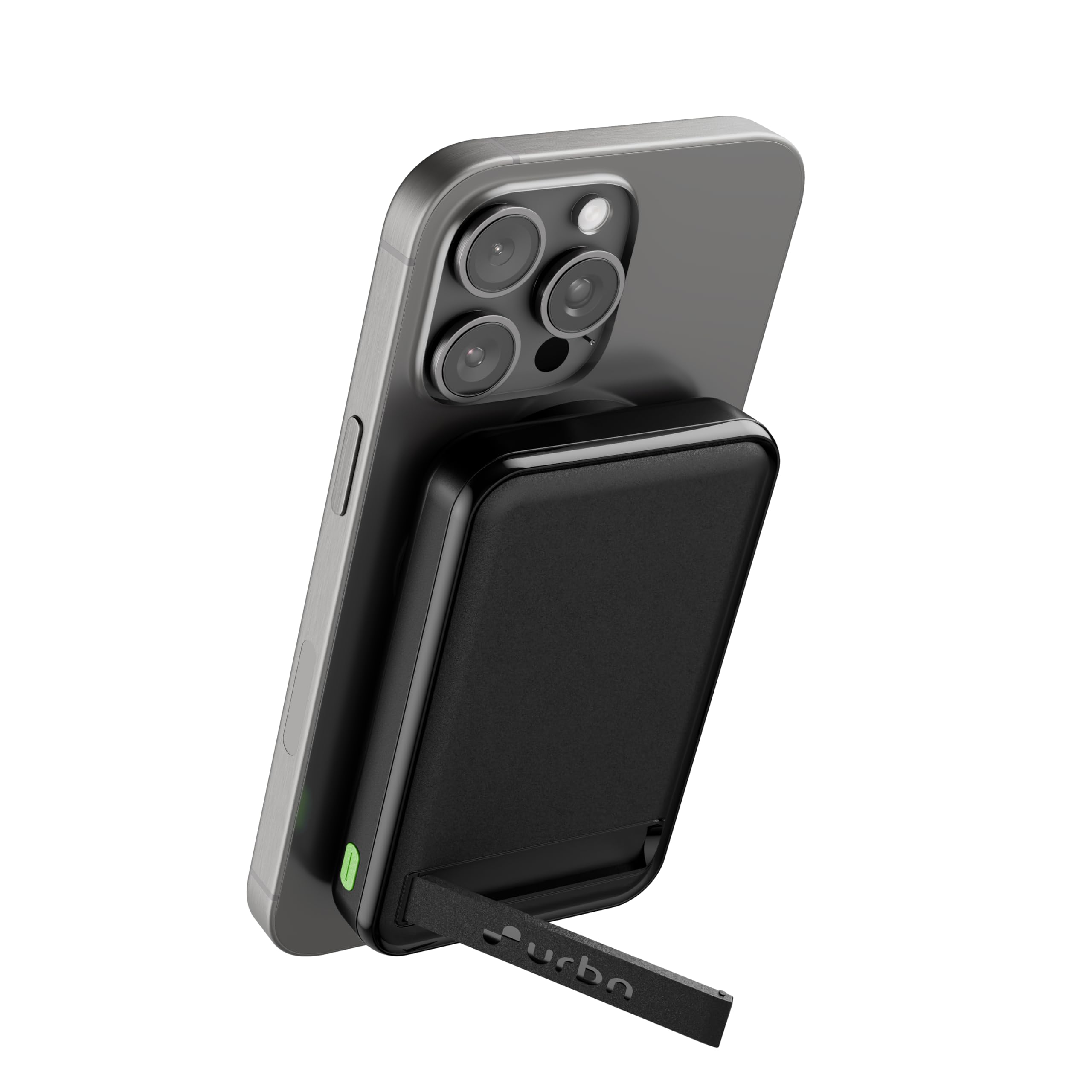
Image: Front view of the URBN UPR123 Wireless Power Bank in black, showcasing its compact design.
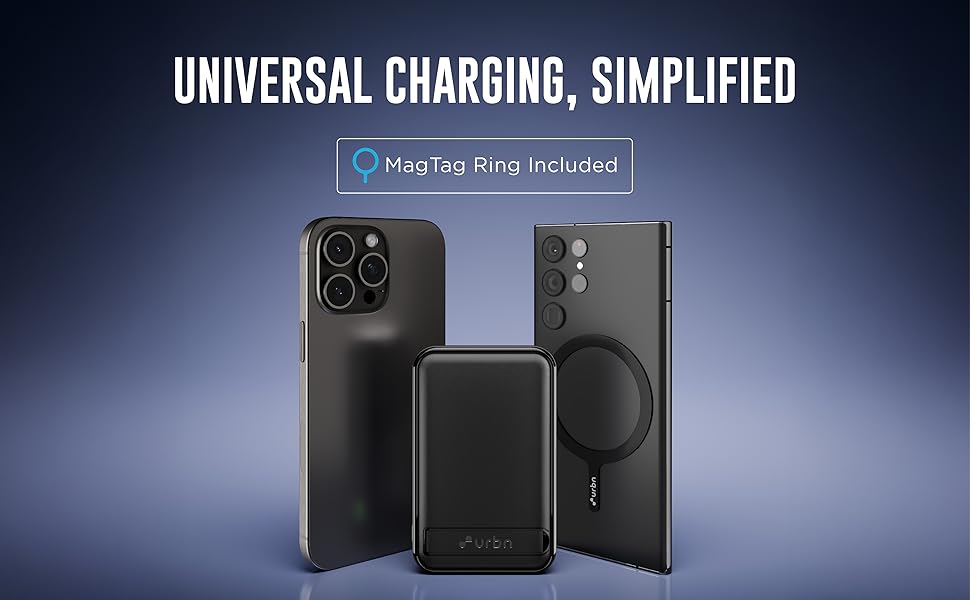
Image: Top view of the power bank highlighting the 15W Wireless Charging area, 22.5W USB-A Output port, and 20W USB-C Input/Output port, along with LED indicators.
Key Features:
- 10000mAh Capacity: Provides multiple charges for most smartphones.
- 15W Wireless Charging: MagSafe compatible for iPhone 12 and newer, and other Qi-enabled devices.
- 22.5W Wired Charging: Fast charging via USB-A port.
- 20W USB-C Input/Output: For charging the power bank and other devices.
- Built-in Kickstand: Allows for hands-free viewing while charging.
- Strong Magnetic Hold: Ensures secure attachment to compatible devices.
- LED Indicator Lights: Display battery level and charging status.
Setup
Initial Charging of the Power Bank:
- Connect the provided USB charging cable to the USB-C port on the power bank.
- Connect the other end of the USB cable to a compatible USB wall adapter (not included).
- The LED indicator lights will illuminate to show the charging progress. All four LEDs will be solid when the power bank is fully charged.
- For optimal performance, fully charge the power bank before first use.
Operating Instructions
1. Wired Charging:
The power bank supports fast wired charging via its USB-A and USB-C ports.
- Connect your device's charging cable to either the USB-A output port (22.5W) or the USB-C input/output port (20W) on the power bank.
- Connect the other end of the cable to your device.
- Charging will begin automatically. The LED indicators will show the remaining power.
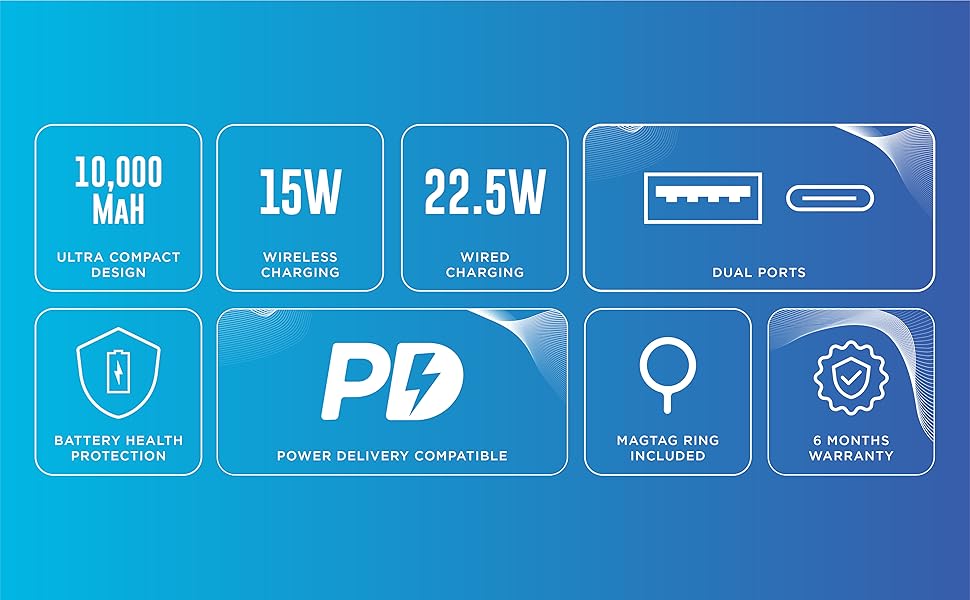
Image: Illustration showing a smartphone being charged via wired connection to the power bank, alongside a phone wirelessly charging.
2. Wireless Charging (MagSafe Compatible):
For devices with MagSafe or Qi wireless charging capability.
- Align your MagSafe-compatible iPhone (iPhone 12 and above) or other Qi-enabled device with the magnetic charging area on the power bank.
- The strong magnets will securely attach the power bank to your device.
- Wireless charging will commence automatically. The LED indicators will show the power bank's remaining charge.
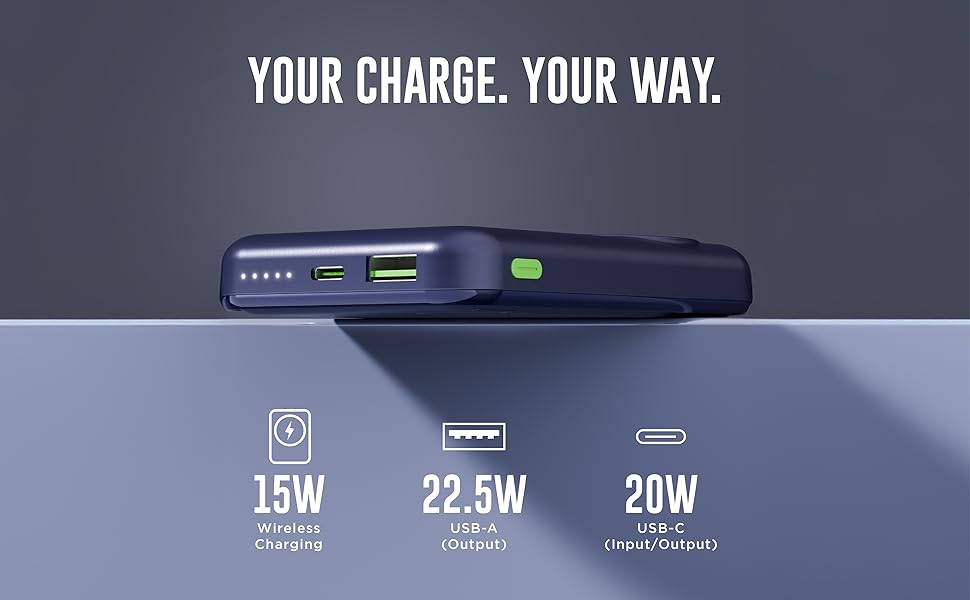
Image: The power bank is shown magnetically attached to the back of a smartphone, with its integrated kickstand extended for hands-free use.
3. Using the Built-in Kickstand:
The integrated kickstand allows for convenient hands-free viewing.
- Gently pull out the kickstand located on the back of the power bank.
- Position your device (with the power bank attached) on a flat surface to enjoy hands-free viewing in either portrait or landscape orientation.
- Push the kickstand back into its slot when not in use.
4. Pass-Through Charging:
The power bank supports pass-through charging, allowing you to charge both the power bank and your device simultaneously.
- Connect the power bank to a wall adapter using the USB-C port.
- Then, connect your device to the power bank (either wired or wirelessly).
- The power bank will charge your device first, and then recharge itself.
5. MagTag Ring (Included):
The MagTag Ring can be attached to non-MagSafe compatible phone cases to enhance magnetic attachment for wireless charging.
- Refer to the MagTag Ring's separate instructions for proper attachment to your phone case.
- Once attached, it provides a stronger magnetic connection for the power bank.
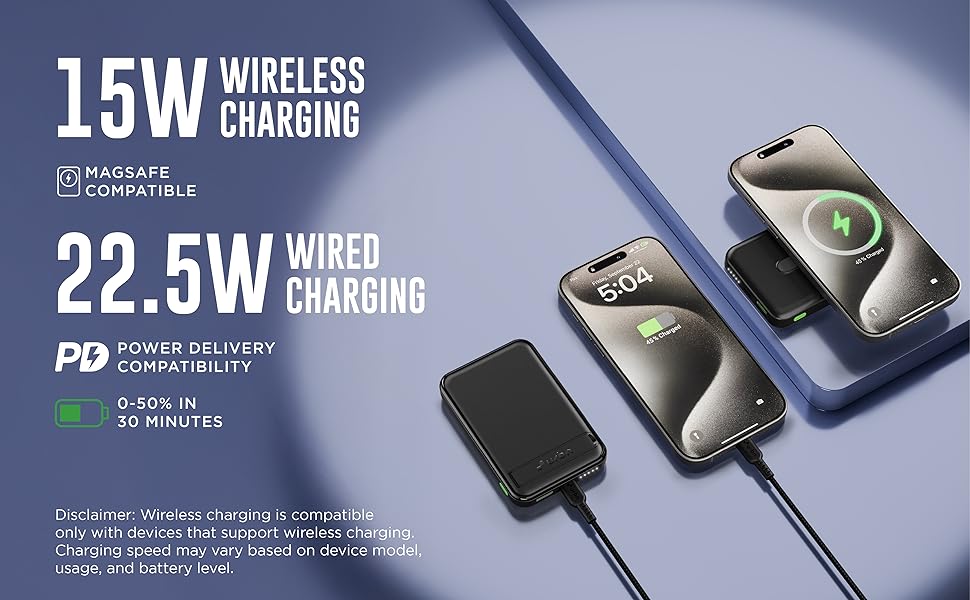
Image: The power bank positioned between an iPhone and an Android phone with a MagTag ring attached to its case, illustrating universal charging compatibility.
Maintenance and Care
- Cleaning: Wipe the power bank with a soft, dry cloth. Do not use harsh chemicals or abrasive materials.
- Storage: Store the power bank in a cool, dry place away from direct sunlight and extreme temperatures.
- Battery Care: To prolong battery life, fully charge the power bank at least once every three months if not in regular use. Avoid fully discharging the battery frequently.
- Avoid Impacts: Do not drop or subject the power bank to strong impacts.
- Water Exposure: Keep the power bank away from water and liquids.
Troubleshooting
| Problem | Possible Cause | Solution |
|---|---|---|
| Power bank not charging | Low battery; faulty cable or adapter; loose connection. | Ensure the power bank is connected to a working power source with the provided USB-C cable and a compatible adapter. Check connections. |
| Device not charging wirelessly | Misalignment; non-Qi compatible device; thick phone case; foreign objects between power bank and device. | Ensure proper alignment of the device on the power bank's wireless charging area. Remove thick cases or metal objects. Verify device supports Qi wireless charging. |
| Device not charging via cable | Faulty cable; device not compatible; power bank battery depleted. | Try a different charging cable. Ensure your device is compatible. Recharge the power bank. |
| Slow charging | Using a non-fast charging cable/adapter; device not supporting fast charging; high background app usage. | Use a fast-charging compatible cable and adapter. Close unnecessary apps on your device. |
| Power bank gets warm during use | Normal operation during charging/discharging; excessive load. | It is normal for the power bank to get slightly warm. If it becomes excessively hot, disconnect it immediately and contact support. |
Technical Specifications
| Model Name | UPR123 |
| Battery Capacity | 10000 mAh |
| Battery Cell Type | Lithium Polymer |
| Wireless Charging Output | Up to 15W |
| USB-A Output | 22.5W (Max) |
| USB-C Input/Output | 20W (Max) |
| Connector Type | USB Type C |
| Dimensions (L x W x T) | 9.5L x 6W x 3Th Centimeters |
| Weight | 250 Grams |
| Special Features | Fast Charging, LED Indicator Lights, Over Charging Protection, Short Circuit Protection, Wireless Charging, Built-in Kickstand, Strong Magnetic Hold |
| Compatible Devices | Headphones, Smartphones (iPhone 12 & above, Android & other Qi-enabled devices), Smartwatches |
| Country of Origin | India |
Safety Information
Please read and follow these safety guidelines to prevent injury or damage to your device and the power bank.
- Do not expose the power bank to extreme temperatures (above 45°C or below 0°C).
- Do not disassemble, modify, or repair the device yourself.
- Keep away from water, moisture, and flammable materials.
- Do not use if the power bank is damaged, swollen, or leaking.
- Avoid dropping or subjecting the power bank to severe impacts.
- Keep out of reach of children.
- Dispose of the power bank responsibly according to local regulations.
Built-in Protection Features:
The URBN UPR123 Power Bank includes multiple safety protections:
- Overvoltage Protection
- Overcurrent Protection
- Overcharge Protection
- Short Circuit Protection
- Battery Temperature Protection
- Chip Shutdown Thermal Protection
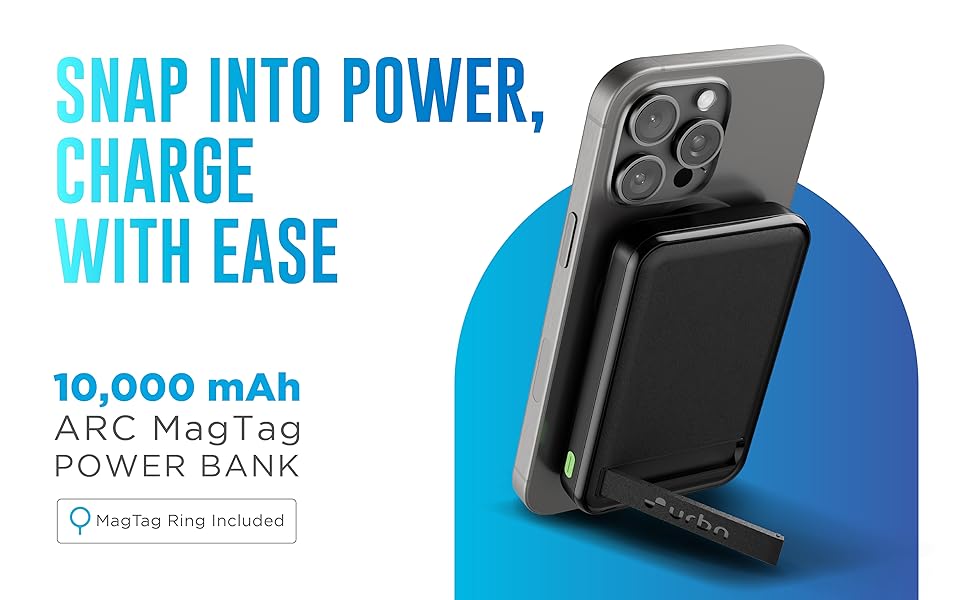
Image: Visual representation of the power bank's safety features, including overvoltage, overcurrent, overcharge, short circuit, battery temperature, and chip shutdown thermal protection.
Warranty and Support
Warranty Information:
Your URBN UPR123 Wireless Power Bank comes with a 6 Months Replacement Warranty from the date of purchase. Please retain your purchase receipt and warranty card for any warranty claims.
The warranty covers manufacturing defects. It does not cover damage caused by misuse, accidents, unauthorized repairs, or normal wear and tear.
Customer Support:
For any questions, technical assistance, or warranty claims, please contact URBN customer support.
- Manufacturer: Acetron Tech Ventures Pvt Ltd.
- Manufacturer Contact Information: Veeflex Electrikials Private Limited, Rajprabha Enclave, Building No. 6, Unit No. 209&210, 1st Floor, Bhoidapada, Sativali Road, Vasai (E) Pin code : - 401208
- Packer Contact Information: ACETRON TECH VENTURES PVT LTD Rajprabha Enclave, Building No. 6, Unit No. 111&112, 1st Floor, Bhoidapada, Sativali Road, Vasai (E) Pin code : - 401208
- Importer Contact Information: ACETRON TECH VENTURES PVT LTD Rajprabha Enclave, Building No. 6, Unit No. 111&112, 1st Floor, Bhoidapada, Sativali Road, Vasai (E) Pin code : - 401208
Please visit the official URBN website for the most up-to-date support contact details.