
Introduction
The Havenridges Munchkin Cat GPS Tracker is designed for cat owners who wish to ensure their companion's safety while allowing them the freedom to explore. This innovative GPS collar is lightweight, waterproof, and features exceptional battery life, enabling you to track your cat's movements day and night.

Image: The Havenridges 3-in-1 GPS Tracker for Cat, shown in various colors including white, pink, light blue, orange, and black. Each tracker is a small, circular device with a location icon on its surface.
Key Features
The Havenridges GPS Tracker offers several functionalities to enhance your cat's safety and your peace of mind:
- No Subscription Required: Enjoy full functionality without recurring fees.
- Real-time Tracking: Monitor your cat's location in real-time via a dedicated mobile application.
- Alerts Function and Emergency Button: Receive notifications for specific events and utilize an emergency feature.
- Discreet, Lightweight, and Waterproof: Designed for comfort and durability in various conditions.
- Compact Size: Very light and small, making it ideal for cats of all sizes.

Image: A visual representation of the tracker's benefits, highlighting its subscription-free real-time tracking, alert functions, and compact, waterproof design. Five trackers in different colors are shown at the bottom.
Setup Guide
To begin using your Havenridges GPS Tracker, follow these steps:
- Charge the Device: Ensure the tracker is fully charged before first use. Connect it to a power source using the provided charging cable.
- Download the Mobile App: Search for the official Havenridges tracking application on your smartphone's app store (iOS or Android).
- Create an Account: Open the app and follow the on-screen instructions to create a new user account.
- Pair the Tracker: Within the app, select the option to add a new device. Follow the pairing instructions, which typically involve activating the tracker and bringing it close to your phone.
- Configure Settings: Customize alert zones, notification preferences, and other settings within the app to suit your needs.

Image: A user interacting with the mobile application for the GPS tracker. The phone screen shows a map interface with a cat icon, demonstrating the real-time location tracking feature without a paid subscription.
Operating Instructions
Once set up, the Havenridges GPS Tracker provides continuous monitoring and alerts:
- Real-time Location: Open the mobile app to view your cat's current location on a map. The app updates the position regularly.
- Activity Tracking: The device can track your cat's movements and activity patterns, providing insights into their daily routine.
- Geofence Alerts: Set up virtual boundaries (geofences) in the app. You will receive an alert if your cat enters or exits these predefined safe zones.
- Battery Status: Monitor the tracker's battery level directly from the app to ensure it remains charged.

Image: A cat wearing the GPS collar, with graphical elements overlayed showing real-time activity tracking and the benefit of no paid subscription. This illustrates the primary function of the device.
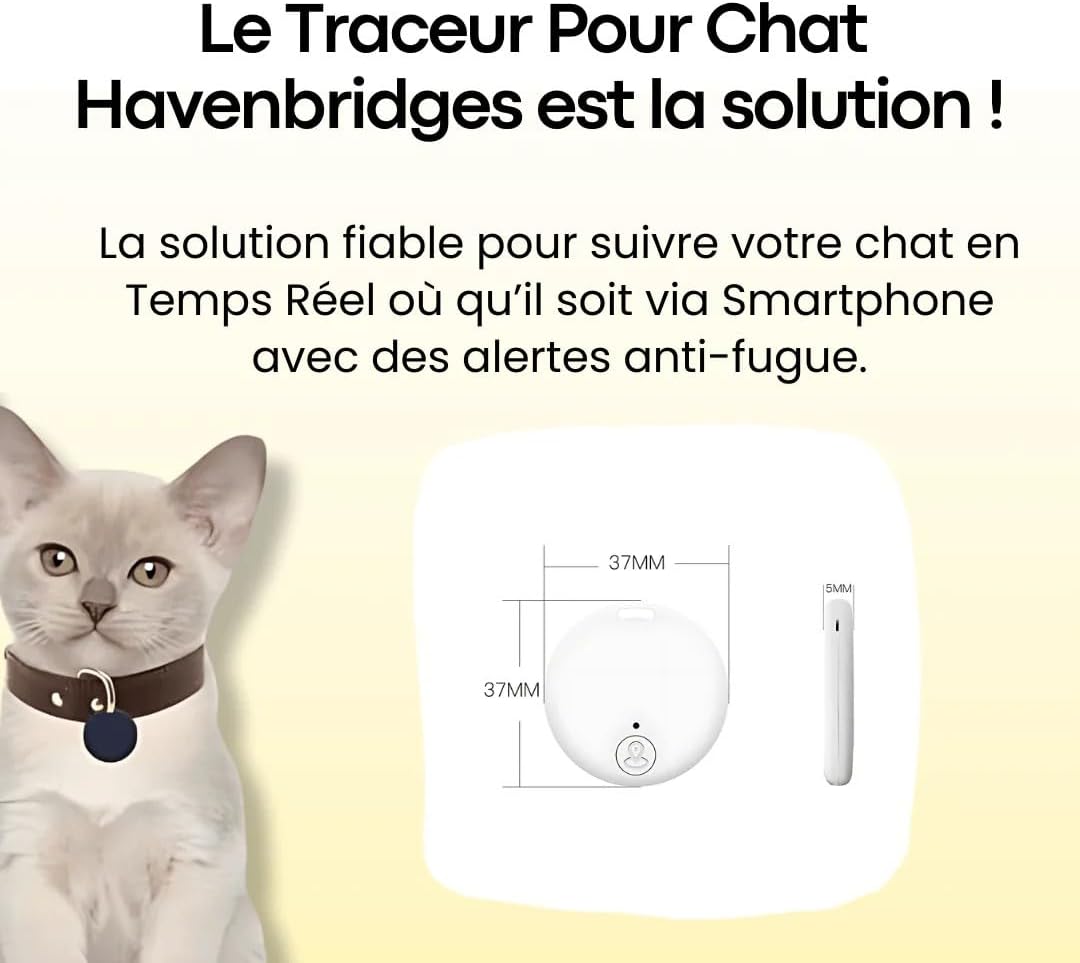
Image: A cat wearing the Havenridges tracker, accompanied by a diagram detailing the compact dimensions of the device (37mm x 37mm x 5mm), emphasizing its small and discreet design.
Maintenance
Proper care ensures the longevity and optimal performance of your Havenridges GPS Tracker:
- Cleaning: Wipe the device with a soft, damp cloth. Do not use harsh chemicals or abrasive materials.
- Water Resistance: The tracker is waterproof, but avoid prolonged submersion in water or exposure to high-pressure water jets. Ensure the charging port cover is securely closed when not charging.
- Battery Care: Recharge the battery regularly. Avoid completely draining the battery or leaving it uncharged for extended periods. Store the device in a cool, dry place when not in use.
- Storage: If storing for a long time, charge the device to about 50% and recharge every few months to prevent battery degradation.
Troubleshooting
If you encounter issues with your Havenridges GPS Tracker, consider the following:
- Device Not Connecting/Pairing:
- Ensure the tracker is charged and powered on.
- Verify Bluetooth is enabled on your smartphone.
- Make sure the tracker is within close proximity to your phone during pairing.
- Restart both the tracker and your smartphone.
- Check if the app requires an update.
- If the issue persists, try resetting the tracker (refer to the app for specific reset instructions).
- Inaccurate Location Data:
- GPS signal can be affected by dense buildings, heavy tree cover, or indoor environments. Move to an open area.
- Ensure the tracker has a clear line of sight to the sky.
- Check the app's settings for location accuracy preferences.
- Short Battery Life:
- Ensure the device is fully charged before use.
- Frequent real-time tracking or constant alerts can consume more battery. Adjust settings if necessary.
- Battery performance may degrade over time with extensive use.
For further assistance, please refer to the in-app help section or contact customer support.
Specifications
| Brand | SWZEC |
| Model | B0FB99DFDD |
| Color | Orange |
| Manufacturer | SWZEC |
| Batteries Included | No |
| Date First Available on Amazon.fr | May 29, 2025 |
Warranty and Support
For information regarding product warranty, returns, or technical support, please refer to the purchase documentation or contact the seller directly through the platform where the product was acquired. Support resources may also be available within the dedicated mobile application for the Havenridges GPS Tracker.