
1. Introduction
This instruction manual provides detailed guidance for installing and operating your BrickBling Light Kit, designed specifically for the LEGO Japanese Red Maple Bonsai Tree (LEGO Set 10348). This kit enhances your botanical model with custom LED lighting, featuring a touch-sensitive switch and dimming capabilities. Please note: The LEGO model itself is not included with this light kit.
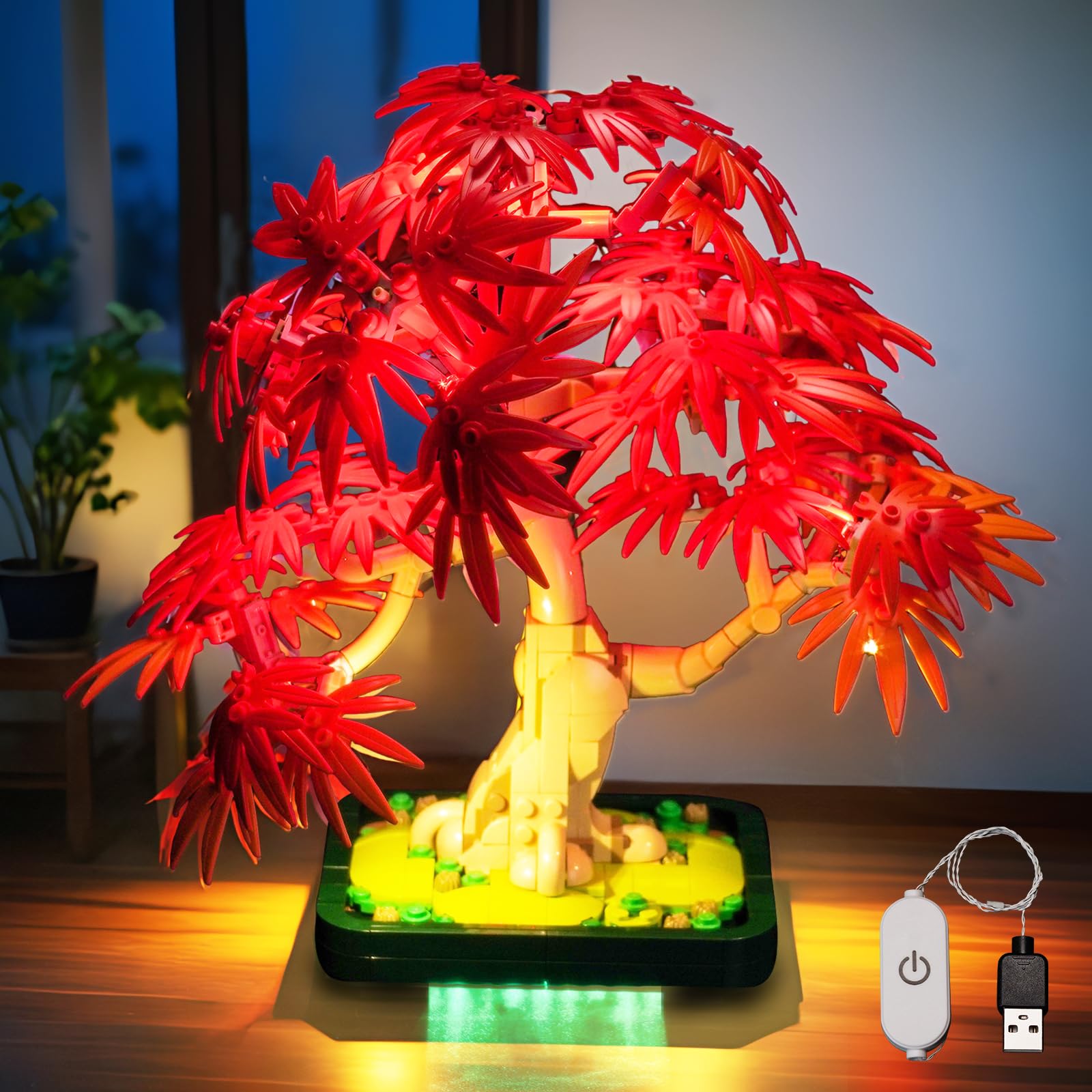
The BrickBling Light Kit illuminates the LEGO Japanese Red Maple Bonsai Tree, creating a vibrant display. The LEGO model is shown for illustrative purposes only and is not included.
2. Safety Information
Please read and understand all safety instructions before installation and use.
- Choking Hazard: This product contains small parts and is not suitable for children under 3 years of age. Adult supervision is recommended during installation.
- Electrical Safety: The recommended voltage for this light kit is 3-5V. Do not exceed this voltage. Ensure all connections are secure before powering on.
- Handling: Handle wires and LED components carefully to avoid damage. Do not bend wires excessively.
- Environment: Keep the light kit away from water and high humidity. Do not expose to extreme temperatures.
3. Package Contents
Verify that all components listed below are present in your package. If any items are missing or damaged, please contact BrickBling customer support.

Detailed view of the light kit components and online instruction booklet.
- Light Kit Components (various high-brightness lights, rigid light bars, light strip)
- Connecting Cables (various lengths)
- Touch Dimming Module (50CM)
- Expansion Board
- AAA Battery Case (batteries not included)
- Online Instructions Access Card
Important: This package contains only the light kit. The LEGO Japanese Red Maple Bonsai Tree (Set 10348) must be purchased separately.

The image clarifies that the light kit is sold separately from the LEGO model.
4. Setup and Installation
The BrickBling Light Kit is designed for easy installation with minimal exposed wiring once complete. Detailed, step-by-step online instructions are provided to guide you through the process.
4.1 Accessing Online Instructions
A physical paper manual is not included. To access the comprehensive PDF and video instructions:
- Locate the website address printed in the booklet that came with your package.
- Visit the website and enter all characters from the label on the back of your package to retrieve the instructions.

Follow these steps to access the digital installation guide.
4.2 General Installation Guidelines
While specific steps are in the online guide, here are general principles:
- Disassembly: You may need to partially disassemble sections of your LEGO Bonsai Tree to integrate the lights. Follow the online guide carefully to identify which parts need to be removed.
- Wire Routing: Route wires discreetly between LEGO bricks. The design aims to hide wires for a clean look.
- Connecting Components: Connect the LED lights to the expansion board, and then connect the expansion board to the touch dimming module. Finally, connect the module to the power source (AAA battery case or USB power).
- Testing: Test the lights periodically during installation to ensure proper function before fully reassembling your model.

Examples of integrated lighting within the LEGO Bonsai Tree structure.
5. Operation
Your BrickBling Light Kit features a touch-sensitive switch for easy control.
- Power On/Off: A short touch on the touch dimming module will turn the lights on or off.
- Adjust Brightness: A long touch on the touch dimming module will cycle through different brightness levels. Release your finger when the desired brightness is reached.

The touch-sensitive module allows for simple control of the light kit's power and brightness.
6. Maintenance
To ensure the longevity and optimal performance of your light kit:
- Cleaning: Use a soft, dry cloth to gently wipe away dust from the lights and wires. Do not use liquid cleaners.
- Battery Replacement: If using the AAA battery case, replace batteries when lights dim significantly or stop working. Ensure correct polarity when inserting new batteries.
- Storage: If storing the LEGO model with the light kit for an extended period, consider disconnecting the power source to prevent battery drain or potential issues.
7. Troubleshooting
| Problem | Possible Cause | Solution |
|---|---|---|
| Lights do not turn on. | No power, loose connection, or faulty component. | Check power source (batteries or USB). Ensure all cables are securely connected. Refer to online instructions for connection diagrams. |
| Lights are dim or flicker. | Low battery power or insufficient power supply. | Replace batteries if using the battery case. Ensure USB power source provides adequate power (3-5V). |
| Touch dimming function is unresponsive. | Module not properly connected or damaged. | Verify the touch dimming module is correctly connected to the expansion board and power. Ensure the module surface is clean and dry. |
| Some lights are not working. | Loose connection to a specific light or damaged LED. | Check the connection of the non-working light to the expansion board. If the connection is secure and it still doesn't work, the LED may be faulty. |
If you encounter issues not covered here, please consult the detailed online instructions or contact BrickBling customer support.
8. Specifications
- Brand: BrickBling
- Model Compatibility: LEGO Japanese Red Maple Bonsai Tree 10348
- Style: Classic Version Light
- Material: Acrylonitrile Butadiene Styrene (ABS), Copper
- Number of Light Sources: Varies by kit, includes multiple LEDs and light strips.
- Power Input: 3-5V (USB or AAA Battery Case)
- Batteries Included: No (for AAA Battery Case)
- Included Components: Light Kit, Power Supply (USB cable or battery case)
9. Warranty and Customer Support
BrickBling products are manufactured with quality and customer satisfaction in mind. For any questions, concerns, or warranty claims, please contact BrickBling customer support through the official website or your purchase platform.
Please retain your proof of purchase for warranty purposes.


